
How do employees find the resources that have been added to a product?
If you want to know how to safely handle chemical products, then you can always access product information through the CleanManager app and web system.
In this article, we will showcase, how you can easily find this information in the CleanManager app and the web system.
Note:
To be able to order a product, an employee needs to have access to CleanManager.
In this article, you will learn how to find product information:
This is how you find product information in the web system

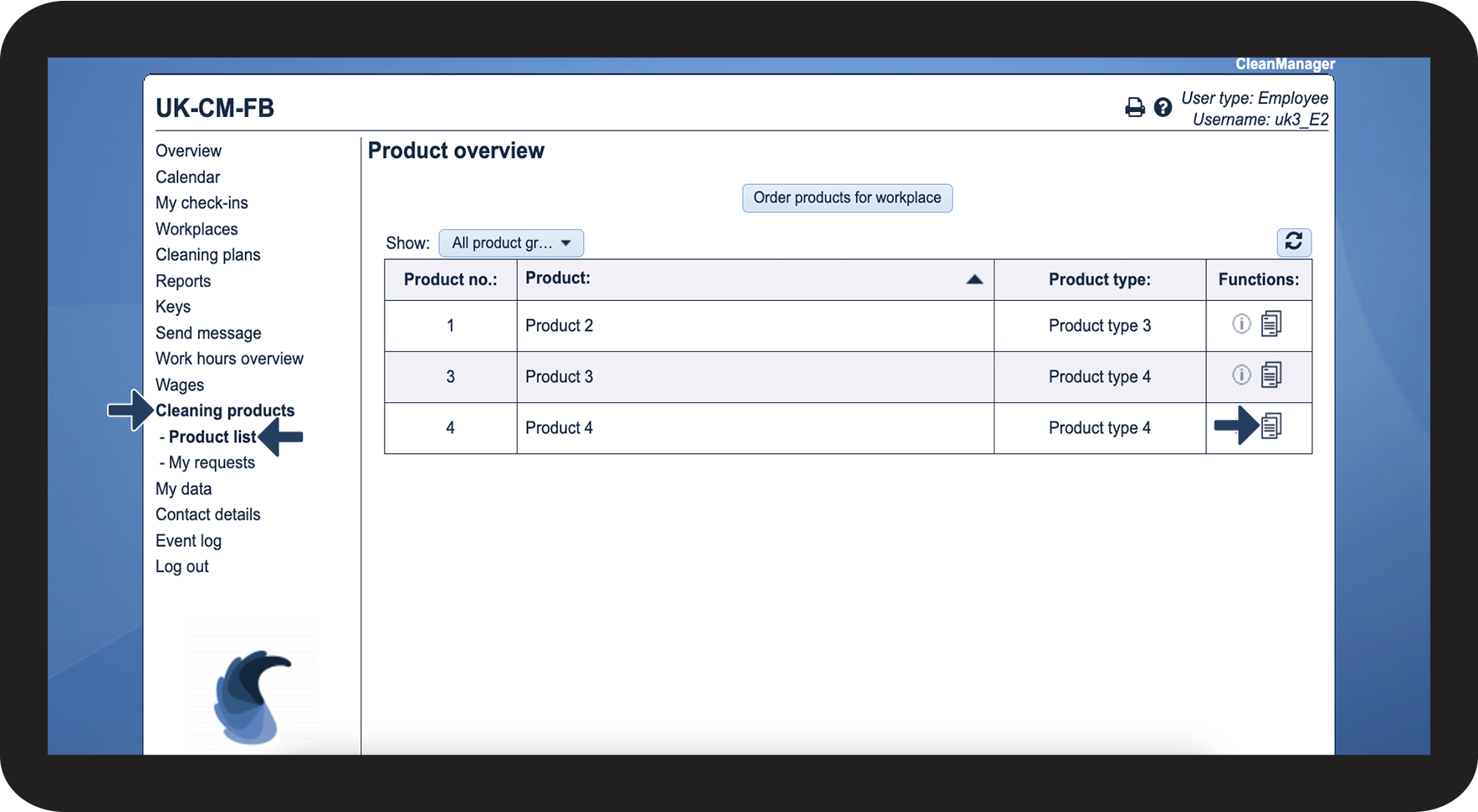

 Download file
 Open hyperlink
 View comments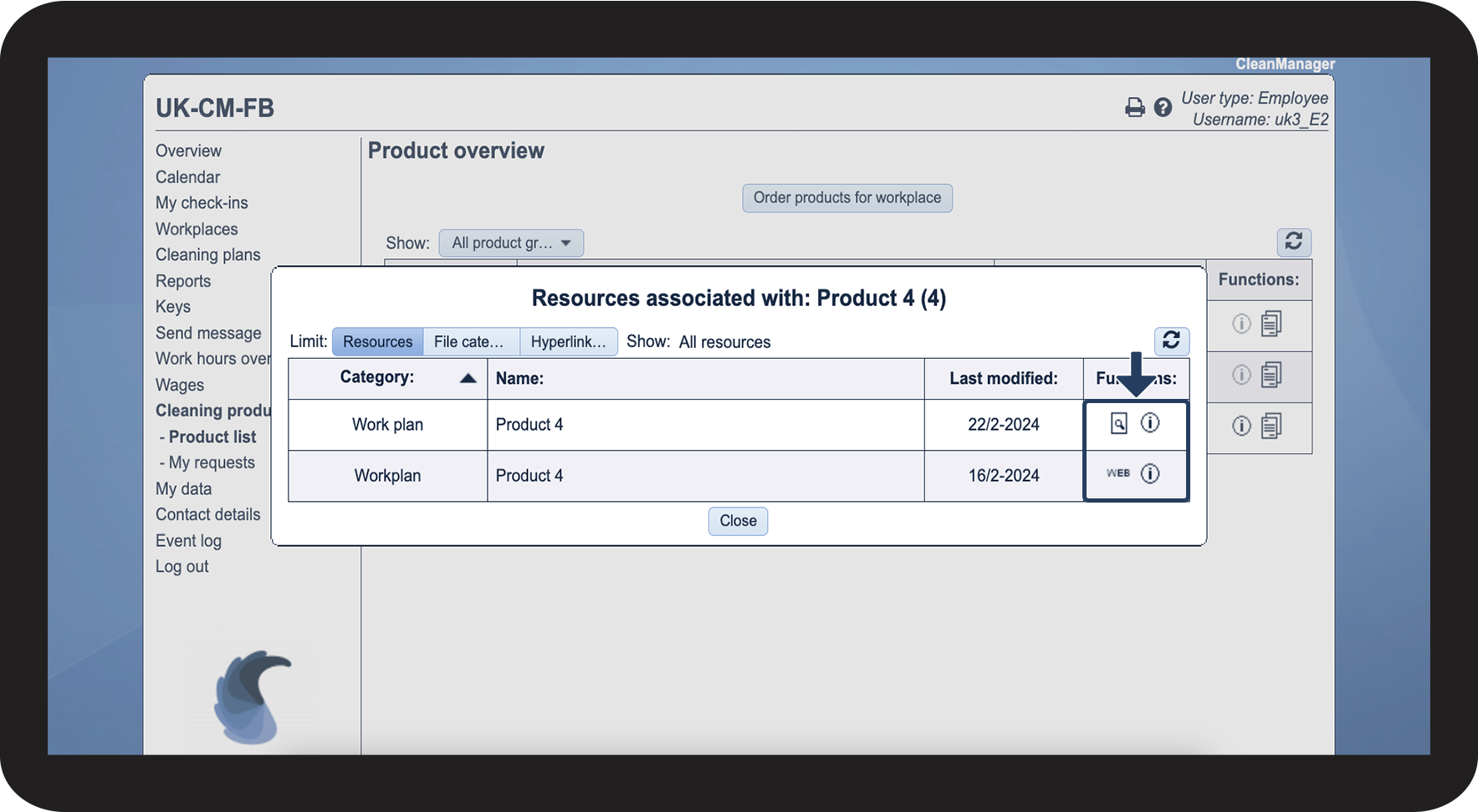
This is how you find product information in the app
Continue to the article: Product information
In this article, you will learn how to find product information in the app.