How can I hide cleaning types?
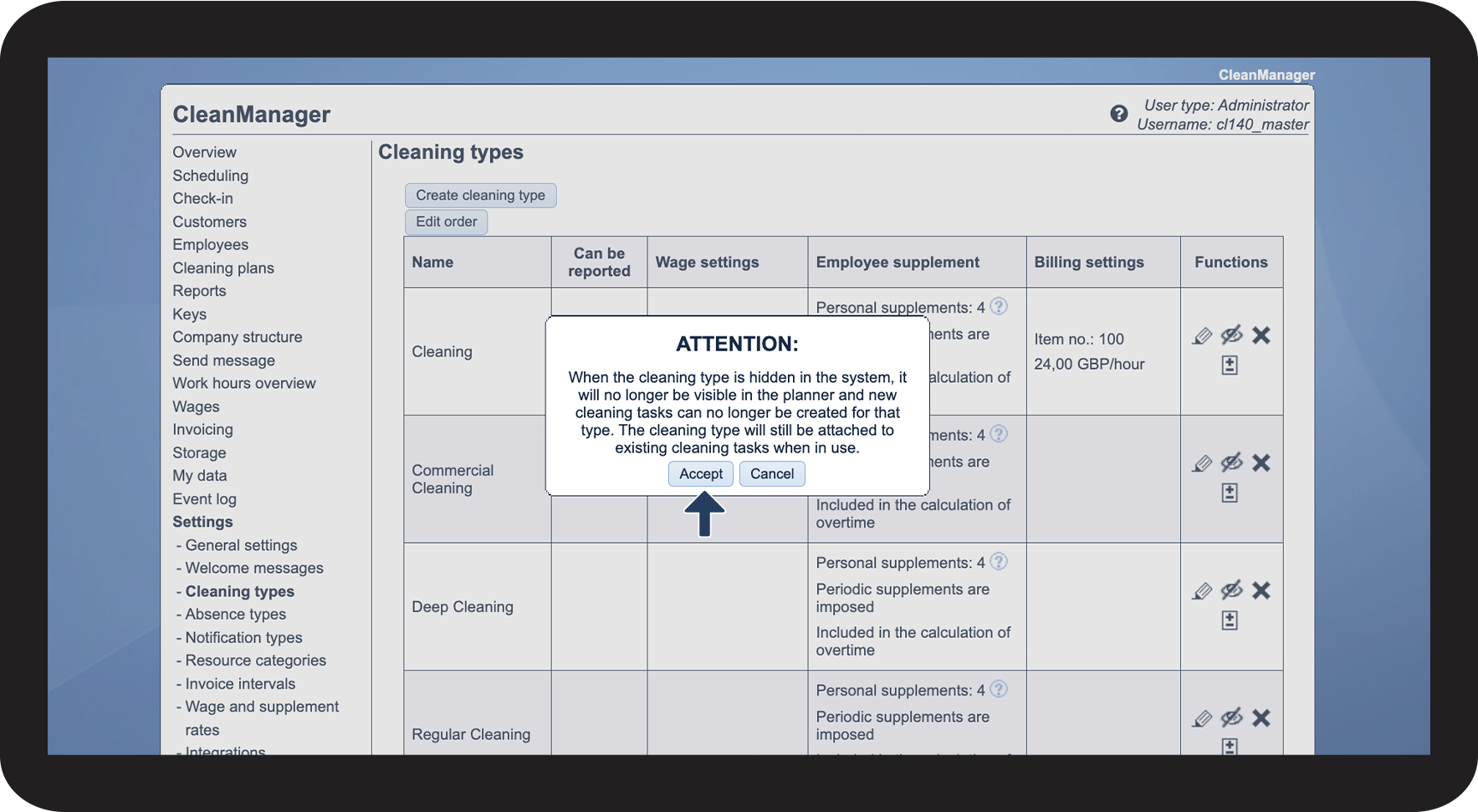
If you do not want a cleaning type to be available for selection anymore, but at the same time do not want to delete it, since it is used in the planning, it is possible to hide the cleaning type.
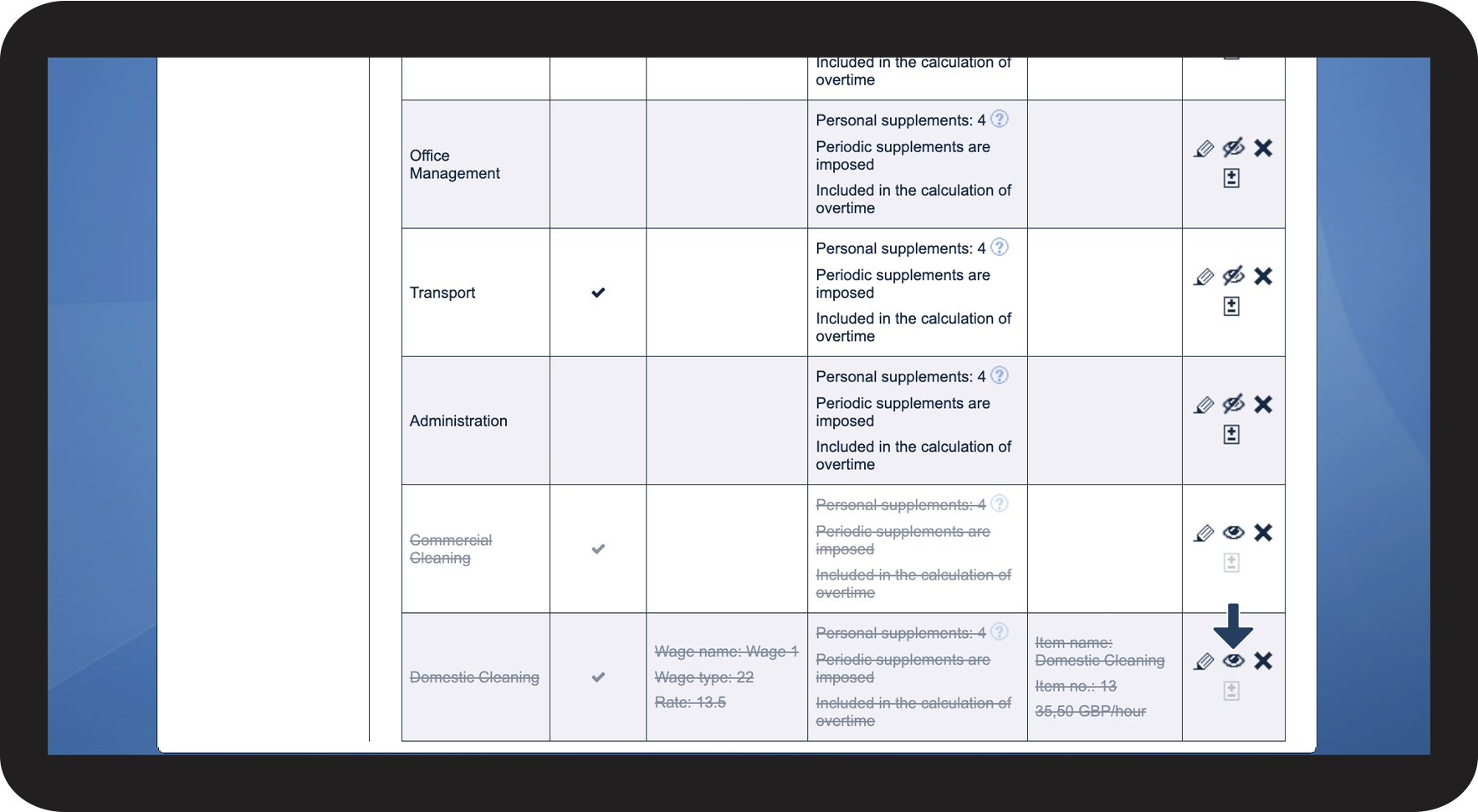
This will result in the cleaning type remaining in the settings, however, it cannot be chosen, when planning new tasks or setting up new service agreements.
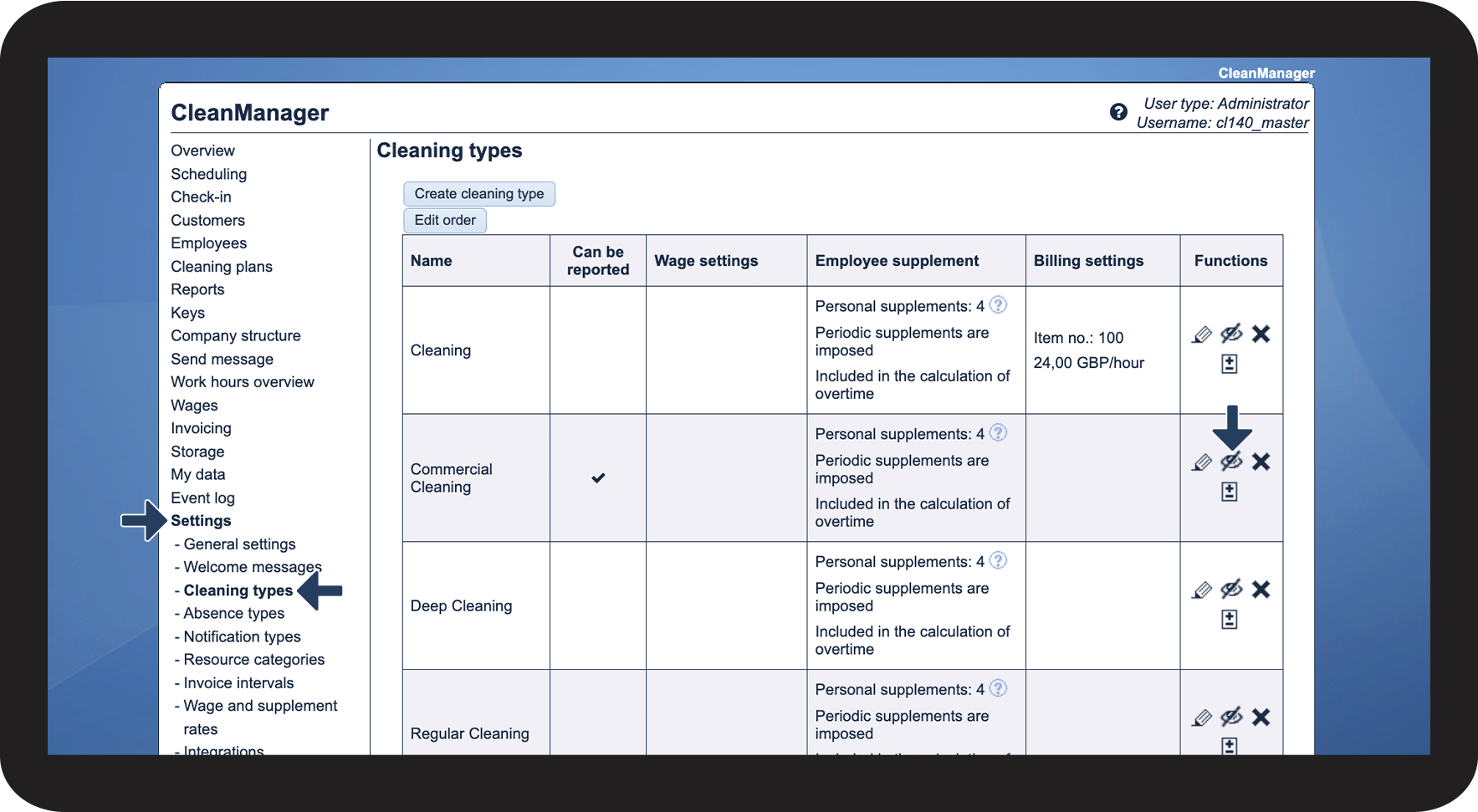
In this article, you will learn how to hide cleaning types:
This is how you hide cleaning types

 in the Functions column of a cleaning type