How do I hide absence types?
An absence type that has previously been used to register absence in the calendar cannot be deleted. However, if it should no longer be applicable, you can hide it in the system.
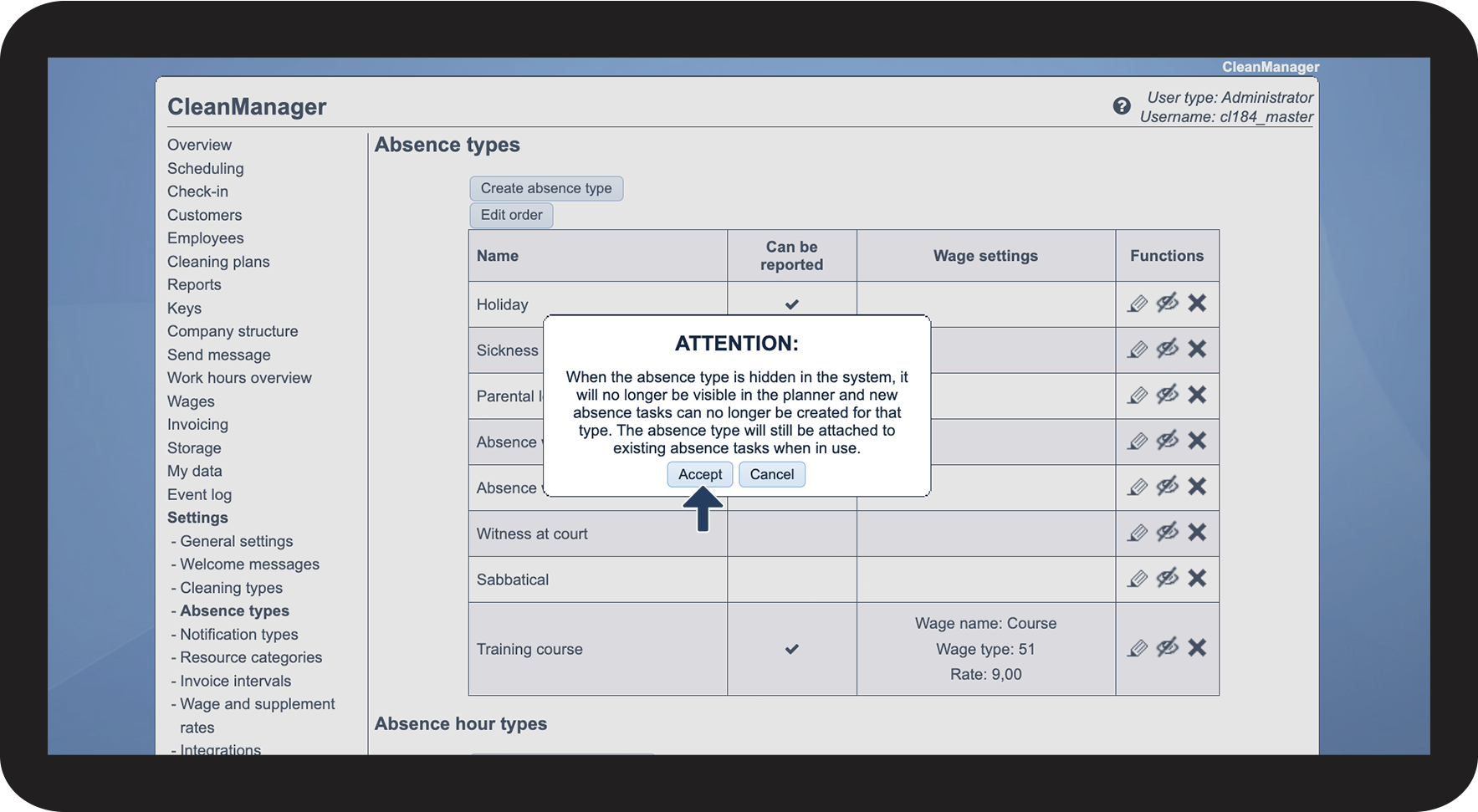
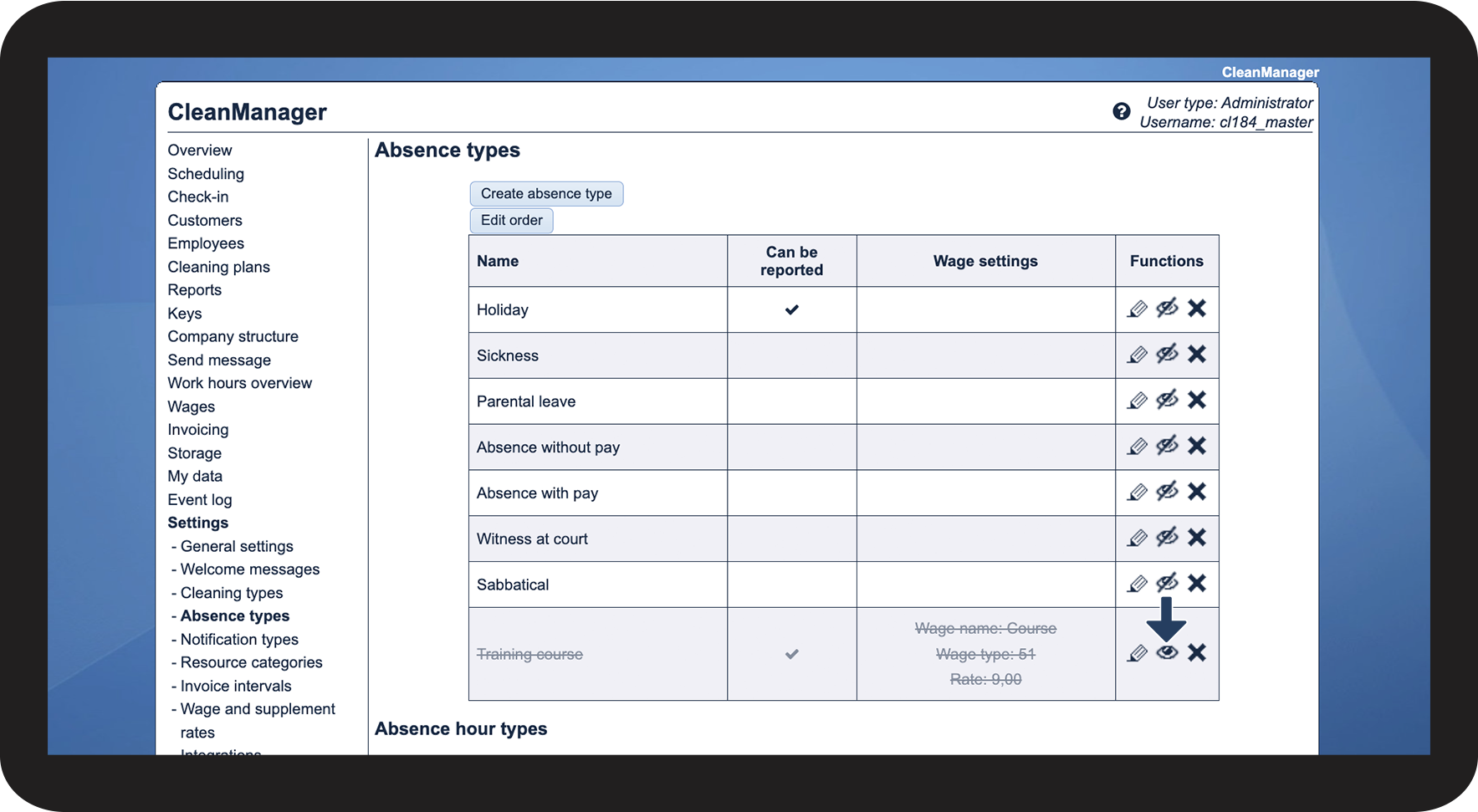
This way, the absence type will remain in the settings, but it can no longer be selected when registering absence.
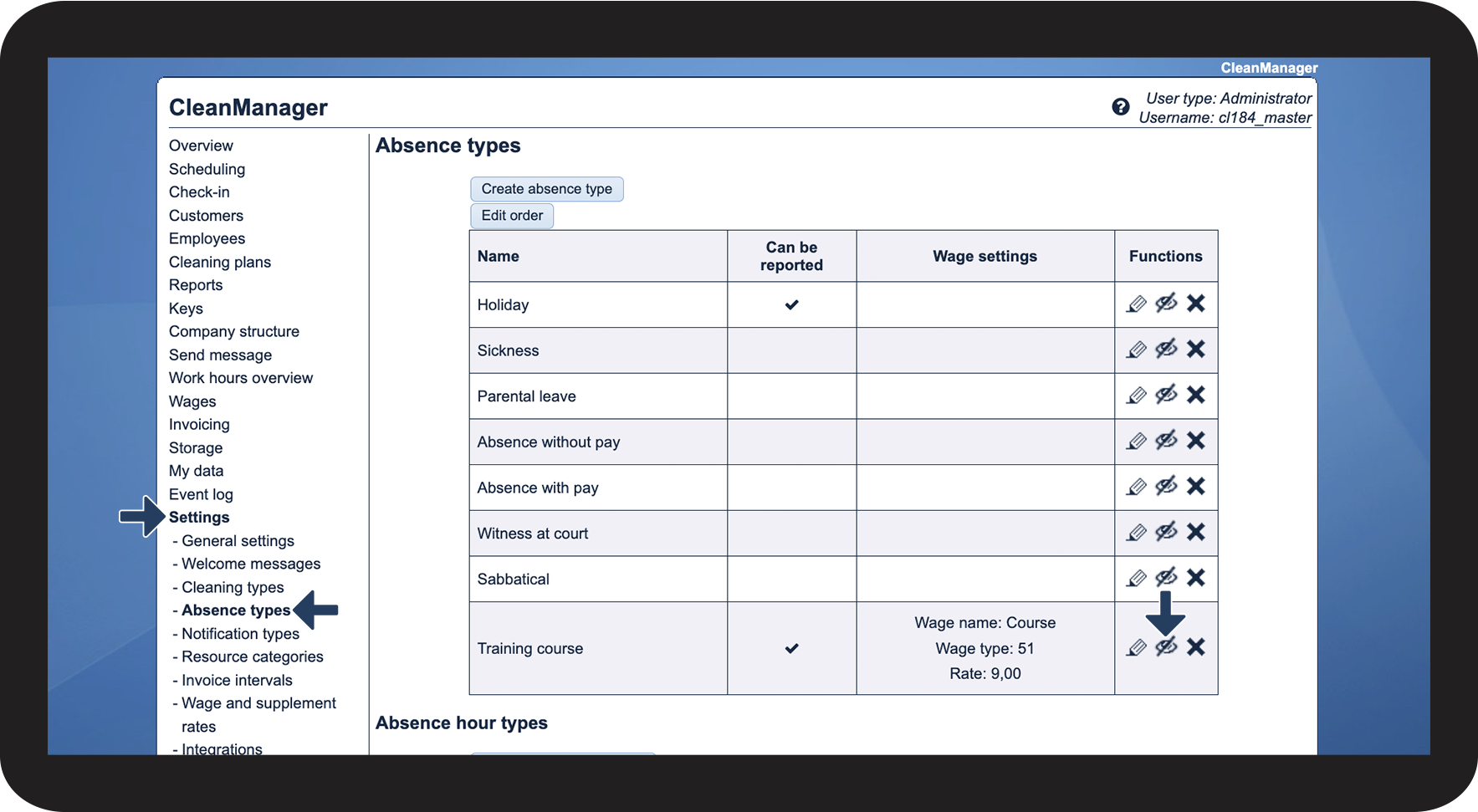
In this article, you will learn how to hide absence types:
This is how you hide an absence type

 next to the absence hour type you want to hide