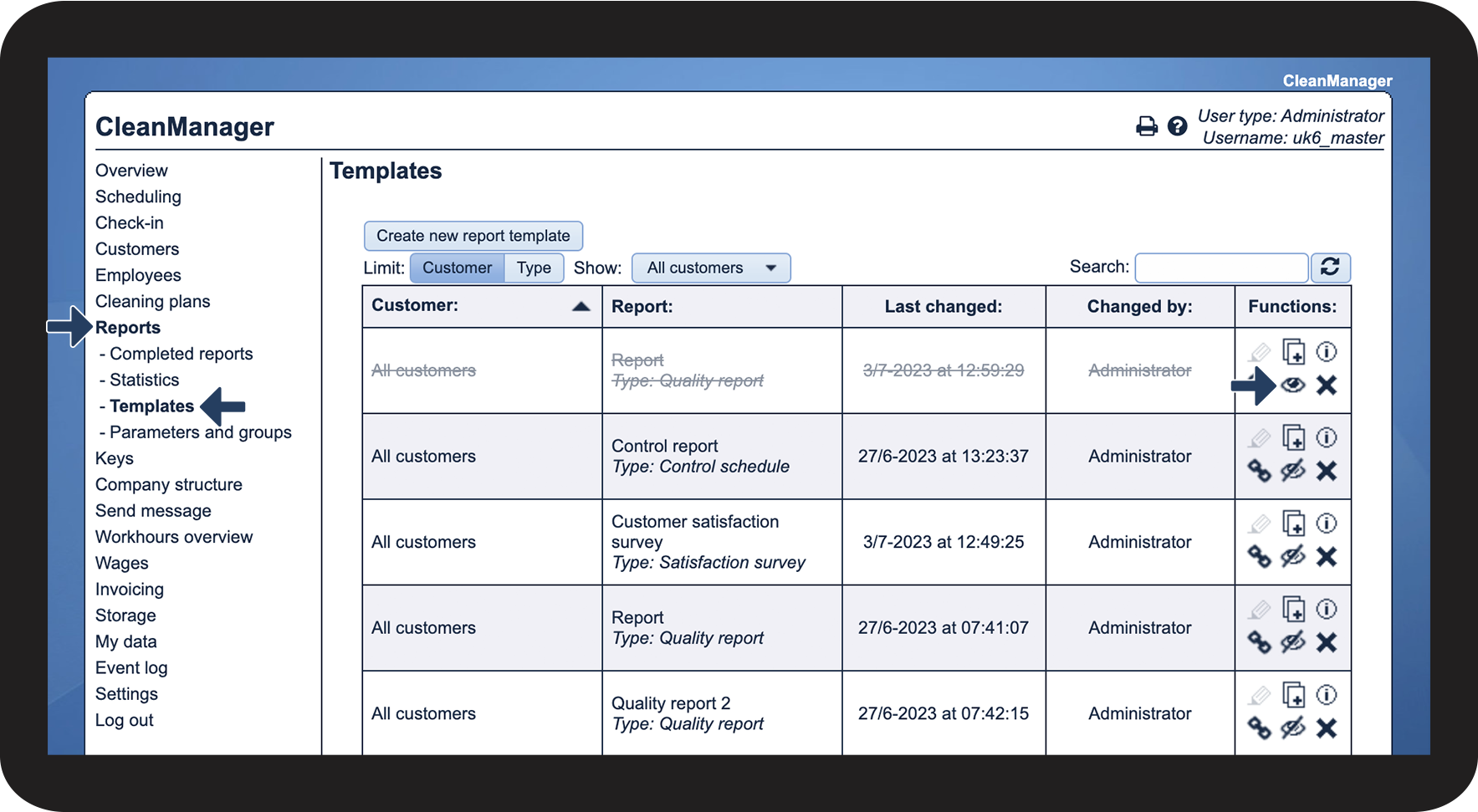
How can the Administrator hide a report template?
The administrator has the option to hide report templates so that they can no longer be used for filling out new reports.
Reports based on the template will still be included when you pull statistics on the completed reports. You will still have the option to filter a hidden report name when pulling statistics as well.
In this article, you will learn how to hide or show a report template:
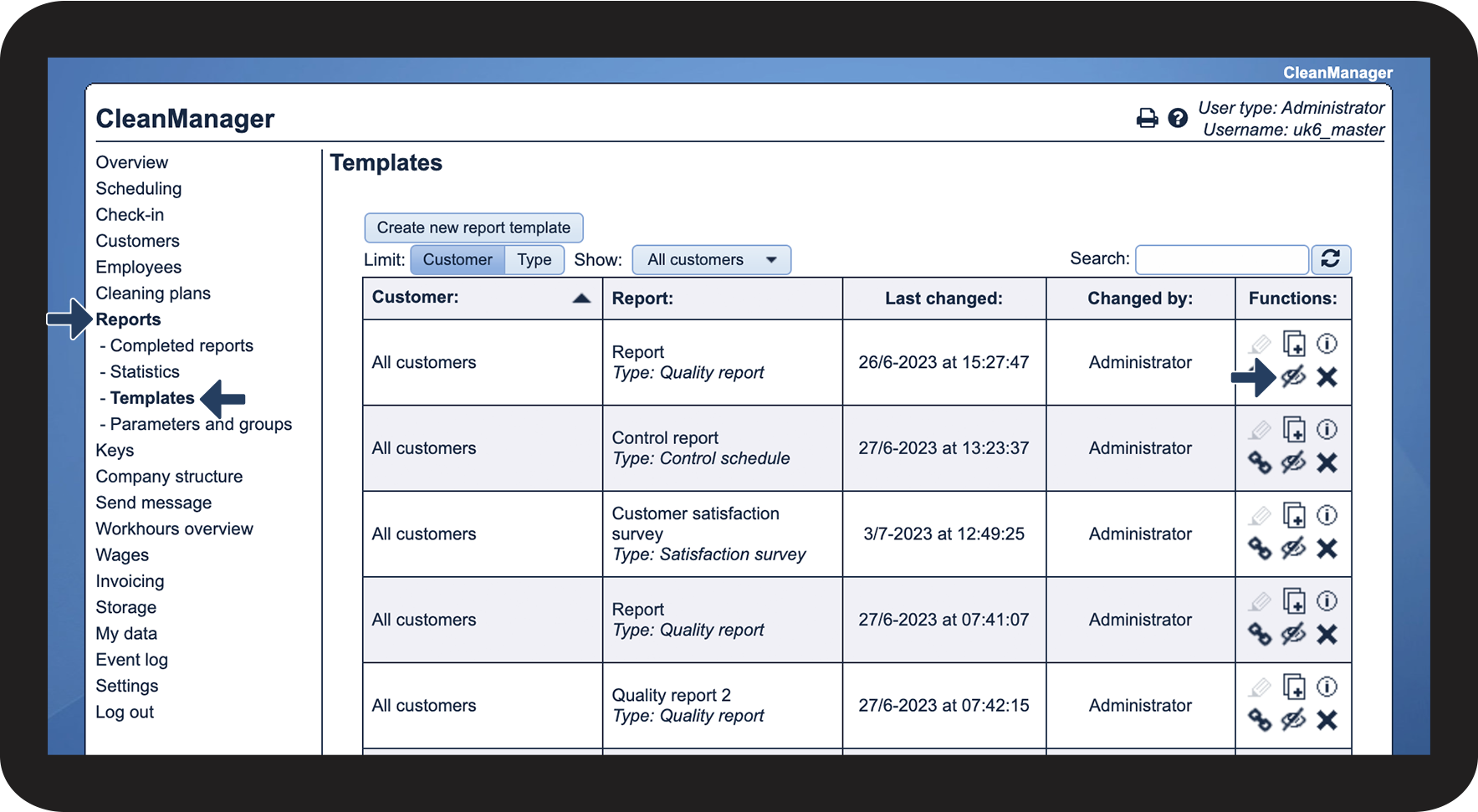
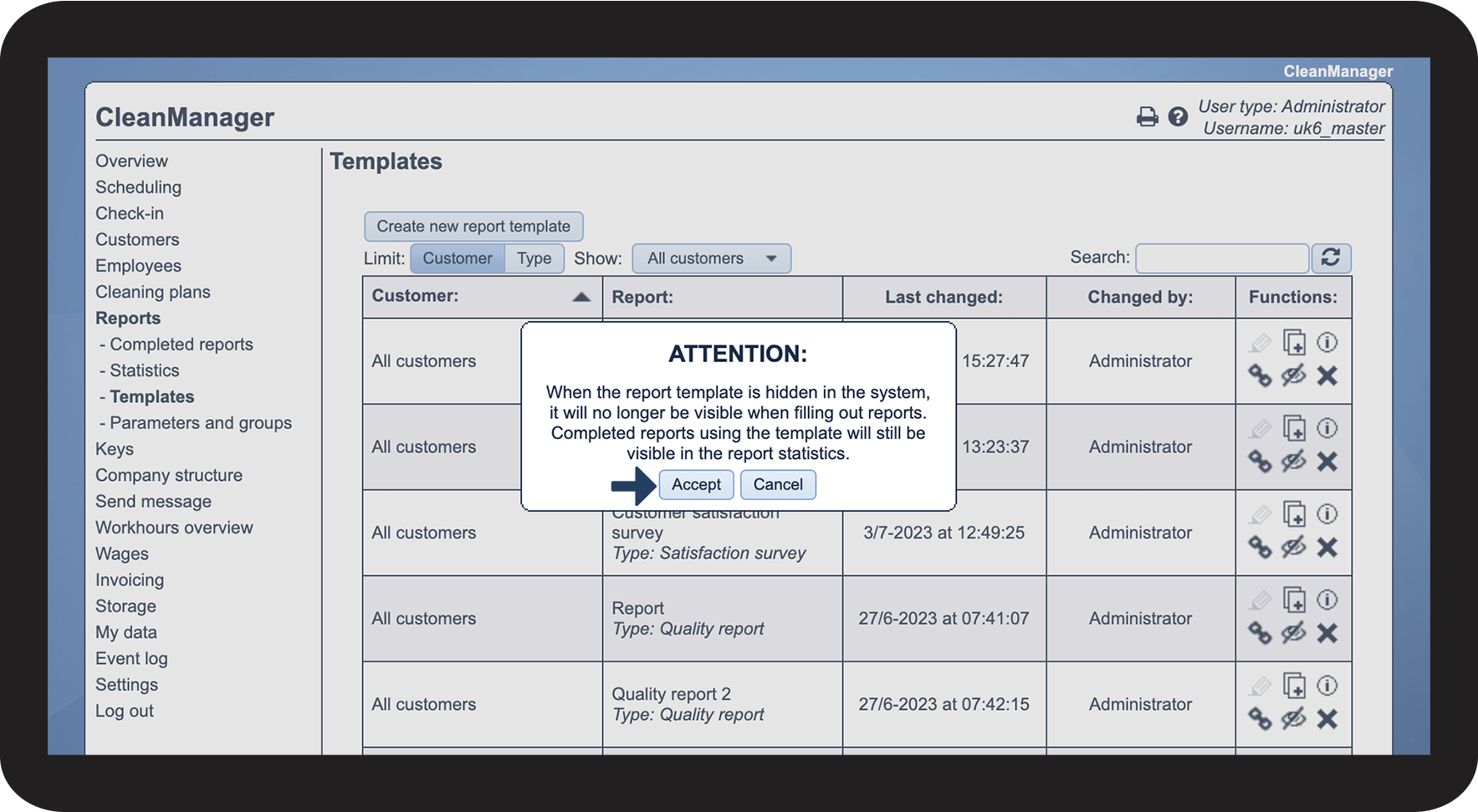
How to hide a report template

 to activate the setting Don't show while filling out

How to make a report template visible again
 to make the template visible again