Functions related to workplaces
Which functions are available for my workplaces?
Do you need to access information about one of your workplaces? You can view information about your workplaces in the web system, e.g. comments, cleaning plans, or other information made available to you by your administrator or supervisor.
In this article, you will learn how to use the functions related to your workplaces:
- Where can I find the functions related to my workplaces?
- What do the symbols mean?
- Which functions are related to the locations?
This is how you find the functions related to your workplaces
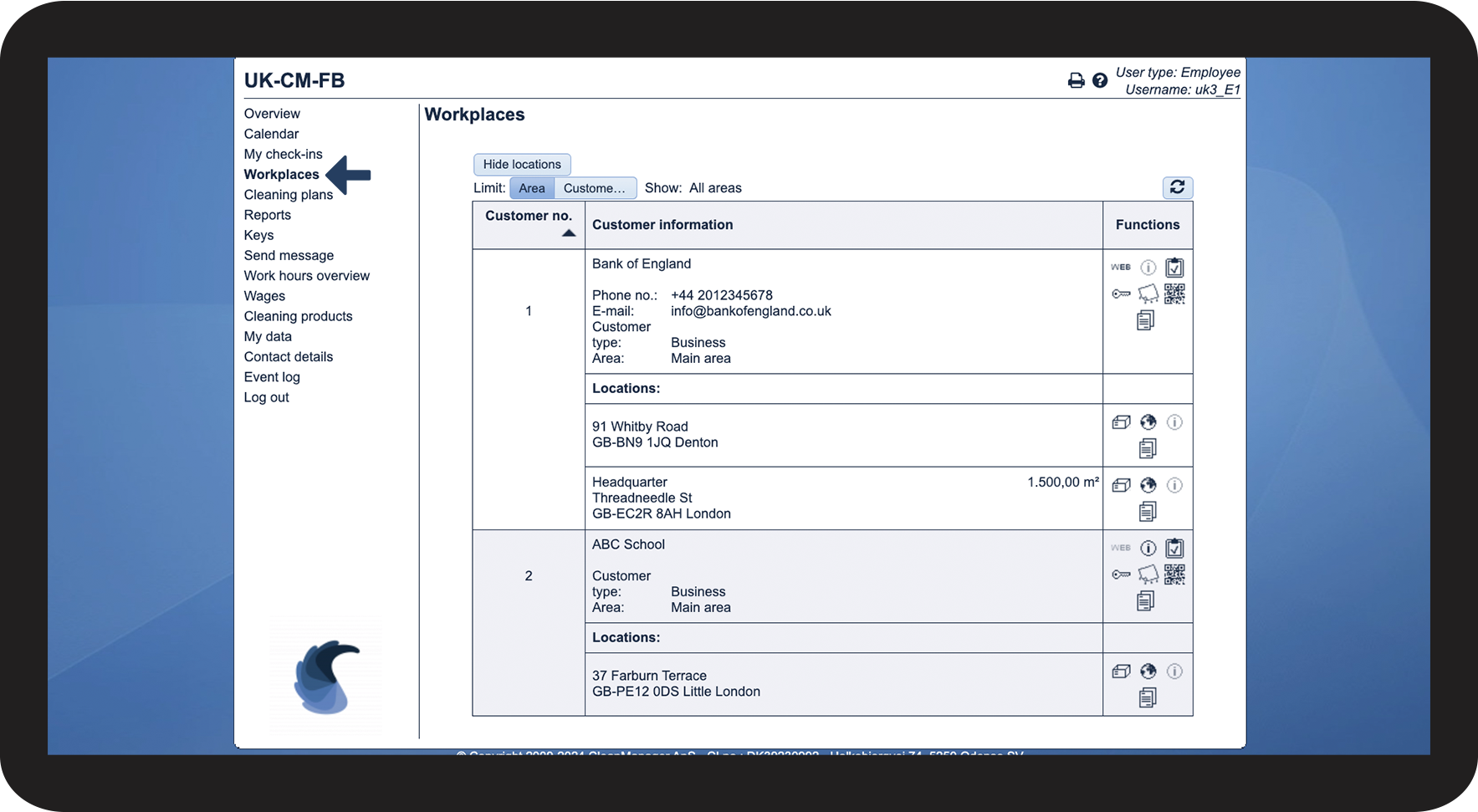
In the menu, go to Workplaces

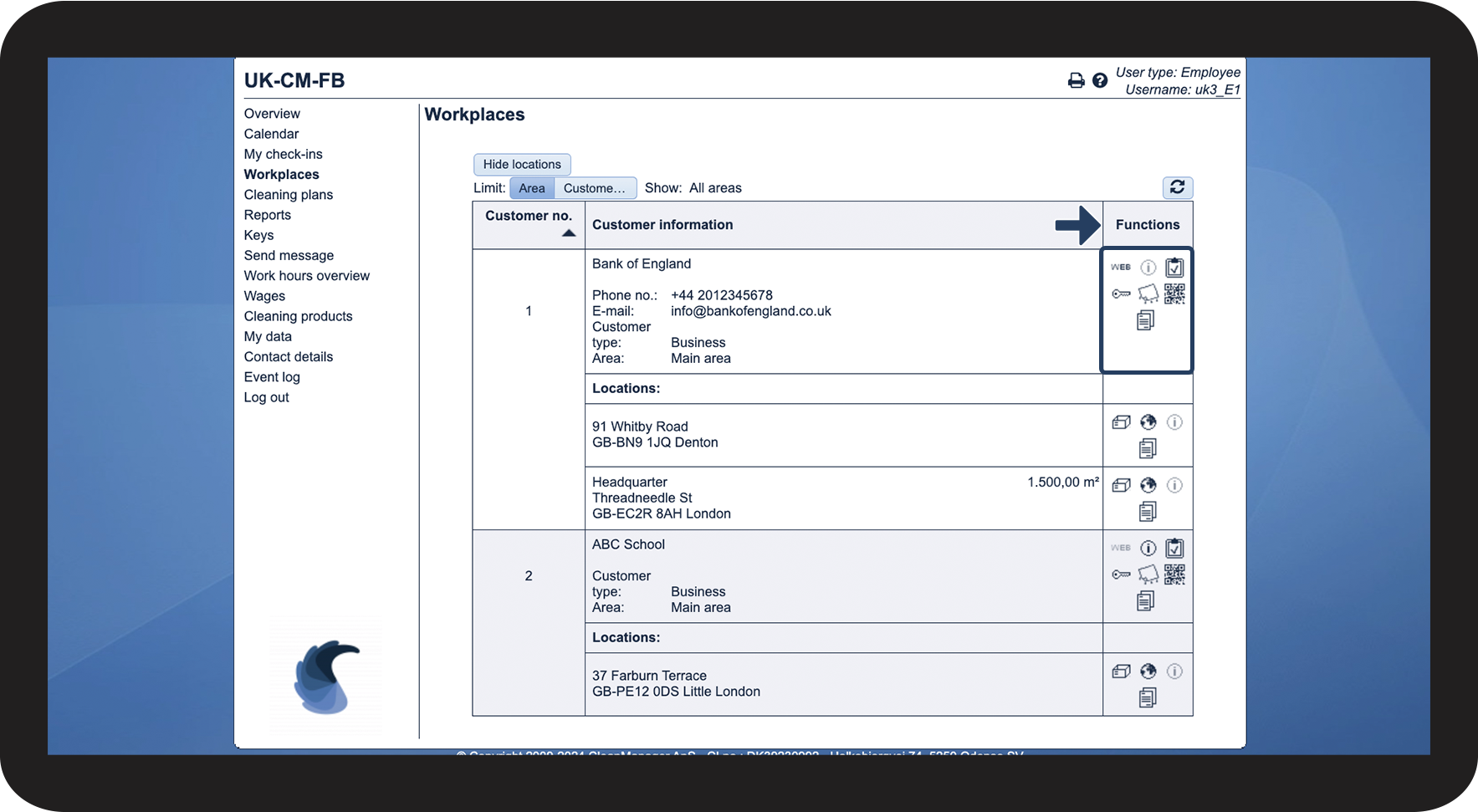
All functions are listed in the last column

This is what the different symbols mean
Functions related to workplaces
View customer homepage
If a website has been added to the customer, you can click on the icon to be redirected to the customer's website
View comments
If a comment has been added to the customer, you can view it here
View reports associated with this workplace
NOTE: The add-on module Audits must be active in the account to access this function
View all audits related to the workplace that have either been completed by you, or that your supervisor has completed and shared with you. By clicking here, you can also start filling out a new audit. Read more about that here: Filling out a report as an Employee
View key rings associated with this workplace
View all key rings related to the workplace that have been assigned to you. Read more about that here: Displaying keys - Employees
View cleaning plans associated with this workplace
View all cleaning plans that have been made for this customer. Read more about that here: Displaying cleaning plans - Employee
Show QR code containing the customer's details
View and scan a QR code containing contact details related to the workplace
View resources
View resources uploaded by your administrator or supervisor that have been made available to you
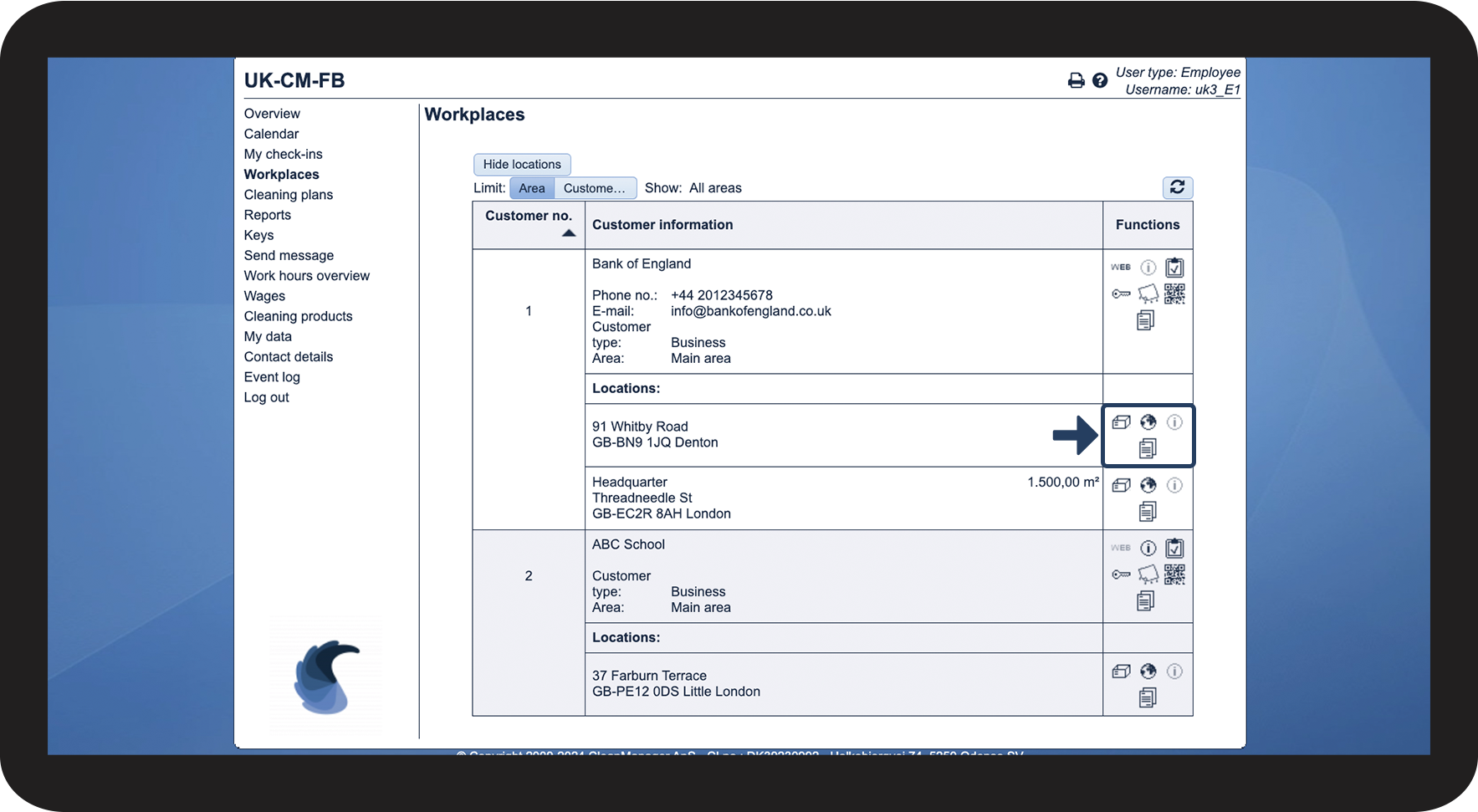
These functions are related to the locations
In the menu, go to Workplaces


Functions related to the locations
Order products for location
Click to order products for this specific location from the storage: Read more about that here: How does an employee order products?
View address on map
Click to view the location in Google Maps
View comments
If a comment has been added to the location, you can view it by clicking here
View resources
View resources uploaded by your administrator or supervisor that have been made available to you about this specific location