Skip to content
English
  • There are no suggestions because the search field is empty.

Finding and managing created cleaning plans

How does the administrator set which created cleaning plans are displayed?

As Administrator, you can see all created cleaning plans for all customers.

Supervisors can only see the cleaning plans of the customer areas they have been assigned to. 

As an employee, you can see created cleaning plans at the workplaces to which you are assigned. For more information regarding this, go to Company Structure.

If you are searching for a specific cleaning plan, you have the option to sort the created cleaning plans. This article will review the adjustment options available when filtering the displayed cleaning plans as an administrator.


In this article, you will learn how to adjust the display of cleaning plans:


This is how you find the created cleaning plans

number_1_copy.png
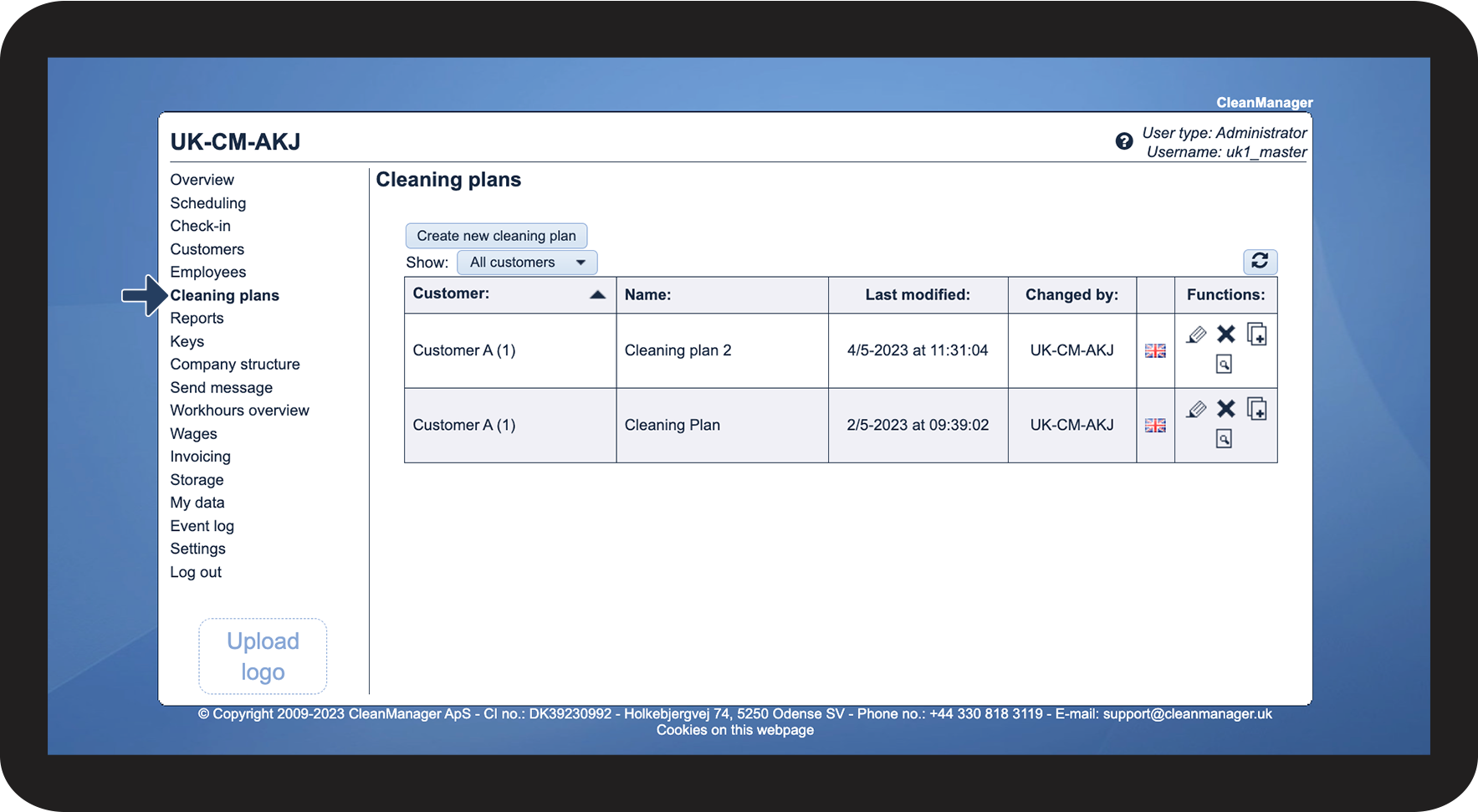
In the menu, click on Cleaning plans
 
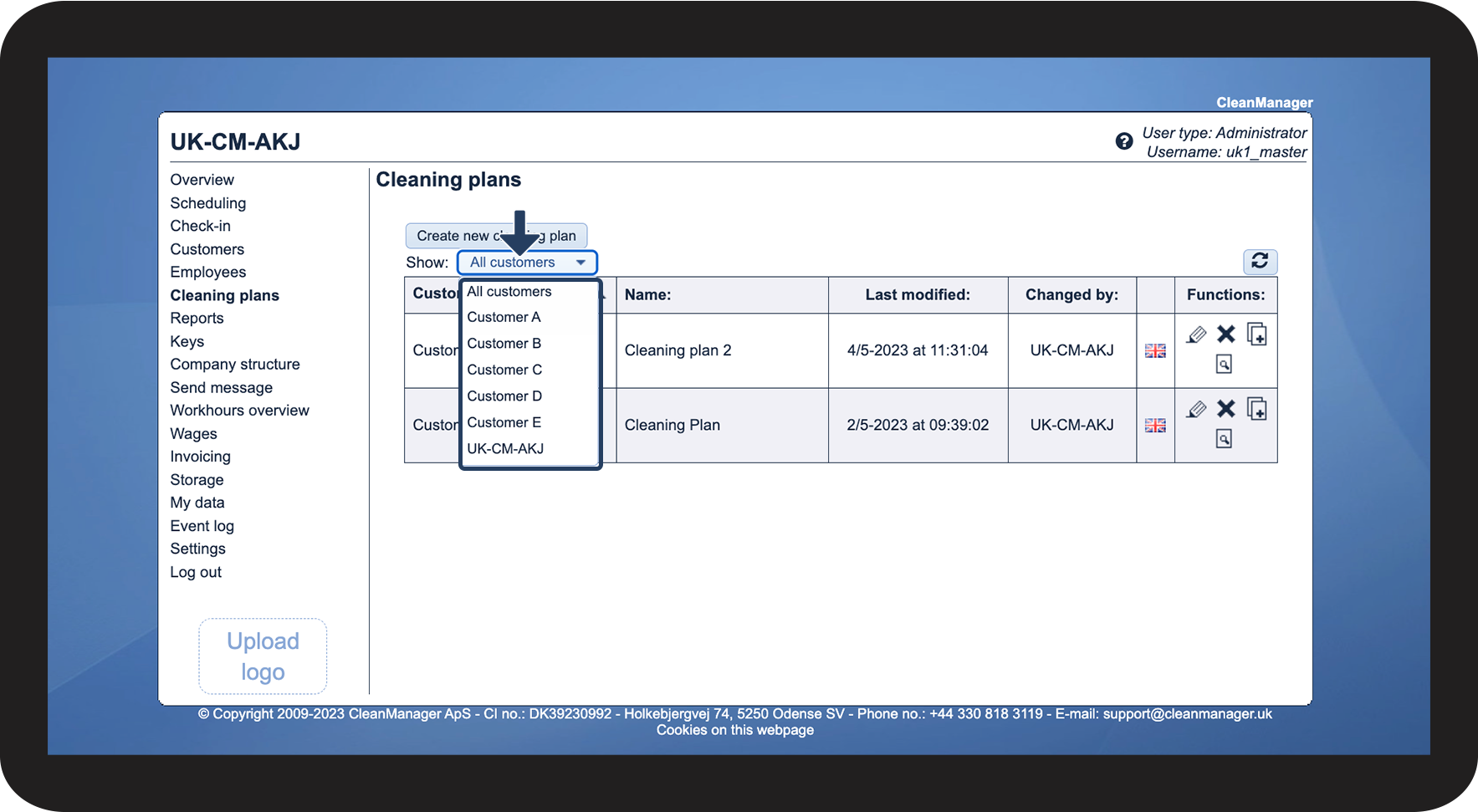
Here you can either see cleaning plans in the standard sorting or make the search more specific by adjusting the sorting.

1.png


How to adjust the sorting

number_1_copy.png
Next to View, click on the Dropdown and select the desired customer

2.png

number_2_copy.png
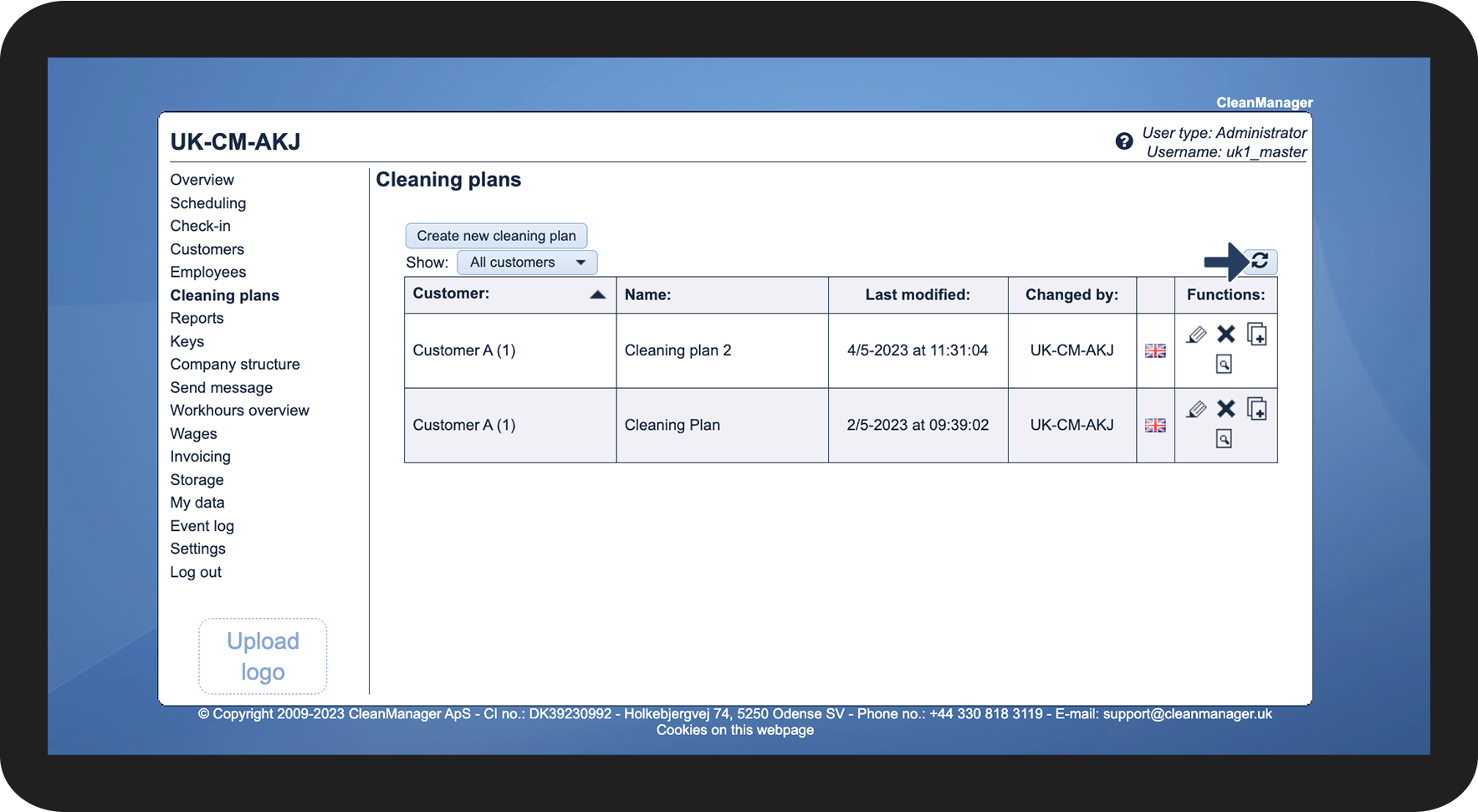
Click on Update Screenshot_2022-08-15_at_12.18.42.png to refresh the view

3.png


These functions are available for cleaning plans

number_1_copy.png
Functions for cleaning plans
 
The following functions, in addition to the individual cleaning plans, will be possible to use:
rediger.png

Edit cleaning plan

This function lets you edit the plan
Slet.png

Delete cleaning plan

This function deletes the plan
Screenshot_2022-06-20_at_12.35.49.png

Copy plan

This function makes a copy of the plan
hent_fil.png

Show/print cleaning plan

This function opens the cleaning plan as a PDF, which can then be viewed, as well as printed