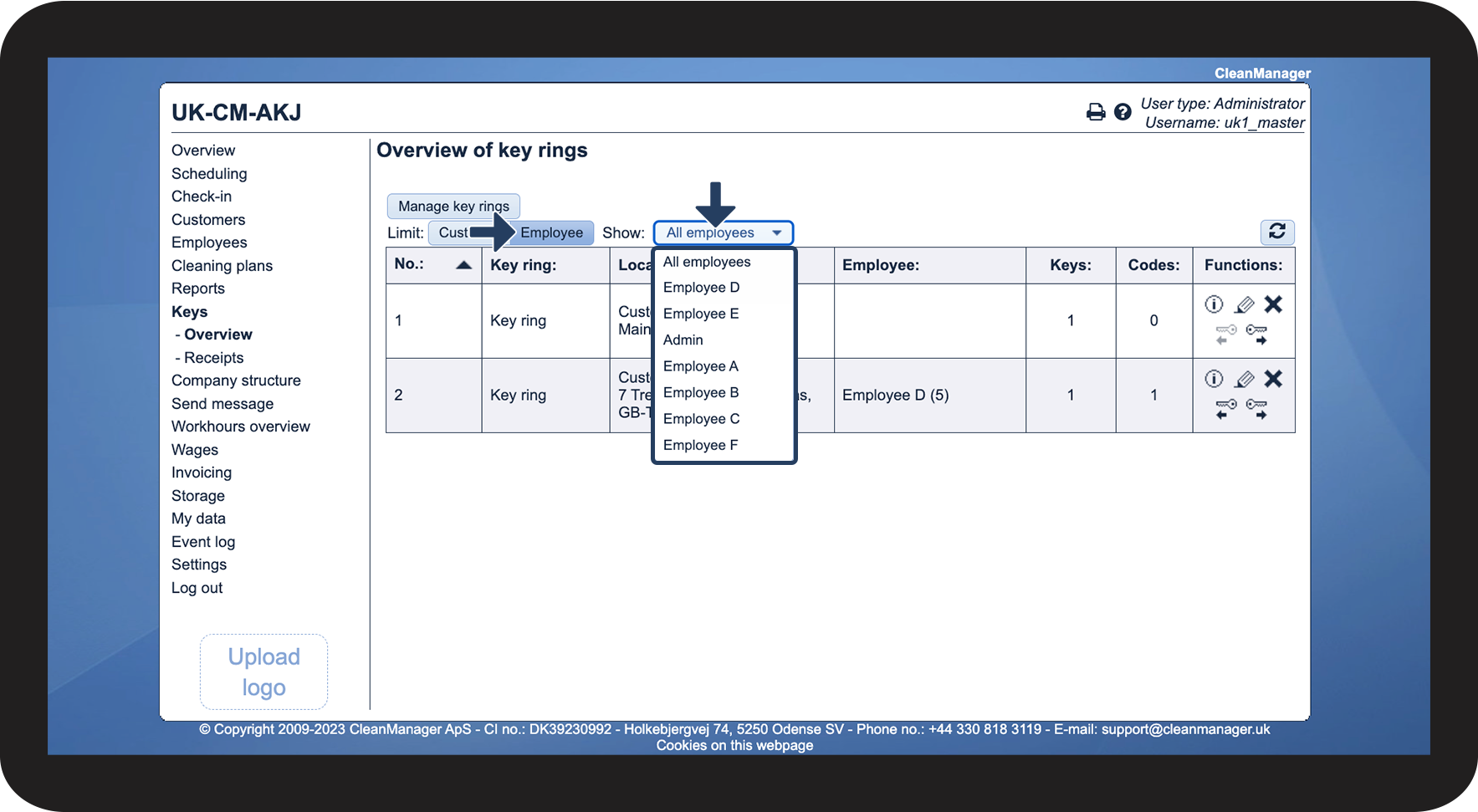
Find and manage created key rings
How does the Administrator / Supervisor set which created key rings are to be displayed?
It is from the overview of key rings that the Administrator / Supervisor handles the handing out and handing in of key rings to their employees.
It is possible to specify the overview of the key rings created in the system. The display can be limited to customers and employees and show a specific customer/employee or all of them.
In this article, you will learn how to find and handle the created key rings:
The following points can be found in the overview of key rings
Columns in the overview
The following points (the headings for each column) will be described here in more depth – read the article Manage key rings on location on how to create a new key ring.
No.
This is the number that is given when the key ring is created.
Key ring
The key ring's name, which is given when creating the key ring.
Location
This shows which customer and location the key ring is connected to.
Employee
Shows whether the key has been handed out/in, to which employee, and whether it has been lost.
Keys
Shows how many keys are associated with the key ring.
Codes
Shows how many codes are associated with the key ring.
How the functions in the overview work
Functions for key rings
The following functions, in addition to the individual key rings, can be used freely:
Show key ring content
This function shows how the key ring has been set up and what exactly it contains
Manage key rings
This feature lets you edit a key ring – go to the section Creating a key ring to find out how to do it
Delete key ring
This function deletes the key ring
Hand in key ring
This function is used when handing in a key ring – see the article Handling the hand-in and hand-out process of key rings for more information
Hand out key ring
This function is used when handing out a key ring – see the previous article for more information
How to filter the display of your key rings
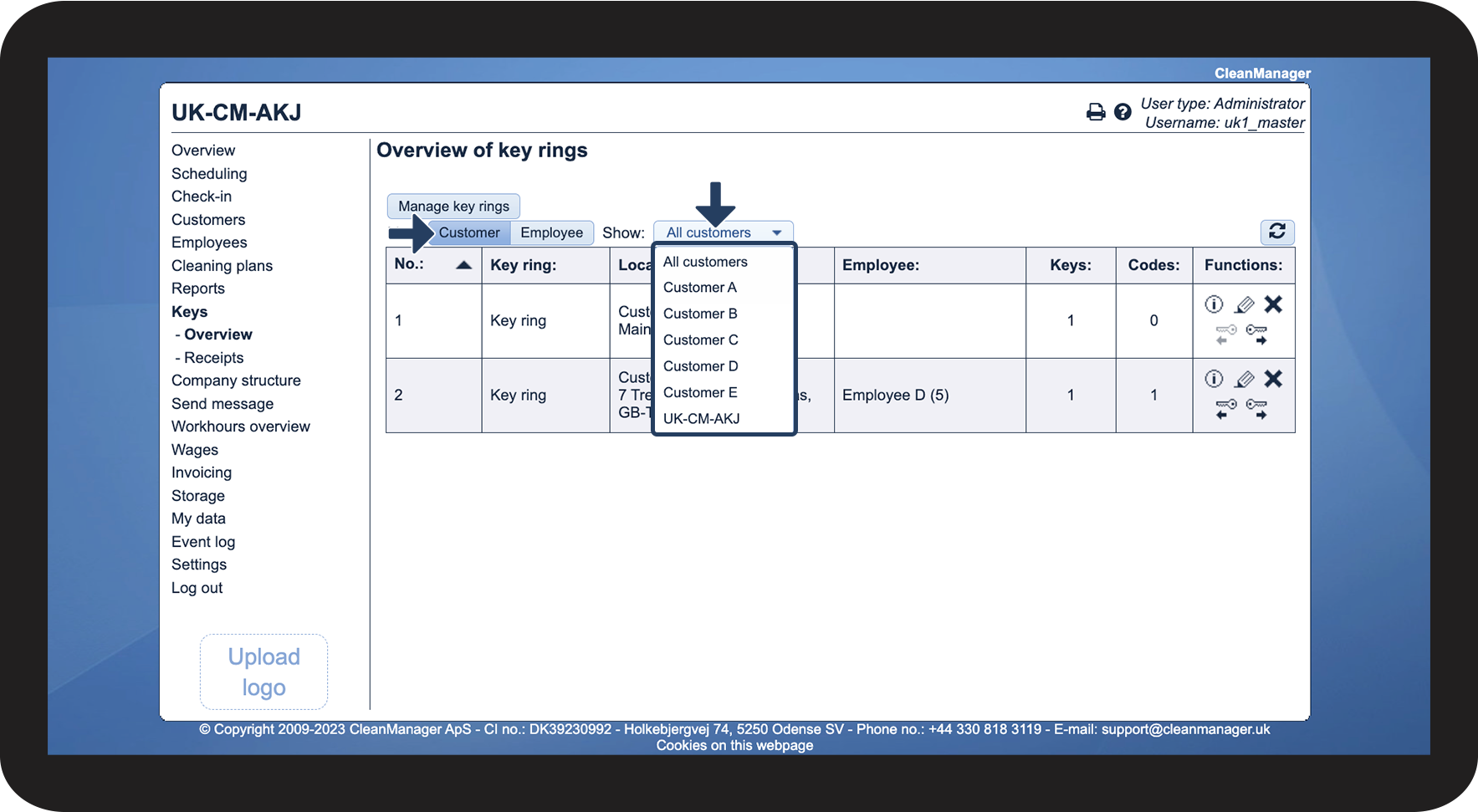
Click on Customers
Then choose whether all customers or a specific one should be displayed in the overview.
This function allows you to display the key rings of individual customers.

Click on Employees
Then select whether all employees or a specific one should be displayed in the overview.
This function allows you to display the key rings, which are assigned to a specific employee.