Filling out a report as an Employee
How do I fill out a report as an Employee?
An employee can only fill out reports if employee permission has been granted in the report template settings. Additionally, an employee can only fill out reports for a customer they have been assigned to in the system.
In most cases, you will have the option to rate parameters, attach images, and add a comment to each parameter.
However, the options may vary from report to report depending on the settings of each template.
In this article, you will learn how an Employee can fill out a report through a web browser:
- Start filling out a new report
- Rate the parameters
- Attach images
- Add a comment
- Fill out a text field
- Sign the report
How to get started filling out a new report
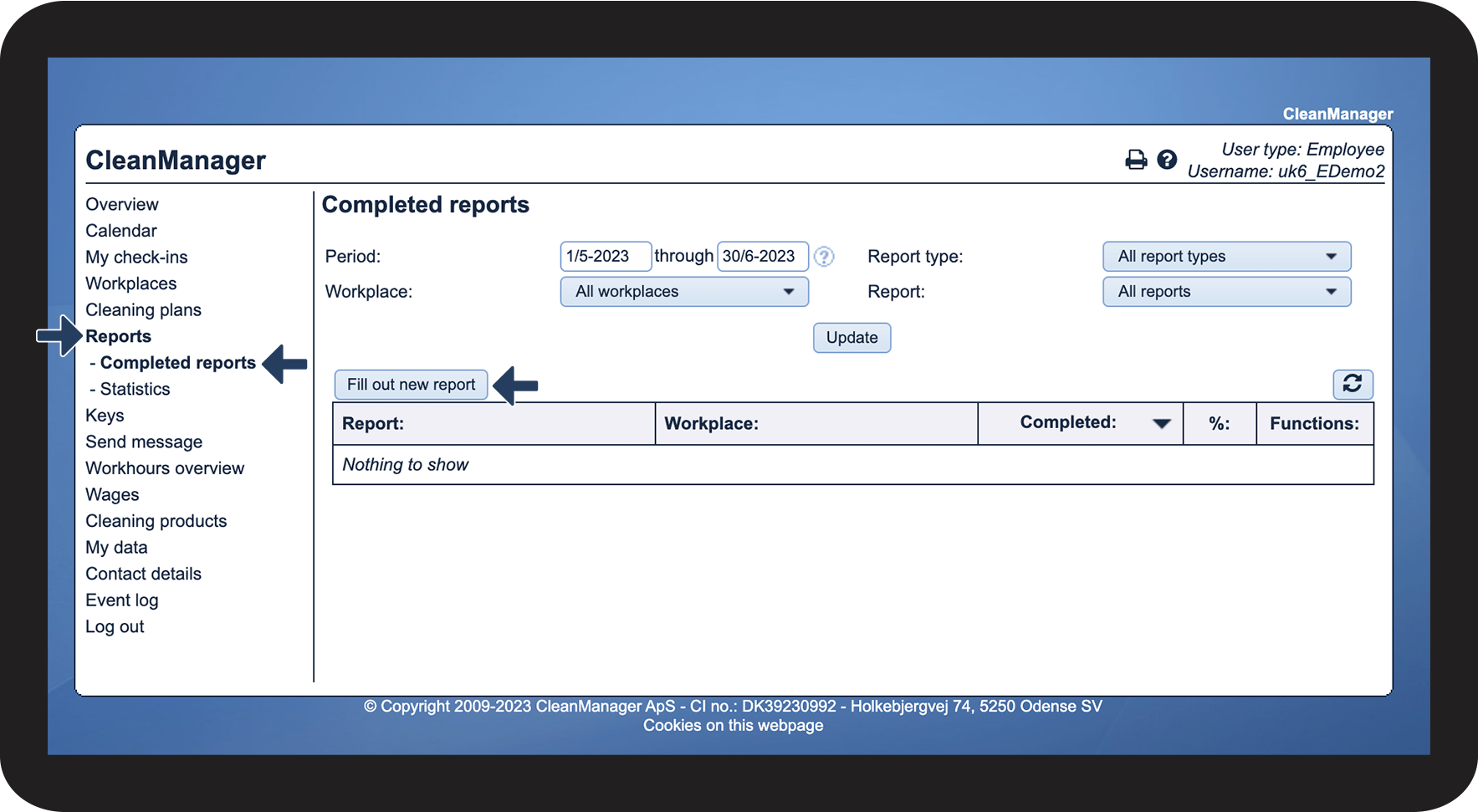
In the menu, go to Reports > Completed reports
Click on Fill out new report

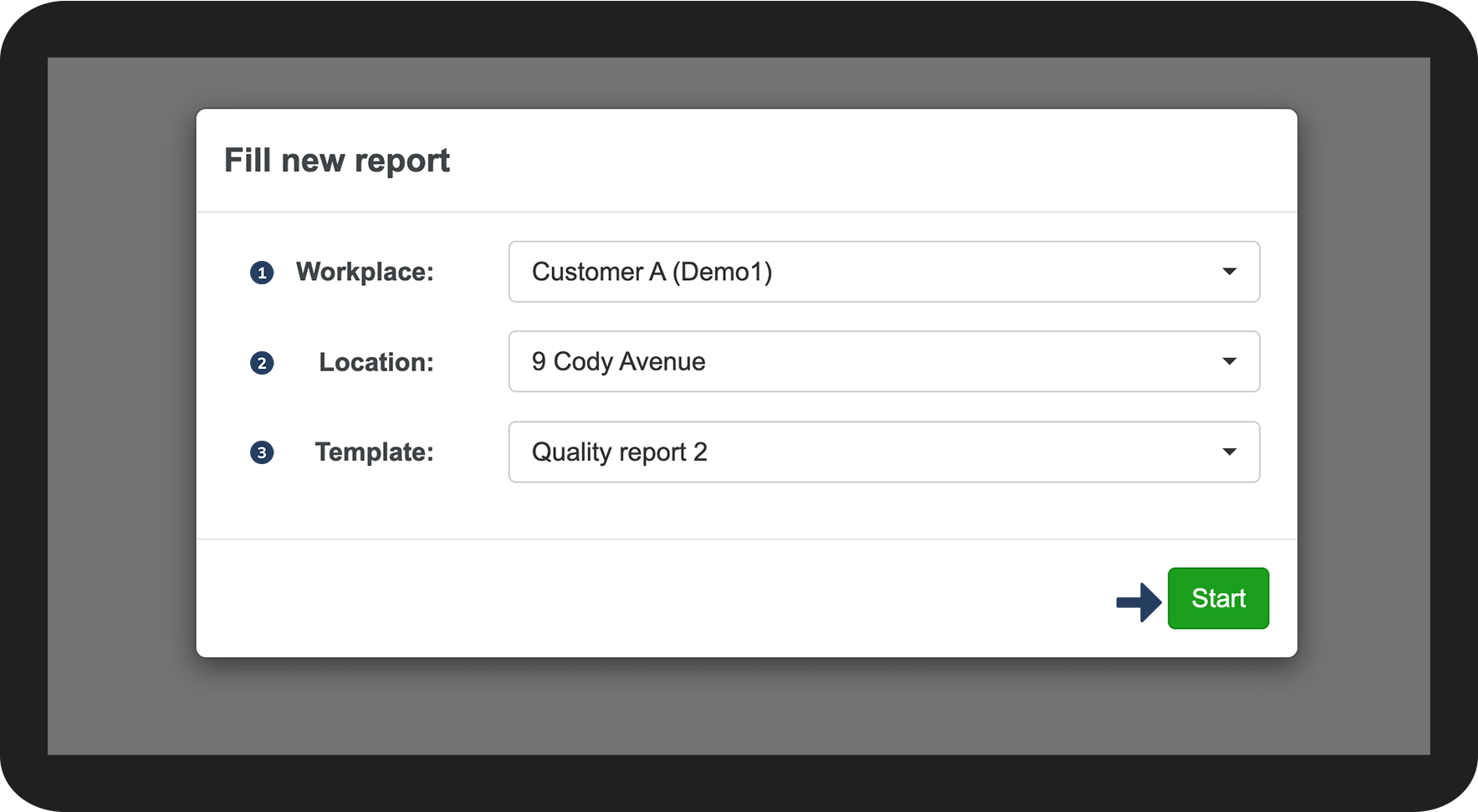
Consider the following 3 things before you start:
- Workplace: Select the relevant workplace for the report
- Location: Select the relevant location for the customer
- Template: Select the template that you need for this report
Click on Start to begin filling out your report

How to rate a parameter
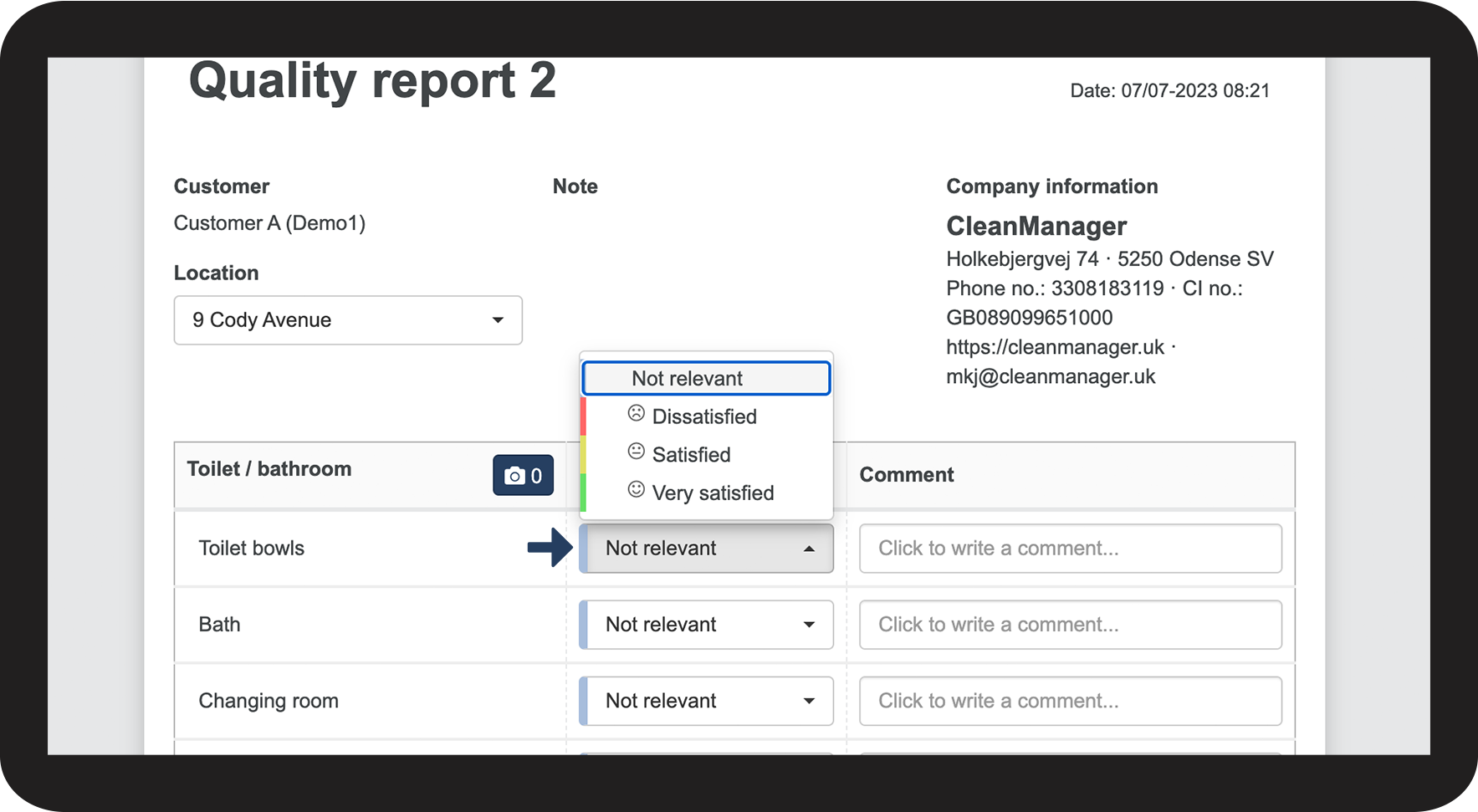
Next to a parameter, click on the dropdown menu and select the rating that you want
You can rate each parameter in a report

How to attach images
Click on
in a parameter group
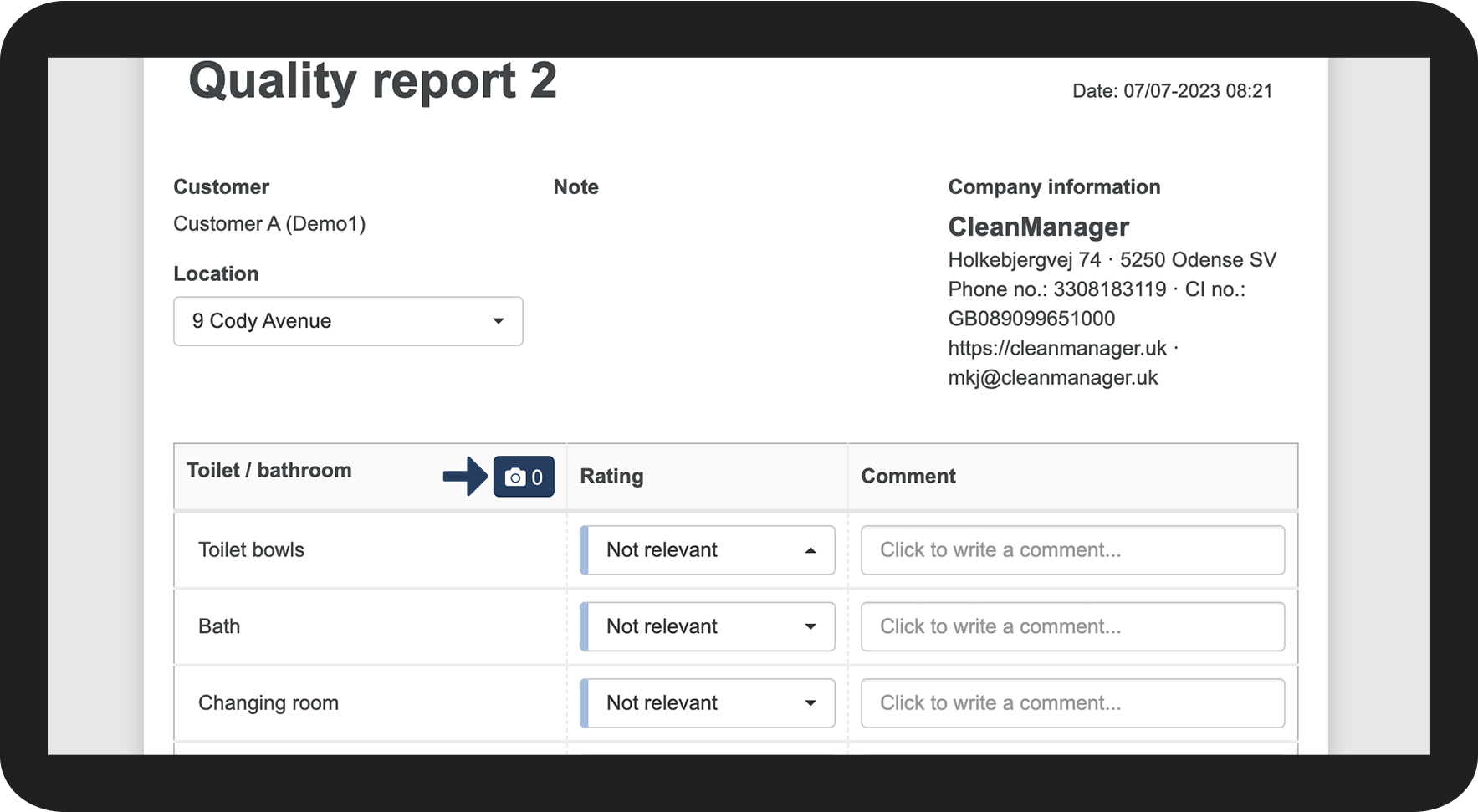
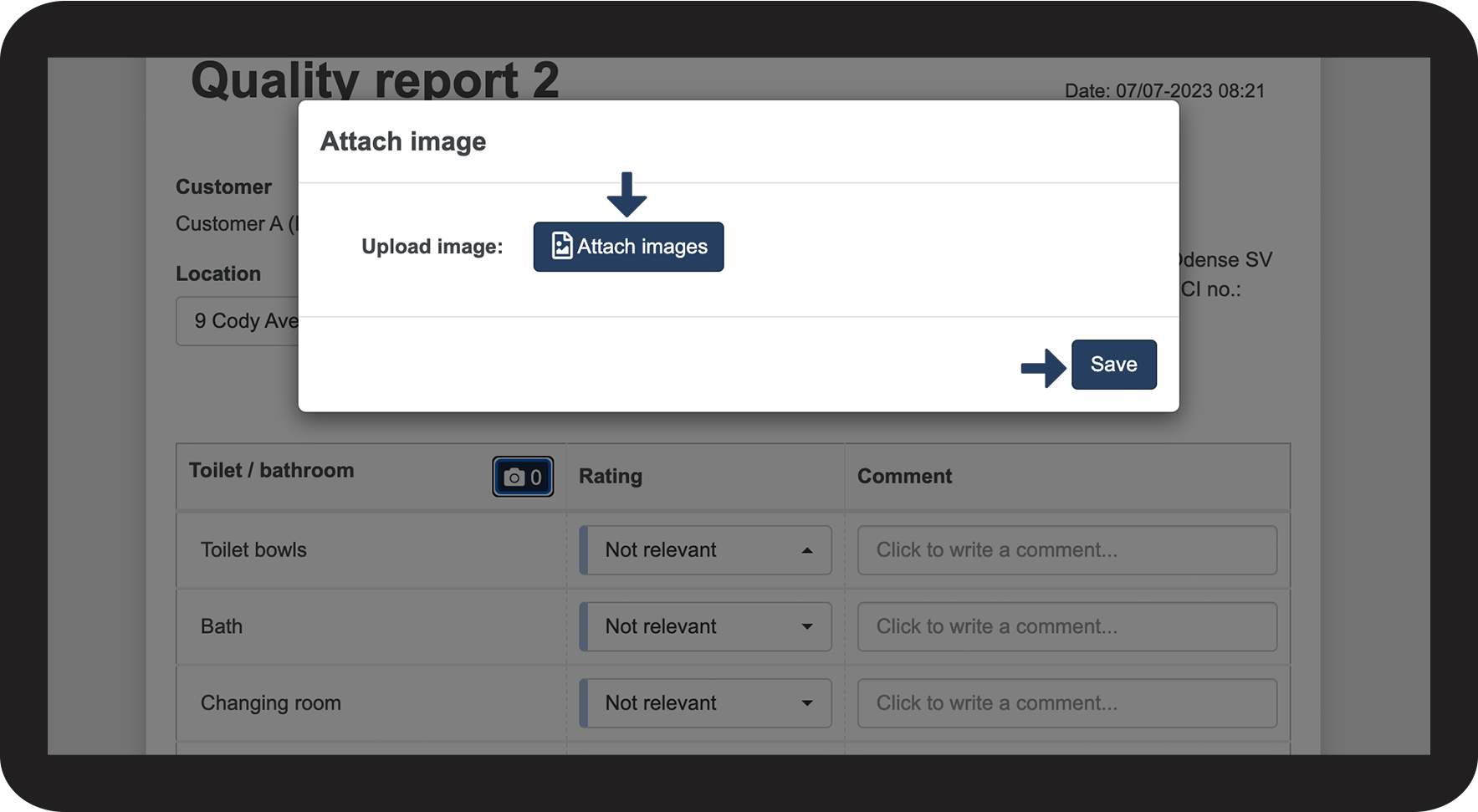
Click on Attach images and select your picture(s)
Finally, press Save to add your pictures to the parameter group

How to add a comment
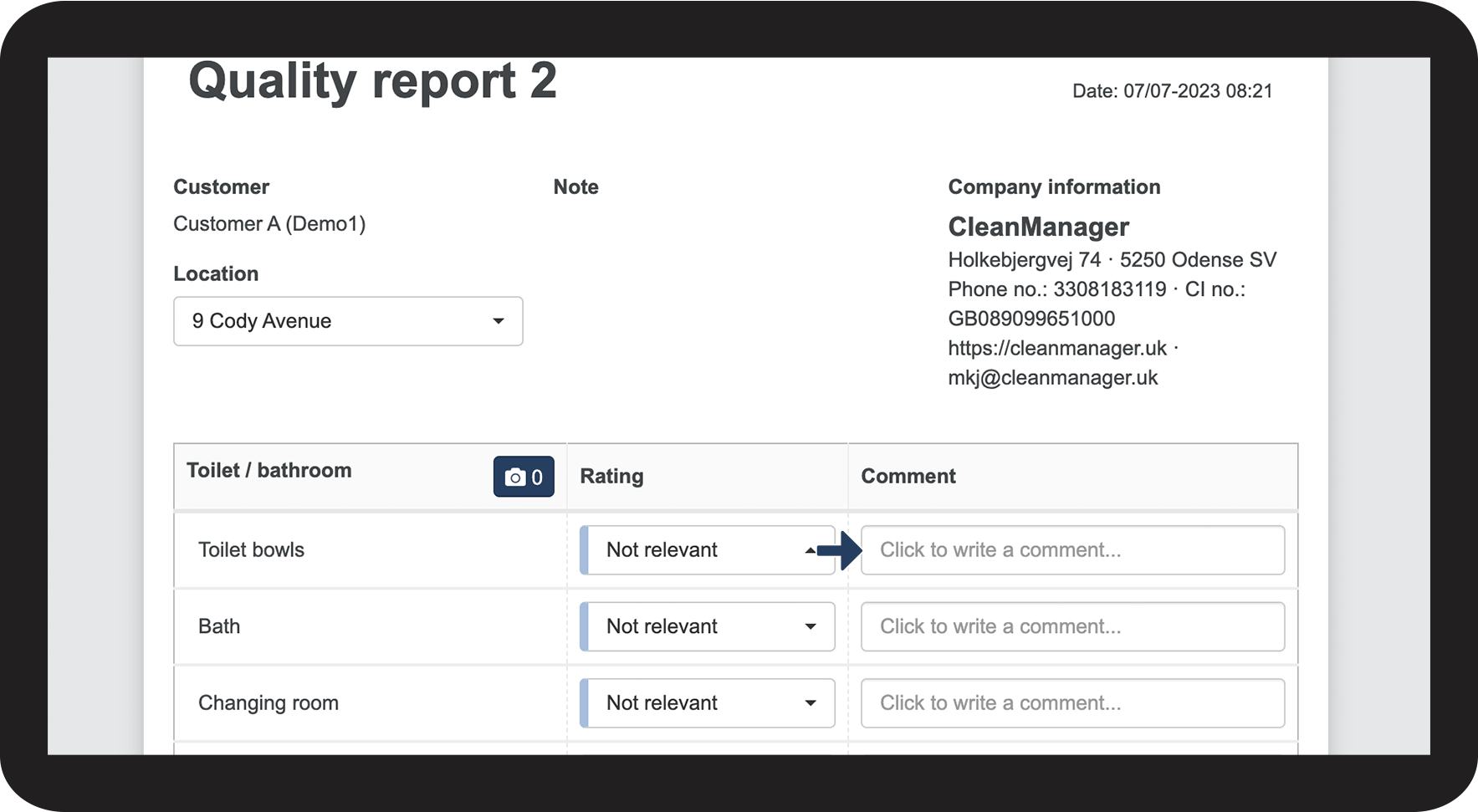
Click on a Comment field next to a parameter (if available)
Enter your comment

How to fill out a text field
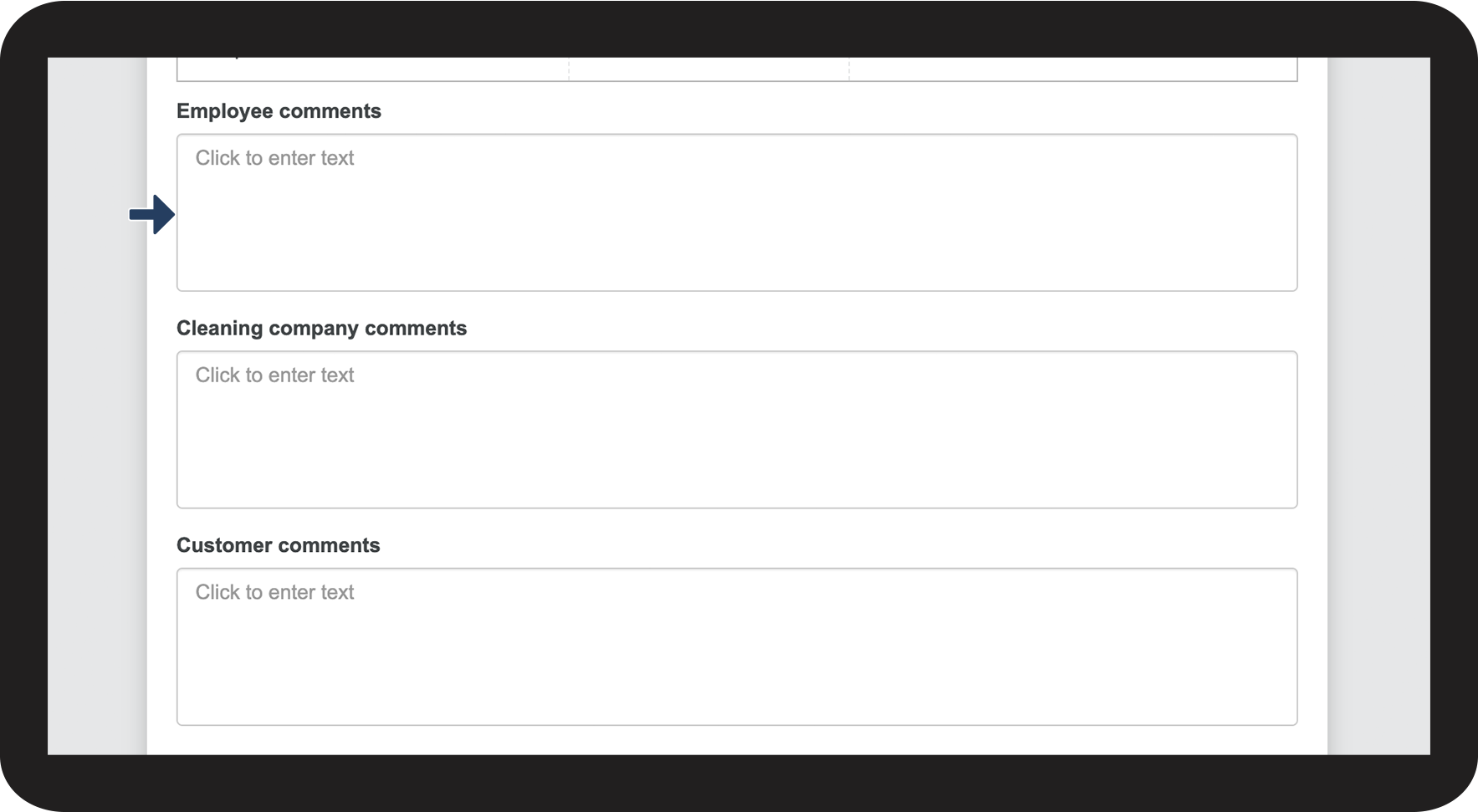
Click on a Text field and add your text
These text fields make it possible for the employee to add a comment that is not necessarily relevant to a given parameter, but which needs to be added to the full report

How to sign the report
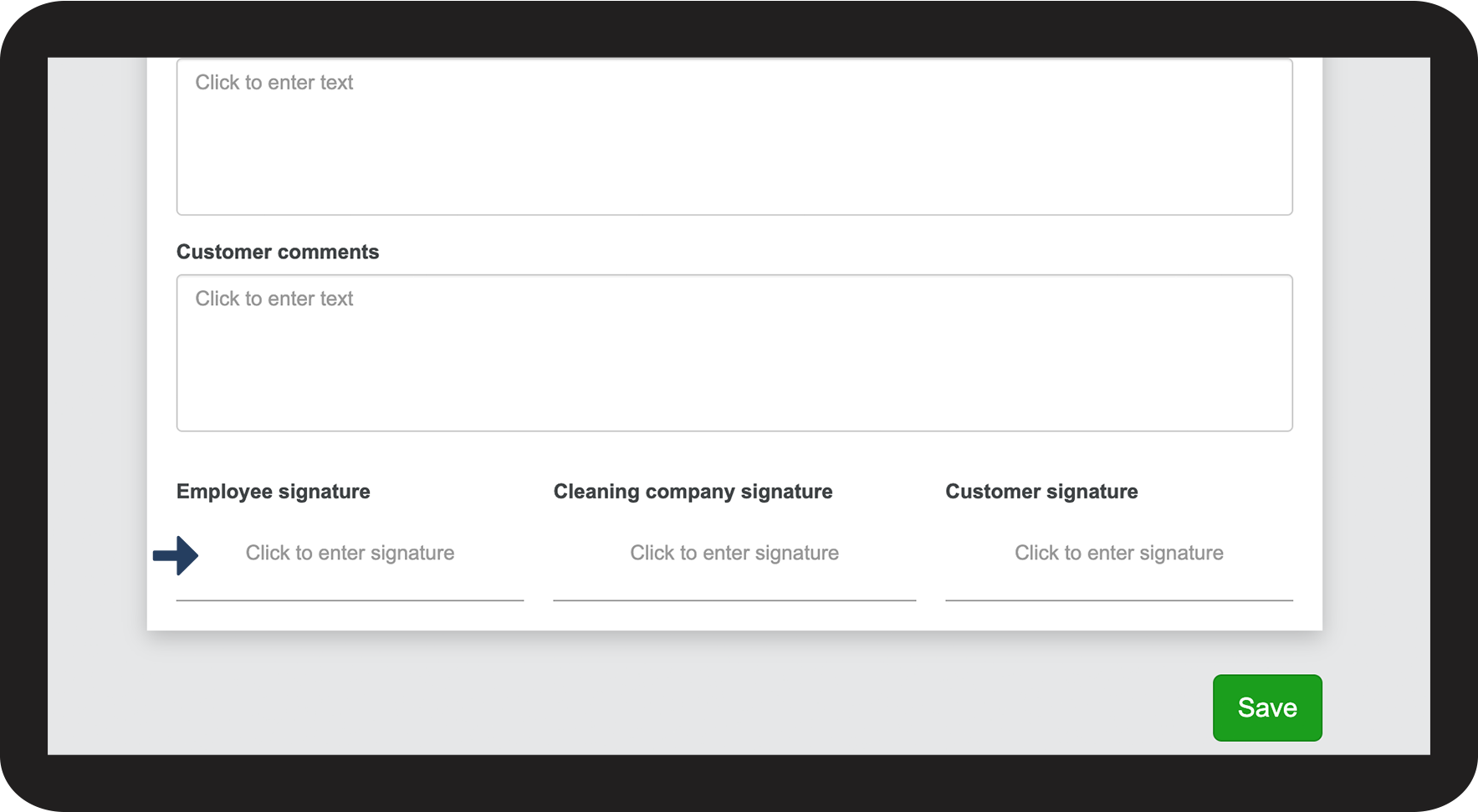
Click on a signature field at the bottom of the report
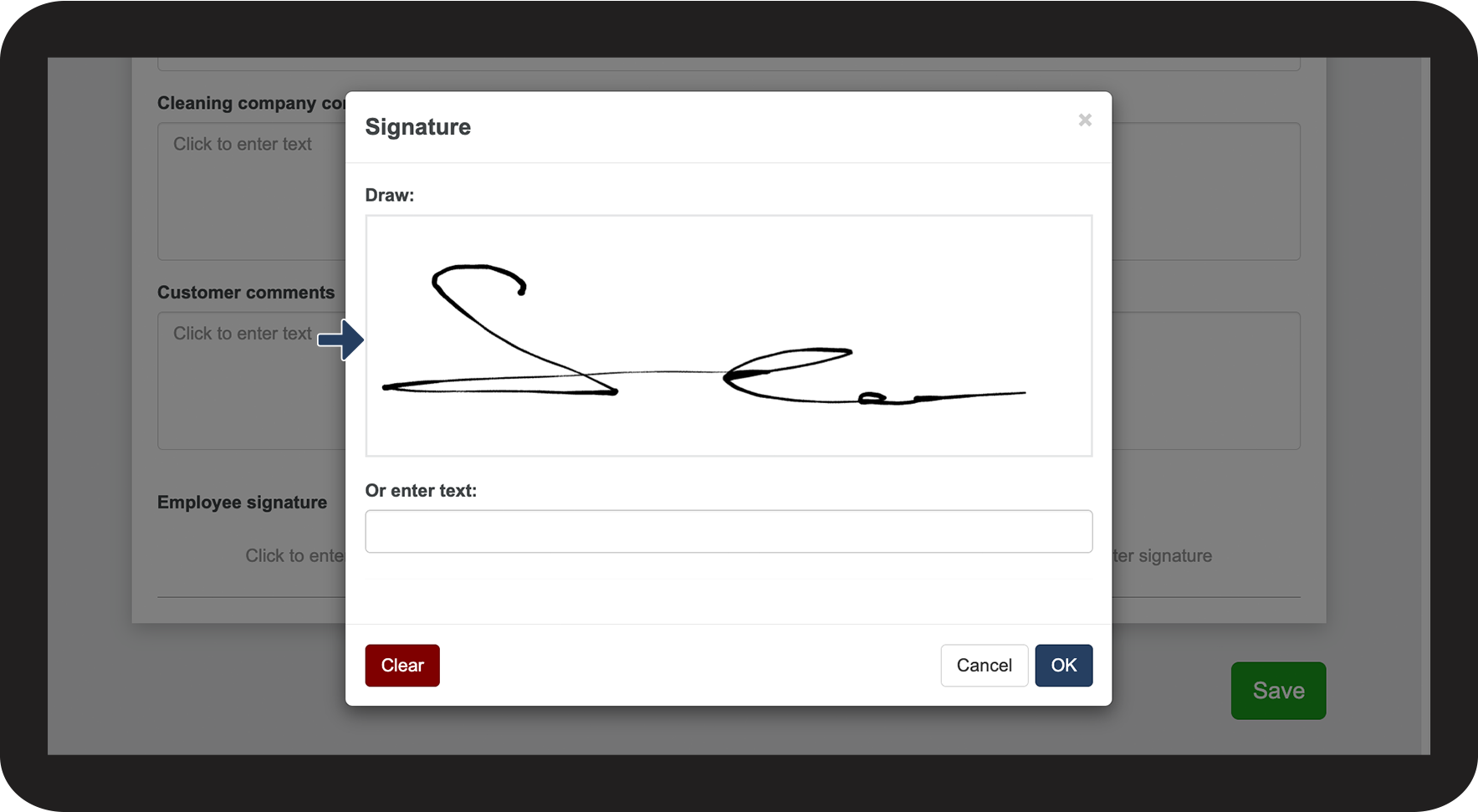
If signatures have been enabled, the employee can either draw or enter their signature


Drag the cursor or your finger (if it is a touchscreen) over the field to draw a signature


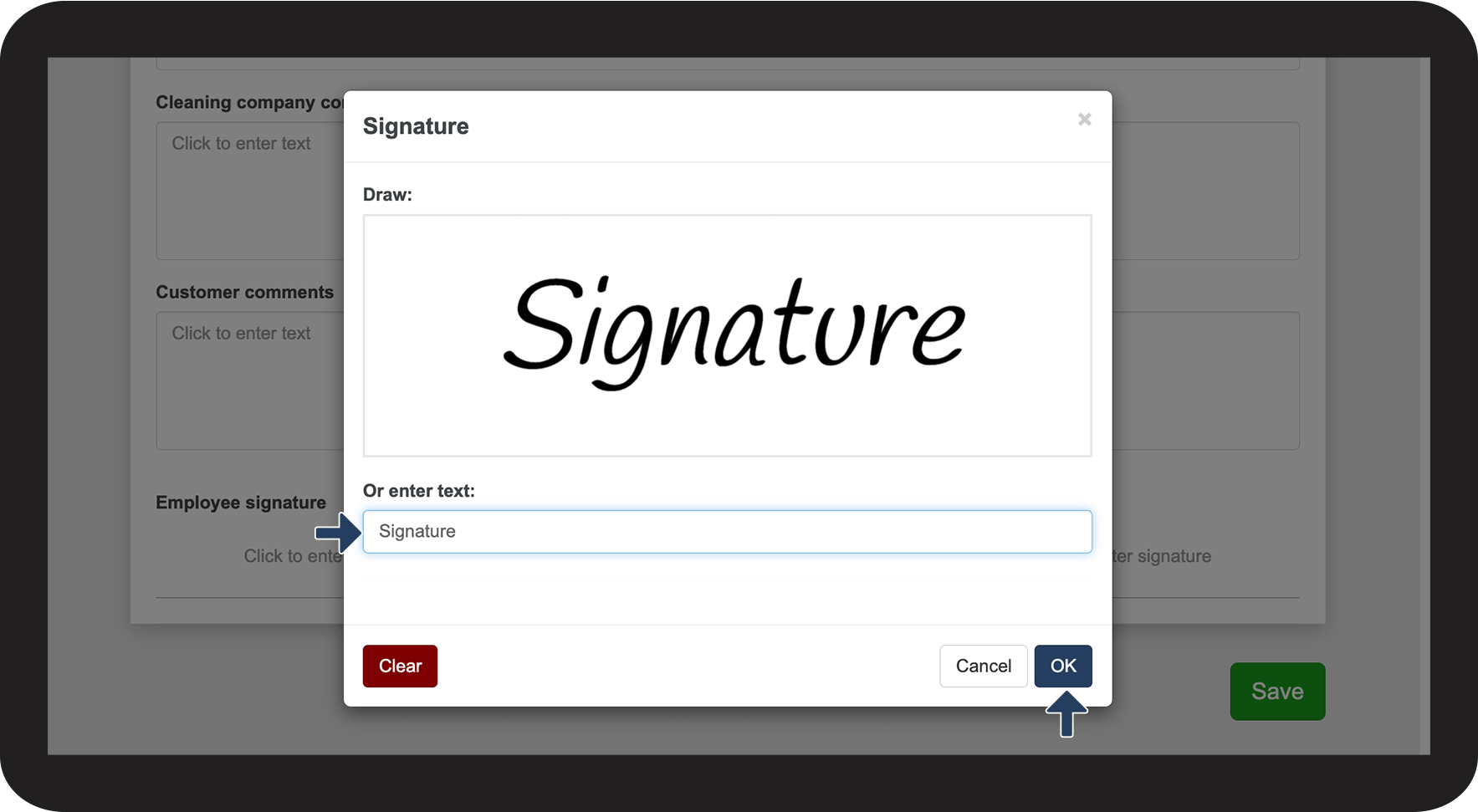
You can also enter your name in the text field
Click on OK to add your signature