
How do I exchange files with CleanManager?
As the administrator, you have the option to share files with CleanManager via your account.
This allows you to share files in a secure environment, which means that only our specialists who need to handle your data have access to the shared information.
NOTE:
CleanManager never accesses your account unless you specifically request this.
If you have exchanged files with us, you need to email us a request to handle the case and the relevant data you have submitted:
1. Send an e-mail to: support@cleanmanager.uk
2. State a relevant topic in the Subject field
3. Describe what you need help with (even if we talked about the issue beforehand)
4. State your administrator username
Example of an e-mail to support@cleanmanager.uk:
Subject:
Customer data
Message:
Hi CleanManager
I have uploaded my customer data in the file exchange, could you import all of my customers?
The files are uploaded, and the administrator user is cl17_master.
In this article, you will learn how to exchange files with CleanManager:
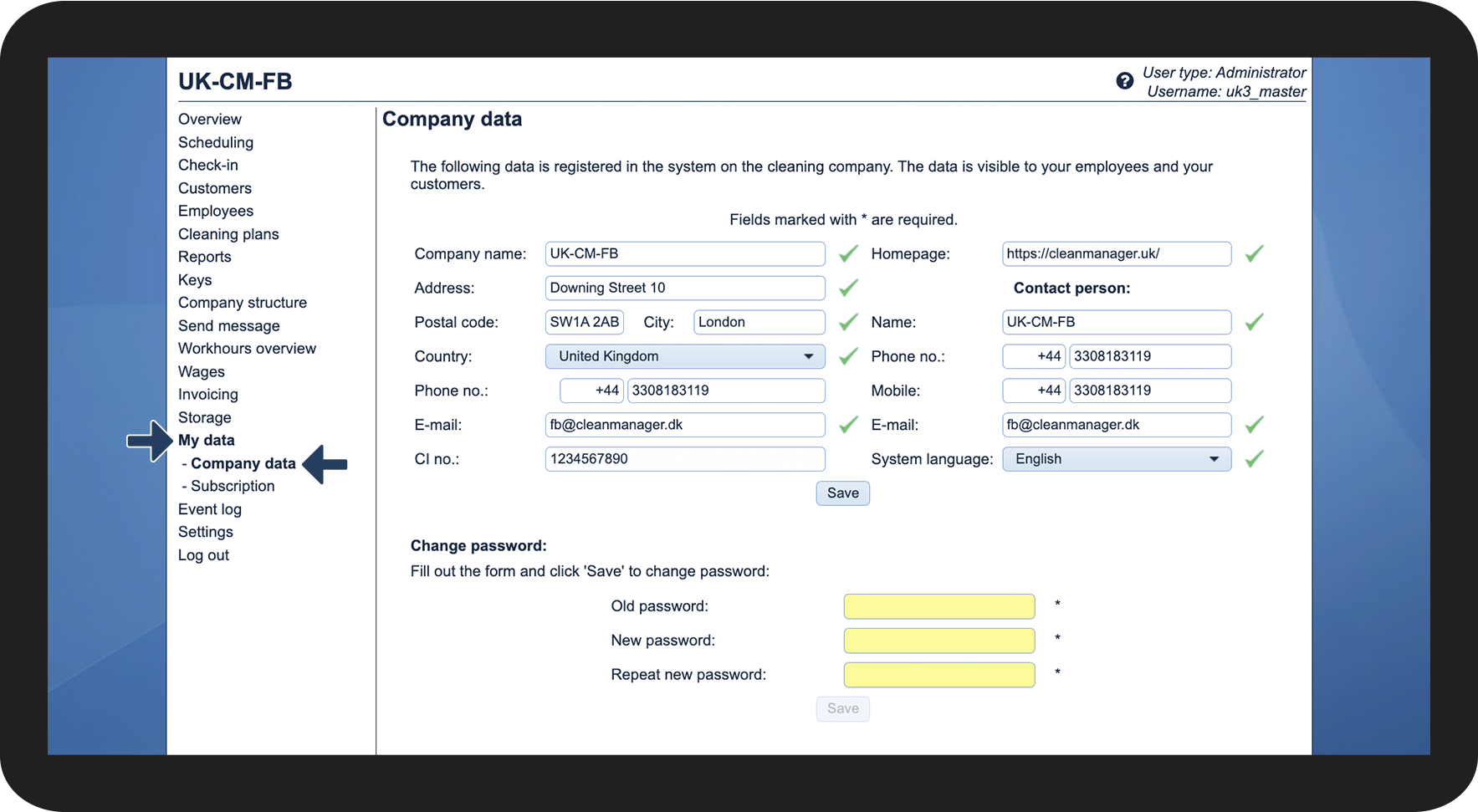
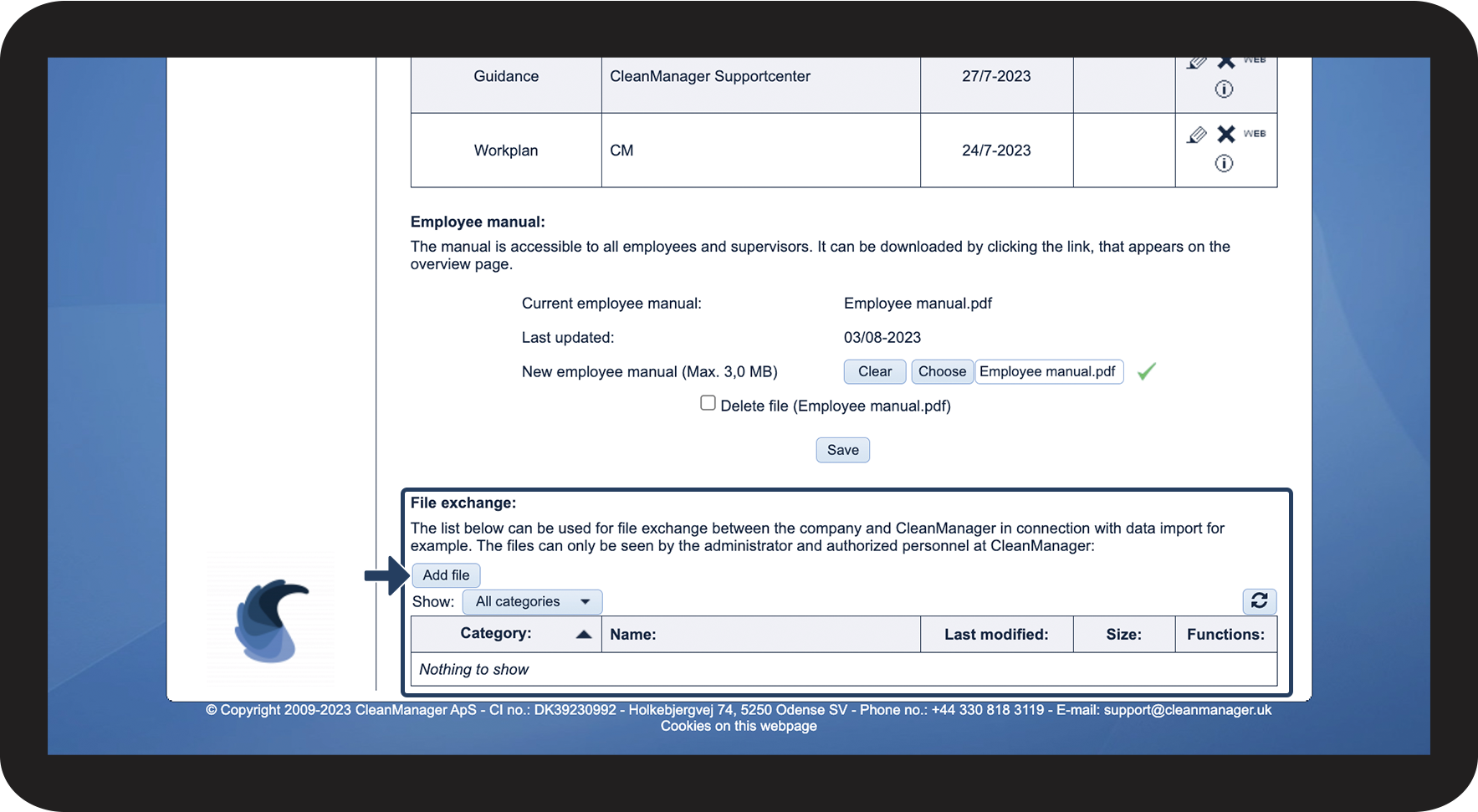
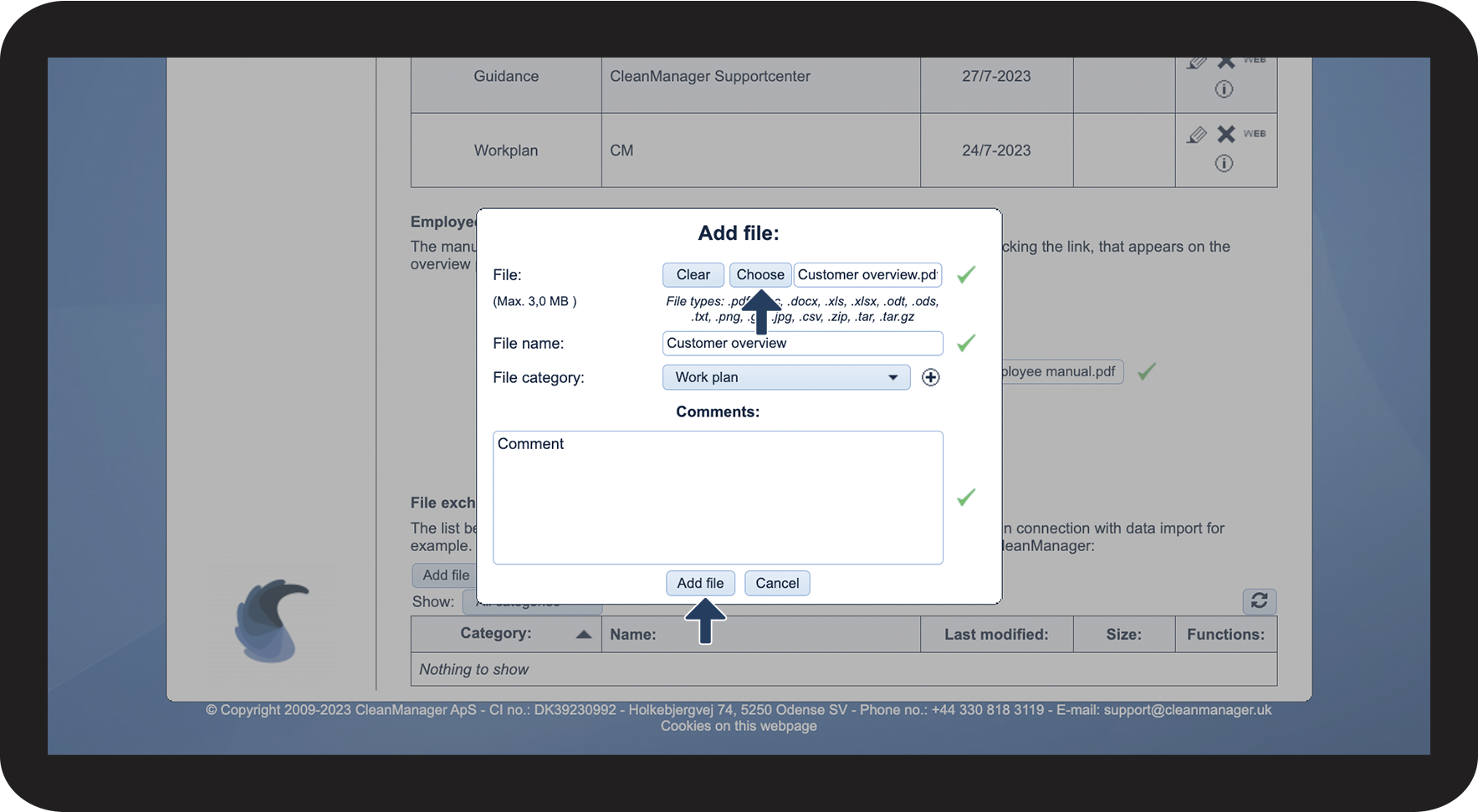
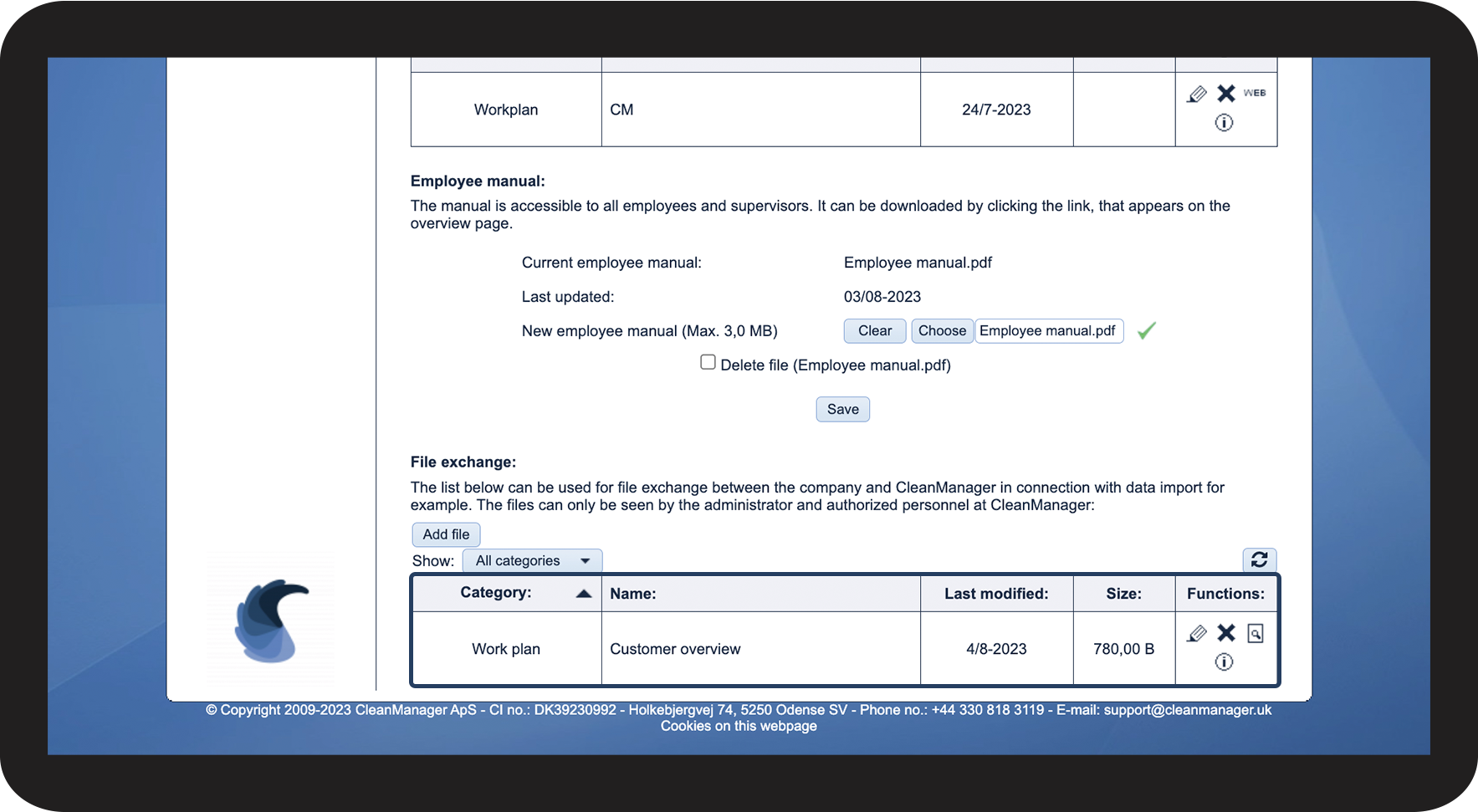
This is how you exchange files with CleanManager




INFO:
By using the functions in the right-hand column, you can always:
 Edit the file
  Delete the file
  Download the file
  View comments