Skip to content
English
  • There are no suggestions because the search field is empty.

Exporting data from Reports

How do I export my report data? 

Do you need to export data from the add-on module Audits?

This article will show you how to export data from Completed reports. The exported data file can be opened in e.g. Excel. 


In this article, you will learn how to:


How to export data from the completed reports

number_1.png
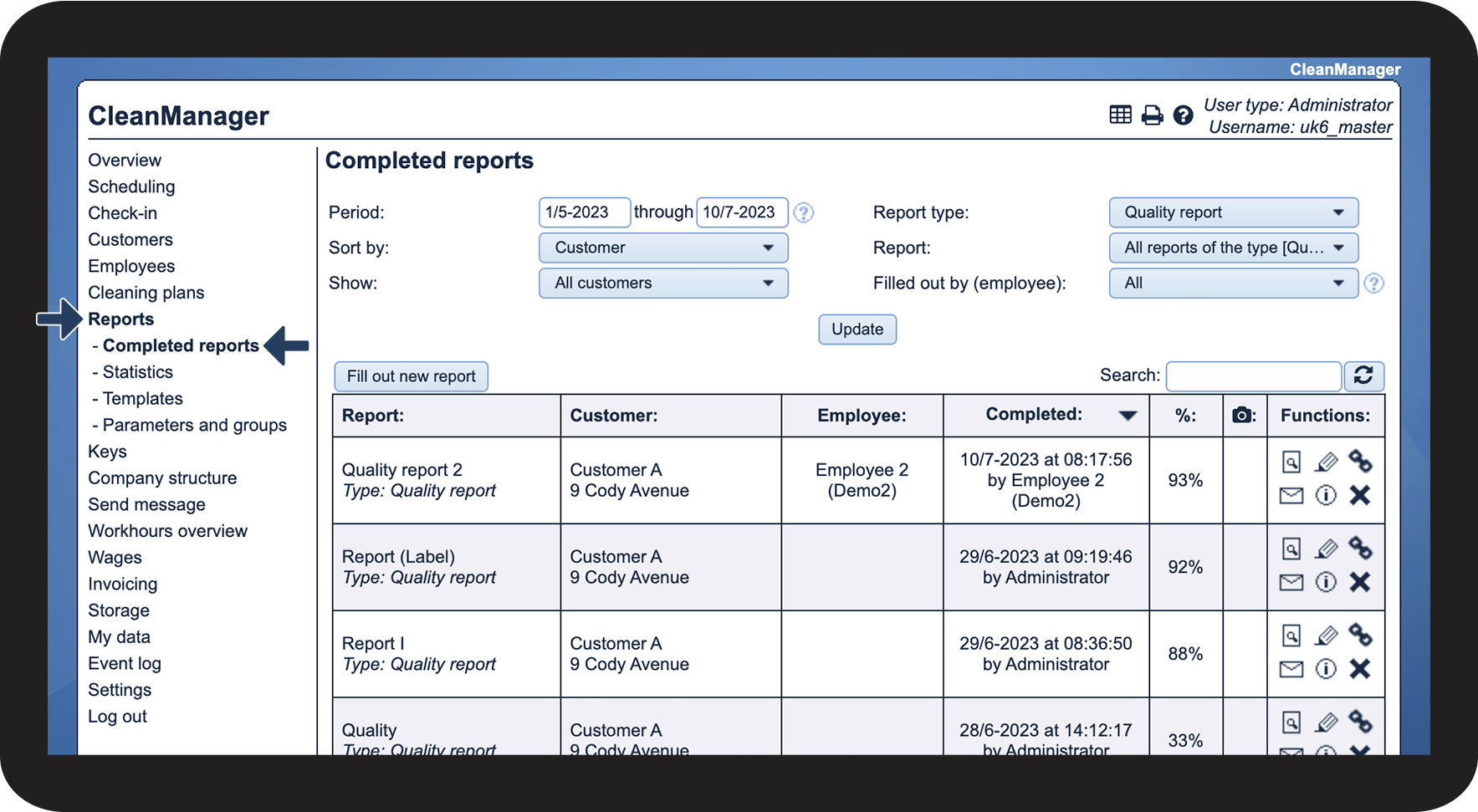
In the menu, go to Reports > Completed reports
 

In this submenu, you can sort and filter the completed reports if you are looking for something specific. 

To learn about the sorting options, read the article: Displaying completed reports - Administrator / Supervisor

1.png

number_2.png
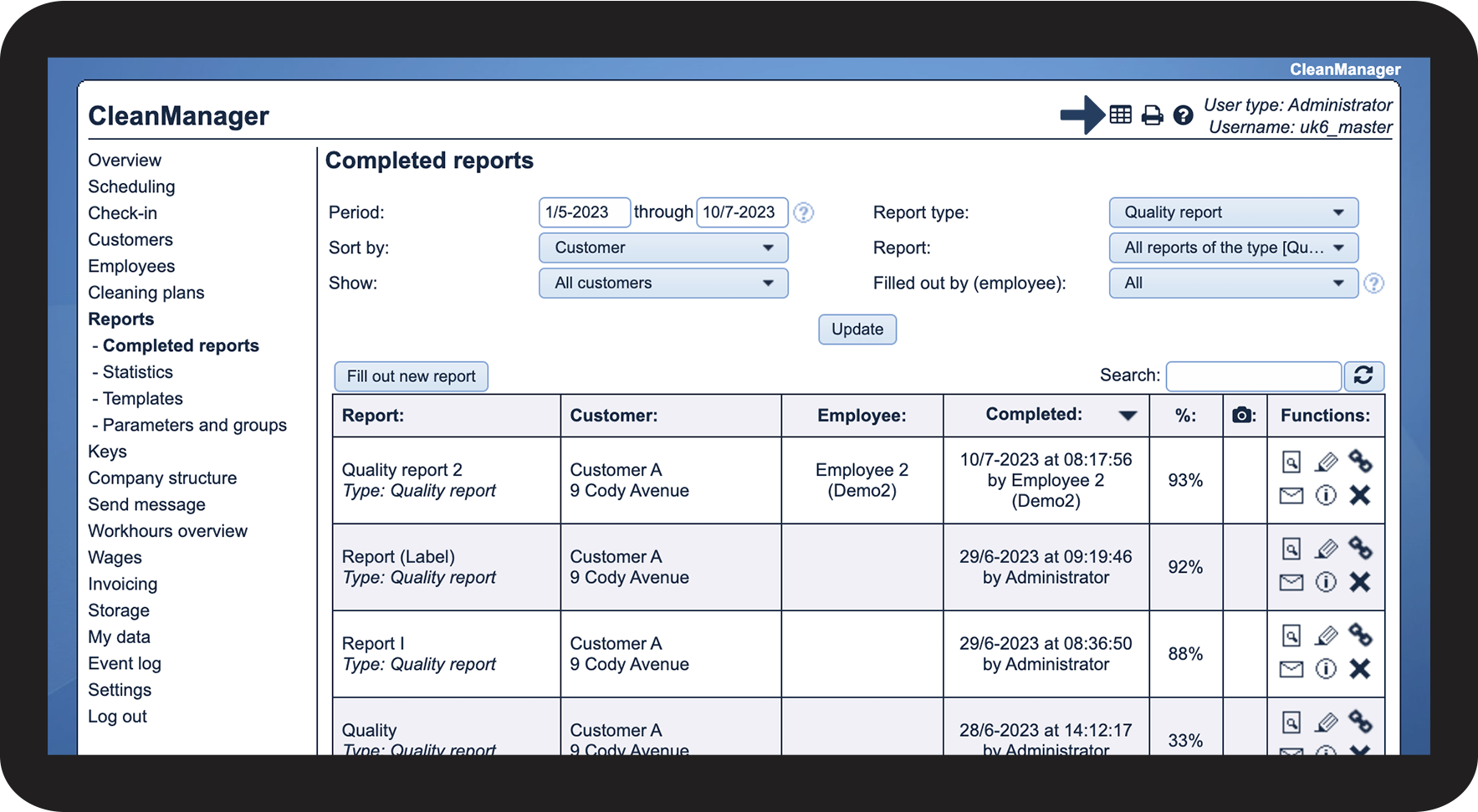
Click on  eksporter_data.png to export your data

2.png

number_3.png
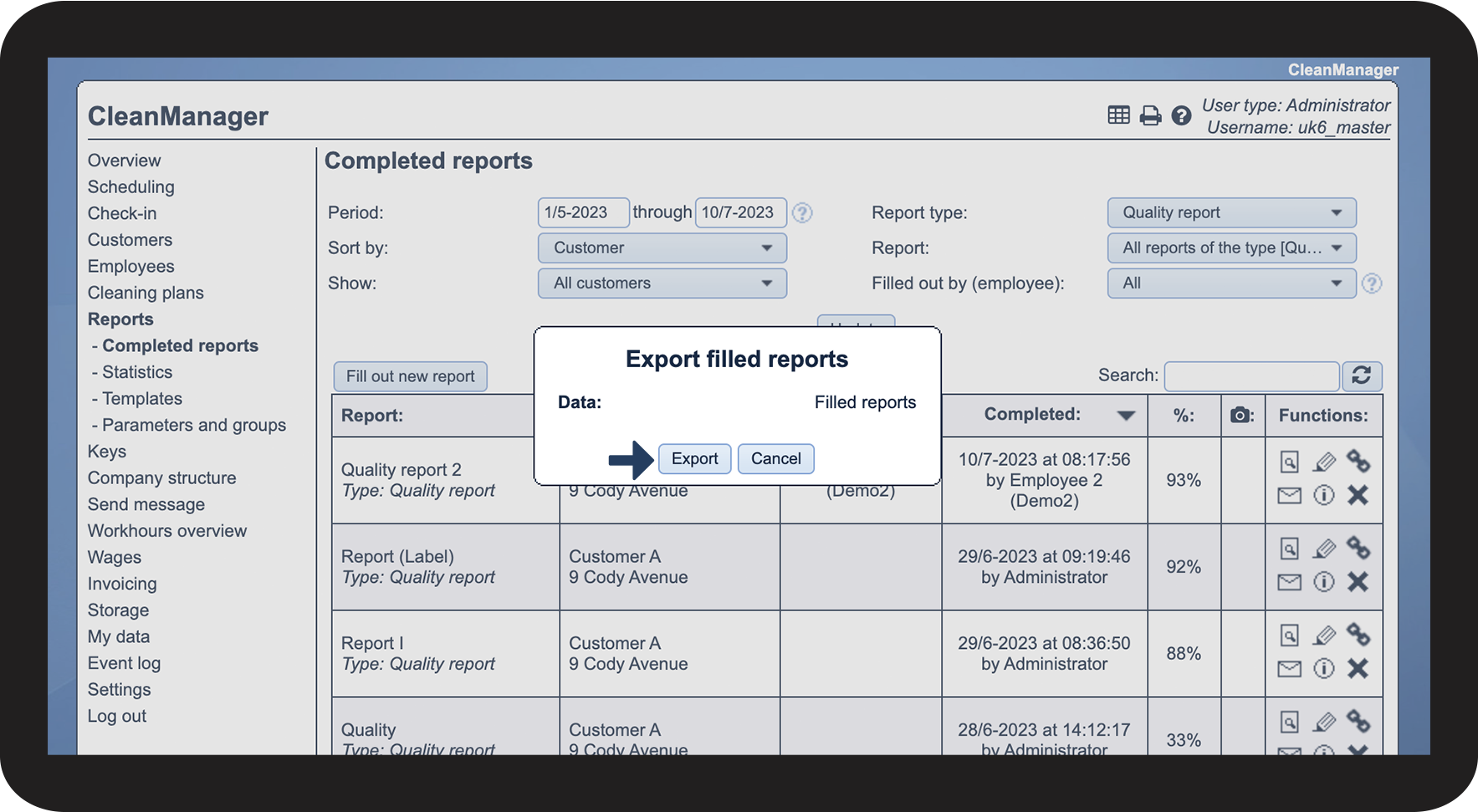
Click on Export
 
A CSV file containing the data will be created, and you can then open the file in e.g. Excel
3.png