
How do I set up a cleaning plan using the empty cleaning plan template?
As an Administrator / Supervisor, you have the option to create a cleaning plan using the Empty plan template.
An empty cleaning plan is used to set up all parts of a cleaning plan from scratch. Other templates contain different headings and tasks that are adapted to the template type. Whereas a blank cleaning plan template has no content from the start.
The empty template can also be used to set up a cleaning plan that can be used for the Insta 800.
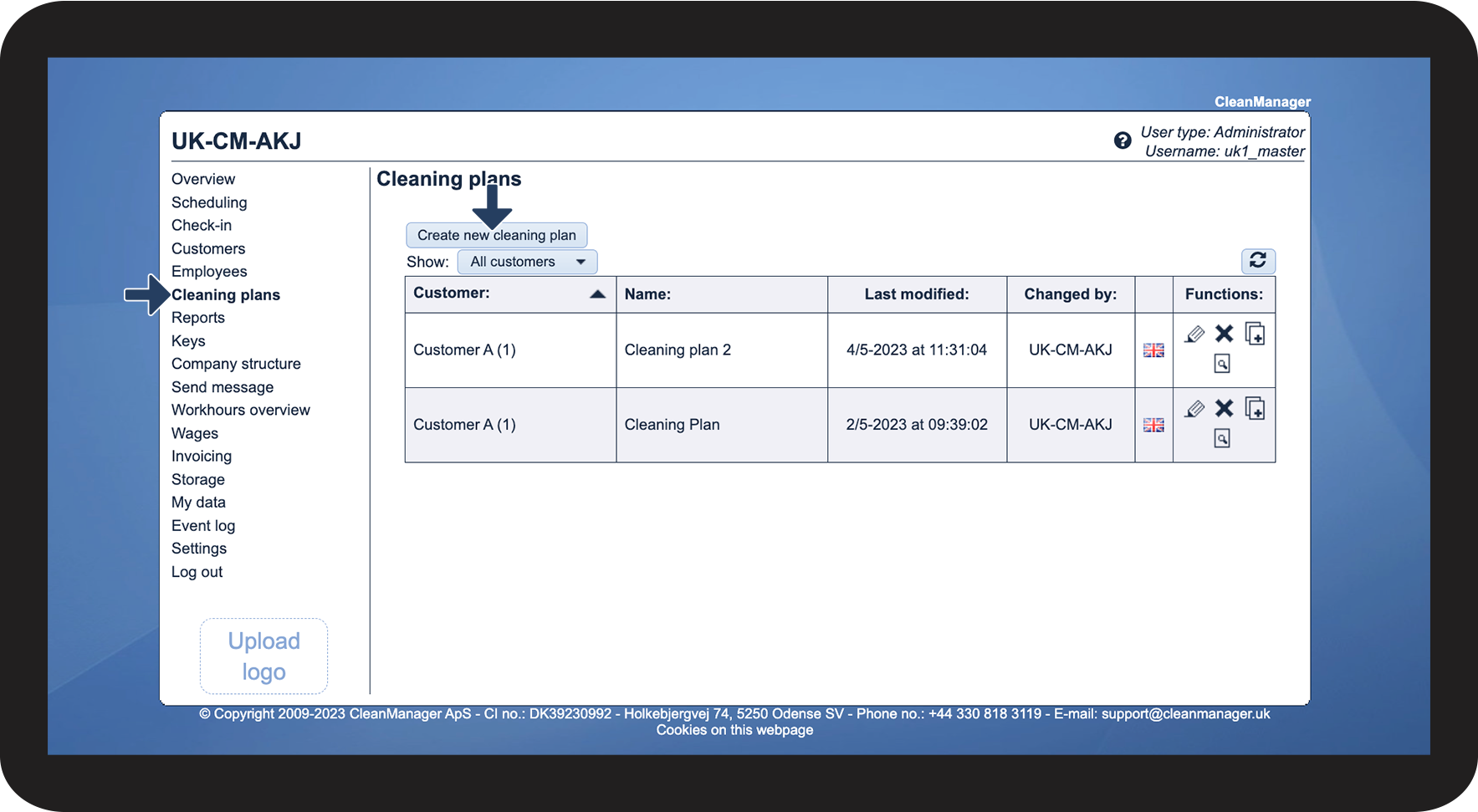
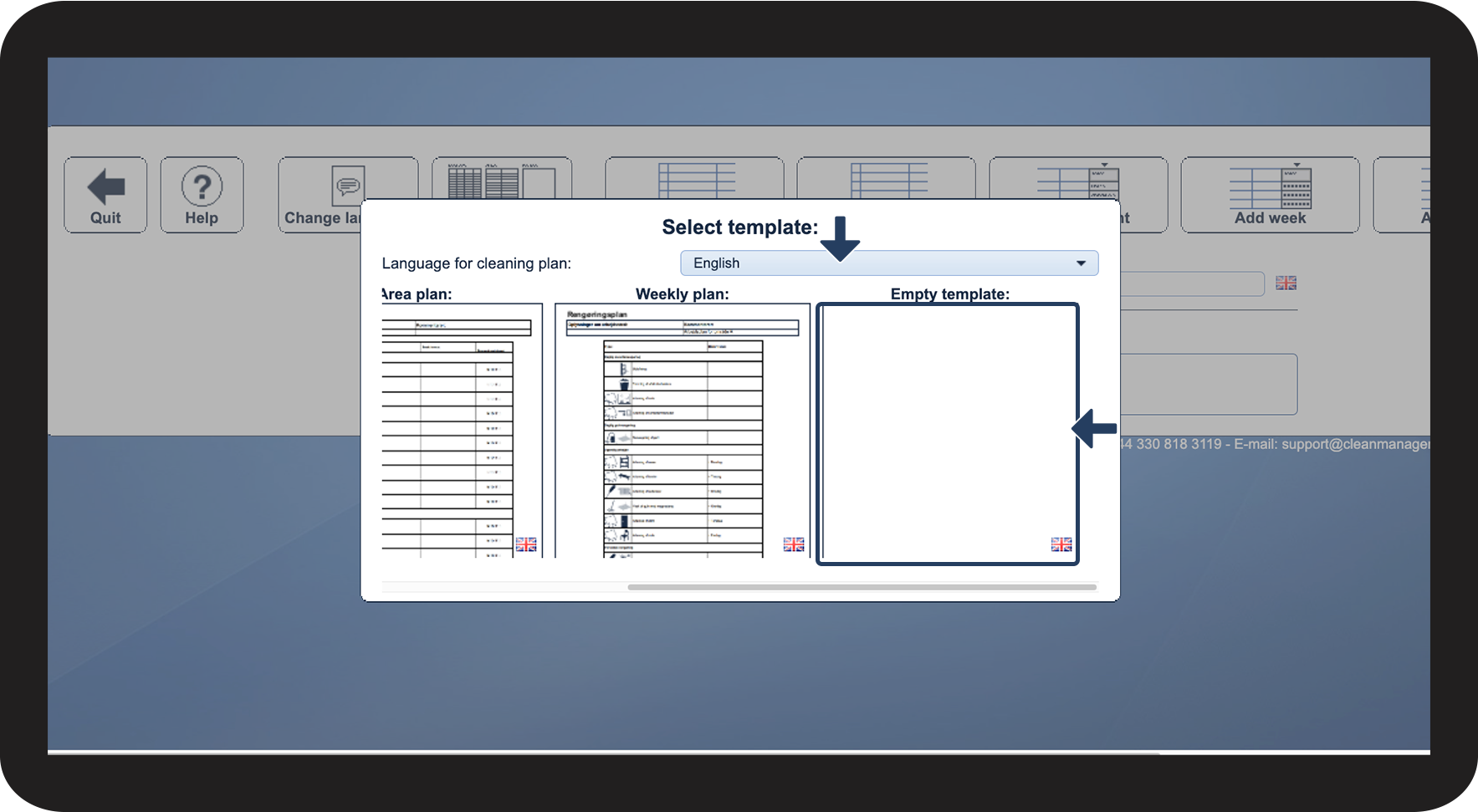
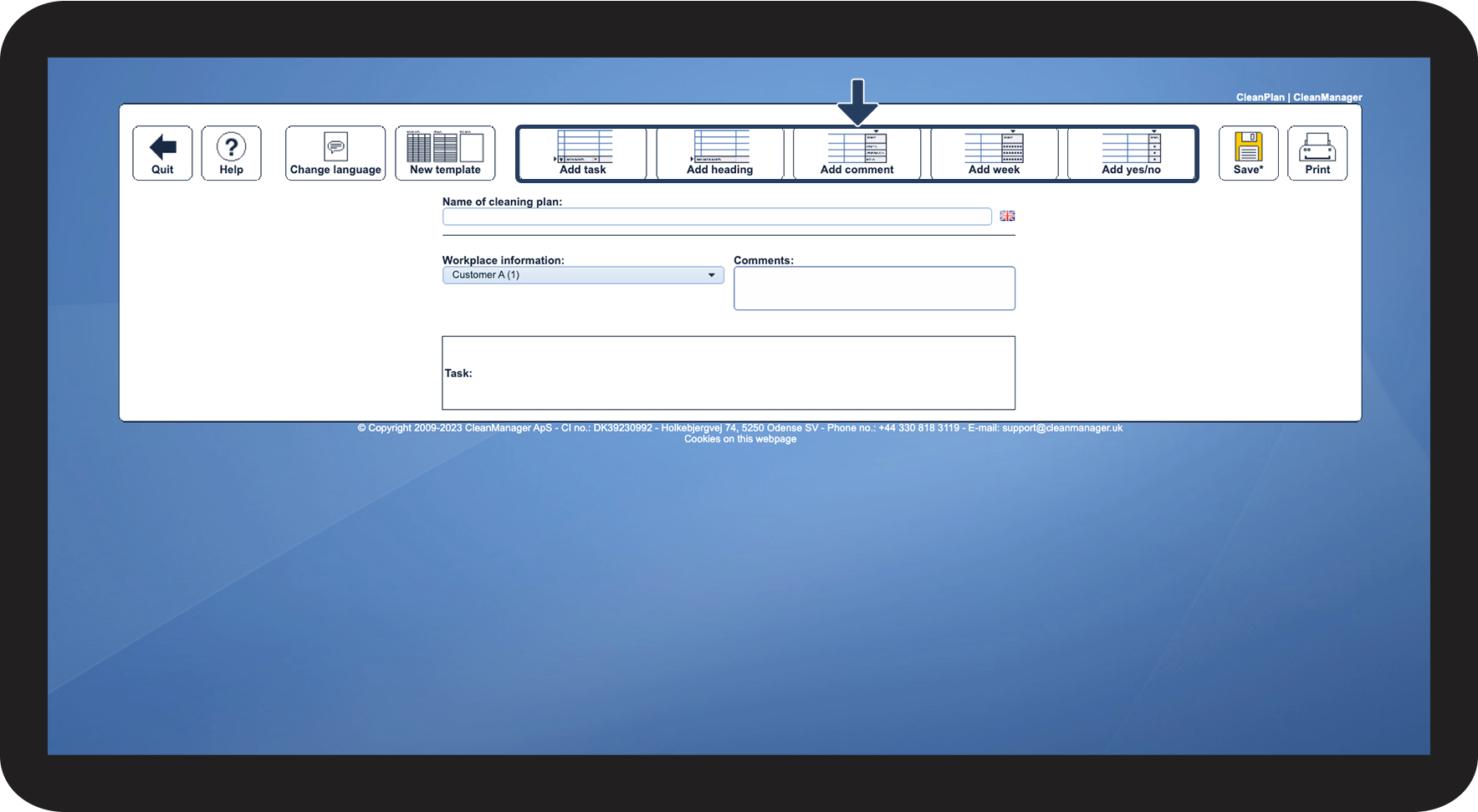
In this article, you will learn how to start setting up an empty template:
How to set up a cleaning plan from scratch



Continue to the article Setup features for cleaning plans
Here, you will learn how to add tasks to your cleaning plan, as well as much more.