Empty report
How do I set up an empty report template?
You can use the template Empty report to build up your report from scratch.
Unlike the other types of templates that contain different parameters and parameter groups customized to their use, an empty report template has no content.
In this article, you will learn:
Setting up an empty report
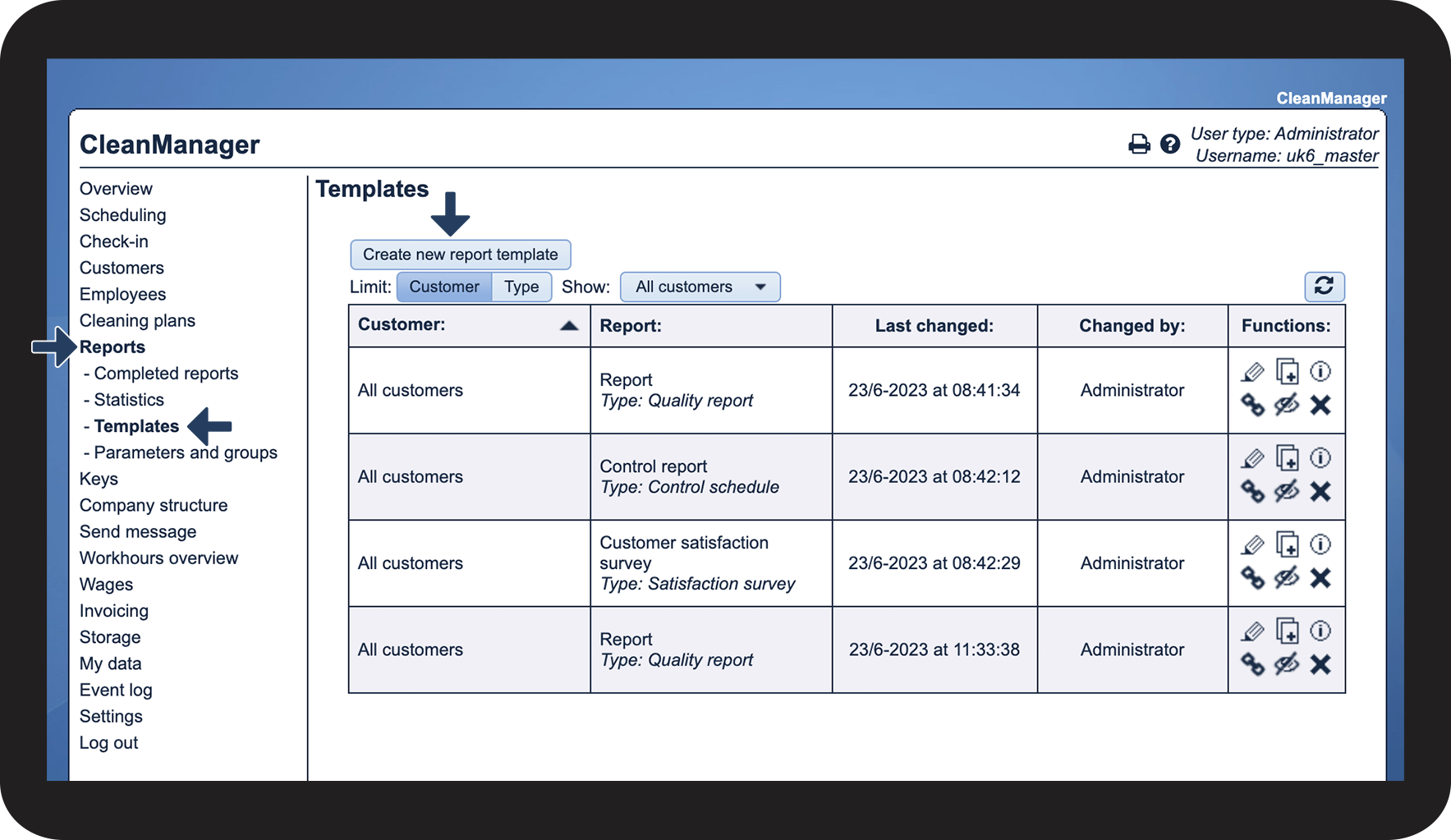
In the menu, go to Reports > Templates
Click on Create new report template

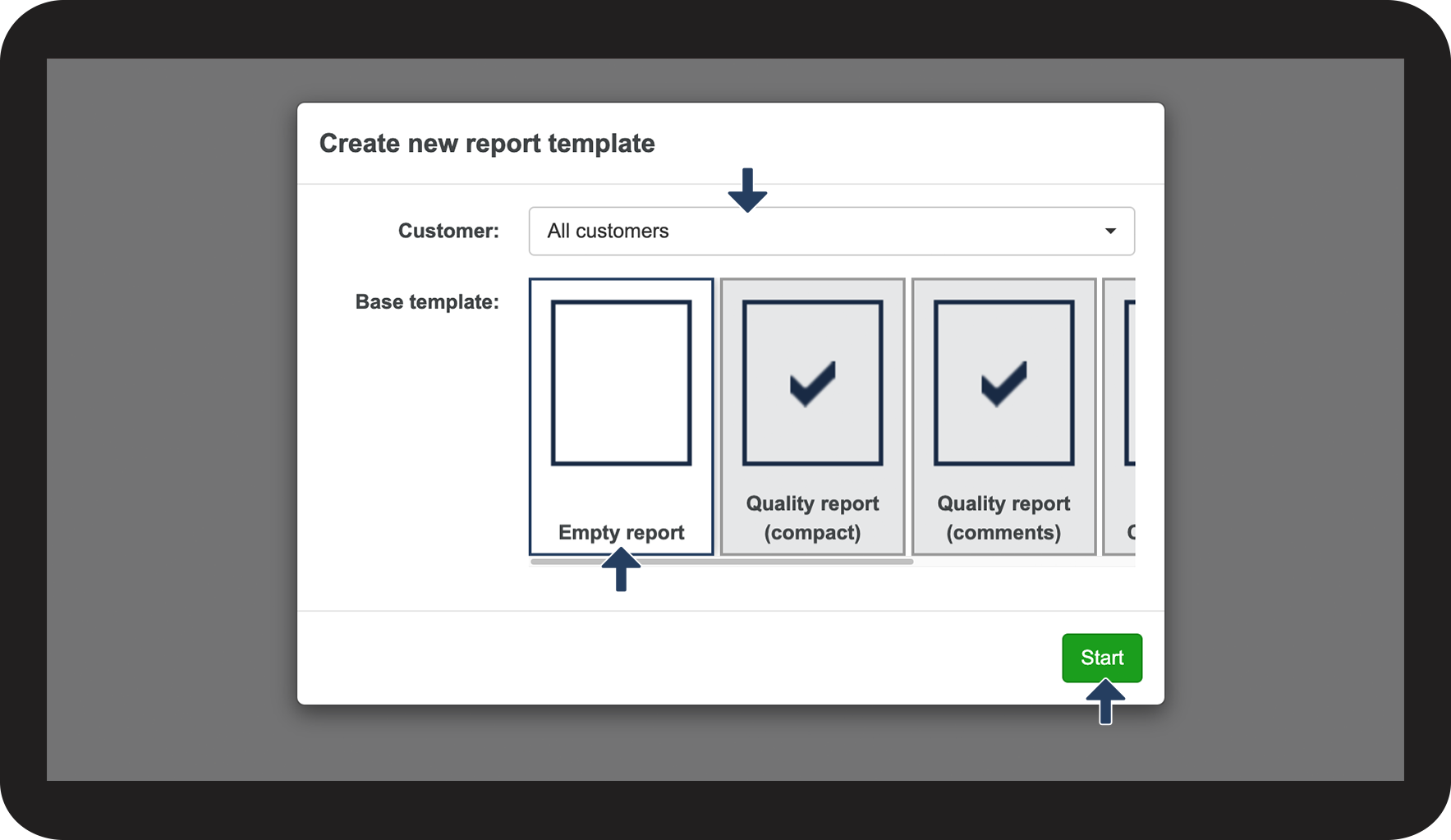
You can either choose All customers or a specific customer for whom the report will be available
Select Empty report
Click on Start to create the new template

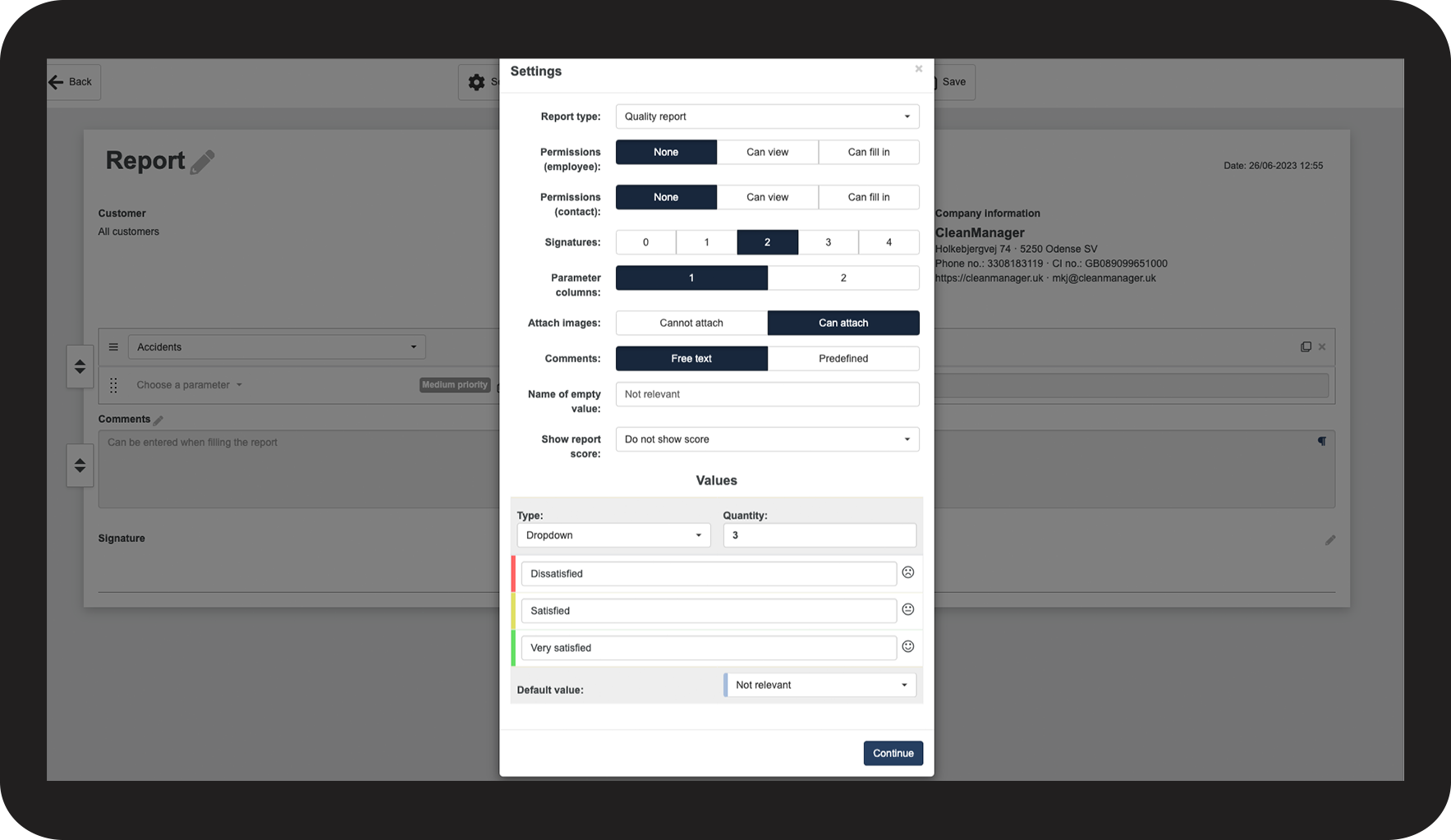
Now you can start adjusting the empty report template
You can read more about the different settings in the section: Report template settings