Skip to content
English
  • There are no suggestions because the search field is empty.

Employee manual

How do I upload an employee manual to my company account?

As the administrator, you can add an employee manual to your company.

The employee manual will be shown to employees and supervisors on the start page of the CleanManager account in the web system.


In this article, you will learn how to upload an employee manual for your company:


This is how you add an employee manual to your company's account

number_1.png

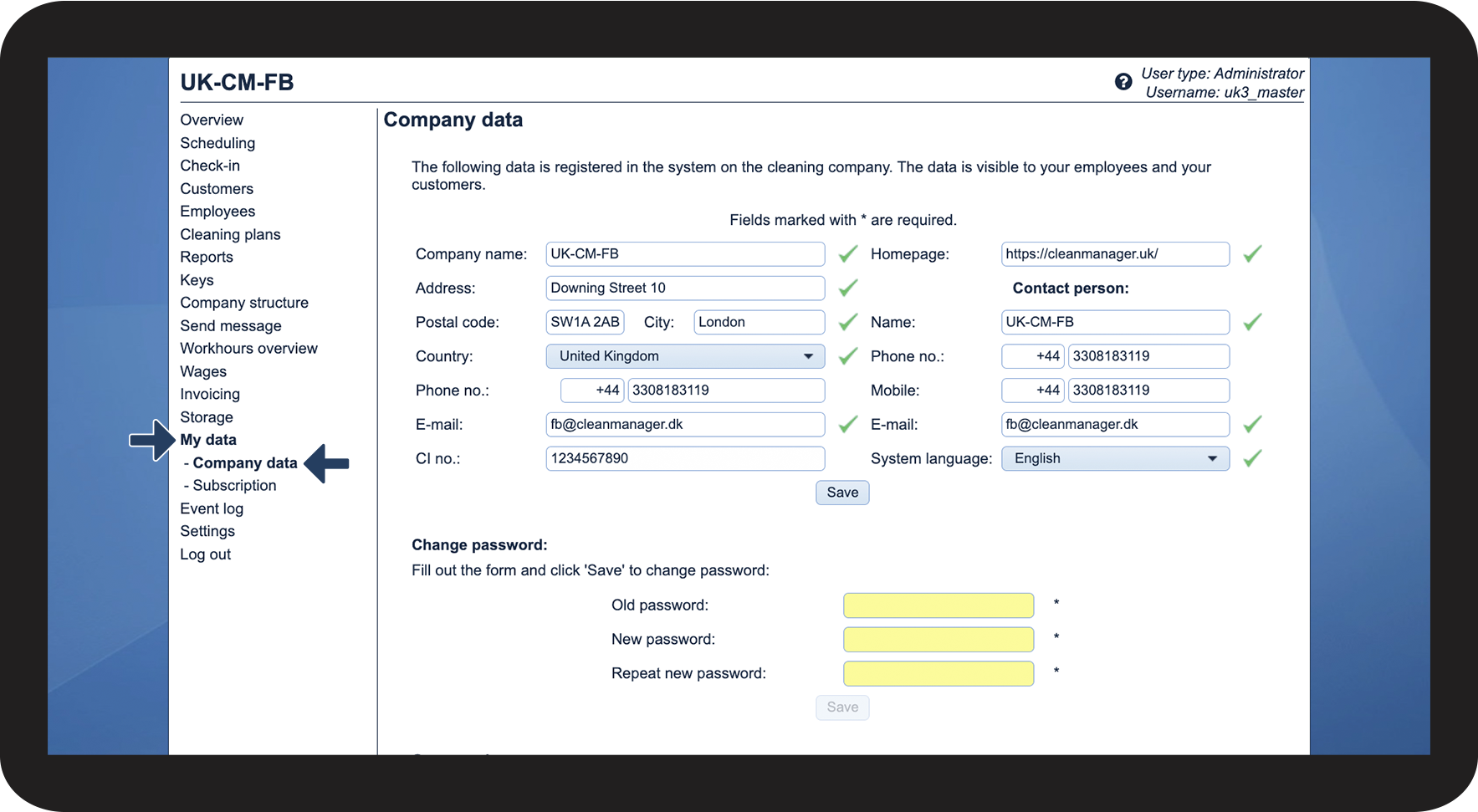
In the menu, go to My dataCompany data

1.1.png

number_2.png

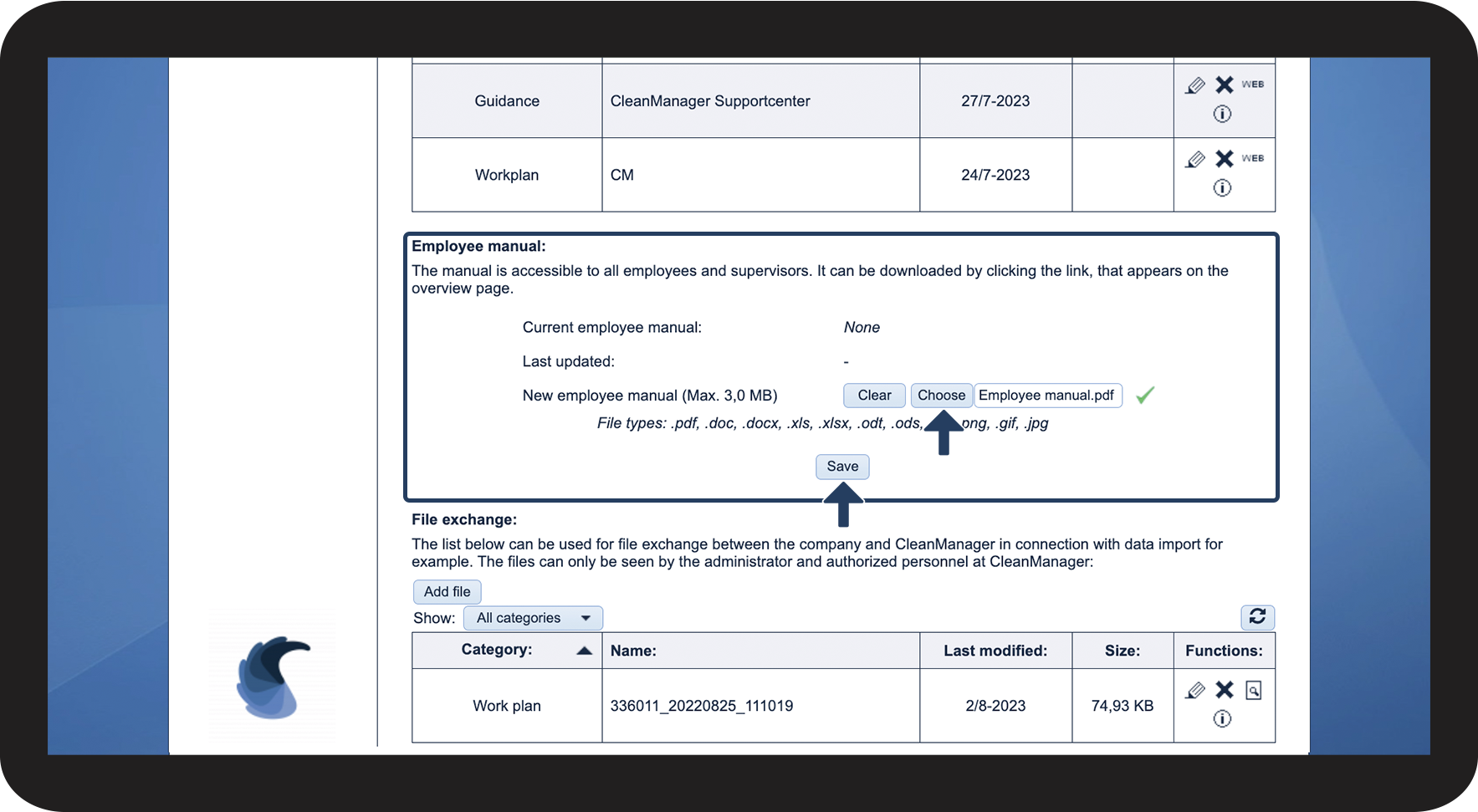
Go to the section Employee manual


Click on the button Choose and select the file you want to upload


Click on Save to complete the process

1.2.png


This is how you remove the employee manual

If you would like to change the employee manual or simply want to delete it, then you need to proceed as follows:
number_1.png

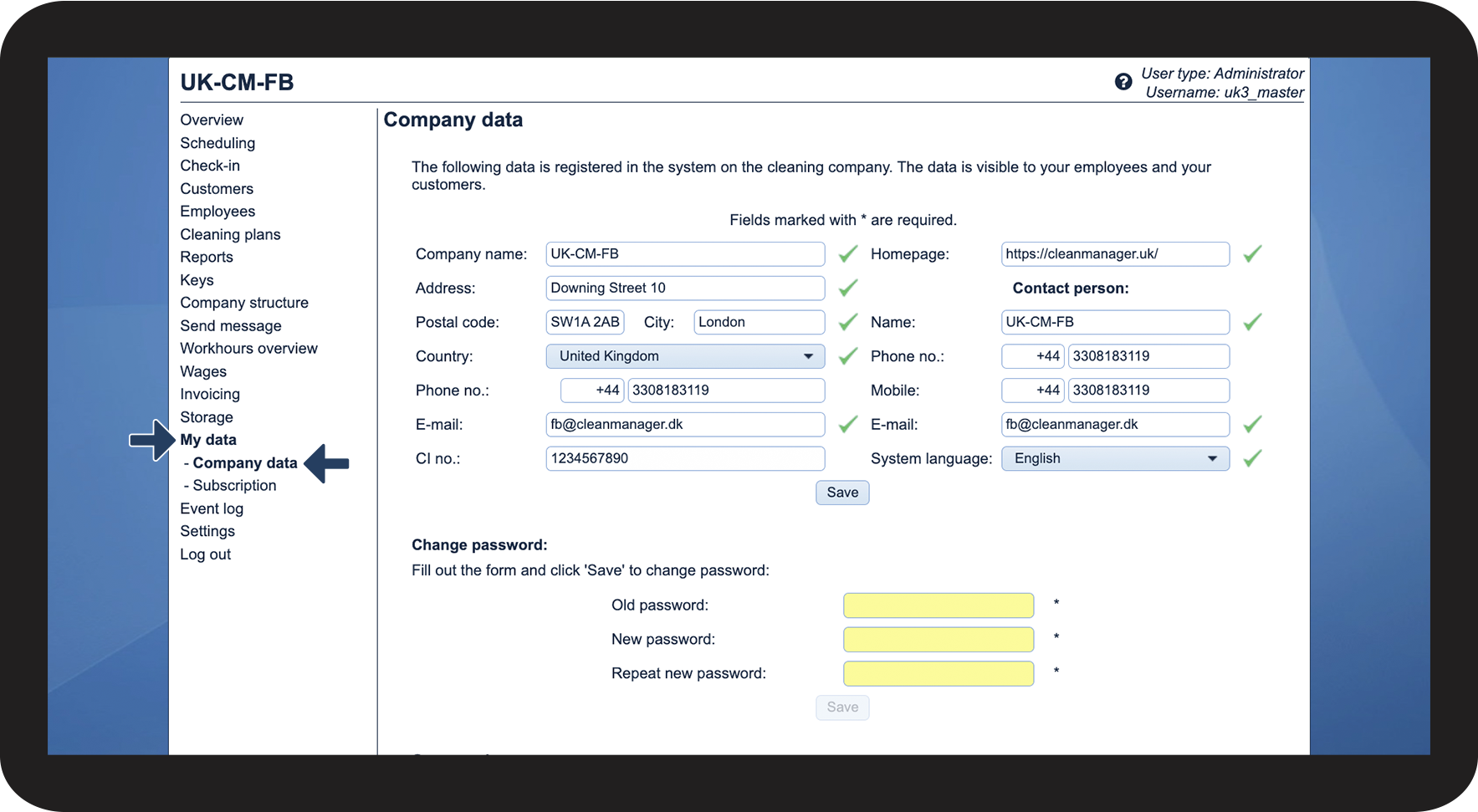
In the menu, go to My dataCompany data

2.1.png

number_2.png

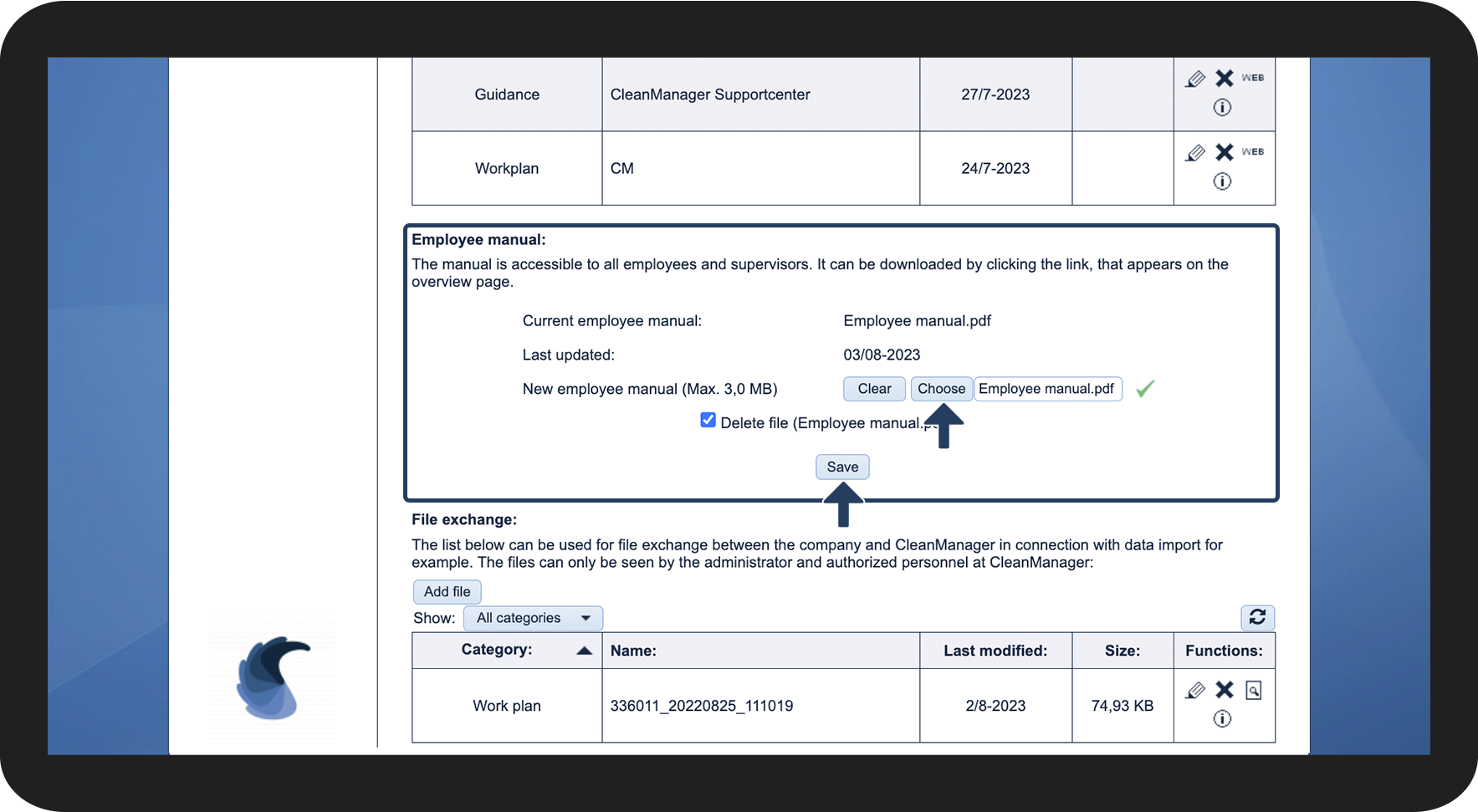
Go to the section Employee manual


Click on Delete file and thereafter on Save to proceed with the deletion of the manual

2.2.png