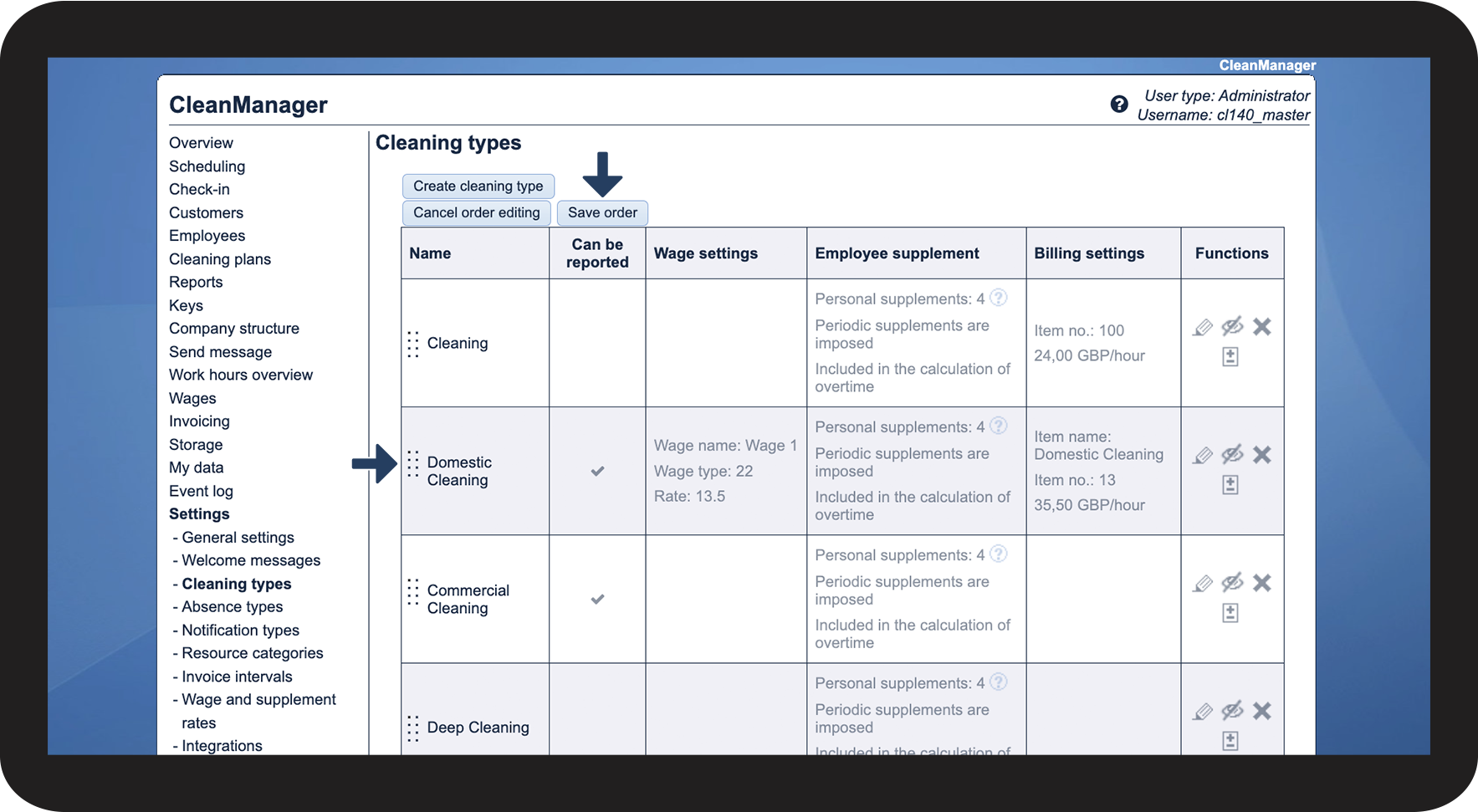
How do I edit the order of the cleaning types?
You can edit the order of the cleaning types, by changing their placement in the system:
E.g. for planning cleaning tasks in the calendar or setting up / adjusting service agreements for customers.
In this article, you will learn how to change the order of the cleaning types and therefore make your planning easier and more efficient:
Editing the order of the cleaning types

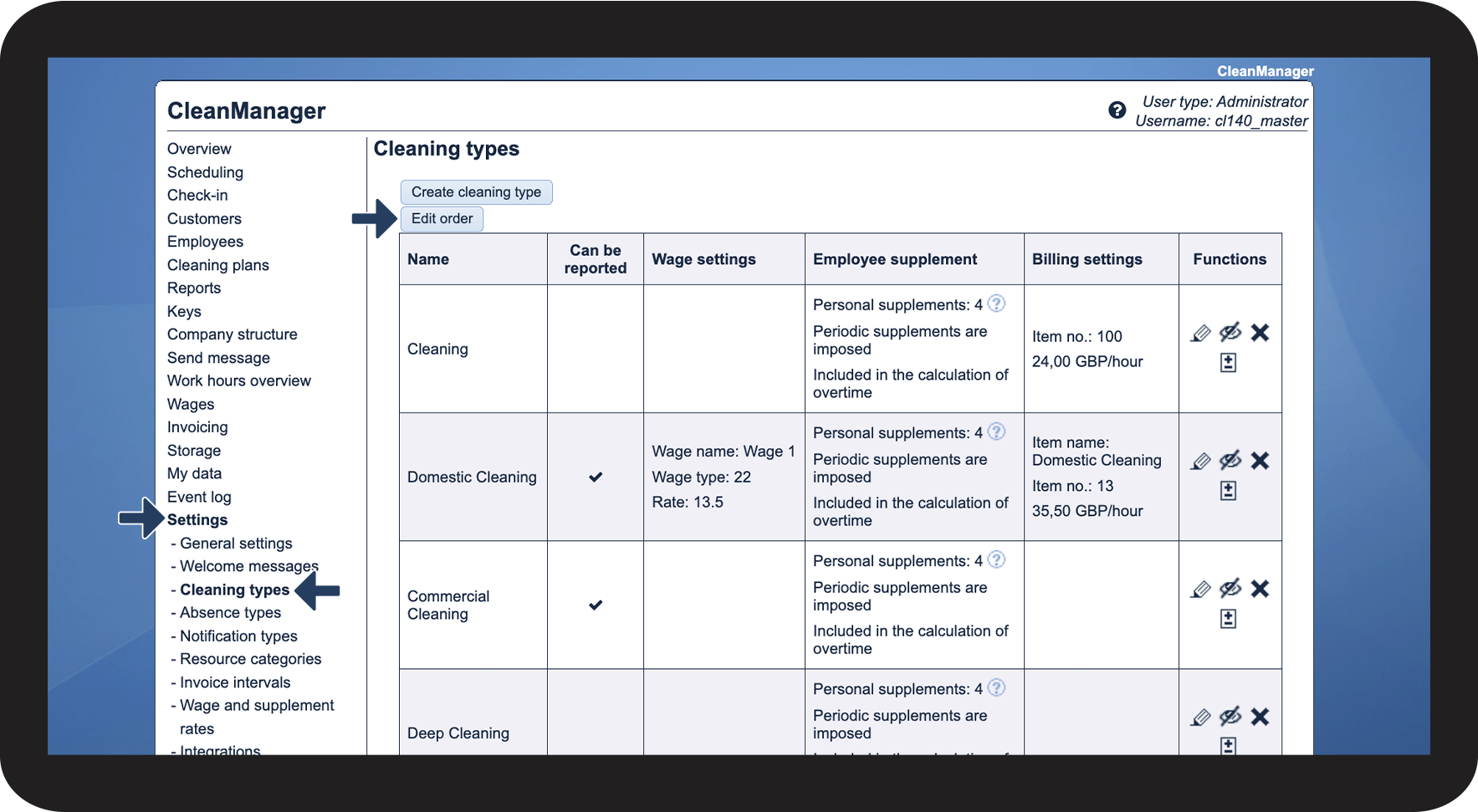

 of the