Skip to content
English
  • There are no suggestions because the search field is empty.

Editing notification types

How do I edit a notification type?

If you named a notification type wrongly or simply want to change its name so that it better fits your company's planning, then you have the option to edit that notification type.


In this article, you will learn how to edit notification types:


Editing notification types

number_1.png

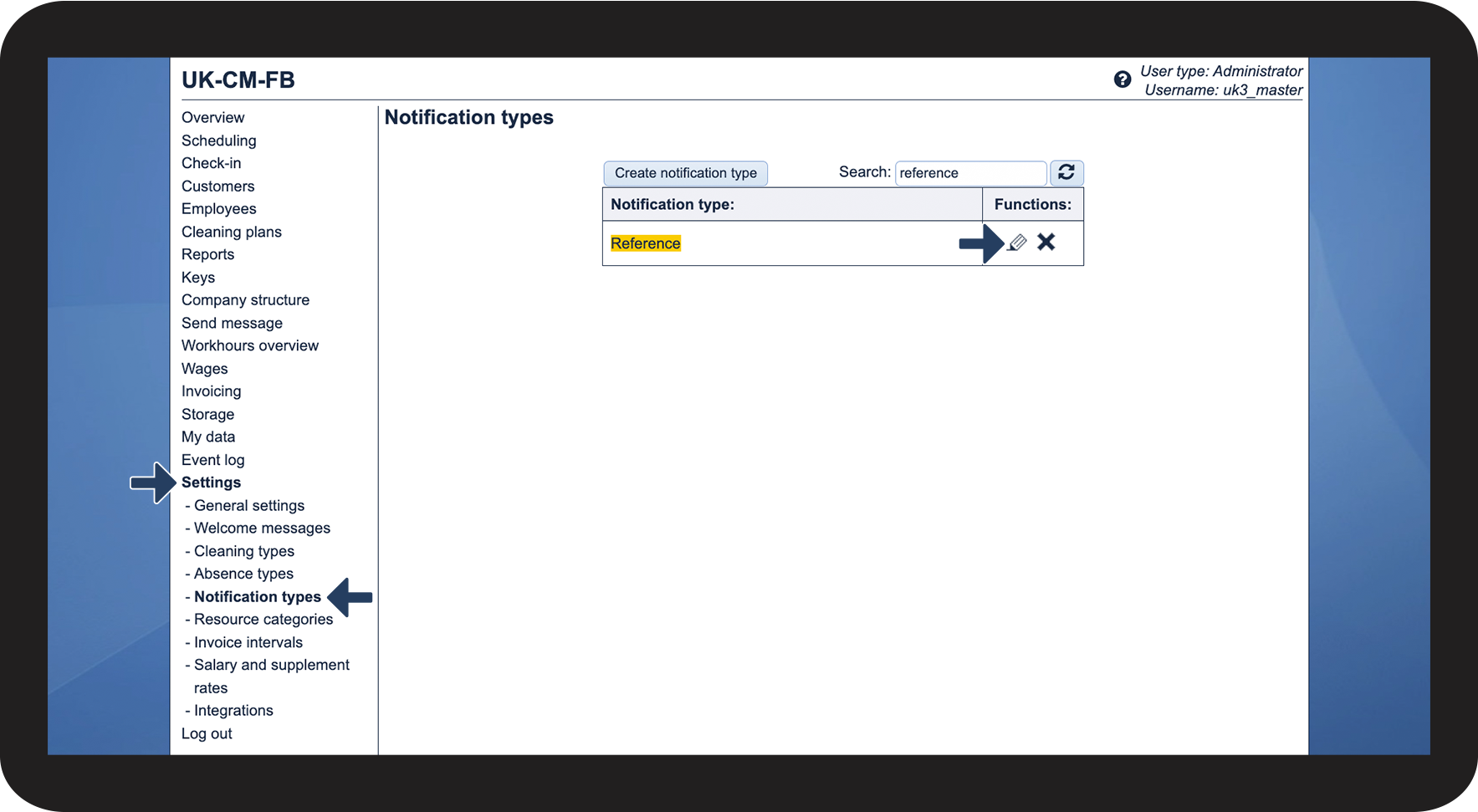
In the menu, click on SettingsNotification types


Thereafter, go to the functions-column of the type you want to edit and click on
Edit notification typeedit.png

If you cannot find the desired notification type, you can use the search function.

1.png
number_2.png

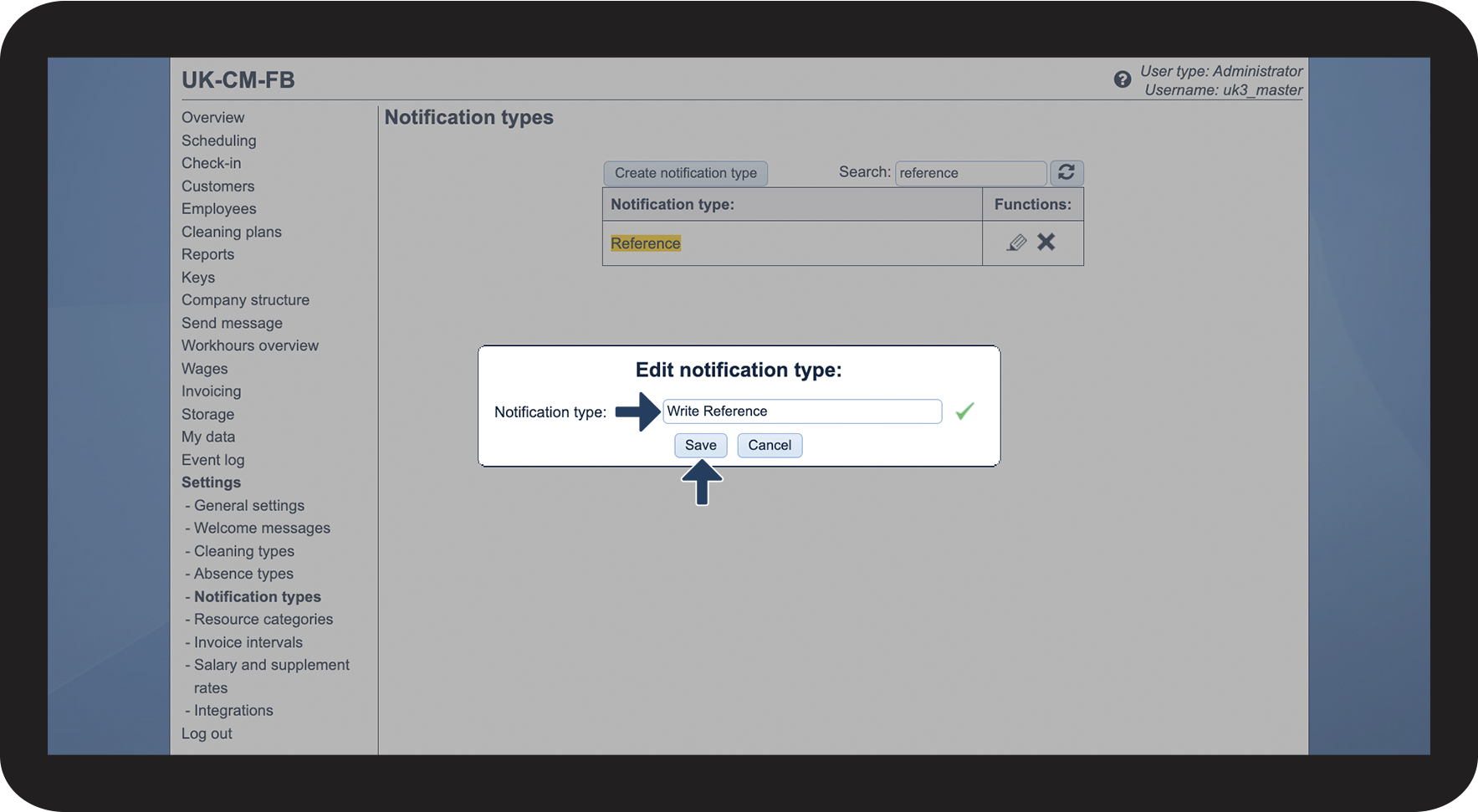
Give the notification type a new name

 
Click on Save to complete the process
2.png