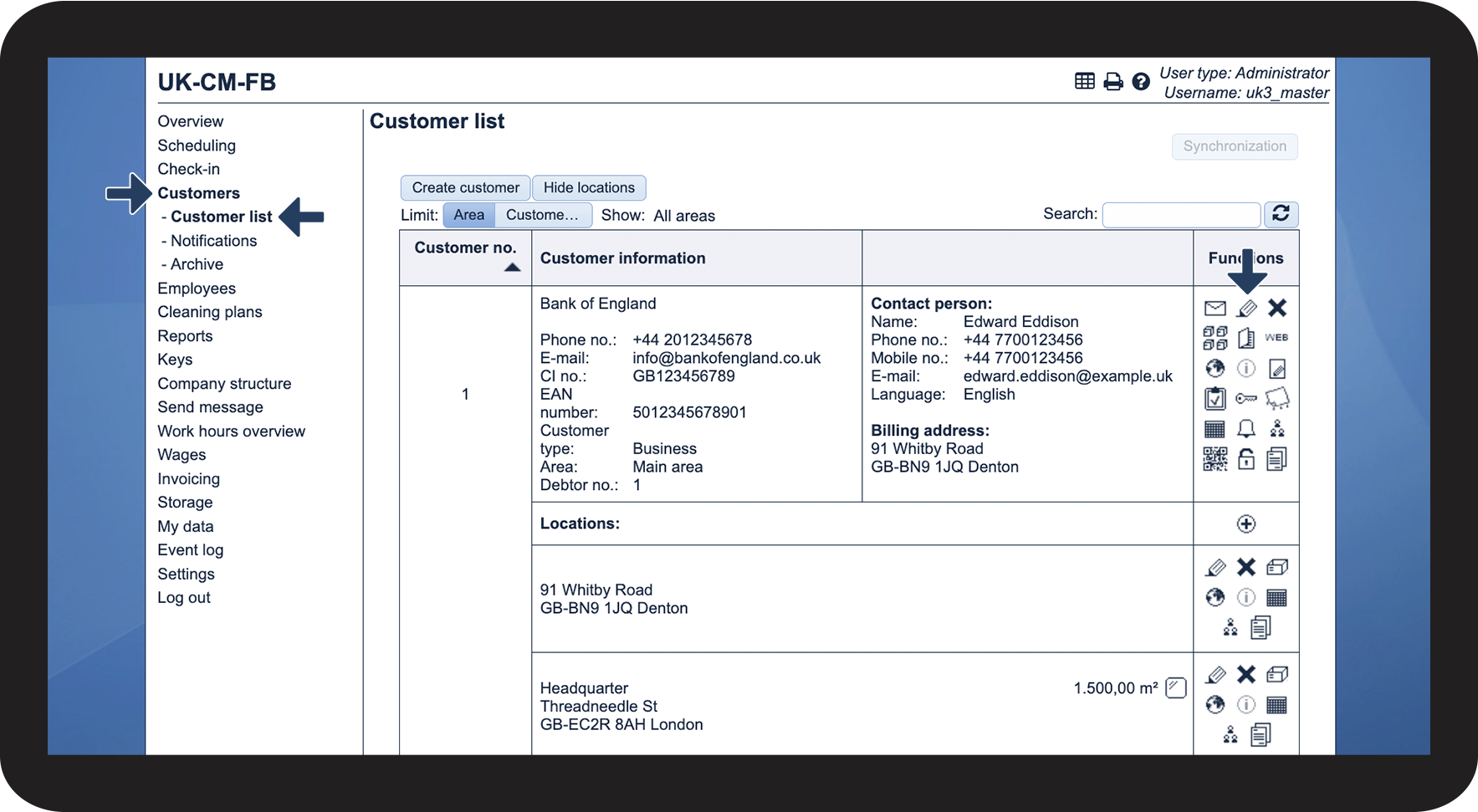
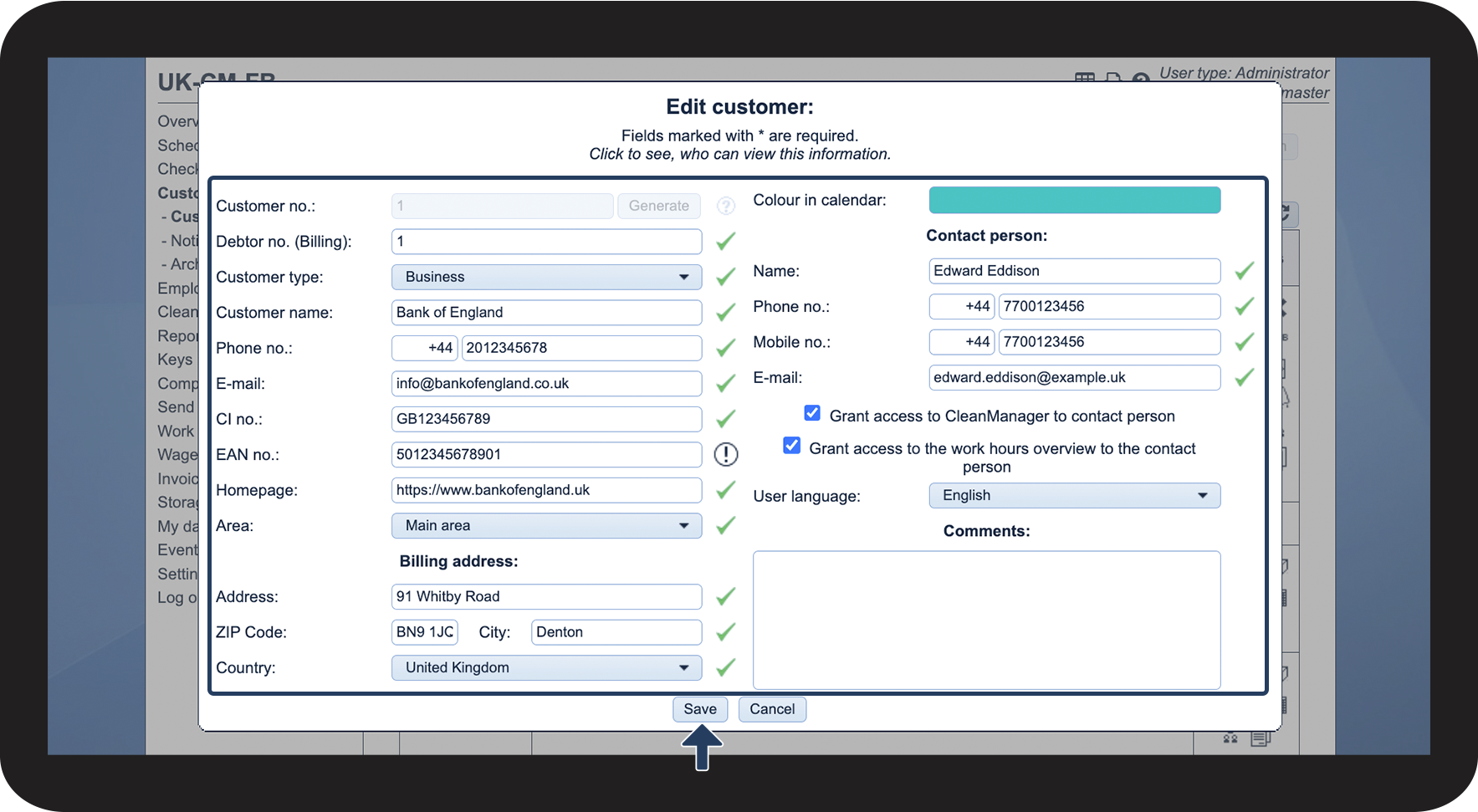
How do I edit customers?
If you need to update information for an existing customer, e.g. a new phone number or customer contact, this can be done in the customer list. Only the administrator and supervisors can edit customers.
NOTE:
Supervisors can only edit customers within their assigned areas.
For more information regarding this, go to Company Structure.
In this article, you will learn how to edit customers:
This is how you edit a customer