How do I edit an employee in the employee list?
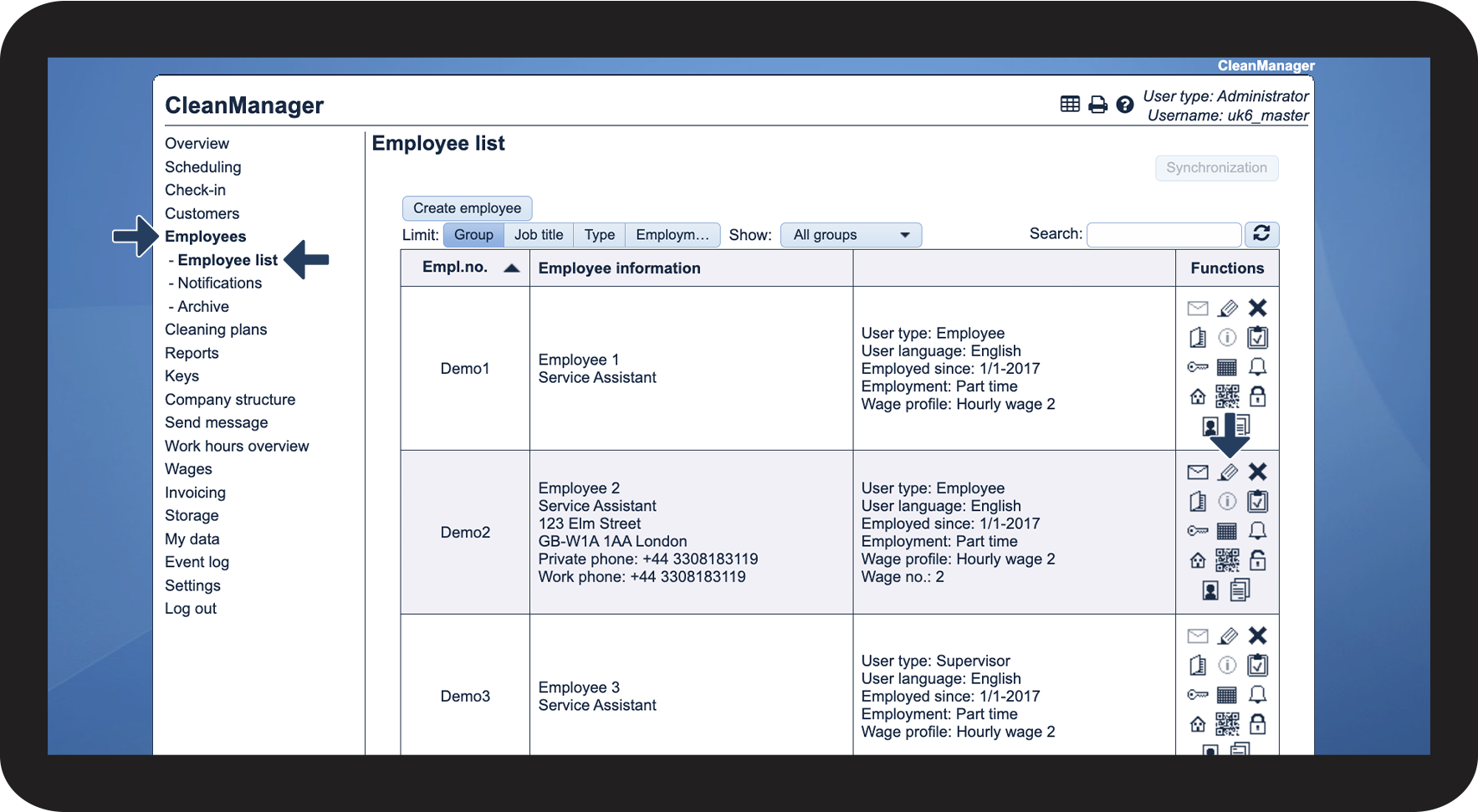
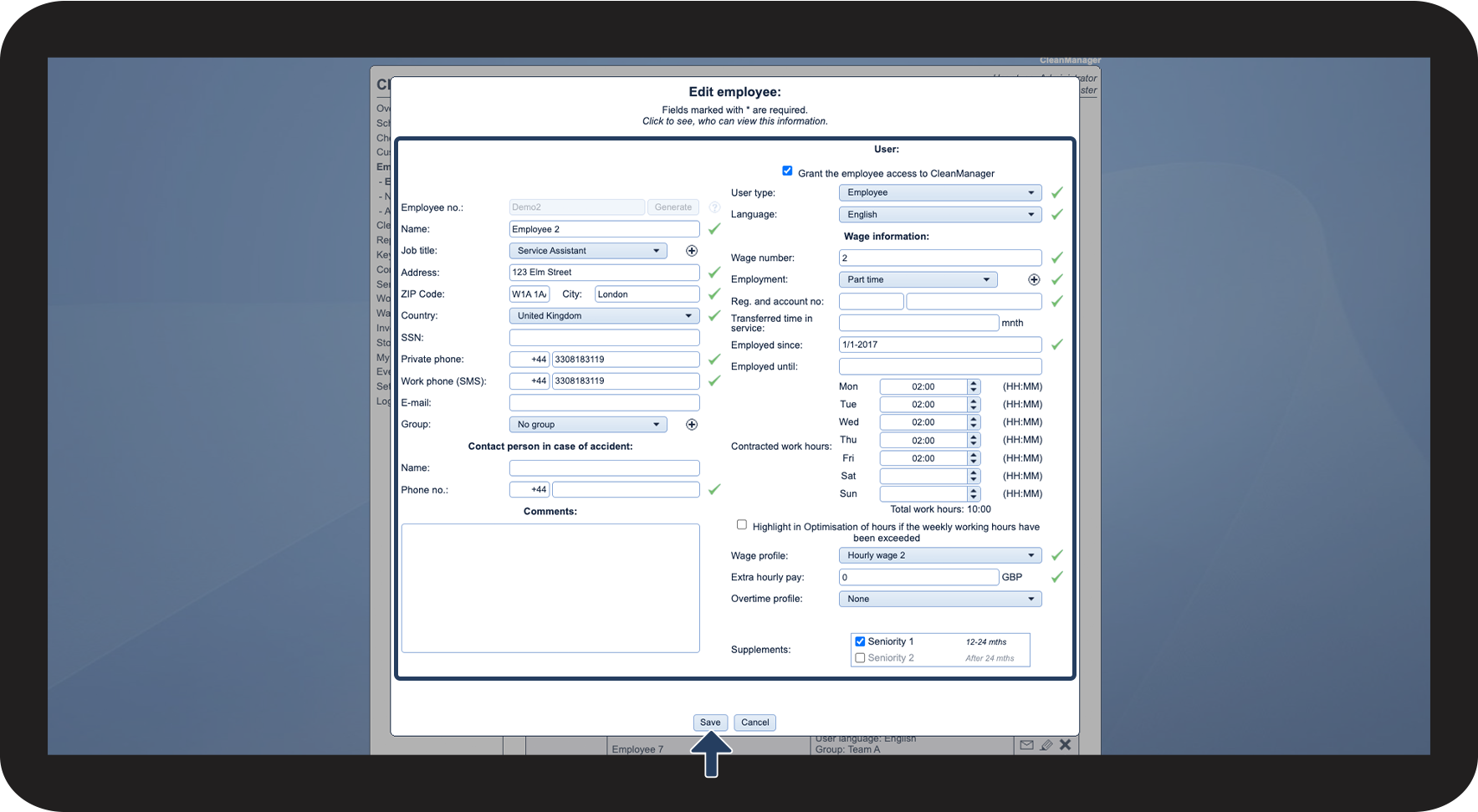
If you need to update information for an existing employee, e.g. a new address or phone number, this can be done in the employee list. Only the administrator and supervisors can edit existing employees.
In this article, you will learn how to edit employees:
This is how you edit an employee



If you wish to know more about what information you can add to an employee account, please read the following article: