
How do I change the status of an offer basis?
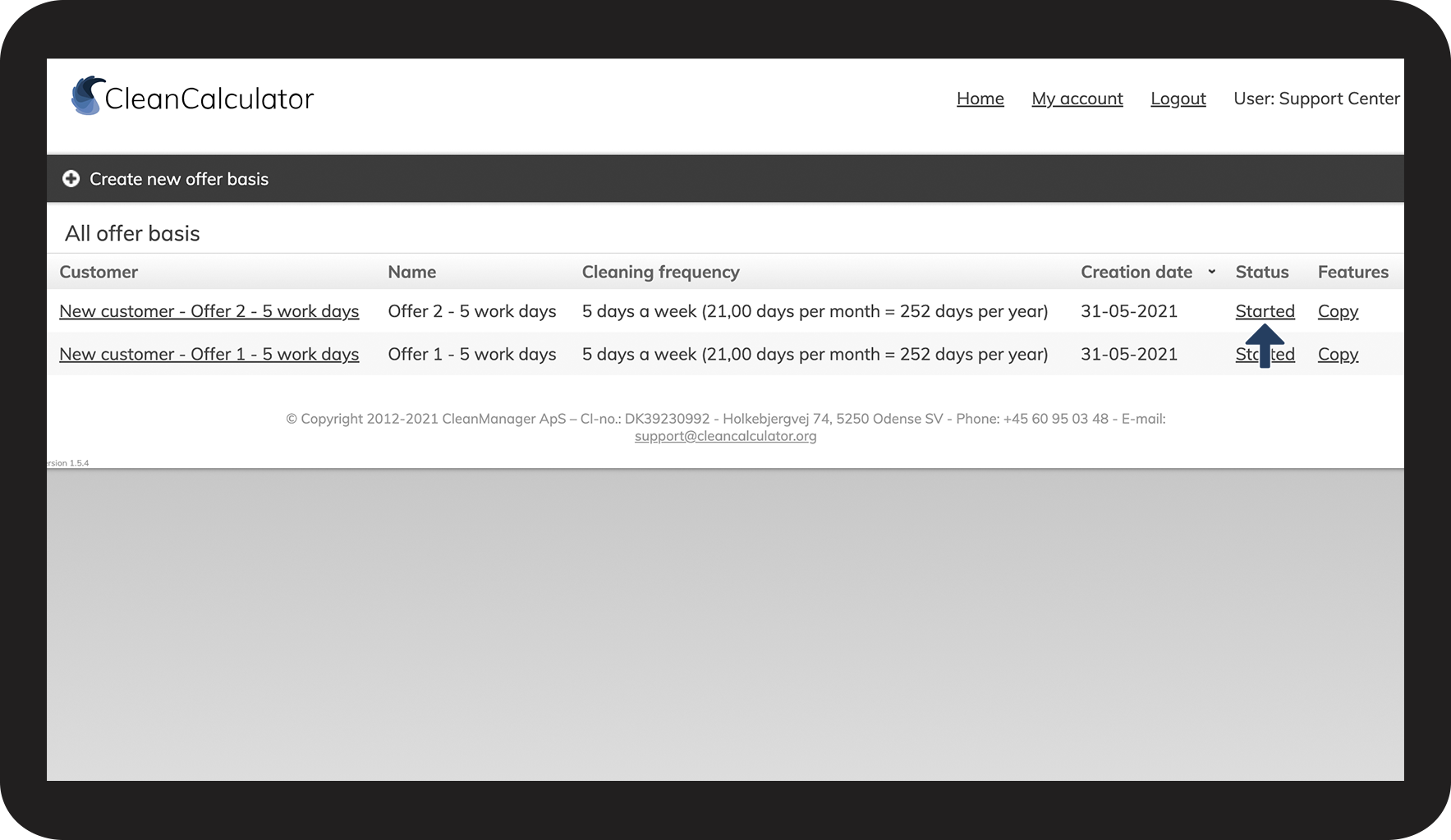
When you have created or copied an offer basis it will automatically have a status of Started.
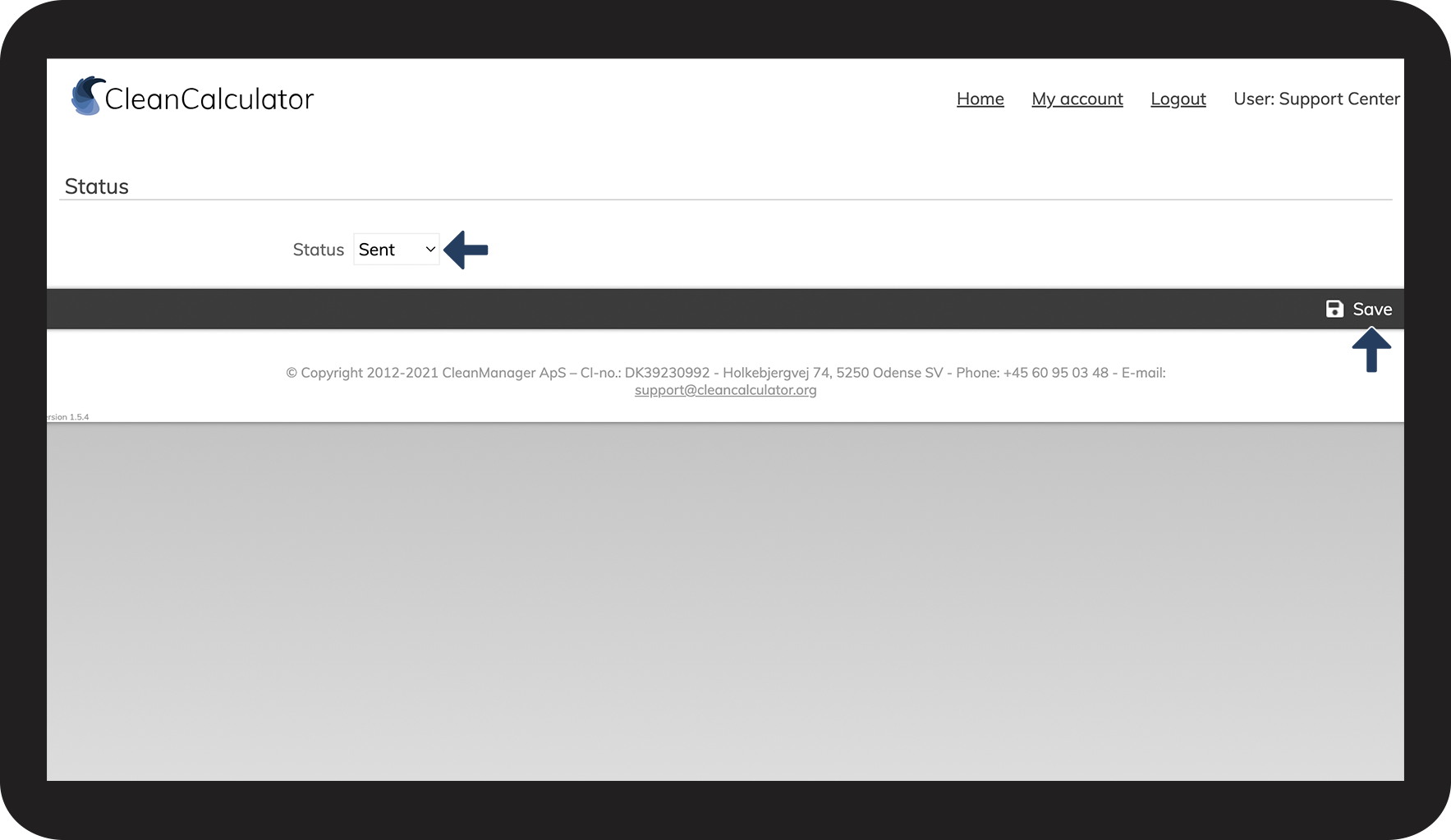
You can change this status to either Sent to the customer or Closed when the offer period is expired.
You change the status manually.
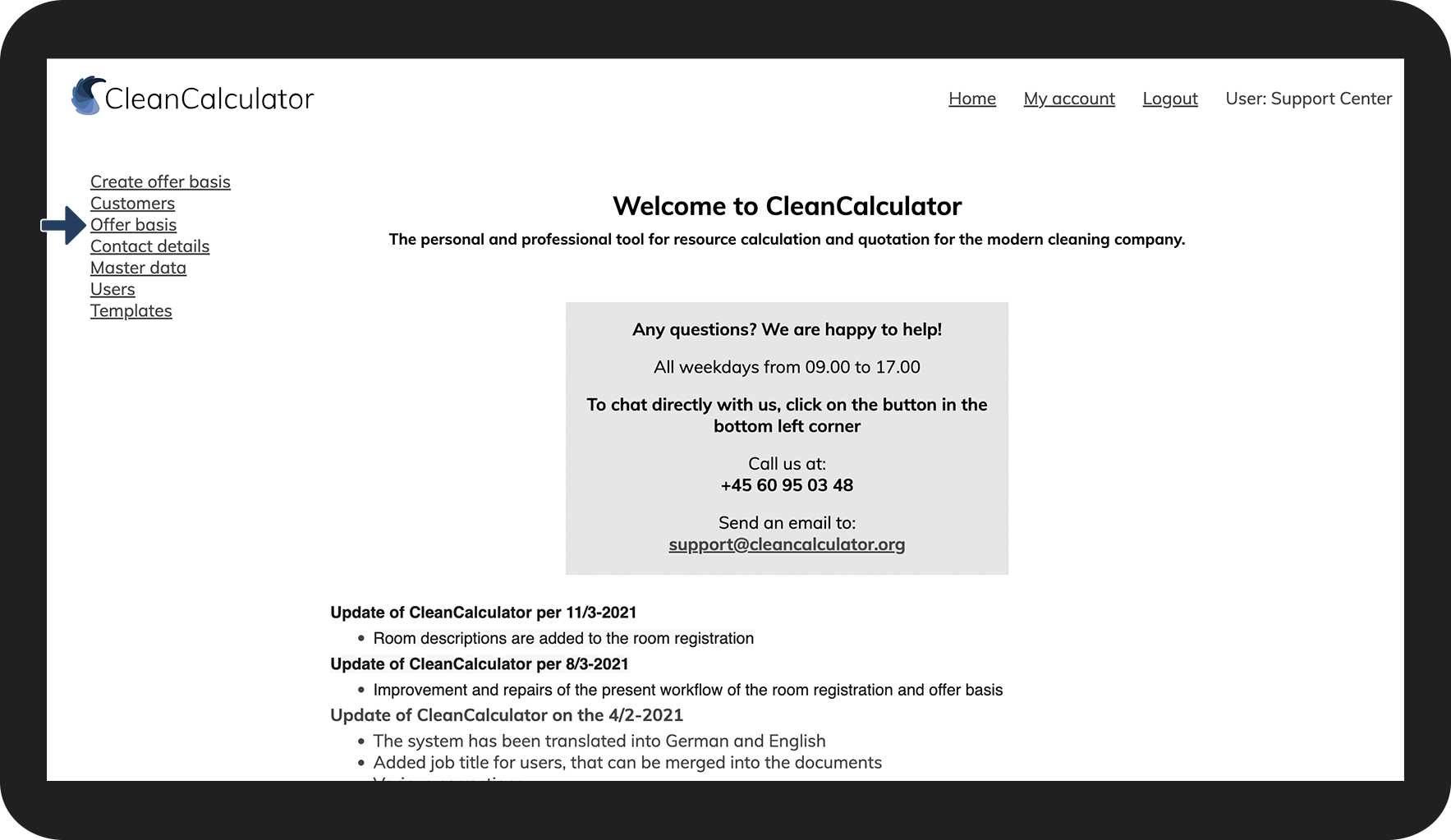
In this article you learn how to change the status of an offer basis:
How to change the status of an offer basis



INFO:
Did you know that you can arrange the order in which you display your offer basis?
Click on the column Customer or Name to change the alphabetical order in which the offer basis gets displayed in the offer basis overview.