
Where are the cleaning plans displayed for the employees?
The employees can see all created cleaning plans for the customers they are associated with.
Created cleaning plans can be accessed through the CleanManager app or through the browser on the computer.
This article reviews how employees can display the created cleaning plans.
In this article, you will learn where employees can see the created cleaning plans:
How to find the cleaning plans in the web system

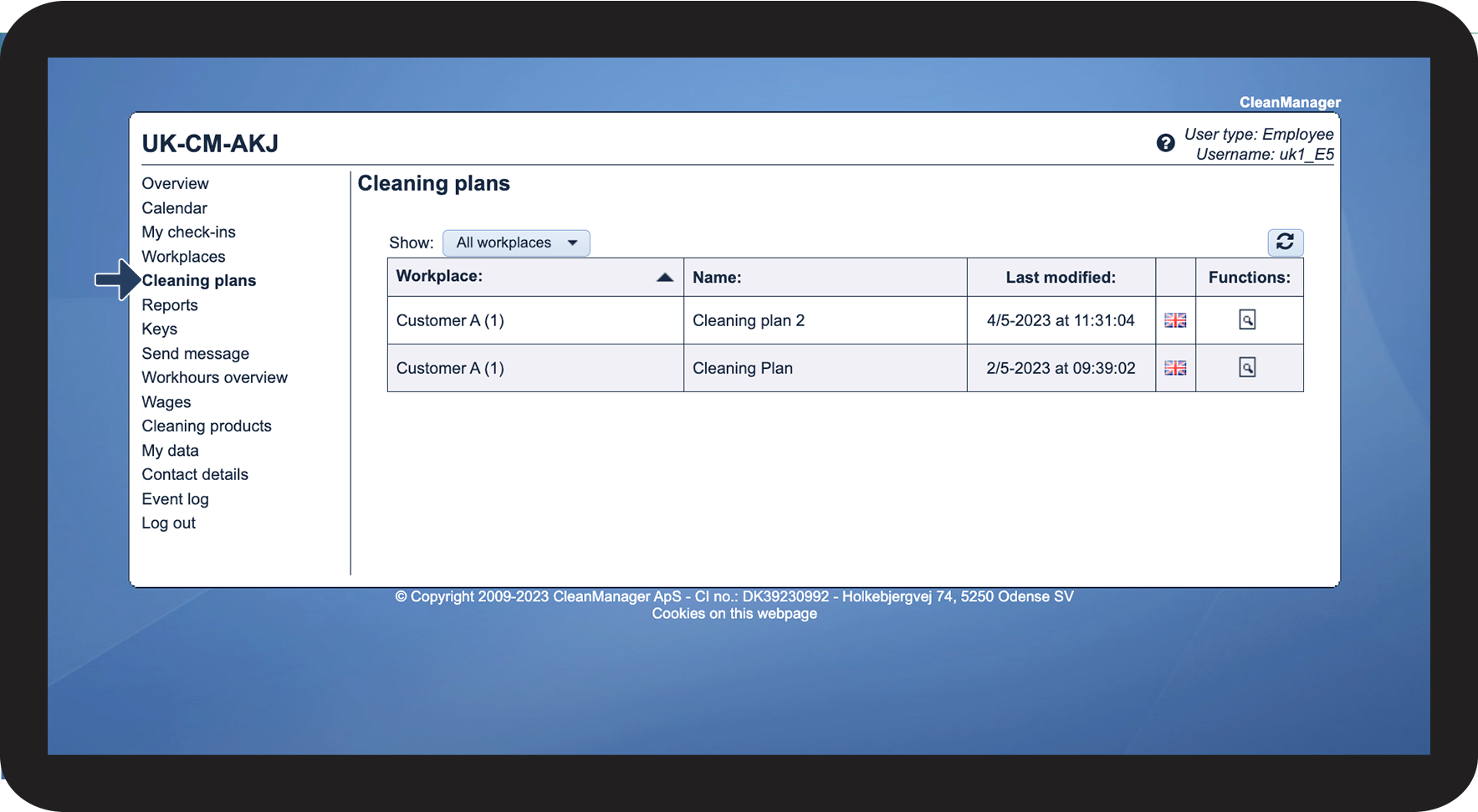
How to find the cleaning plans at workplaces in the web system

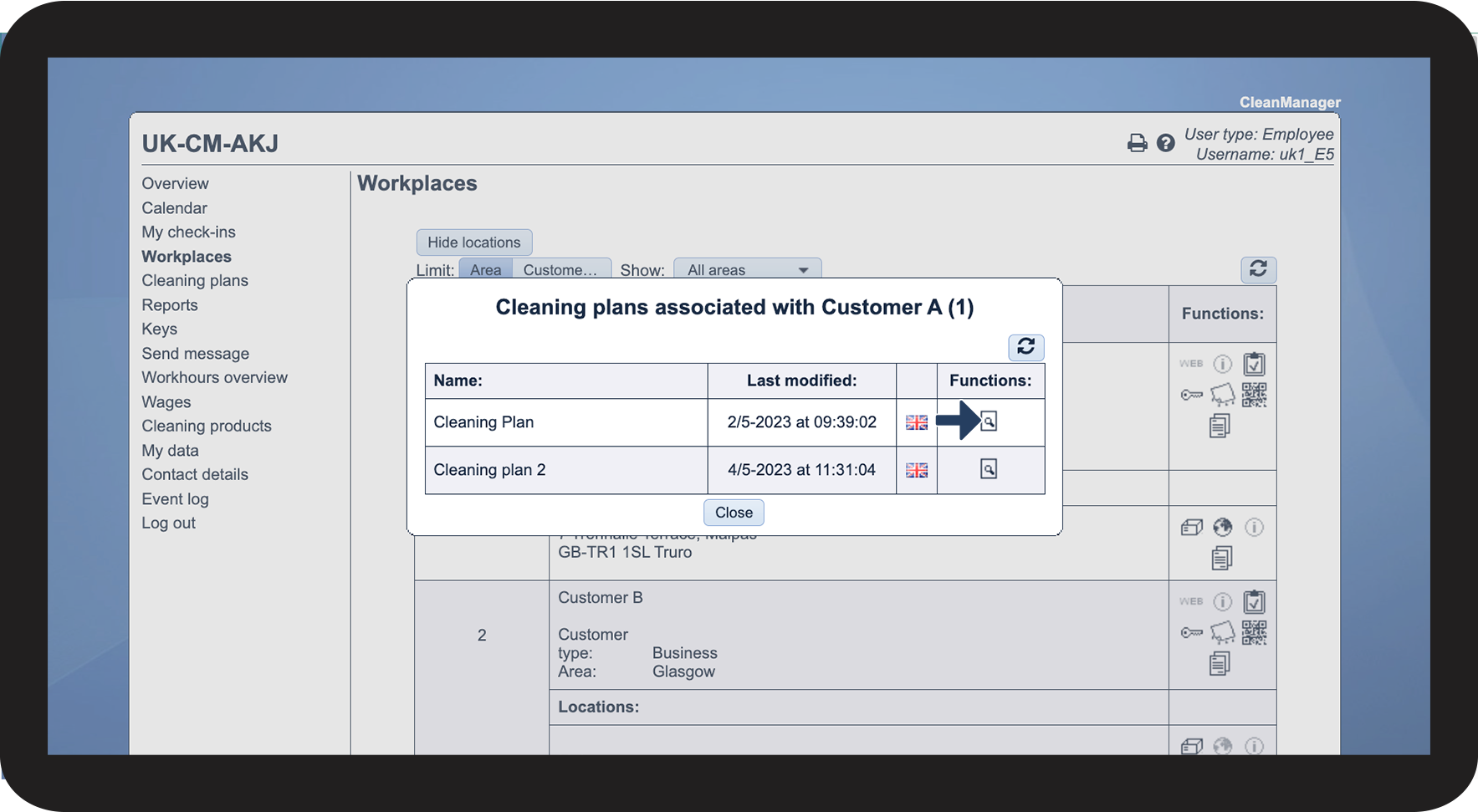
 at the individual customer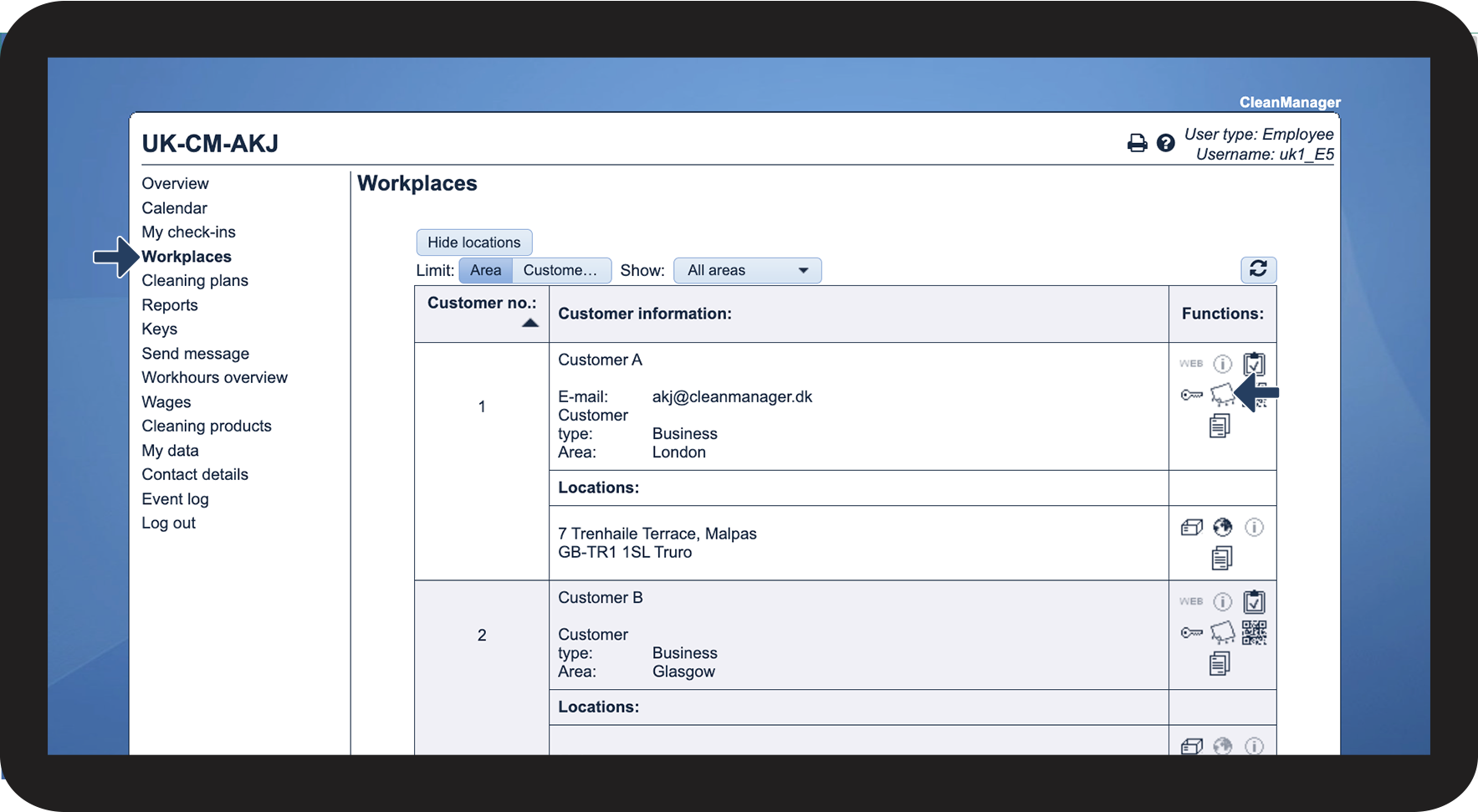

 to see the cleaning plan
How to find the cleaning plans in the app
Continue to the article Information about workplaces