How do I delete resource categories?
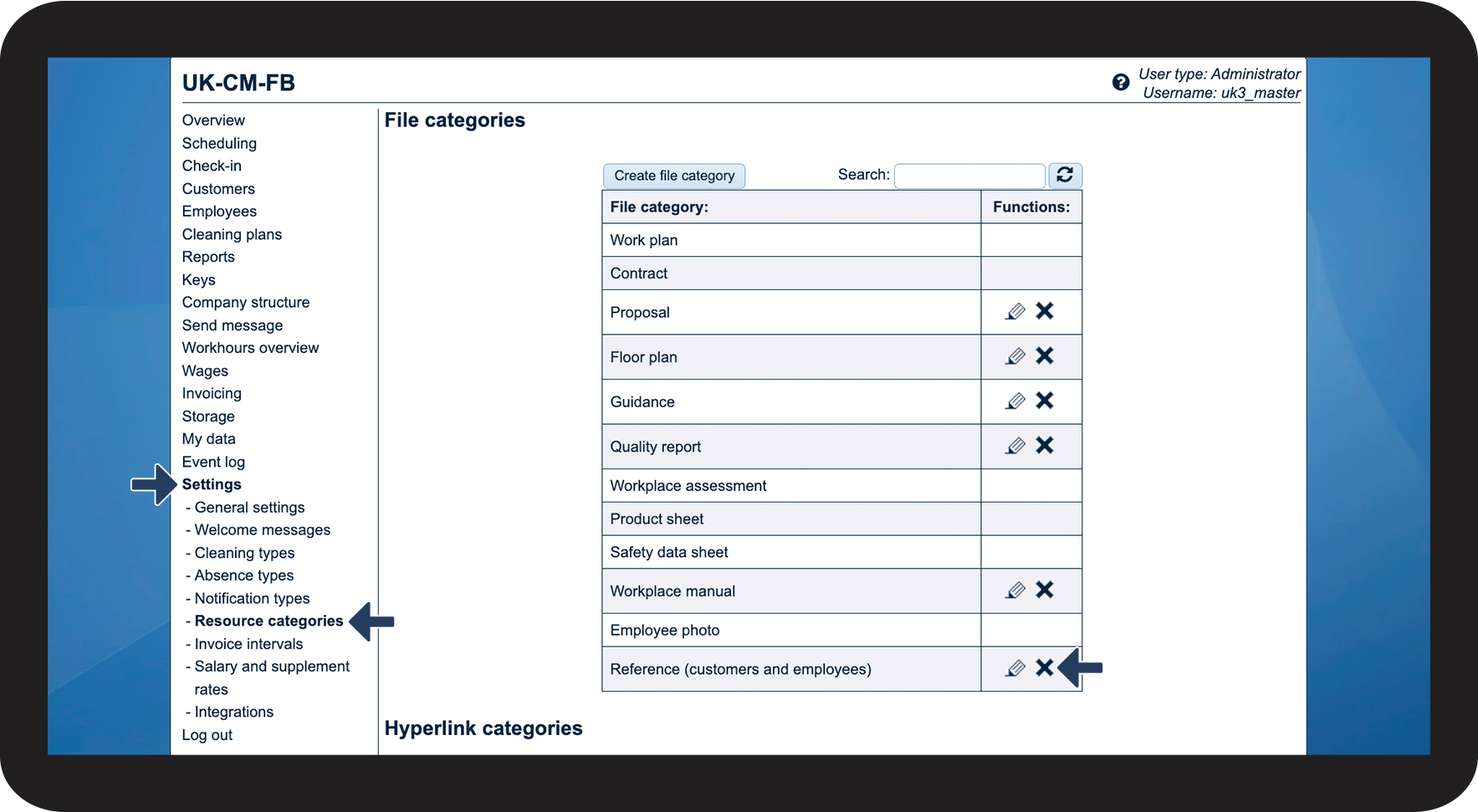
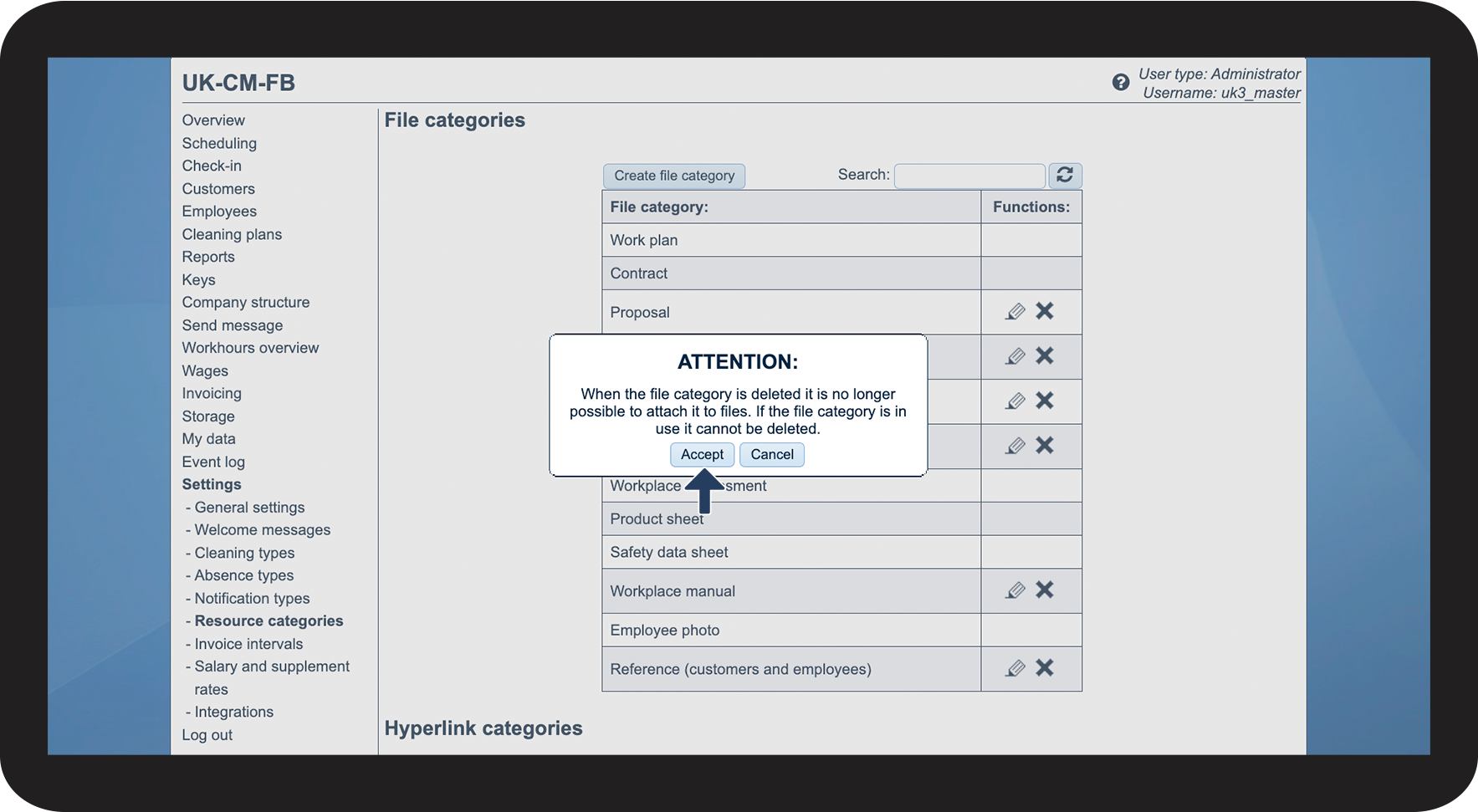
If you no longer want a resource category to be available or if you created the wrong resource category by mistake, then you have the option to delete it:
In this article, you will learn how to delete a resource category:
OBS:
After creating a resource category, you have the option to immediately delete it.
If a resource category is in use, it cannot be deleted.
If it's in use, you can delete the files, or simply exchange the resource category with another one, transfer the files again, and thereafter delete the category (not recommended).
Deleting resource categories

 for the resource category you wish to edit.