
How do I delete an employee from the employee list?
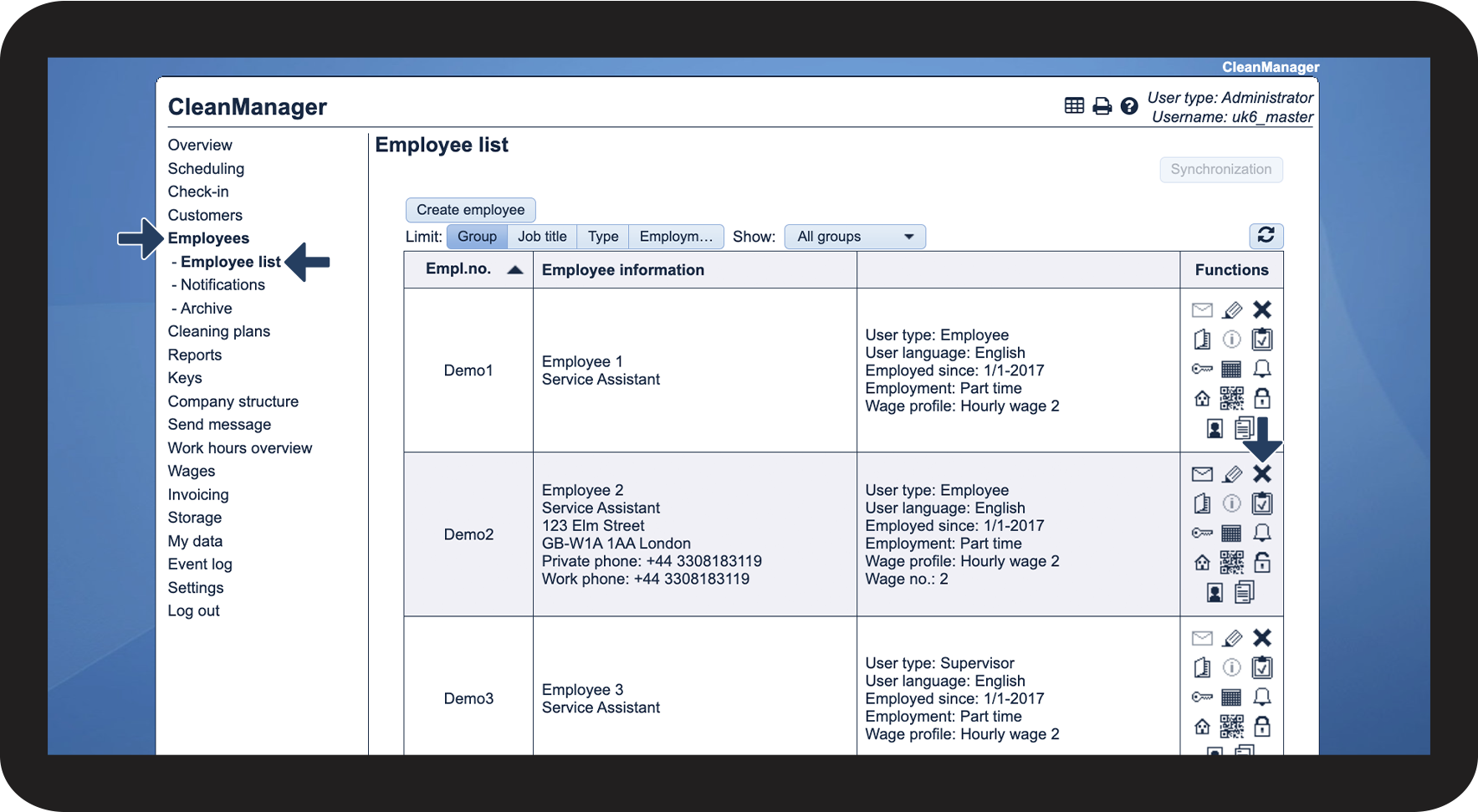
Do you have an active employee in your account that is no longer working for you? By deleting the employee, they will not be shown in e.g. the calendar, and they cannot be selected for tasks.
Only the administrator and supervisors can delete employees from the employee list. Once deleted, the employee will be moved to the archive.
In this article, you will learn how to delete employees and where to locate the archive:
This is how you delete an employee



INFO:
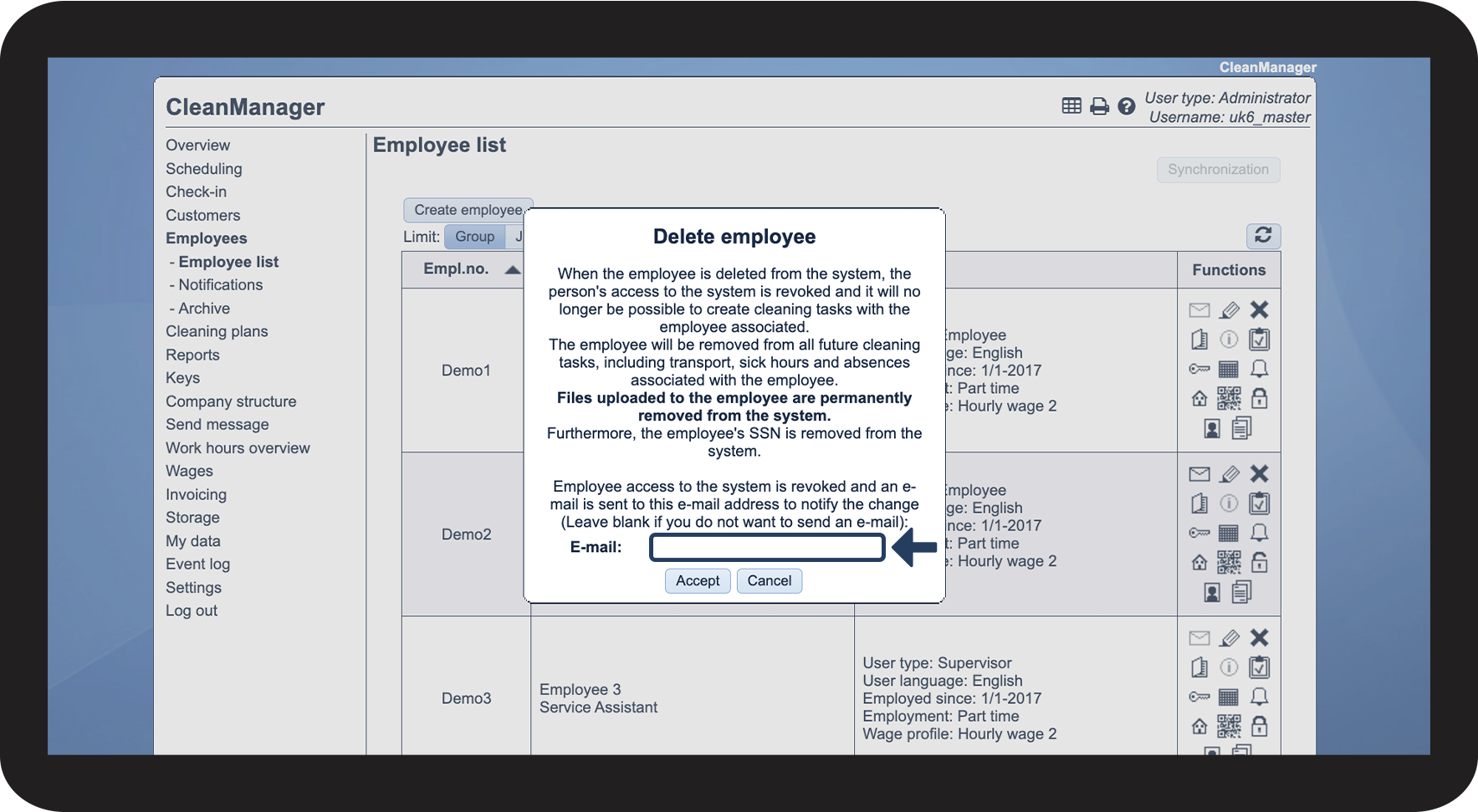
If you have entered an e-mail for the employee, the field will automatically be filled out.
If you do not want to send an e-mail about the change, simply leave the field empty.

NOTE:
When the employee is deleted from the system, their access to the system is revoked, and it will no longer be possible to allocate cleaning tasks to the employee.
The employee will be removed from all future cleaning tasks, including transport, sick hours and absences associated with the employee.
Files uploaded to the employee are permanently removed from the system.
Furthermore, the employee's SSN is removed from the system.
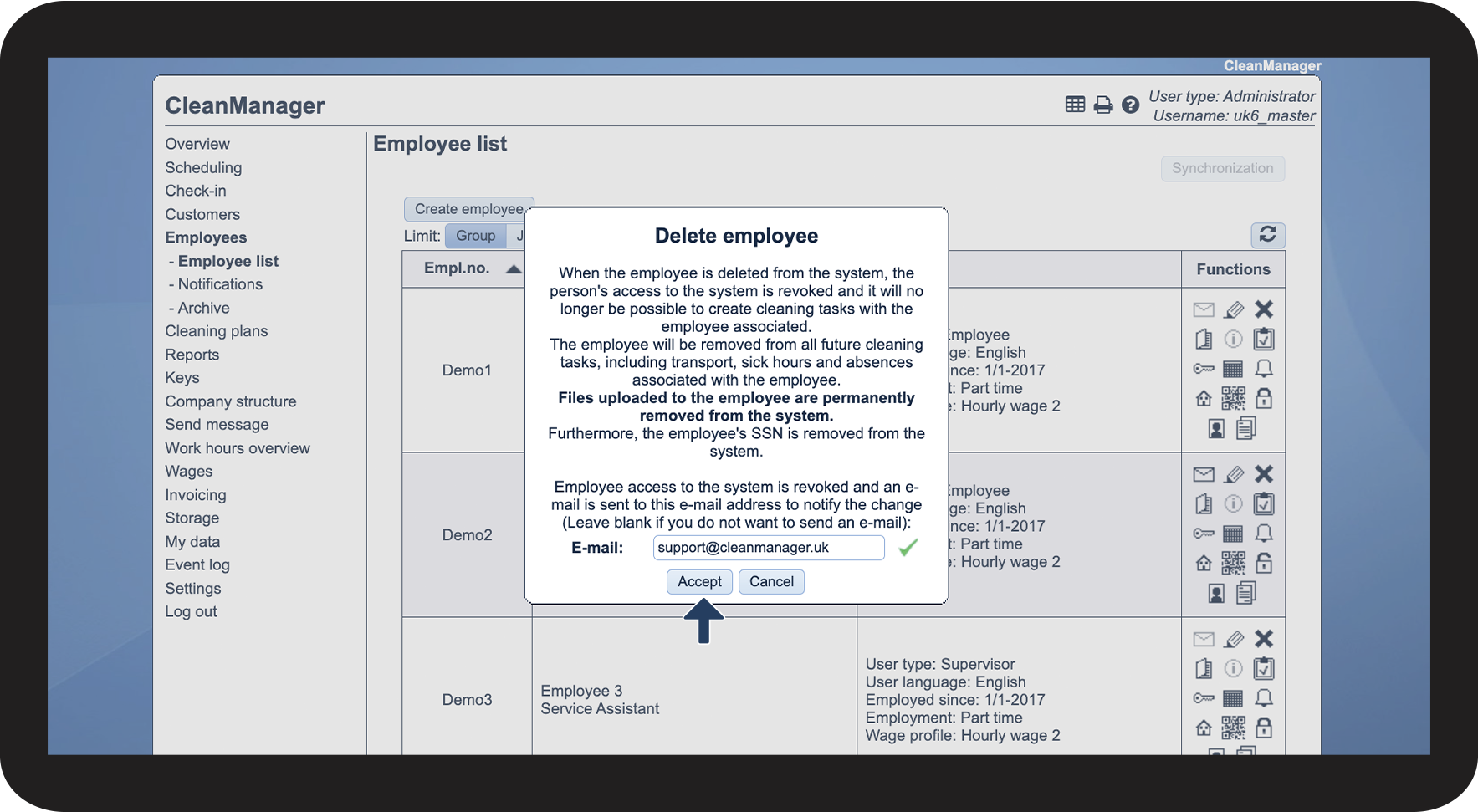
This is how to find the deleted employee in the archive
Continue to the article How do I restore a deleted employee?
Here, you can find and restore the deleted employee from the archive.