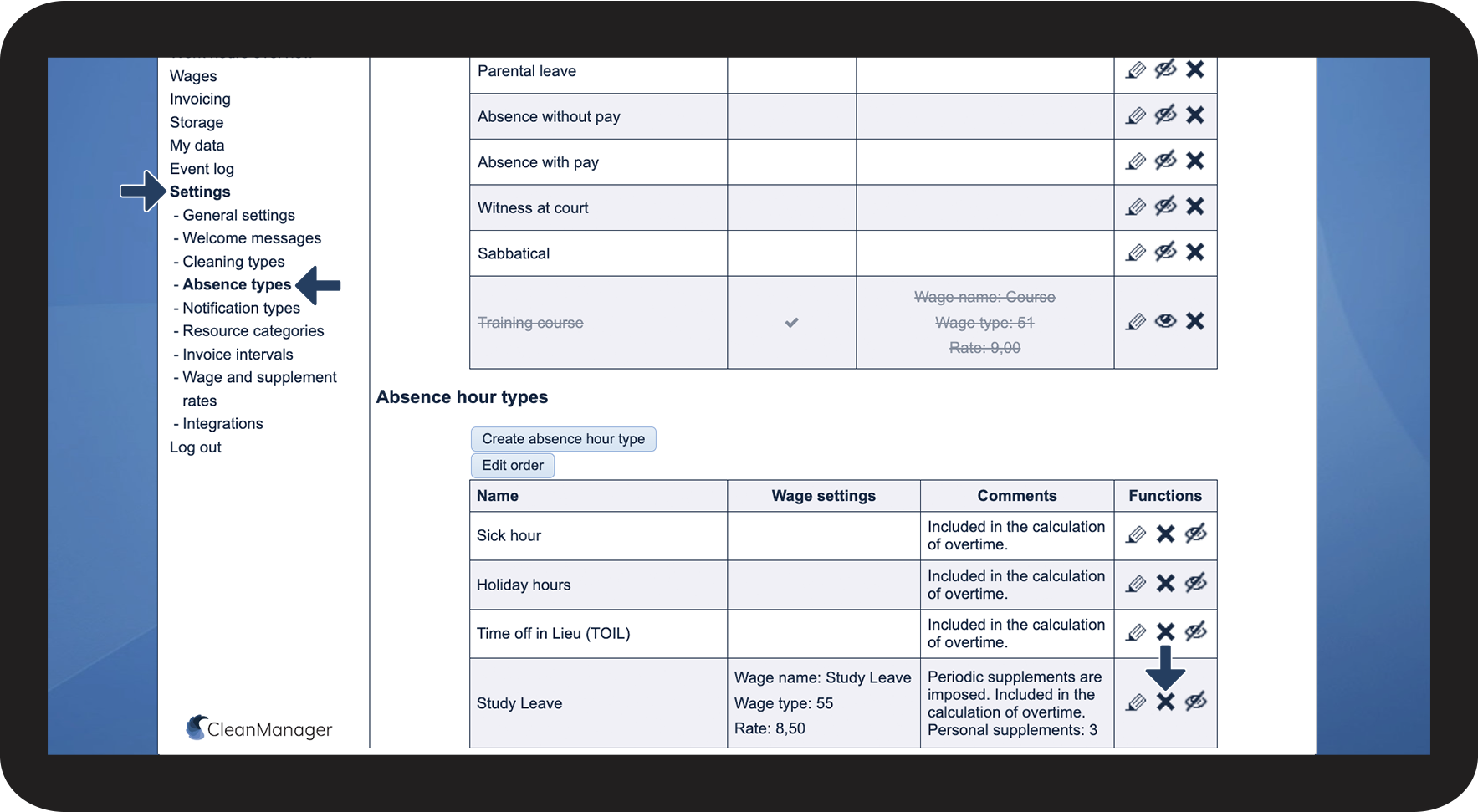
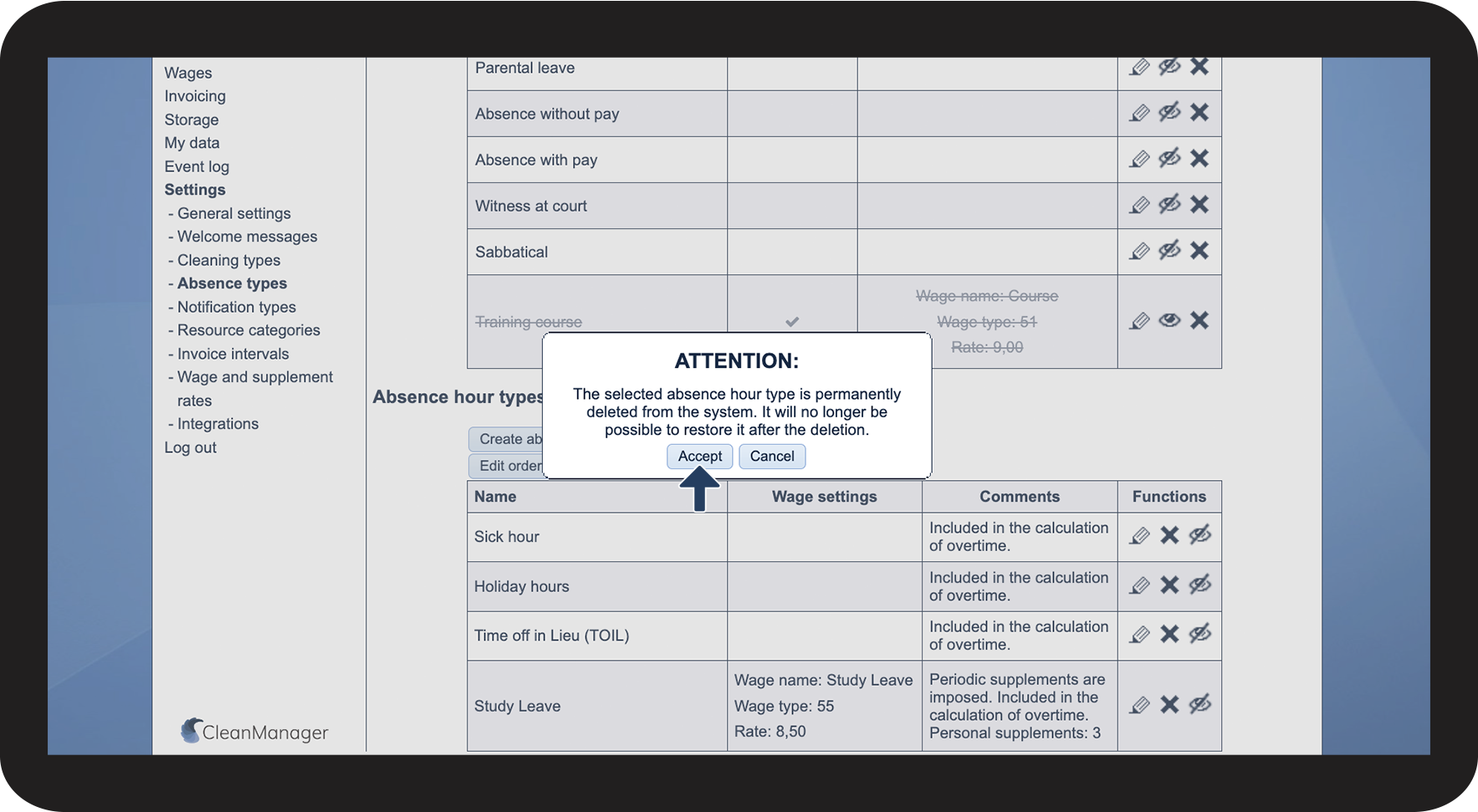
How do I delete absence hour types?
Absence hour types that are not relevant to your day-to-day activities can be deleted from your system. This way, you can manage your absence hour types so you will only see a list of applicable absence hour types when you register absence in your calendar.
NOTE:
An absence hour type can only be deleted from the system if it has not been used to register absence in the calendar.
If it is in use in the calendar, you would have to remove the absence hour type from the calendar for all employees in order to delete it. However, we do not recommend this as deleted absence hours cannot be restored.
Instead, you have the option of hiding the absence hour type, so it can no longer be selected in the calendar. Read more about that in the following article: Hiding absence hour types
In this article, you will learn how to delete absence hour types:
This is how you delete absence hour types

 next to the absence hour type you want to delete