
How do I set up customer synchronization between CleanManager and Xero?
Note:
To be able to set up the customer synchronization you need to have created an integration between CleanManager and Xero, see more in the article: Integration setup for Xero
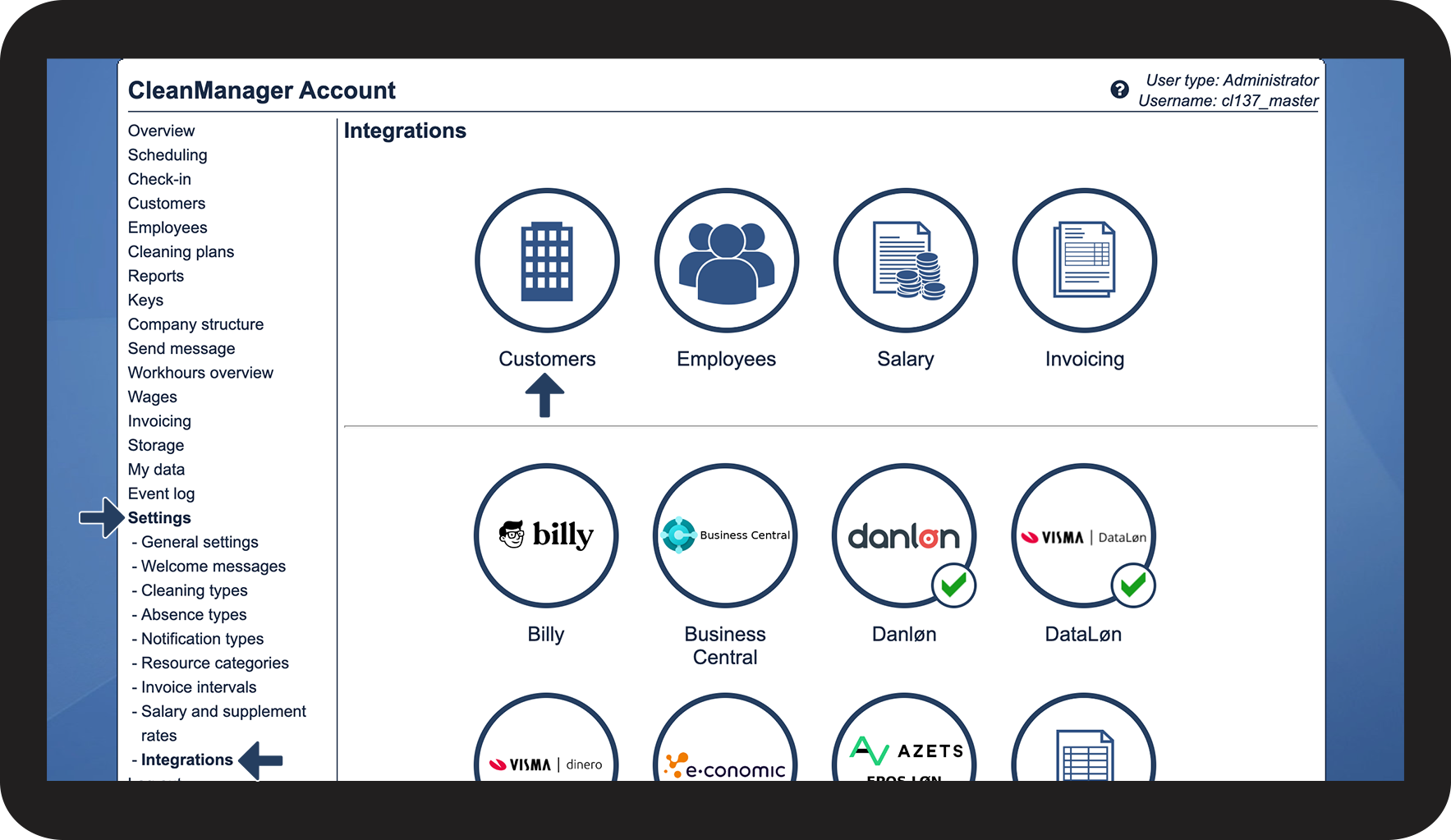
If your integration is already set up for Xero, you can continue setting up the customer synchronization:
How to set up the customer synchronization to Xero



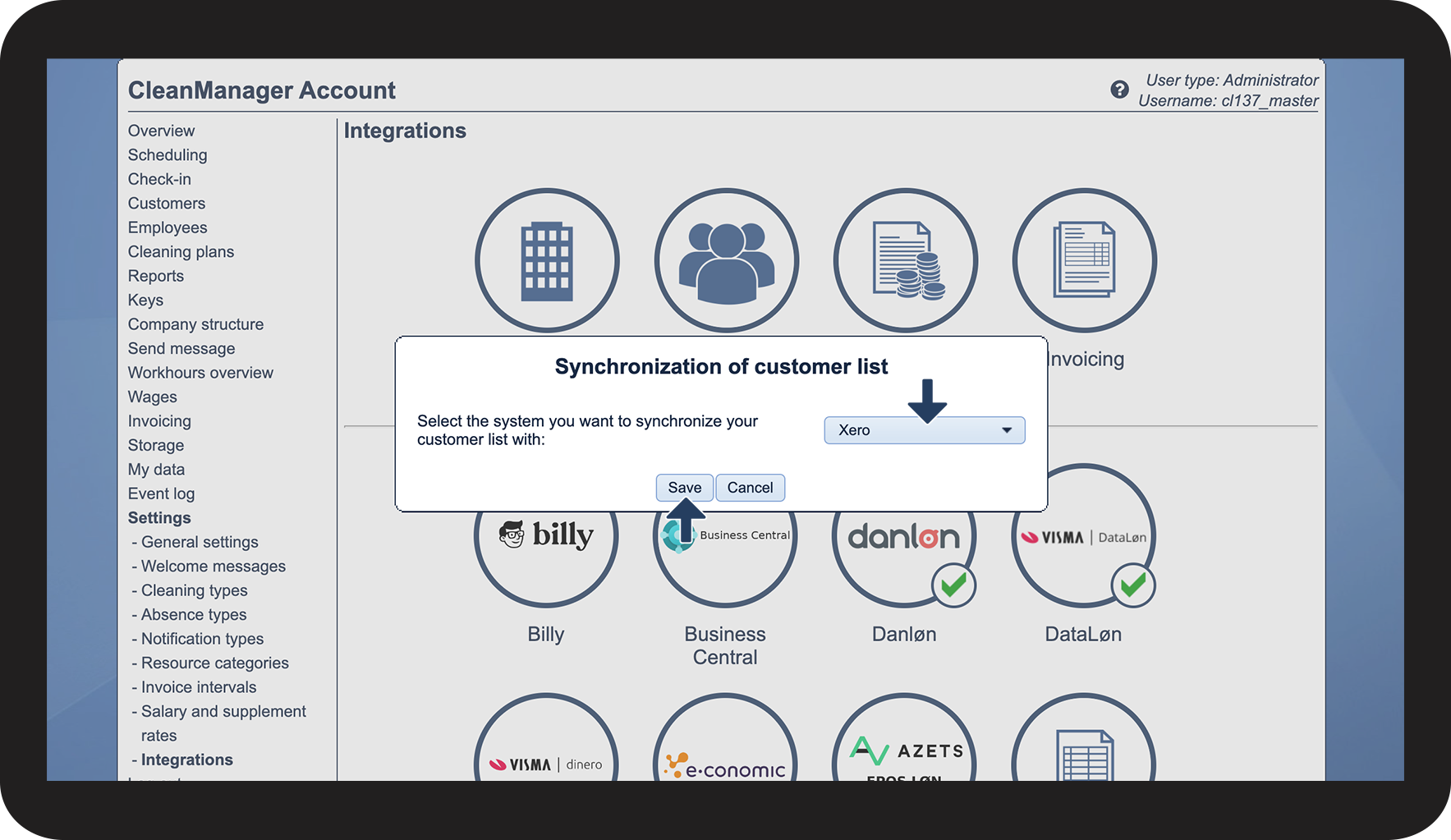

 that has been assigned
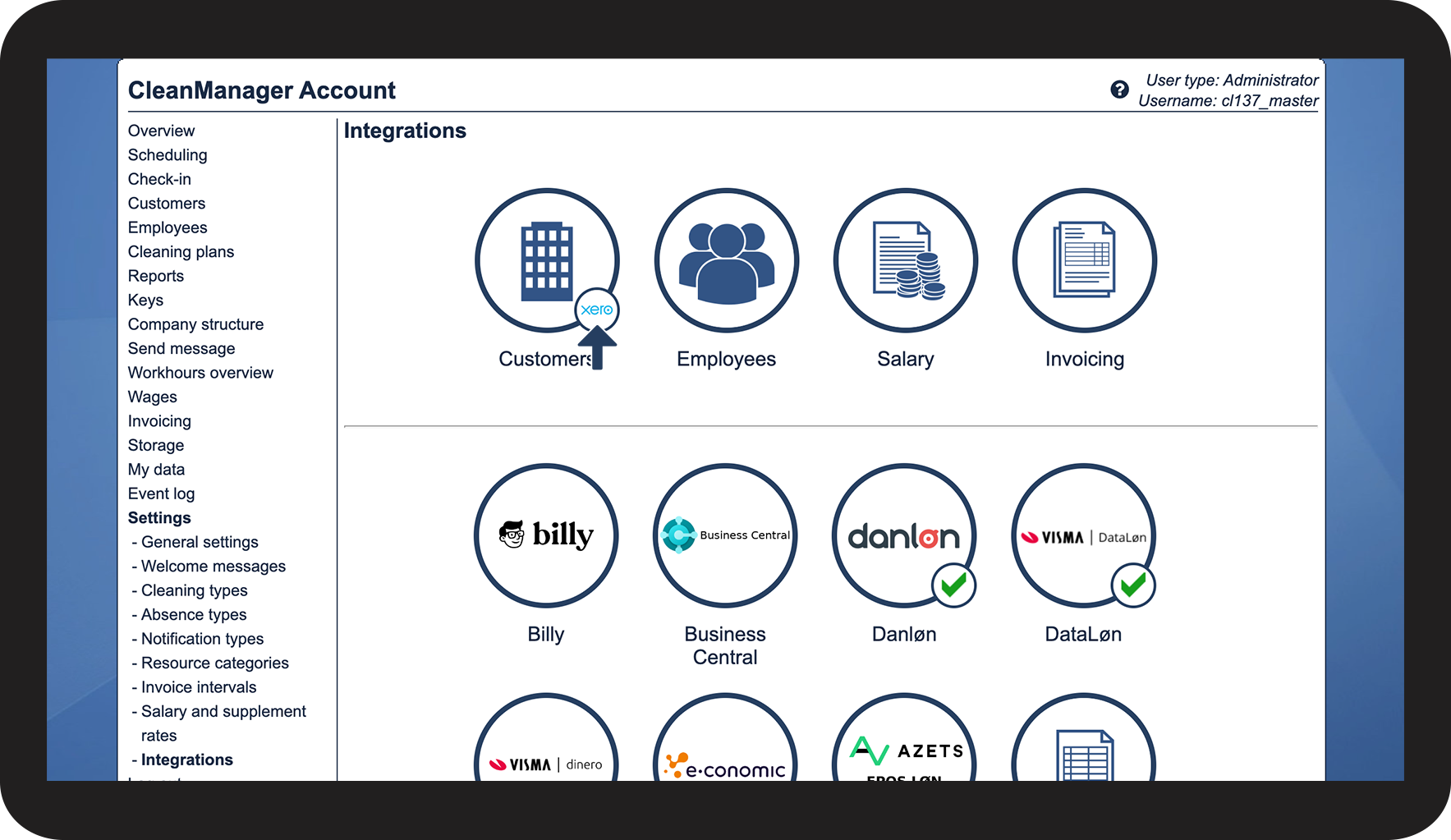
Continue to the article Customer synchronization
Here you can continue handling the synchronization of your customers.