Customer synchronization setup for QuickBooks
How do I set up customer synchronization between CleanManager and QuickBooks?
Precondition
To be able to set up the customer synchronization you need to have created an integration between CleanManager and QuickBooks, see more in the article: Integration setup for QuickBooks
If your integration is already set up for QuickBooks, you can continue setting up the customer synchronization:
How to set up the customer synchronization to QuickBooks
Log in to CleanManager with the user type Administrator
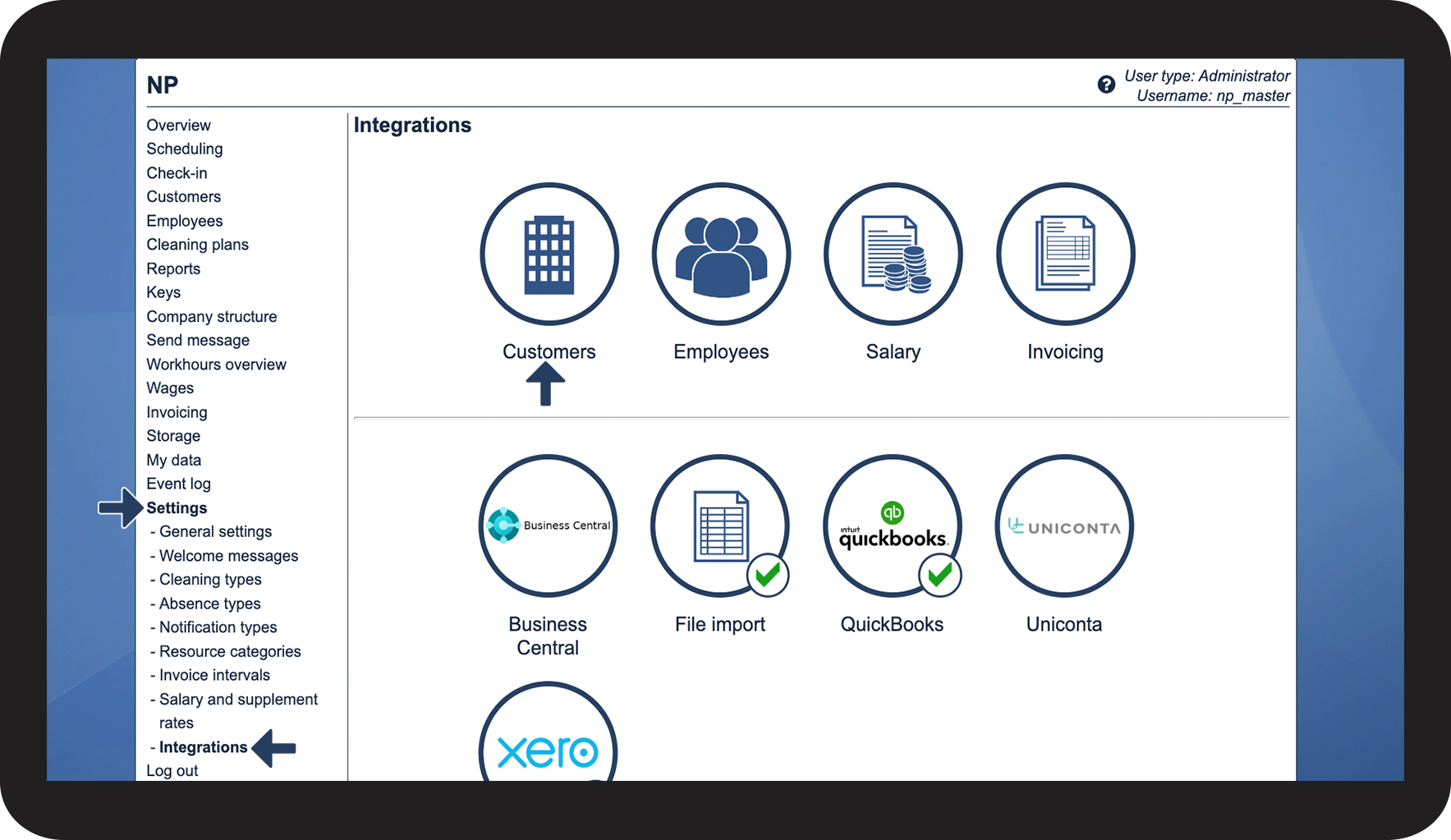
In the menu, click on Settings > Integrations
Hereafter, you can click on the button Customers in the top section

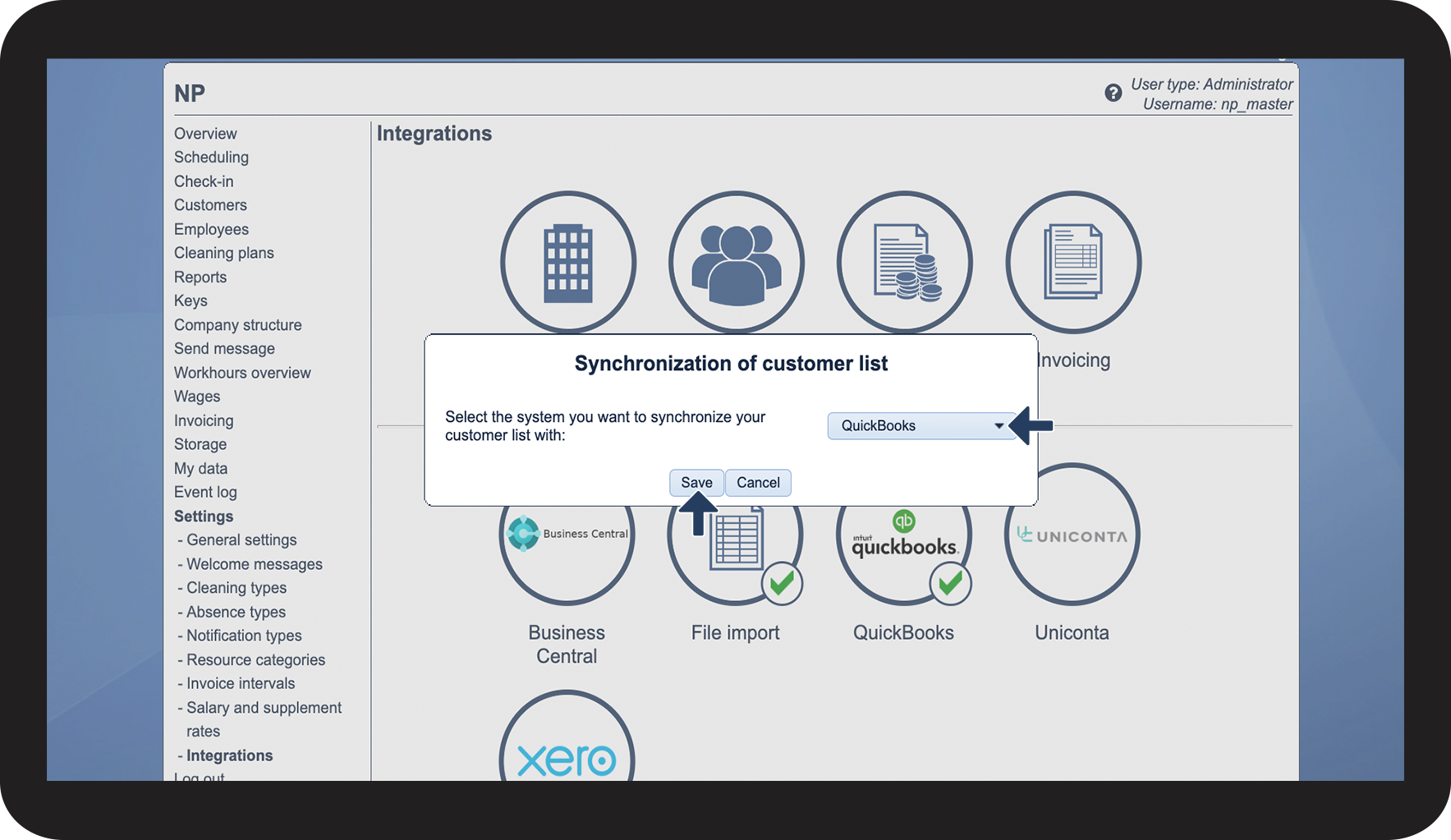
Click on the dropdown button and select QuickBooks
Click on Save to complete the setup

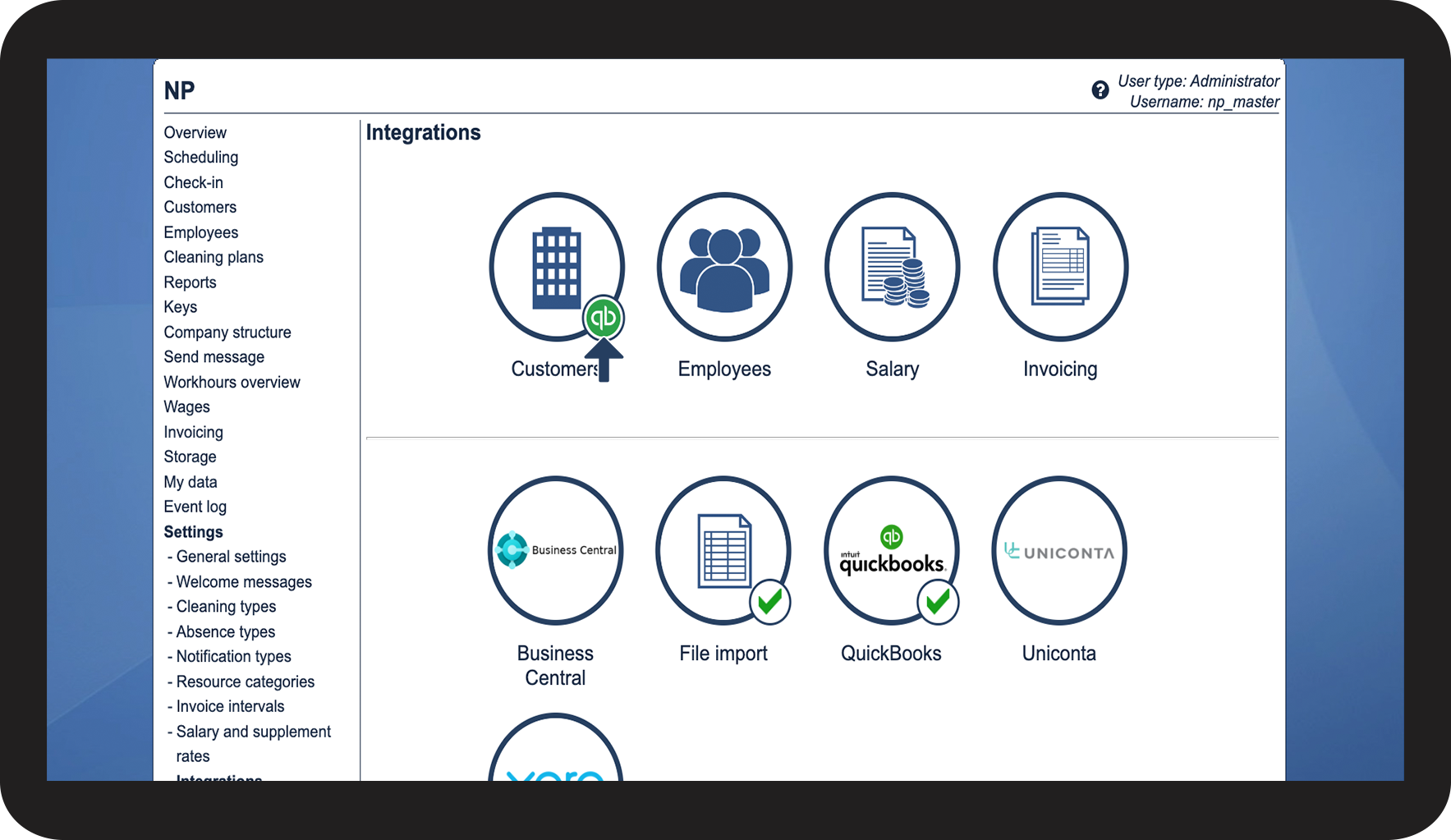
The synchronization is now completed, see the active Dinero logo
that has been assigned
You can now continue synchronizing your customer data in this article: