Skip to content
English
  • There are no suggestions because the search field is empty.

Customer synchronisation setup for Sage

How do I set up customer synchronisation between CleanManager and Sage?

Foruds_tning_large.png

Precondition


To be able to set up the customer synchronisation you need to have created an integration between CleanManager and Sage, see more in the article: Integration setup for Sage


If your integration is already set up for Sage, you can continue setting up the customer synchronisation:


How to set up the customer synchronisation to Sage

number_1.png
Log in to CleanManager with the user type Administrator
 
number_2.png
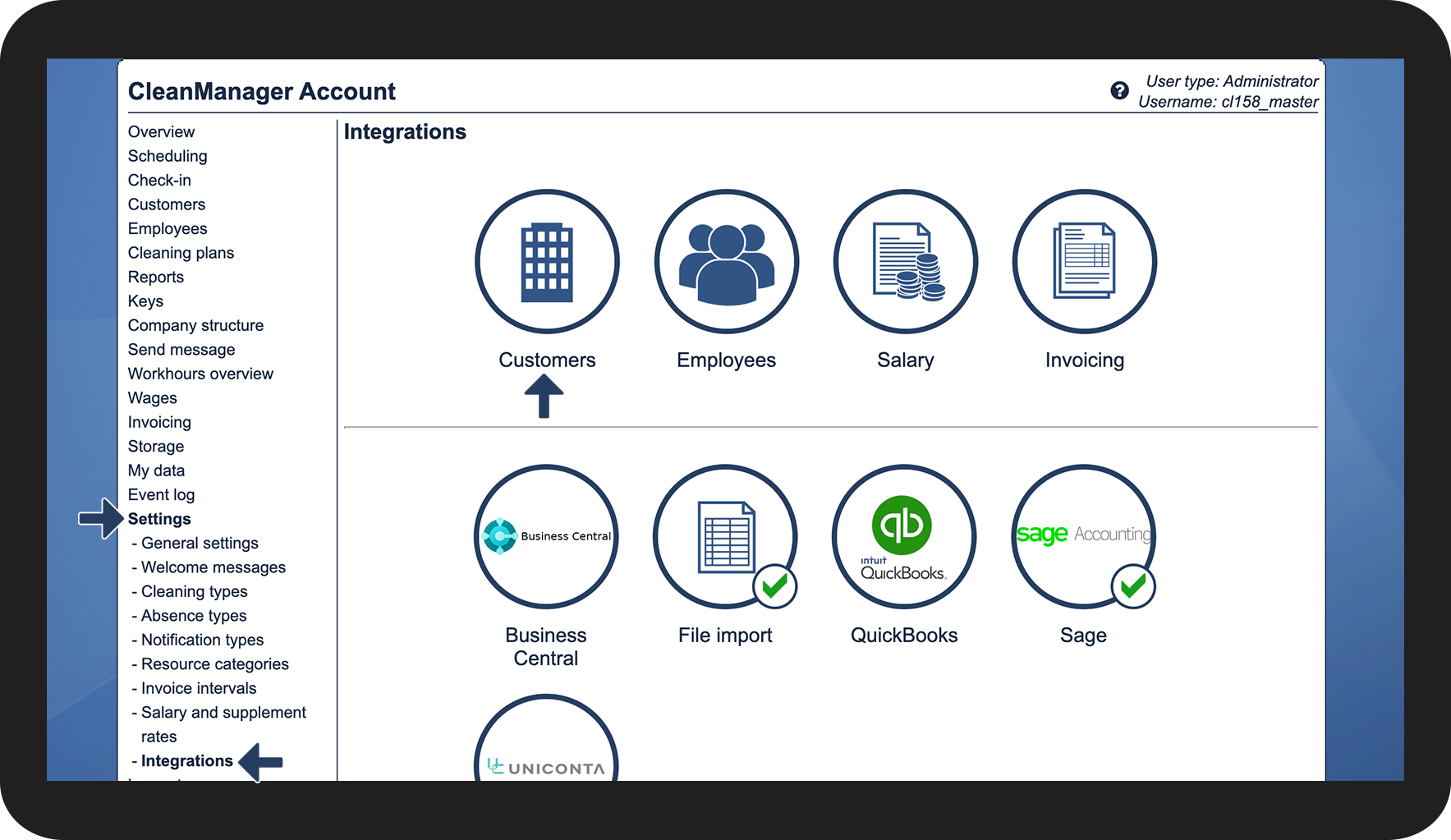
In the menu, click on Settings > Integrations
 
Hereafter, you can click on the button Customers in the top section

2.png


number_3.png
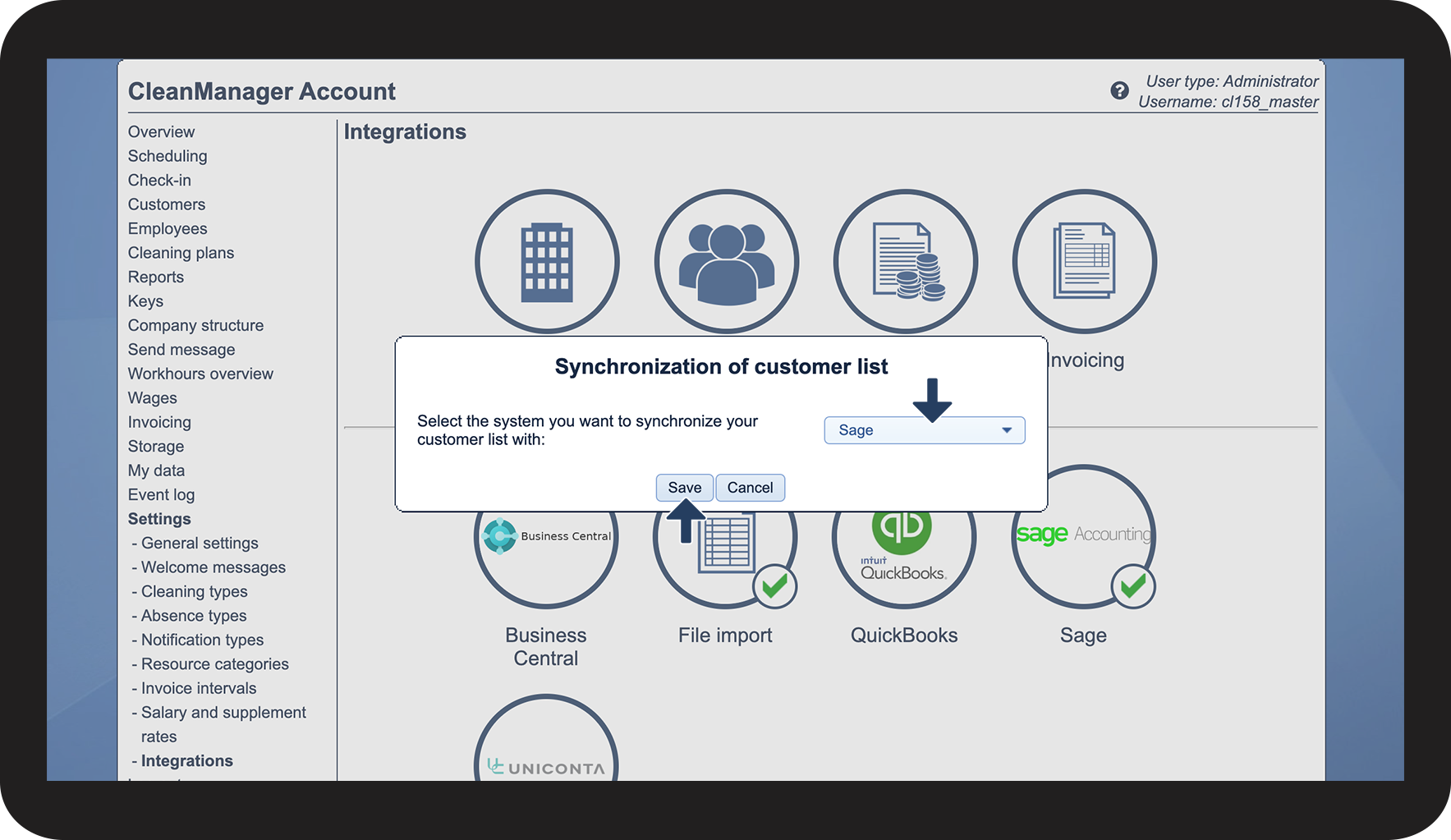
Click on the Dropdown button and select Sage
 
Click on Save to complete the setup

3.png


number_4.png
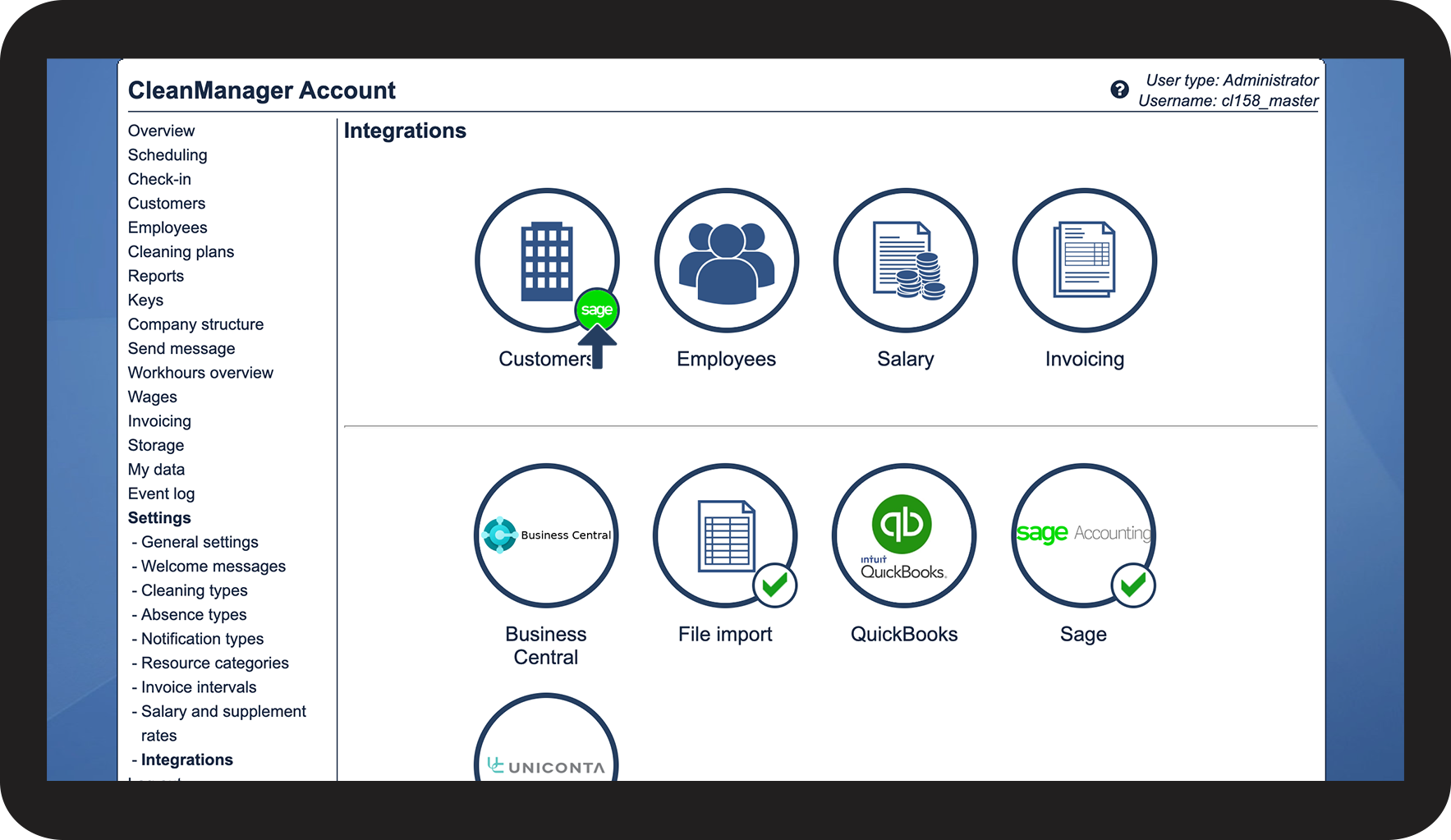
The synchronisation is now completed, see the active Sage logo Sage_logo.png that has been assigned

4.png


Continue to the article Customer synchronisation

Here you can continue handling the synchronisation of your customers.