How do I create resource categories?
You can create resource categories in CleanManager to help you organize and structure your files.
Note:
A resource category can be edited and deleted after it's been created.
If a resource category is in use, it cannot be deleted.
In this article, you will learn how to create resource categories:
Creating resource categories

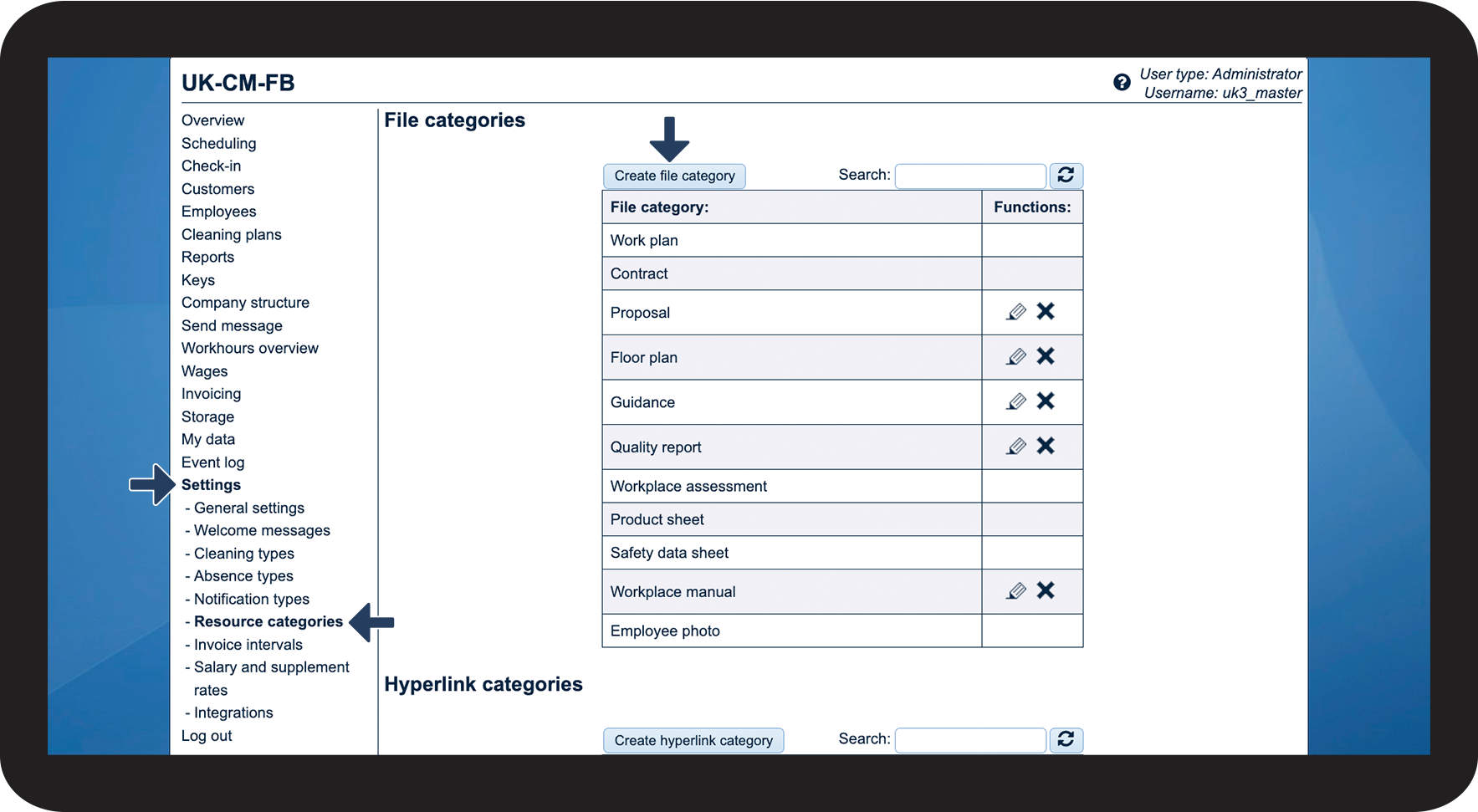

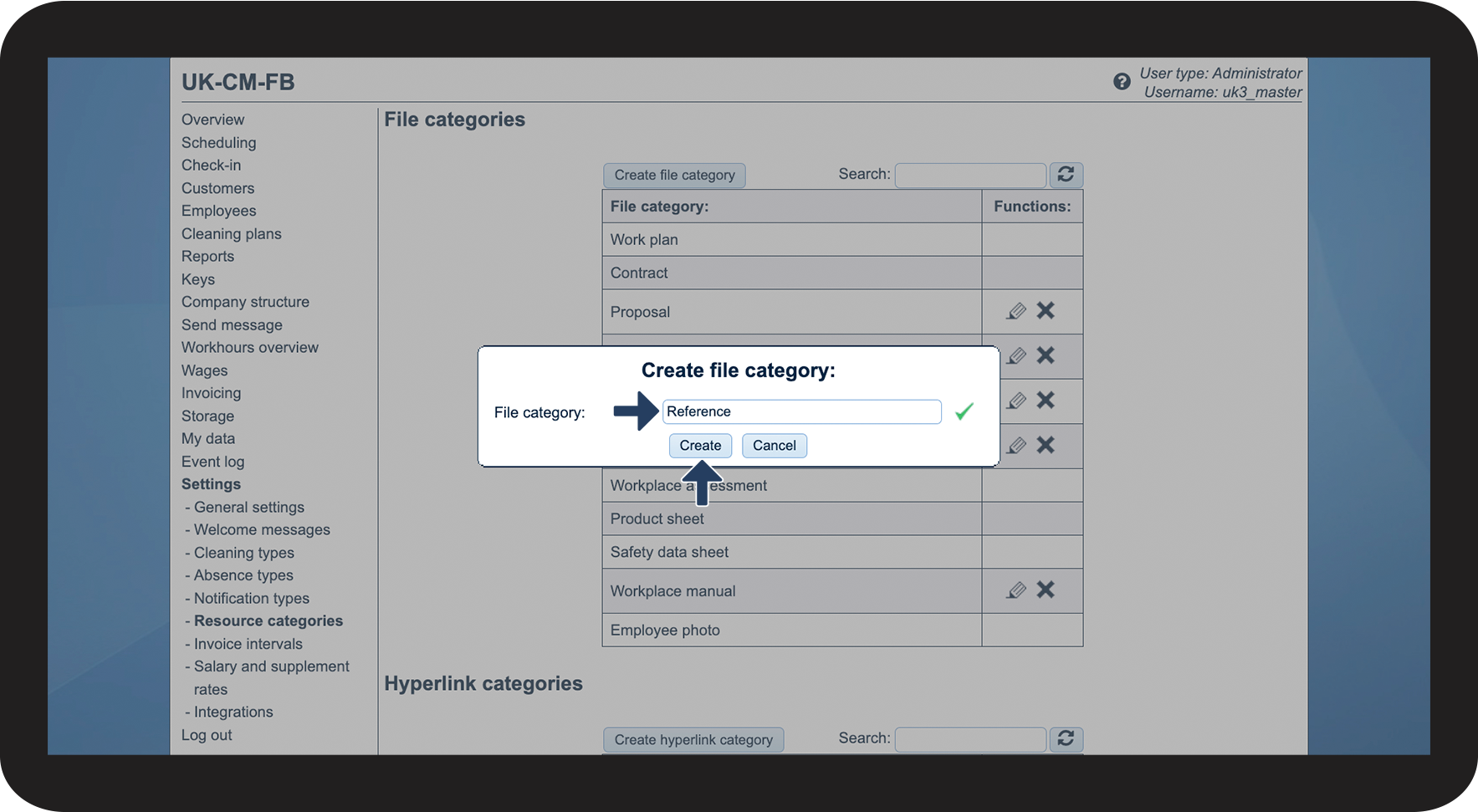
You can use resource categories to categorize file uploads to employees, customers, products in storage, and your company: