
How do I create an invoice interval?
To organise the invoicing process, you can create your own invoice intervals and apply them to your service agreements.
NOTE:
You can edit and delete existing invoice intervals.
However, if an invoice interval is in use, it cannot be deleted.
Instead, you can hide the invoice interval so it cannot be used for new service agreements or as a filter in the menu Invoicing.
In this article, you will learn how to create invoice intervals:
Create invoice intervals

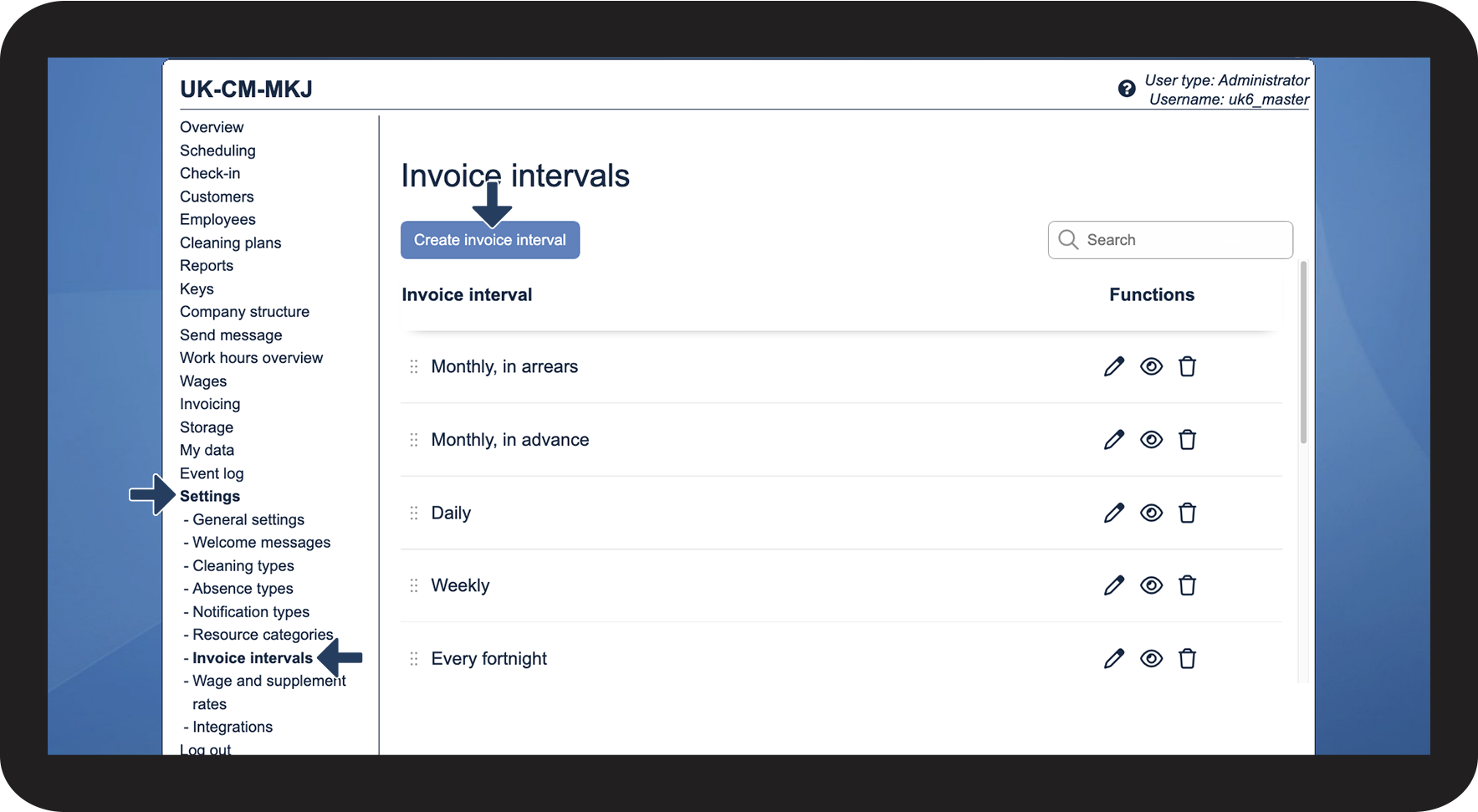

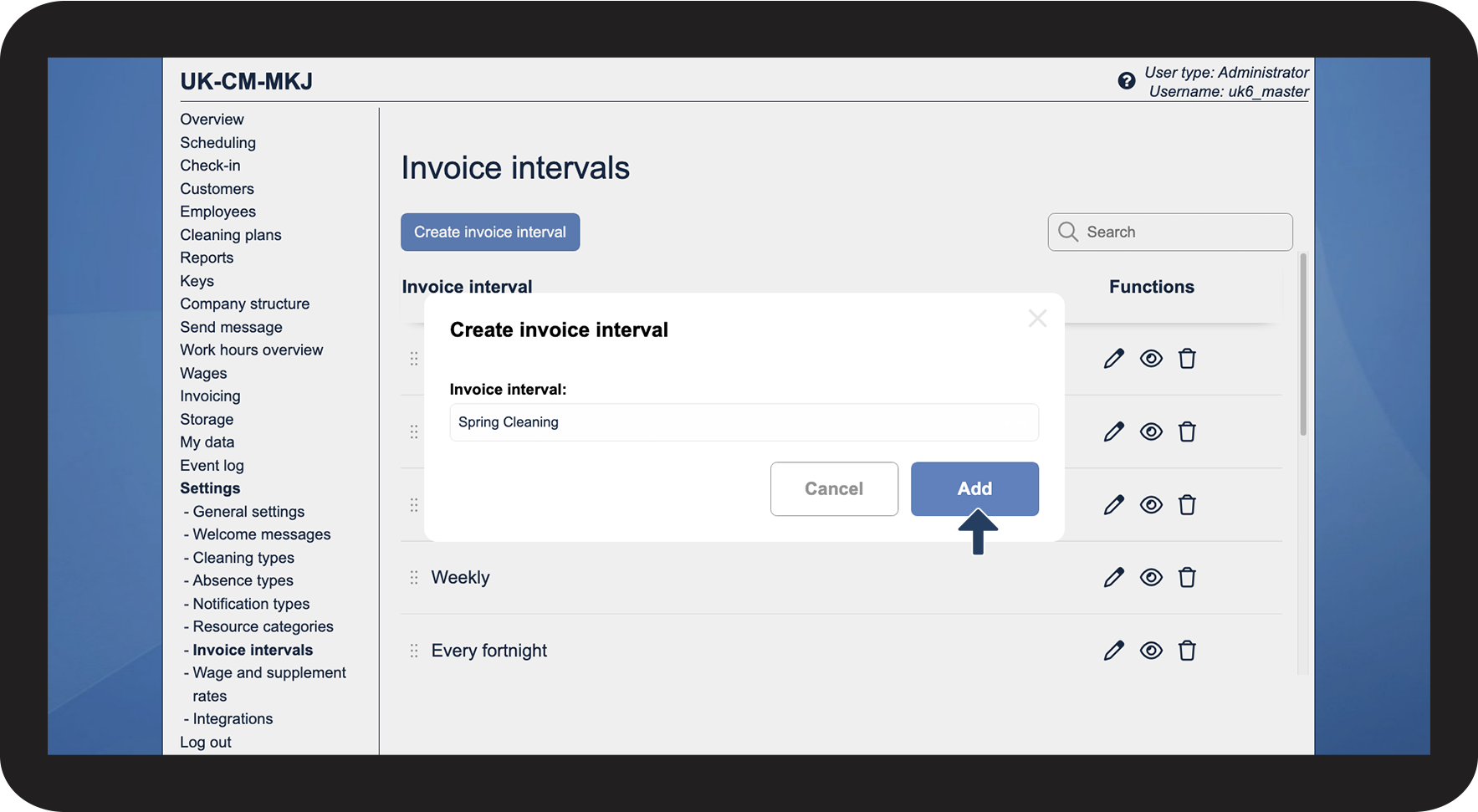
You can use invoice intervals to split the service agreements of your customers up into groups.