
How do I create an employment type?
It is possible to filter your employees according to their employment type. Through the company structure, the administrator can create employment types, which each individual employee can be assigned.
The administrator can use these employment types to categorize which types of employment are in the company. This can, among other things, be used to create an overview of which/how many employees are employed according to a specific employment type. This can e.g. be done by grouping job titles, supervisors' names or employment status.
Read more in the article about how the administrator can create employment types:
How to create an employment type

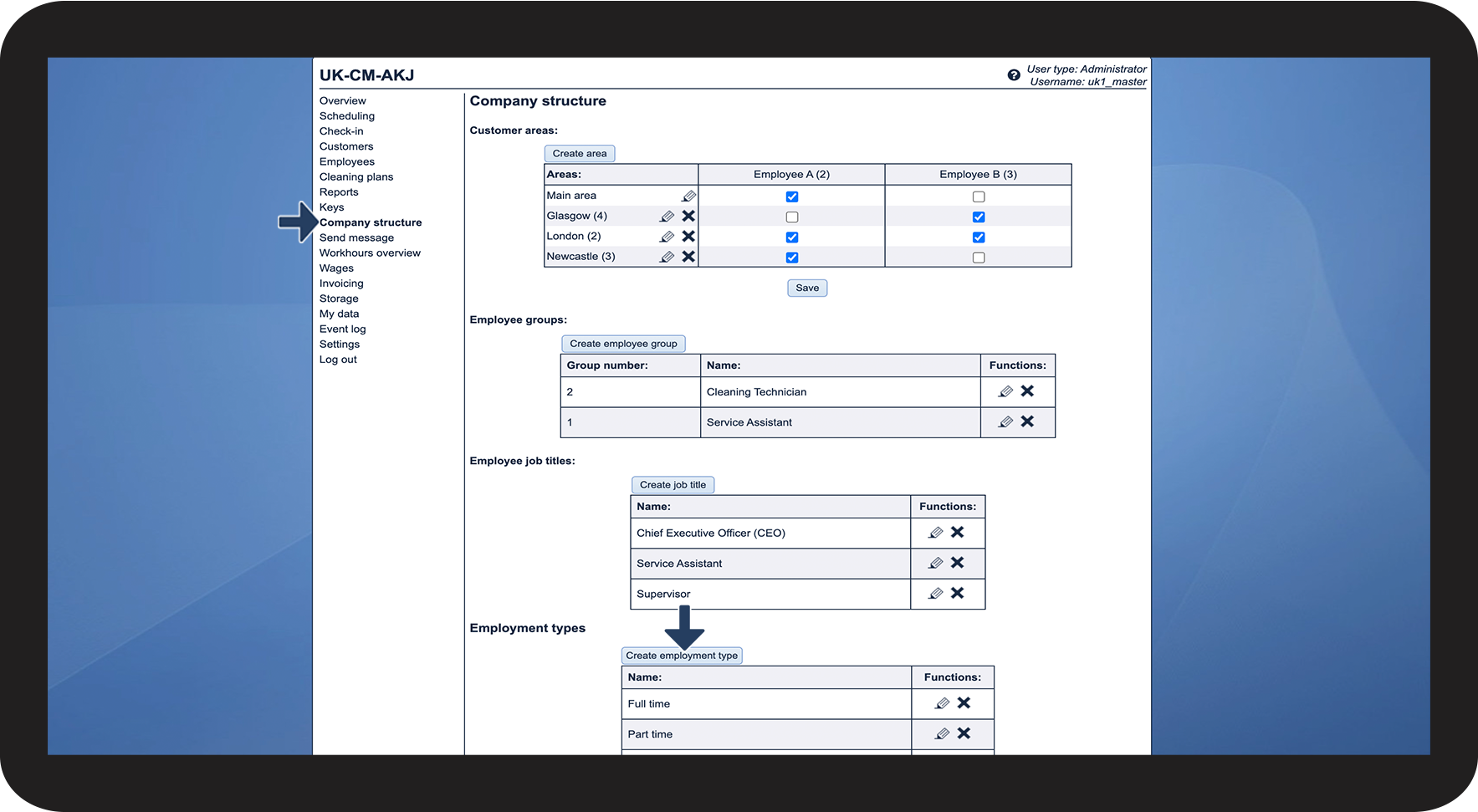

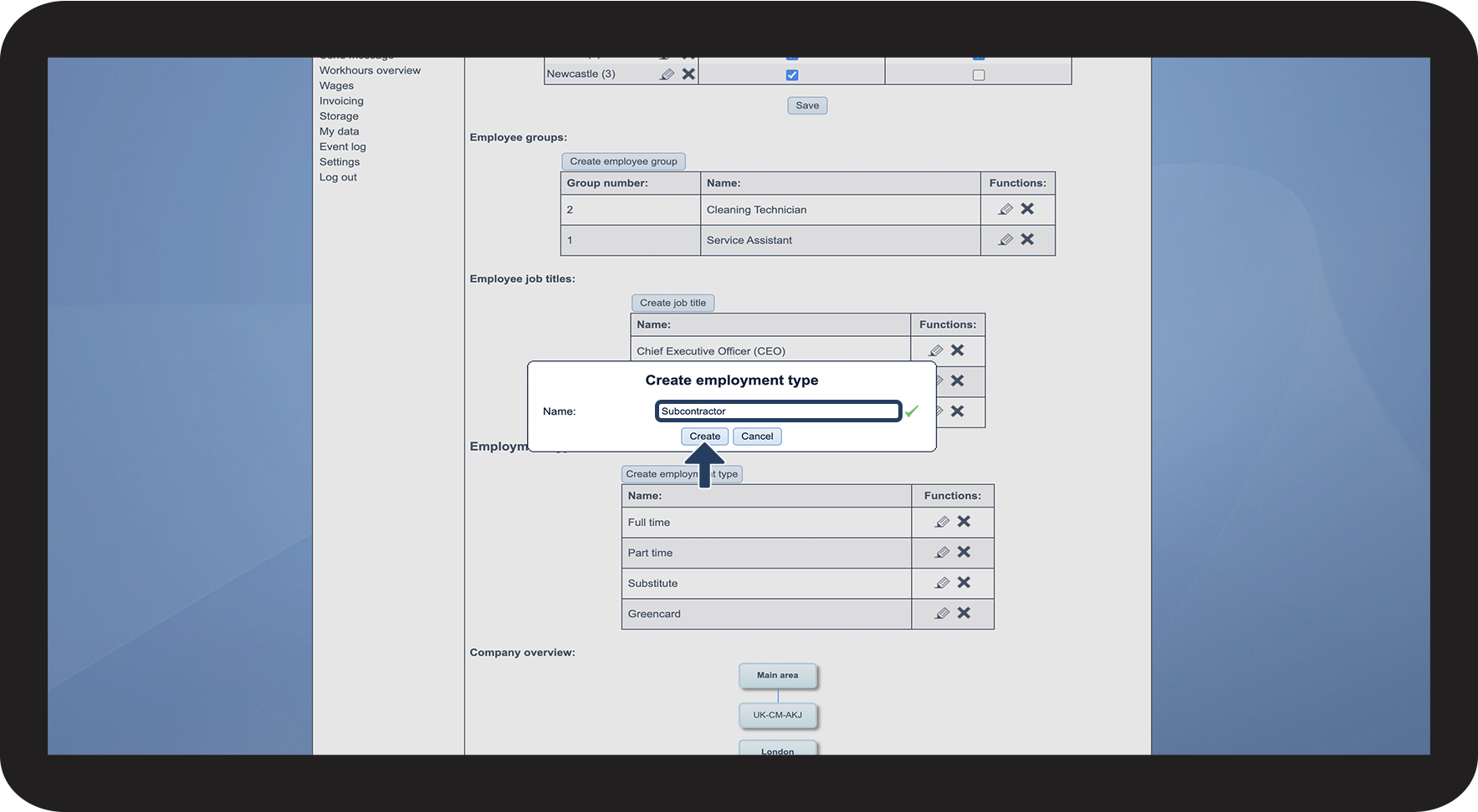
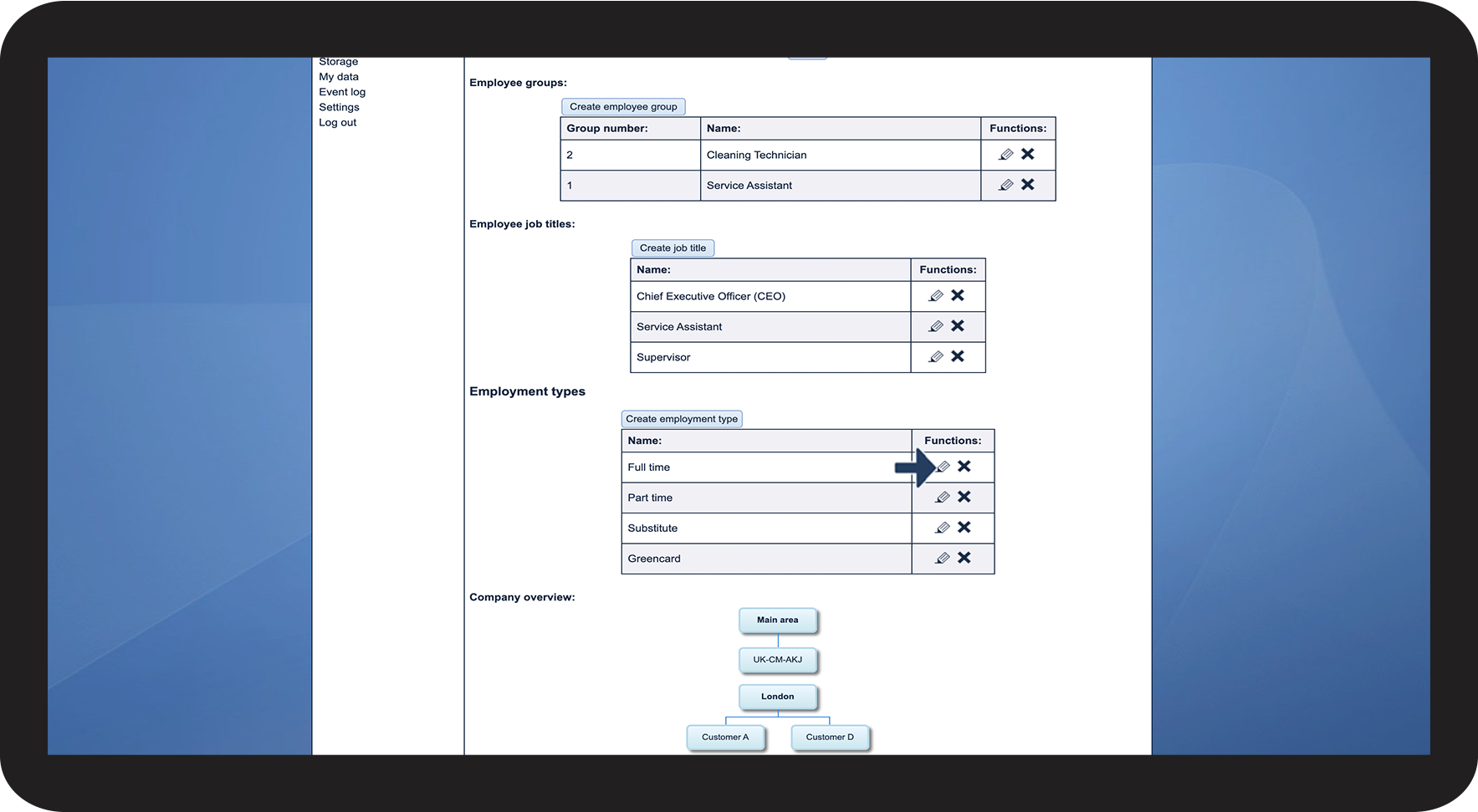
This is how you edit the name of an employment type

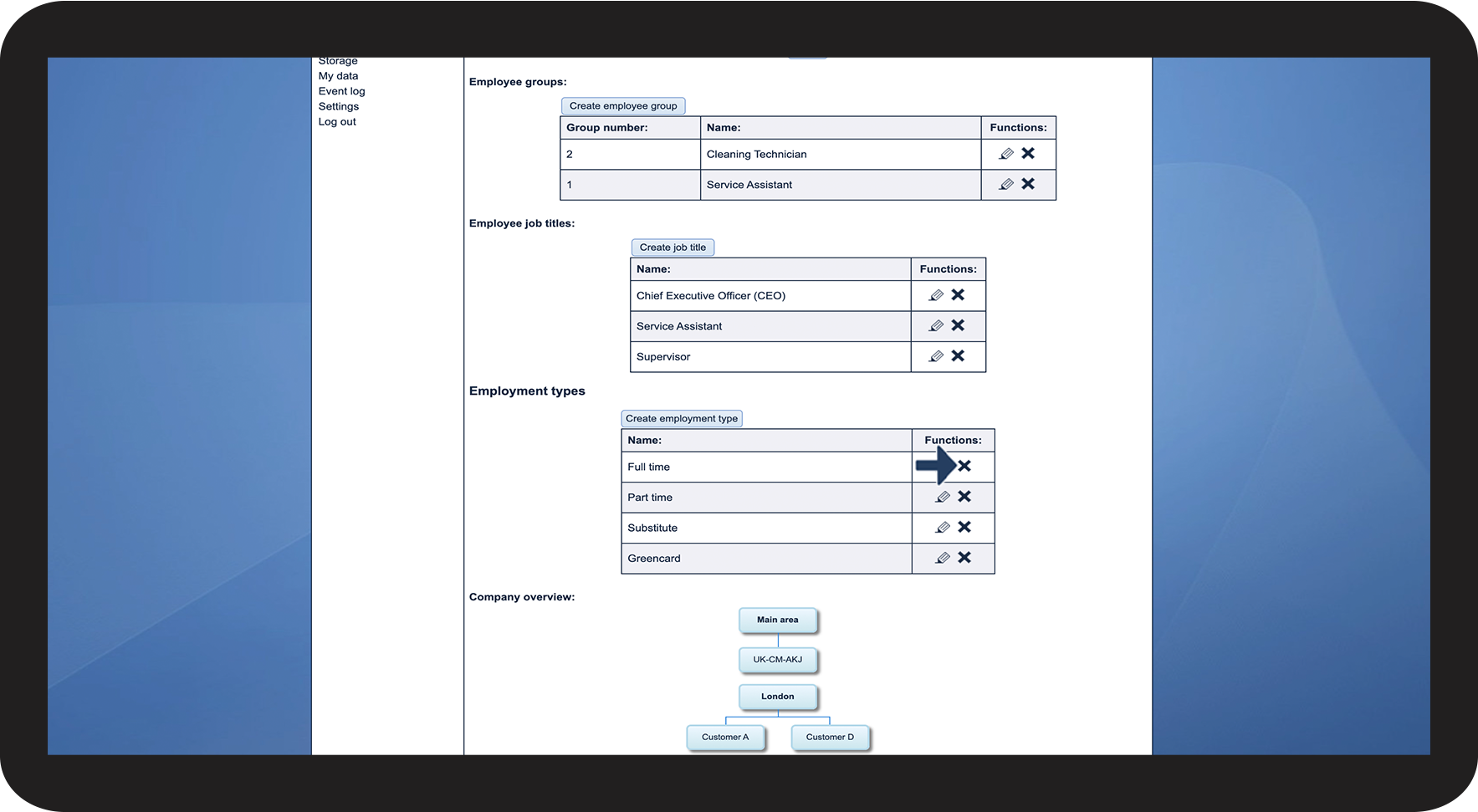
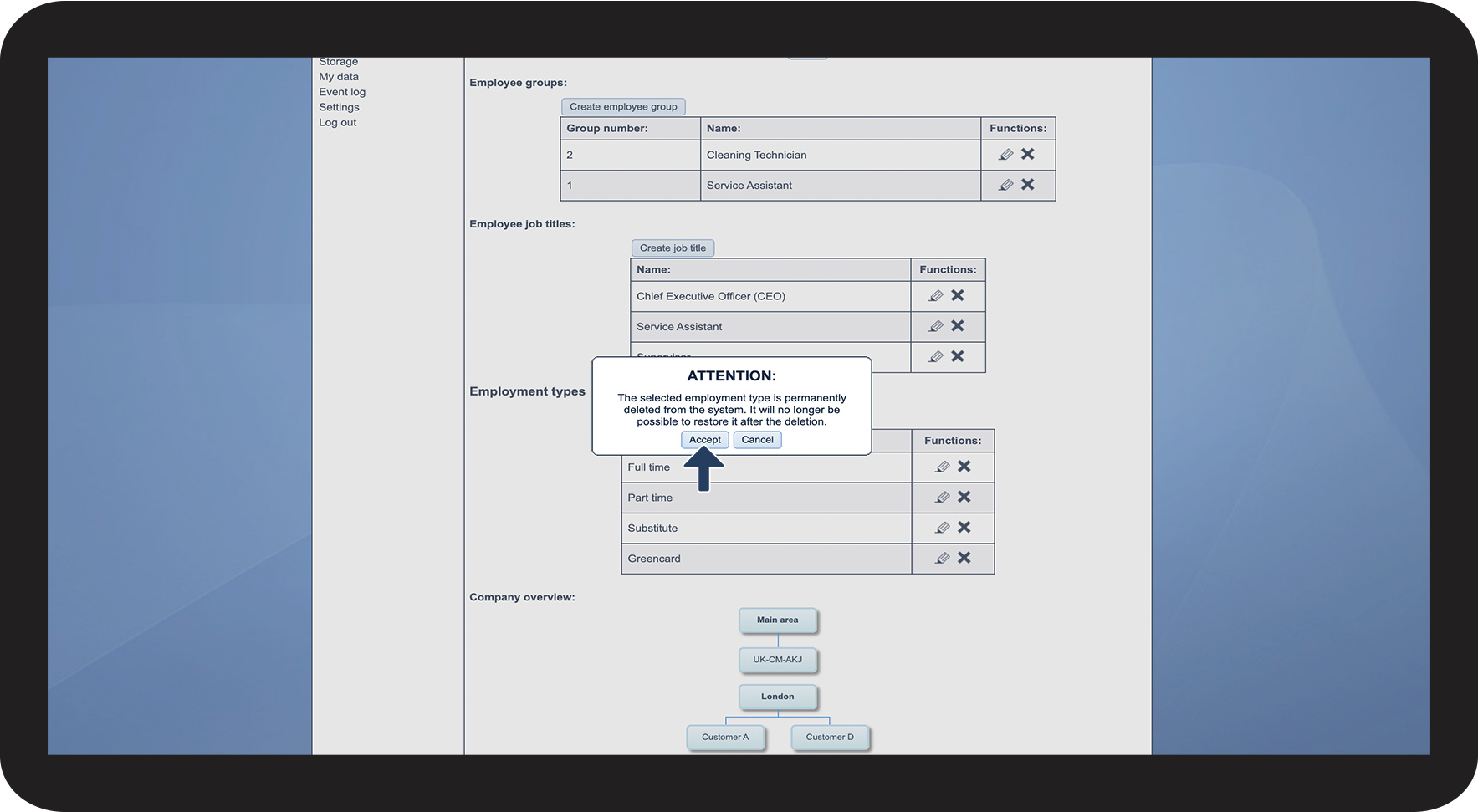
How to delete an employment type

NOTE
When the employment type is deleted, it can no longer be associated with employees. The selected employment type is permanently deleted from the system. It is no longer possible to restore the type after deletion.
Continue to the article Assigning an employment type
Here you can see how to assign an employment type.