
How do I create a customer area?
Get started on how to create your first customer area in this article.
The Administrator can choose to create customer areas that help divide their customers into groups. This can help to provide an overview of the customers or to organize, which Supervisors handle which customers.
What name the area should have and how the customers should be divided is entirely up to the Administrator because it can, for example, be on a geographical level or divided according to the names of the Supervisors.
Read more in the article about how the Administrator creates customer areas:
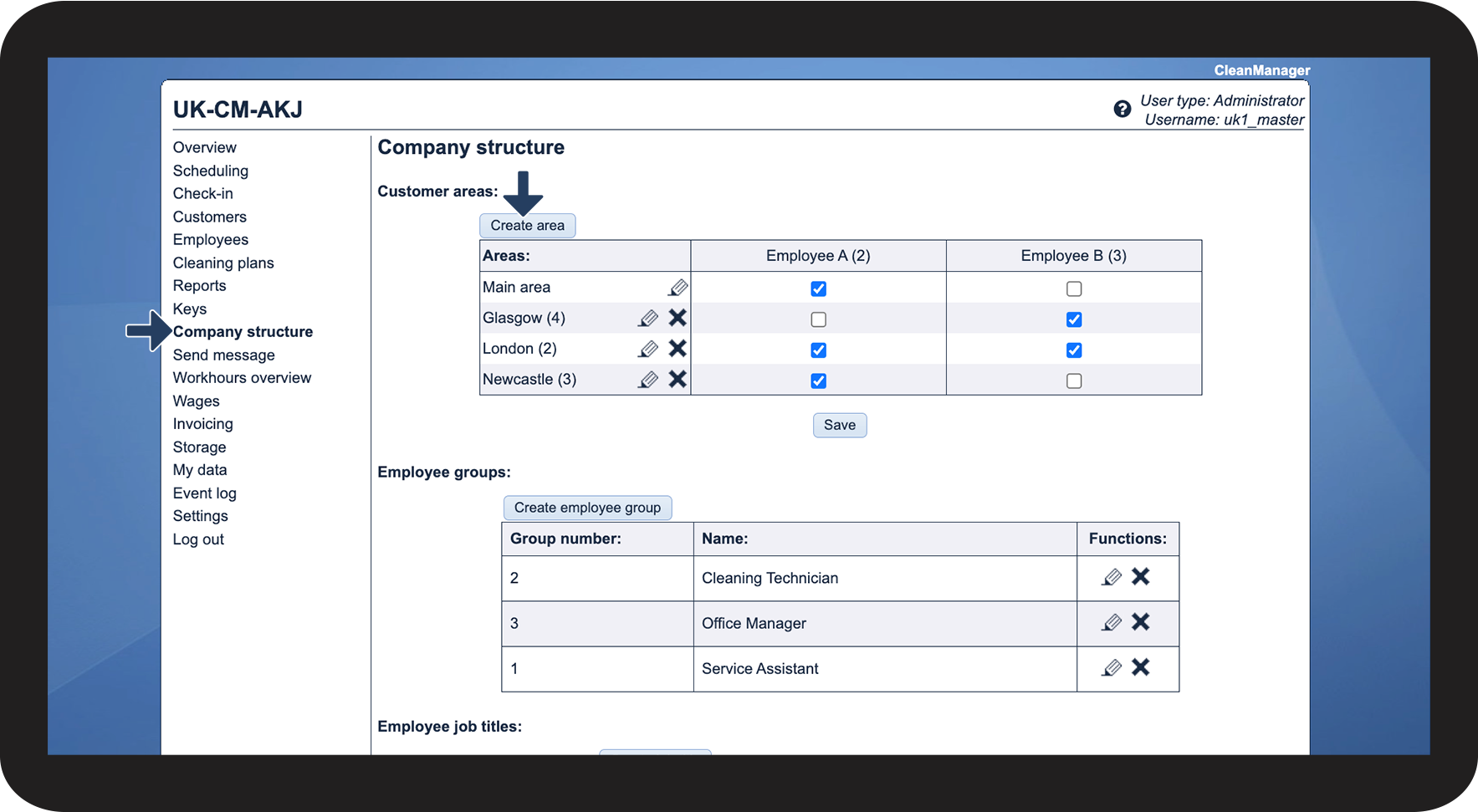
How to create a customer area


NOTE
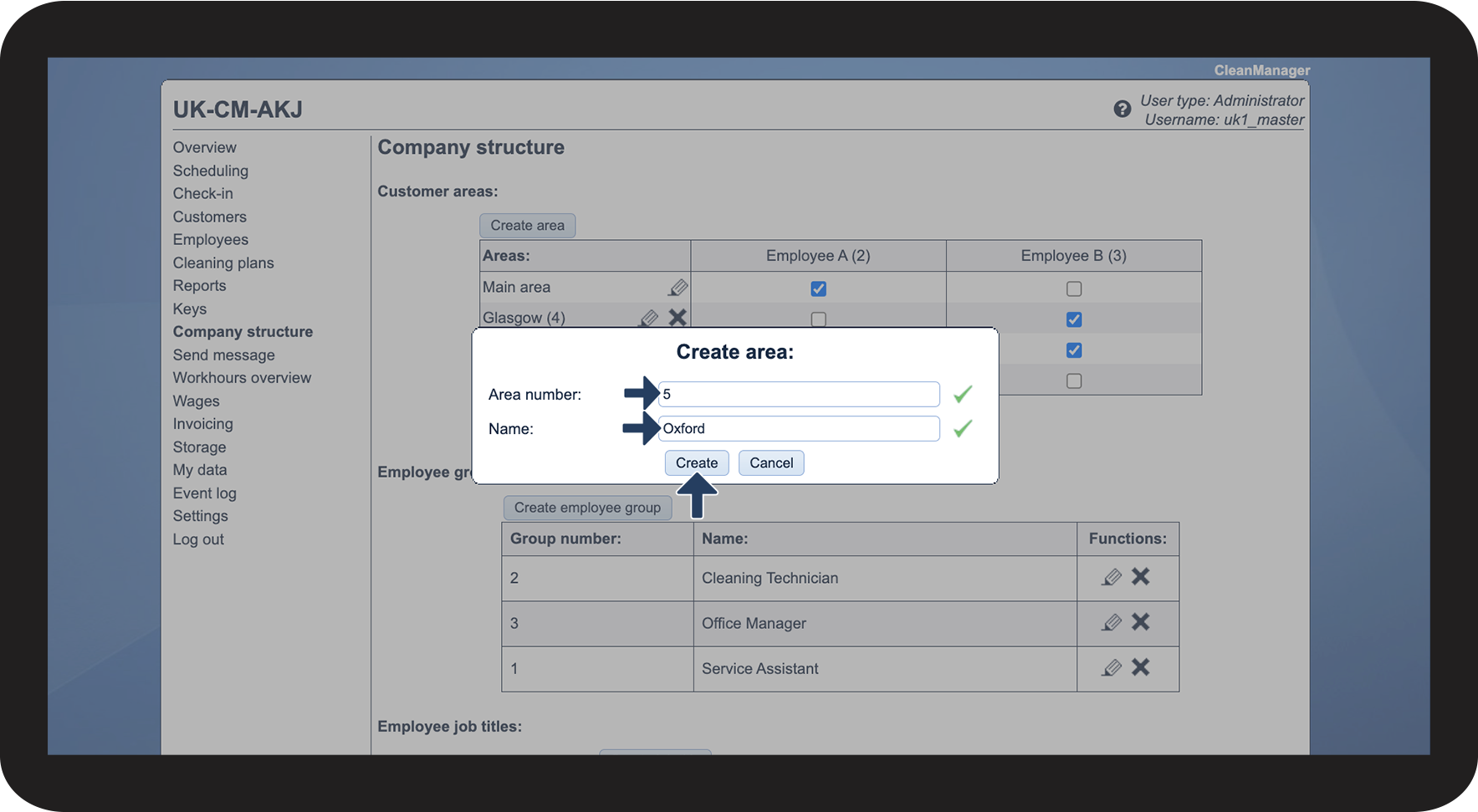
The name of the area must be filled in to be able to create the area.
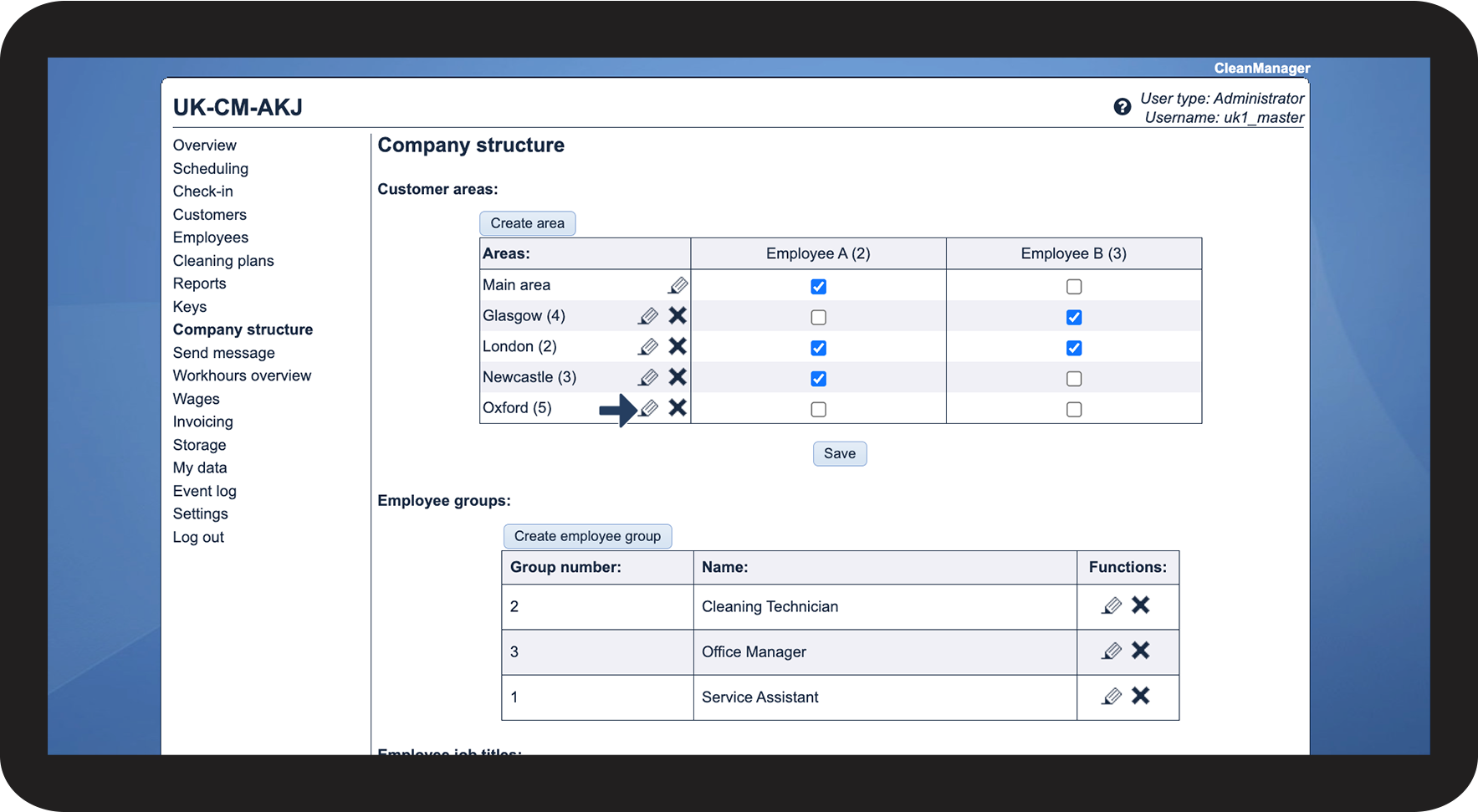
How to edit the name and number

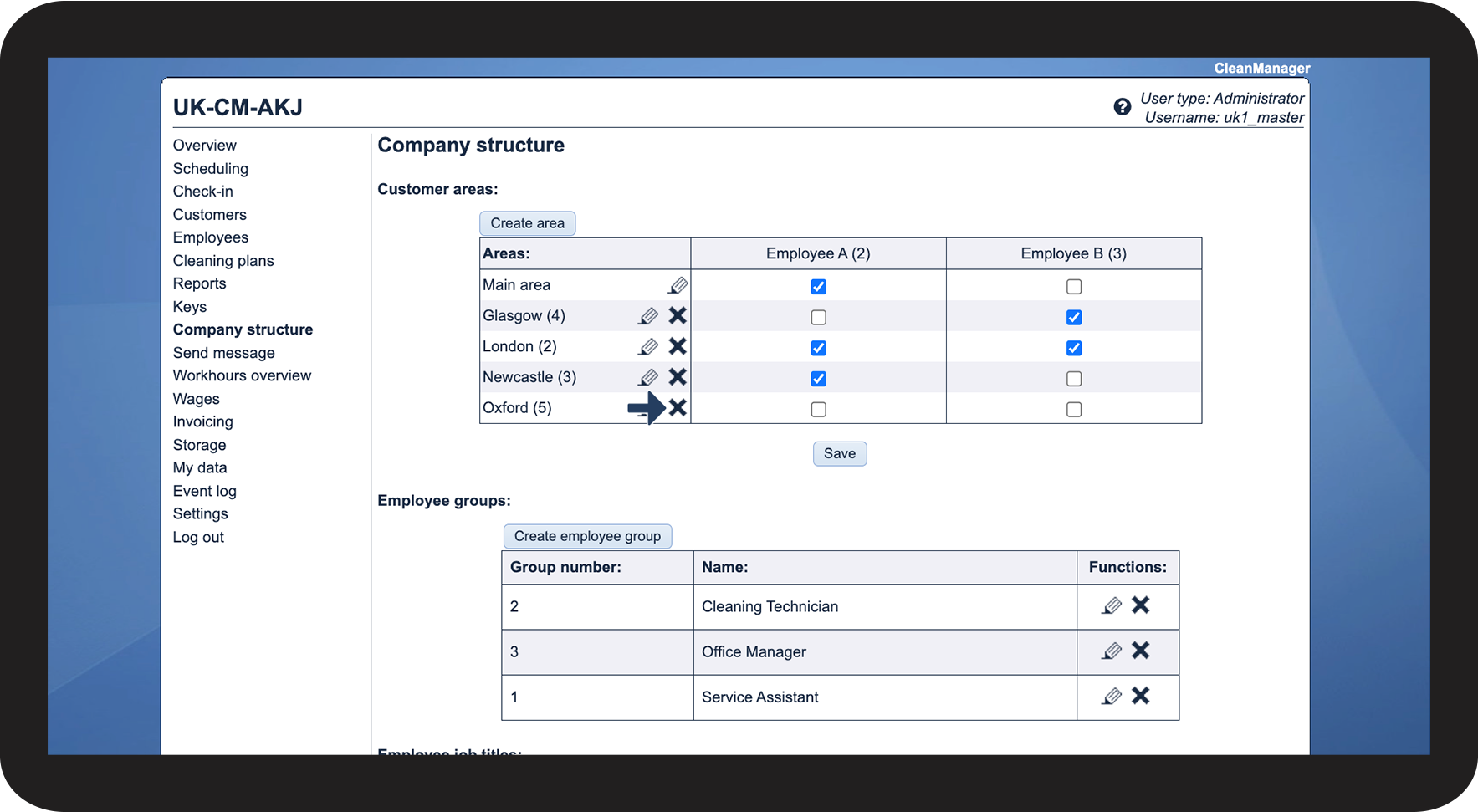
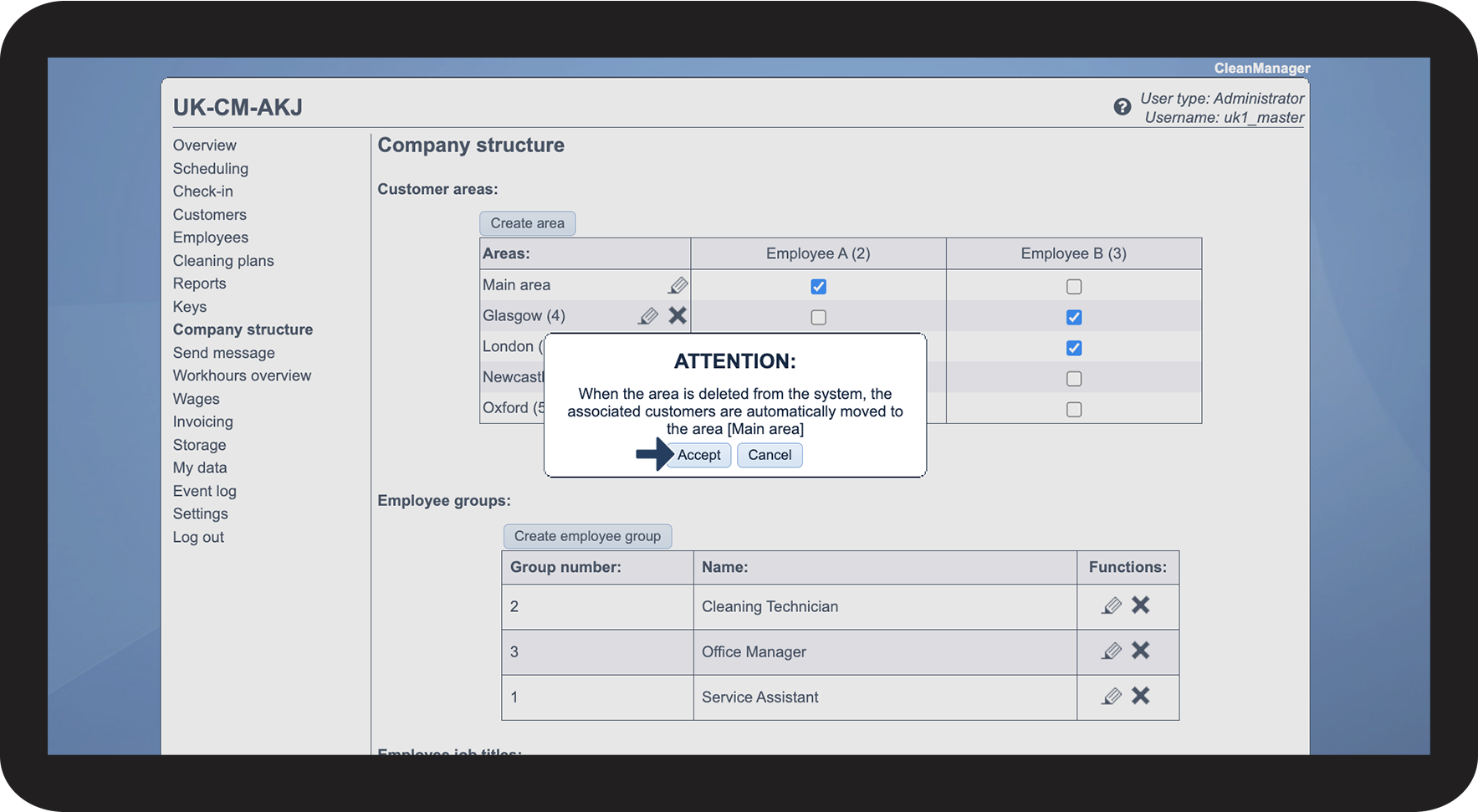
How to delete an area

NOTE
When the area is deleted from the system, the associated customers are automatically moved to the main area.
Continue to the article Assigning customer areas
Here you can see how you assign areas.