How do I create a cleaning type?
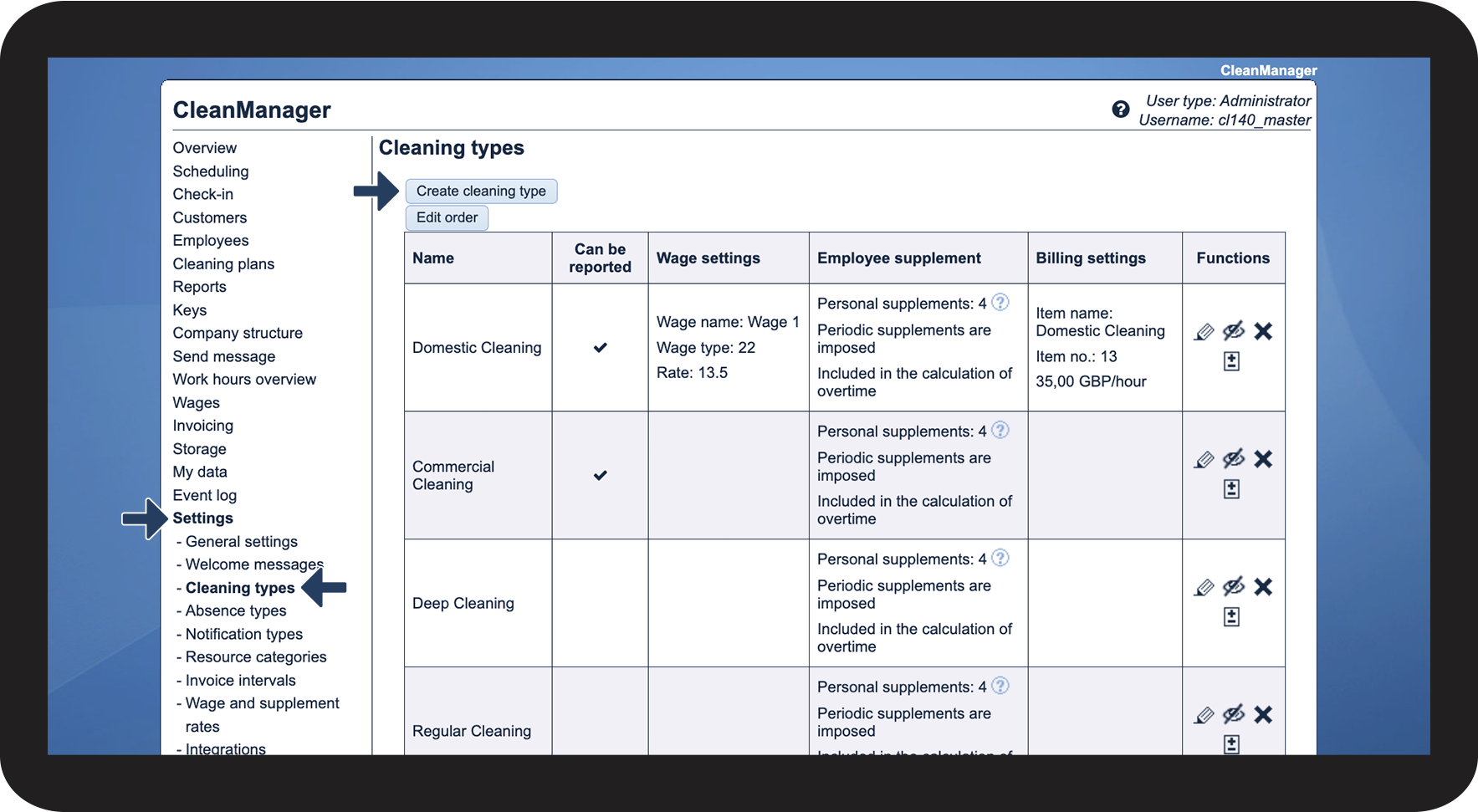
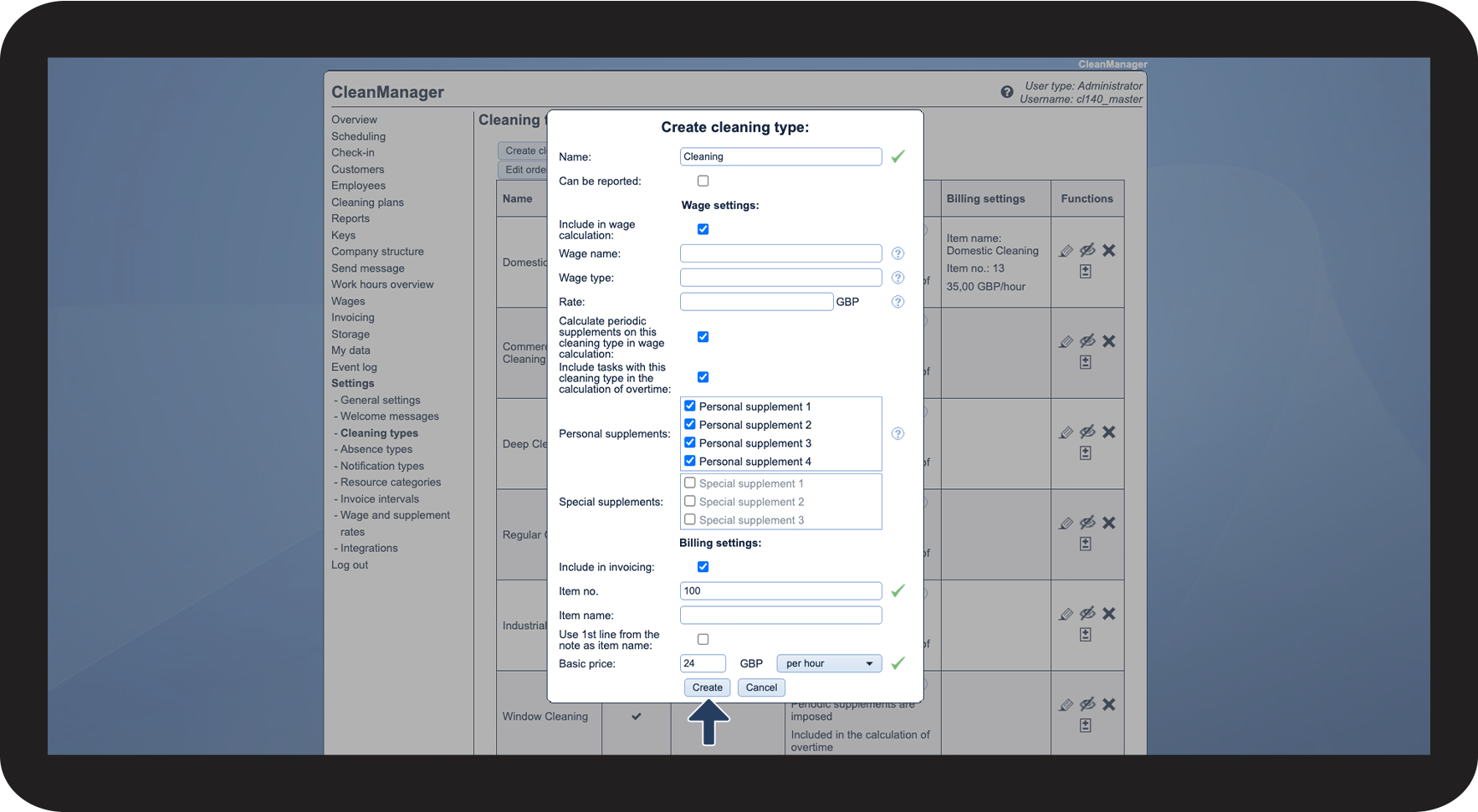
In order to organize and plan all sorts of tasks, you can either use standardized cleaning types, which already exist, and edit them, or you can create your own.
Note:
After the cleaning types have been created, it is always possible to edit them. To find more information, read the article: Edit cleaning types
If a cleaning type is used in planning tasks, it can not be deleted, but you are able to hide it. To find more information, read the article: Hide cleaning types
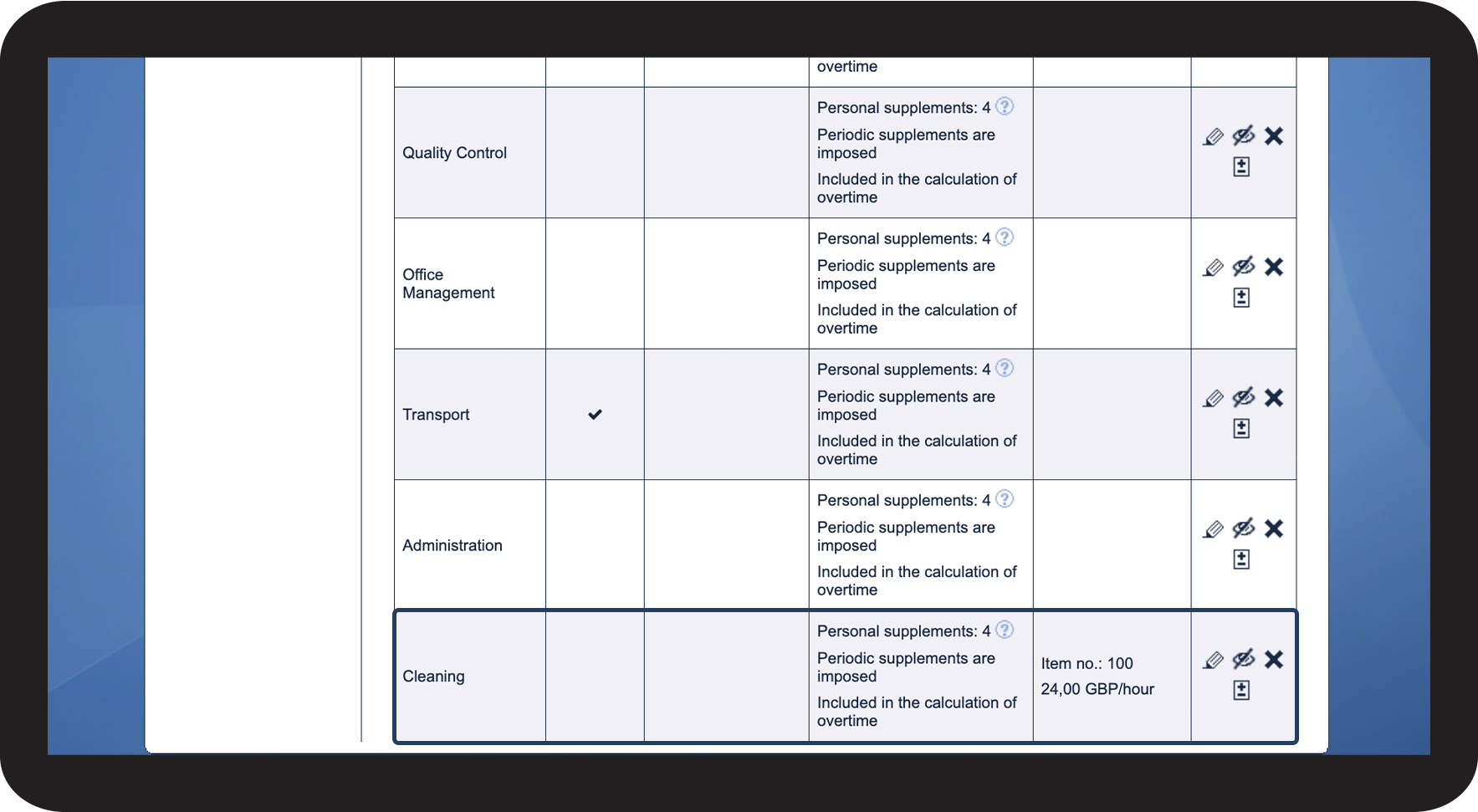
In this article, you will learn how to create cleaning types:
How to create cleaning types



Do you want to prioritize cleaning types?
You can edit the order of the cleaning types so that they are shown in the sequence, which is most efficient, for your planning and setting up of service agreements: