Skip to content
English
  • There are no suggestions because the search field is empty.

Creating a parameter group

How do I create a parameter group?

A parameter group can be defined as a group of questions.

There are two different ways to create a parameter group as an administrator or as a supervisor.

You can either create a new parameter group while you are setting up a new report template, or you can do it in the submenu Parameters and groups.


In this article, you will learn how to create parameter groups for a report:


How to find and create parameter groups

number_1.png

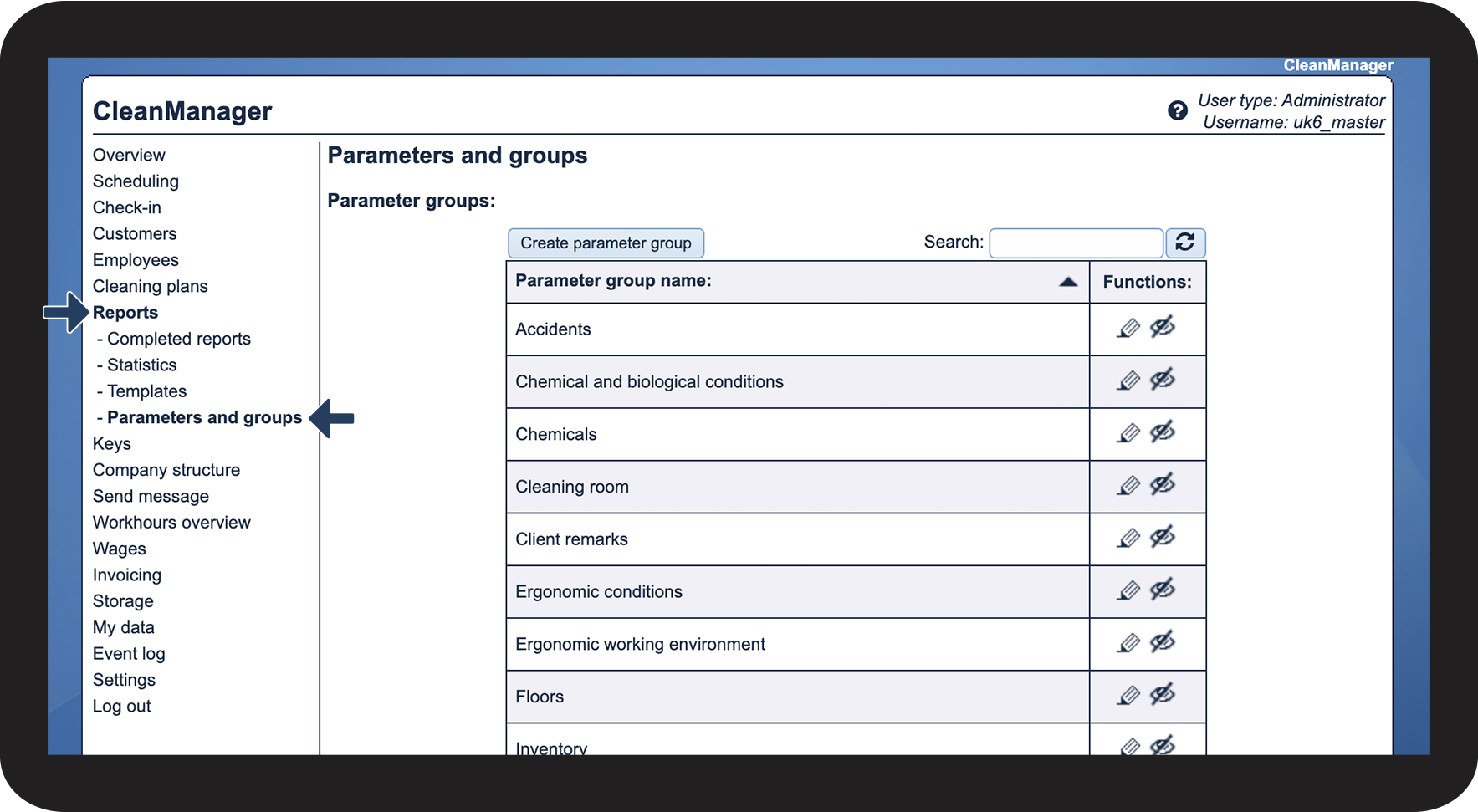
In the menu, go to Reports > Parameters and groups


This submenu gives the administrator and supervisors an overview of existing parameter groups, parameters, and parameter comments that can be used for report templates. Here, you also have the option to create, edit and hide said parameters. 

1.png

number_2.png

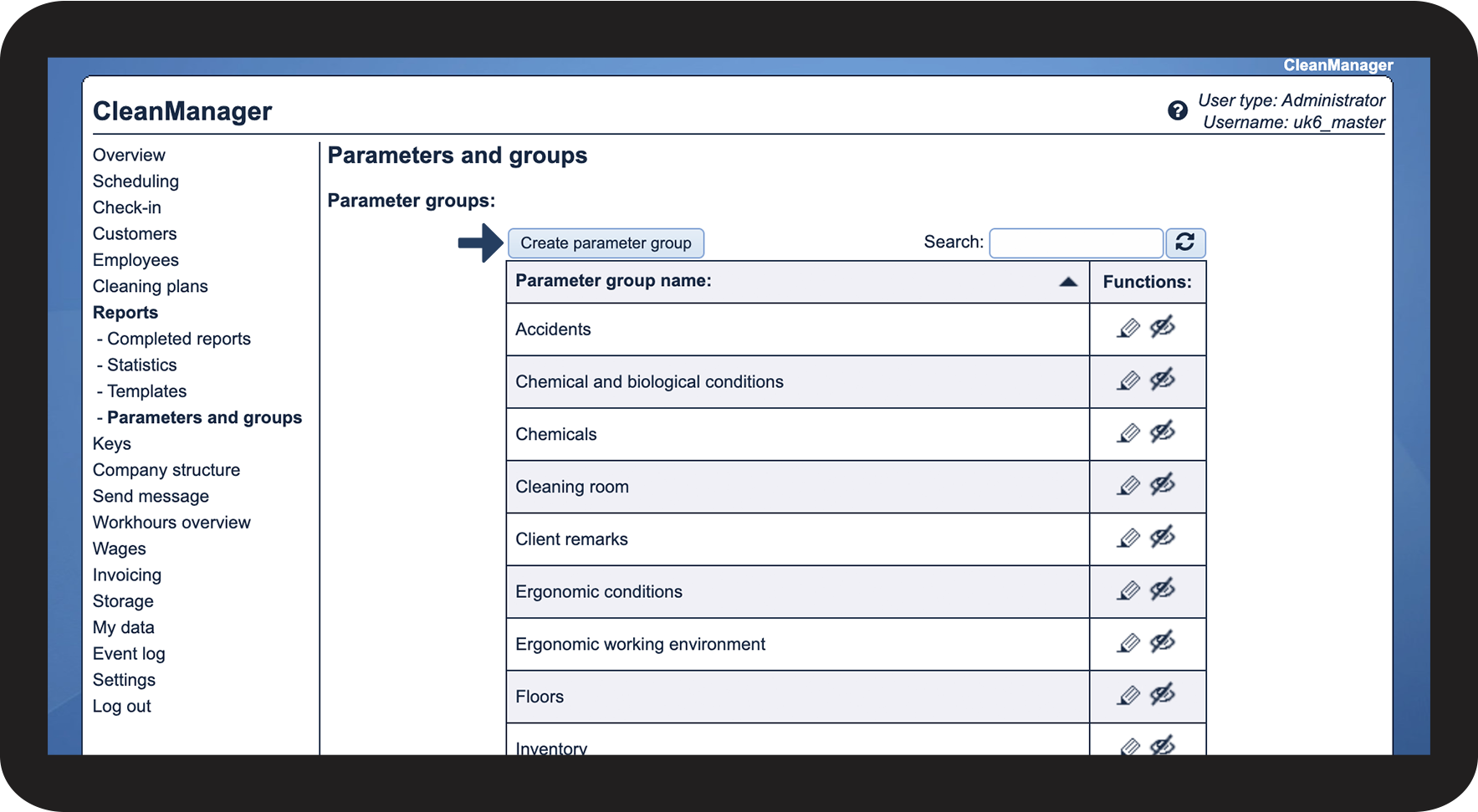
Click on Create parameter group

2.png

number_3.png

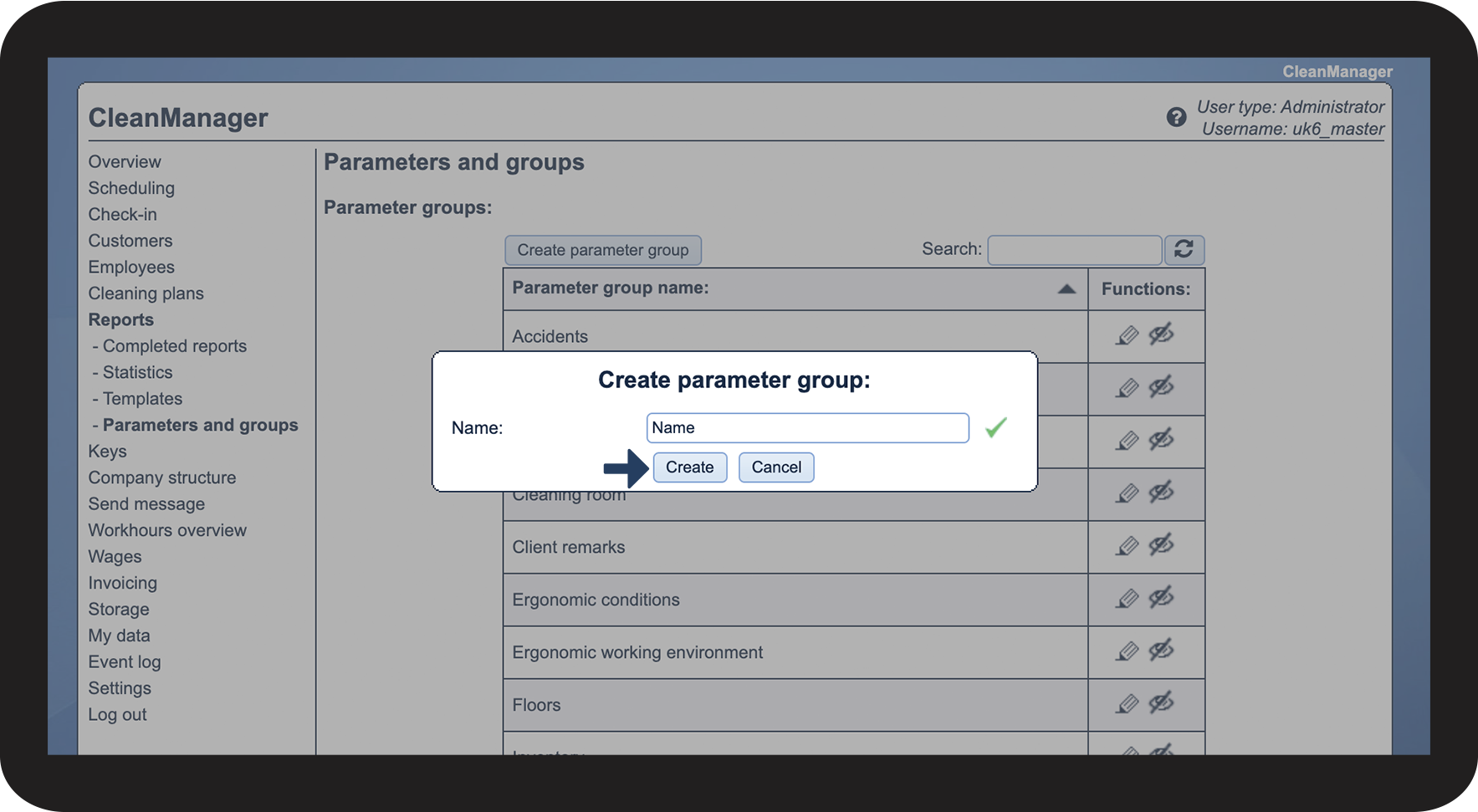
Write the desired name and click on Create

3.png


How to create a parameter group while setting up a report
number_1.png

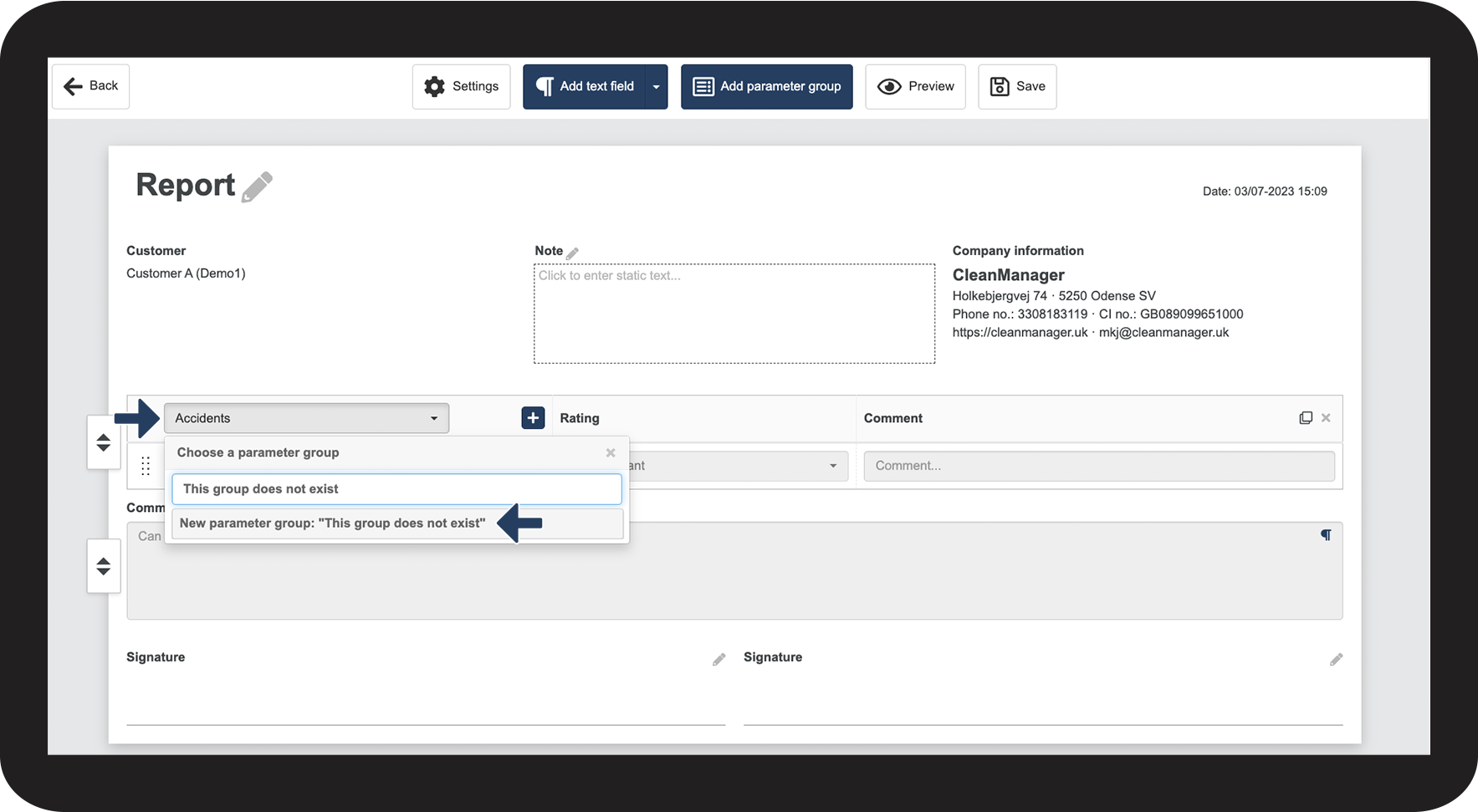
In the report template, click on the dropdown menu where you can choose between parameter groups


Write the desired name in the search field, and click on New parameter group to create it

4.png