How can the Administrator and the Supervisors create a link to fill out a report?
The administrator and supervisors are able to create a link that can be sent to an employee or a customer to give them easy access to filling out a report.
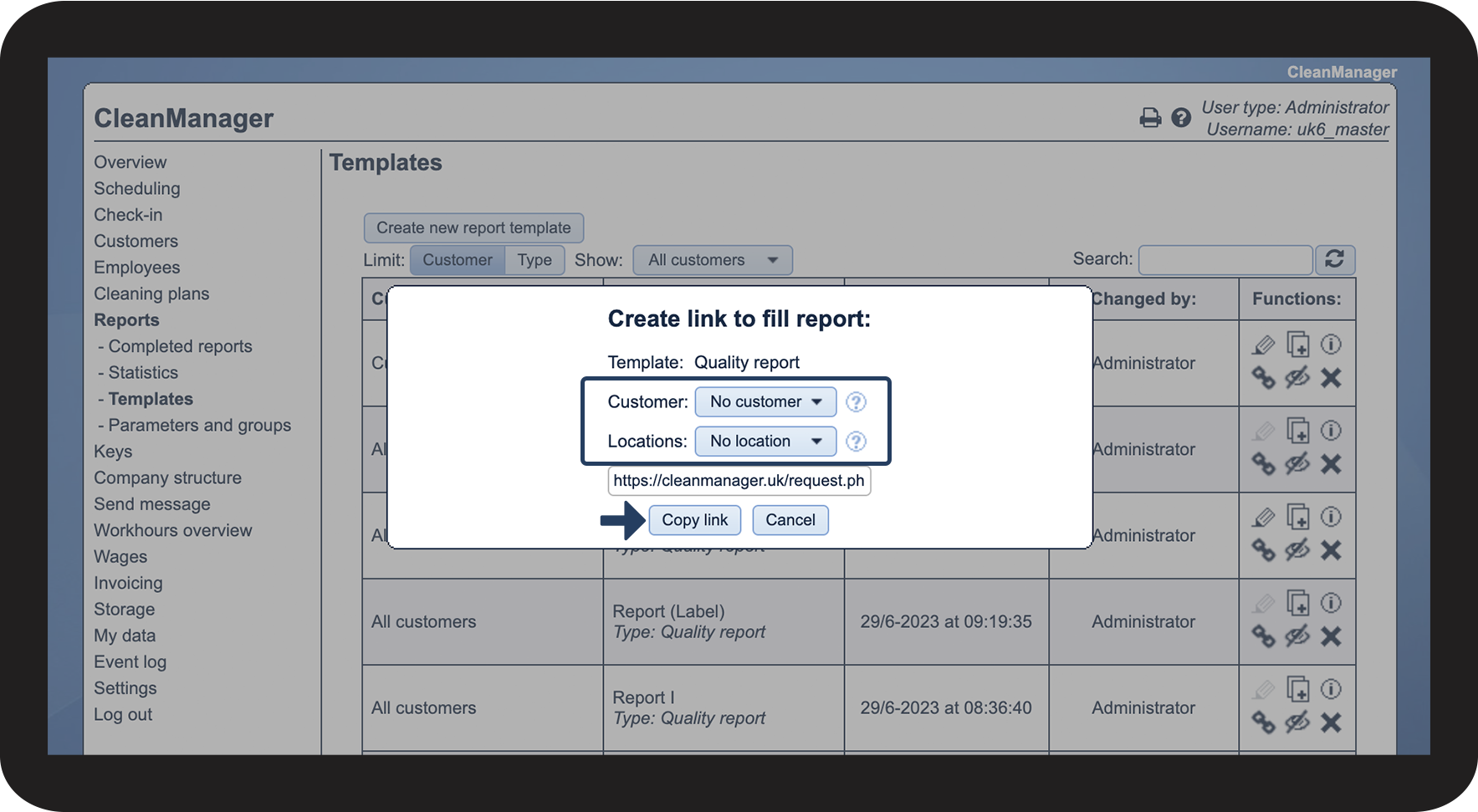
When opening the link, the customer or employee will be sent directly to the specific report. In such a case, the report template, customer, and location will all be predetermined.
NOTE:
The customer or employee can only fill out the report through the link if they have been granted access to the system.
The link only works on a web browser, and the customer or employee must be signed in to their account.
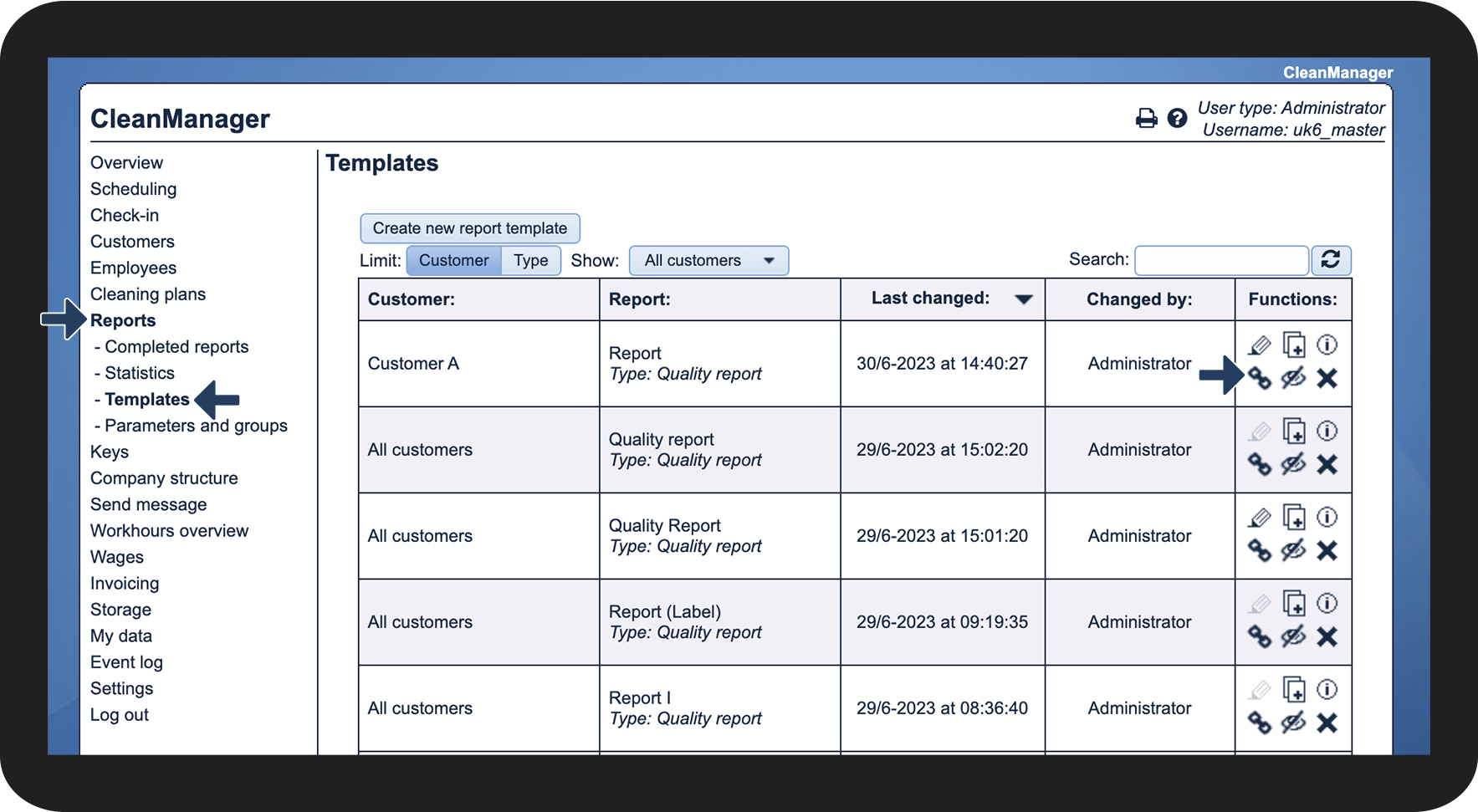
In this article, you will learn how to create and copy a link to fill out a report:
How to create and copy a link

 to create a link for filling out the report