Skip to content
English
  • There are no suggestions because the search field is empty.

Creating a cleaning plan and selecting the template type and the language

How do I create a cleaning plan and choose the template type and language for the plan?

Get started on creating your first cleaning plan by following the guide in this article.

Administrators and Supervisors can select a template type when creating a cleaning plan. However, you can always switch between the templates during the setup or editing of a cleaning plan (however, this deletes all newly added data in the cleaning plan).

If you wish to use a different language than the preselected system language, which is automatically set to the cleaning plan, then it is also possible to change that.


In this article, you will learn how the Administrator/Supervisor changes the template type and language:


How to create a new cleaning plan

number_1_copy.png
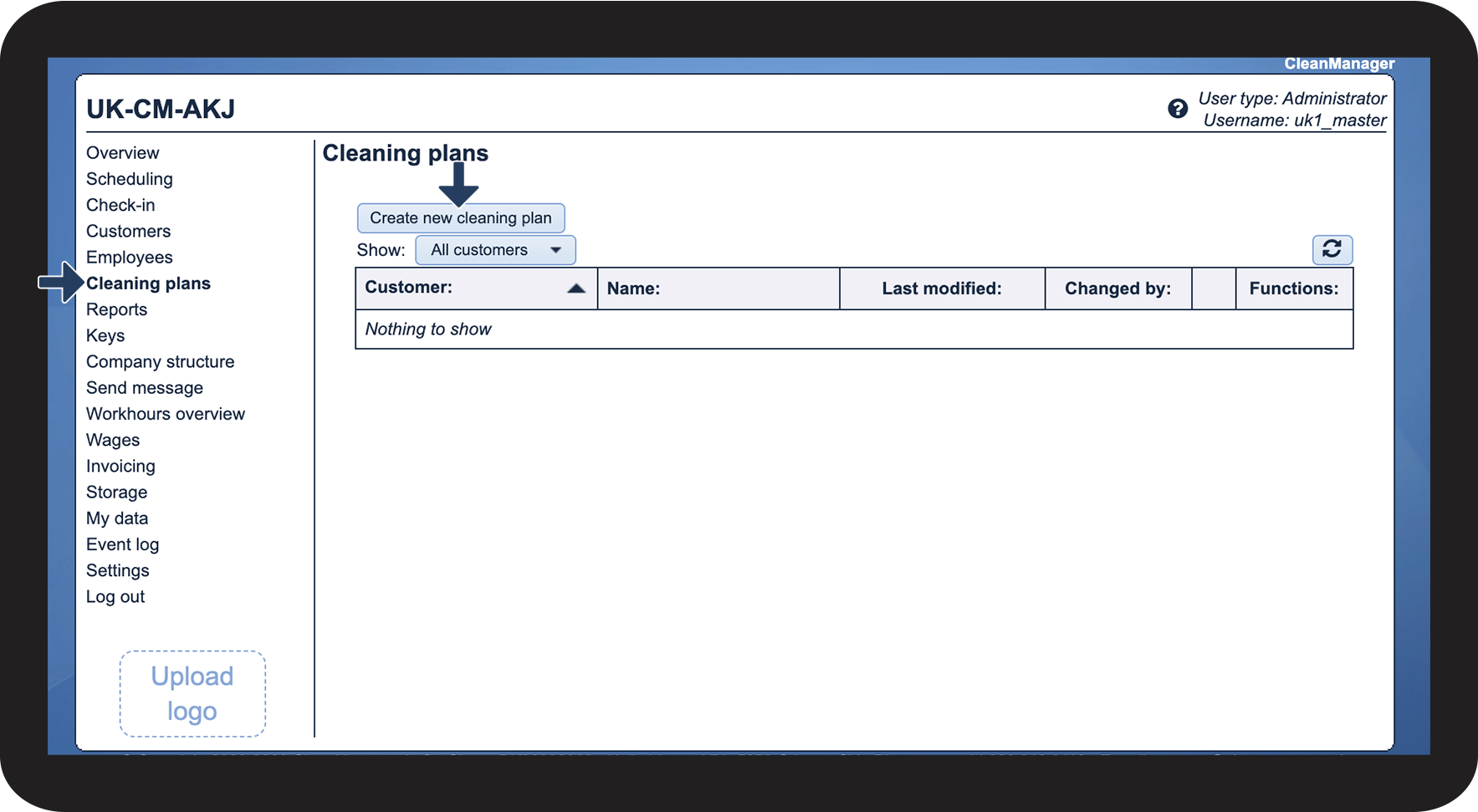
Click on Cleaning plans
 
Then click on Create new cleaning plan

1.png

number_2_copy.png
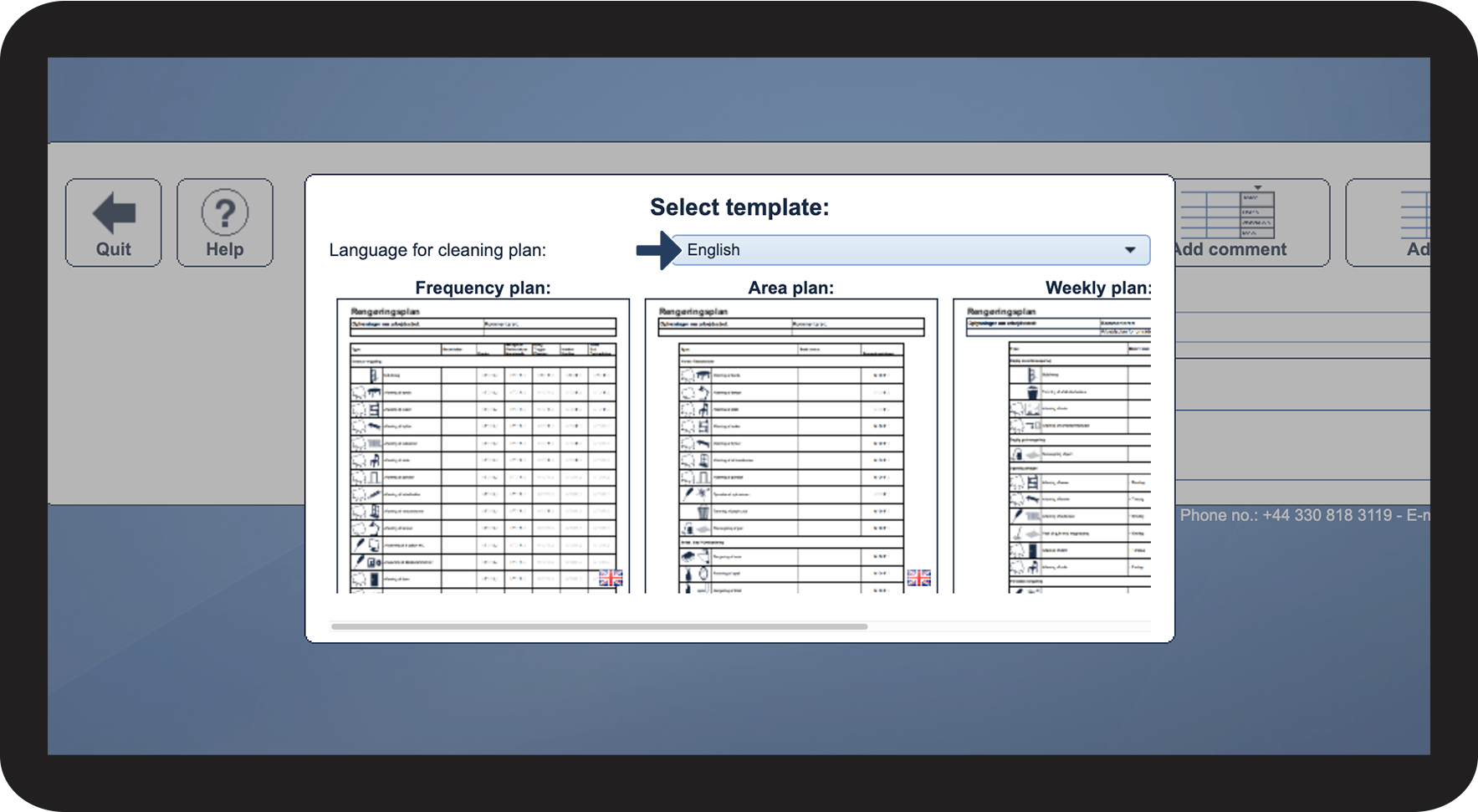
Next to the item Language for cleaning plan, click on the dropdown menu
 
Then select the language of the cleaning plan

2.png

number_3.png
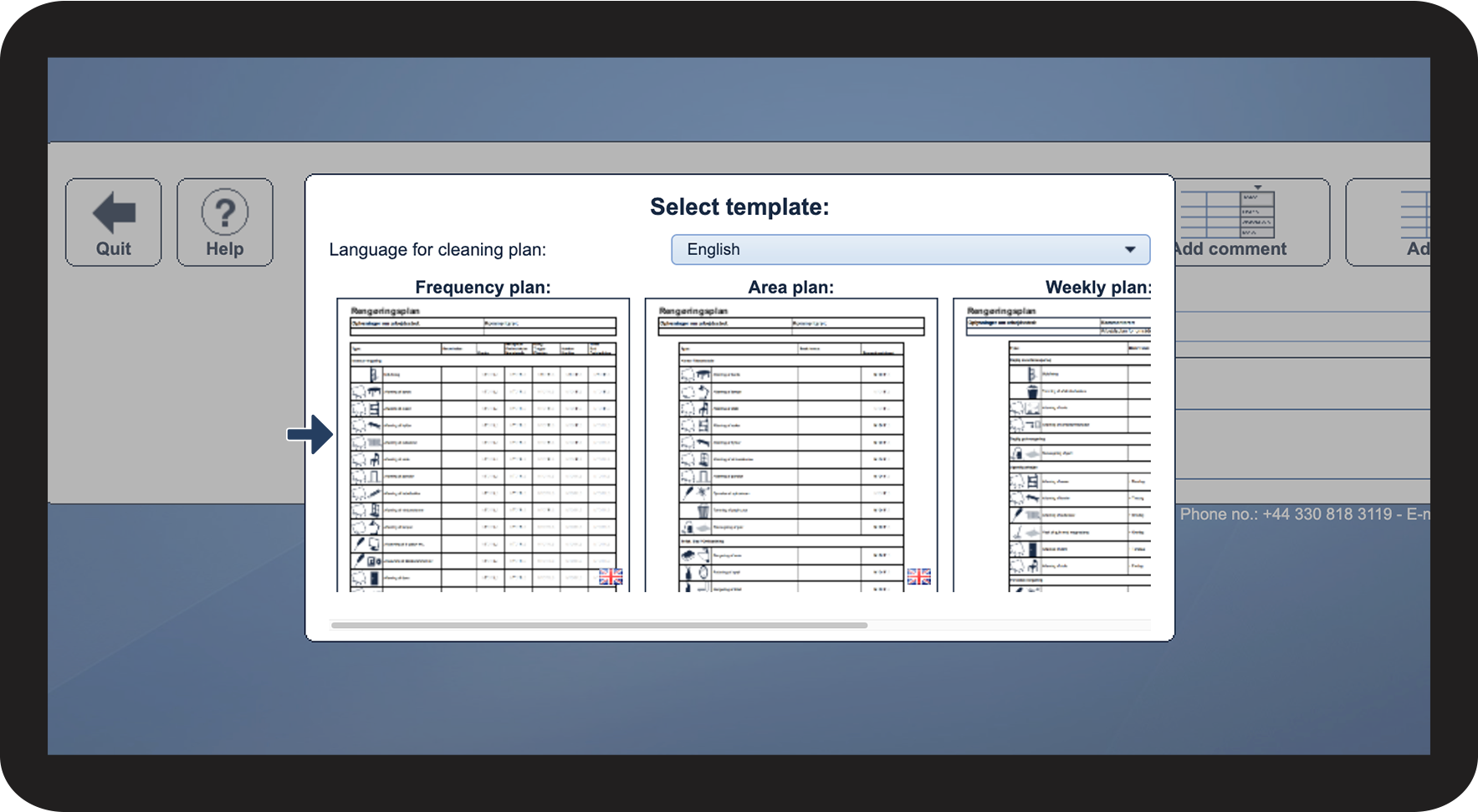
Next, select the Template Type
 

Choose one of the following templates:

3.png


How to pick a new template

number_1_copy.png
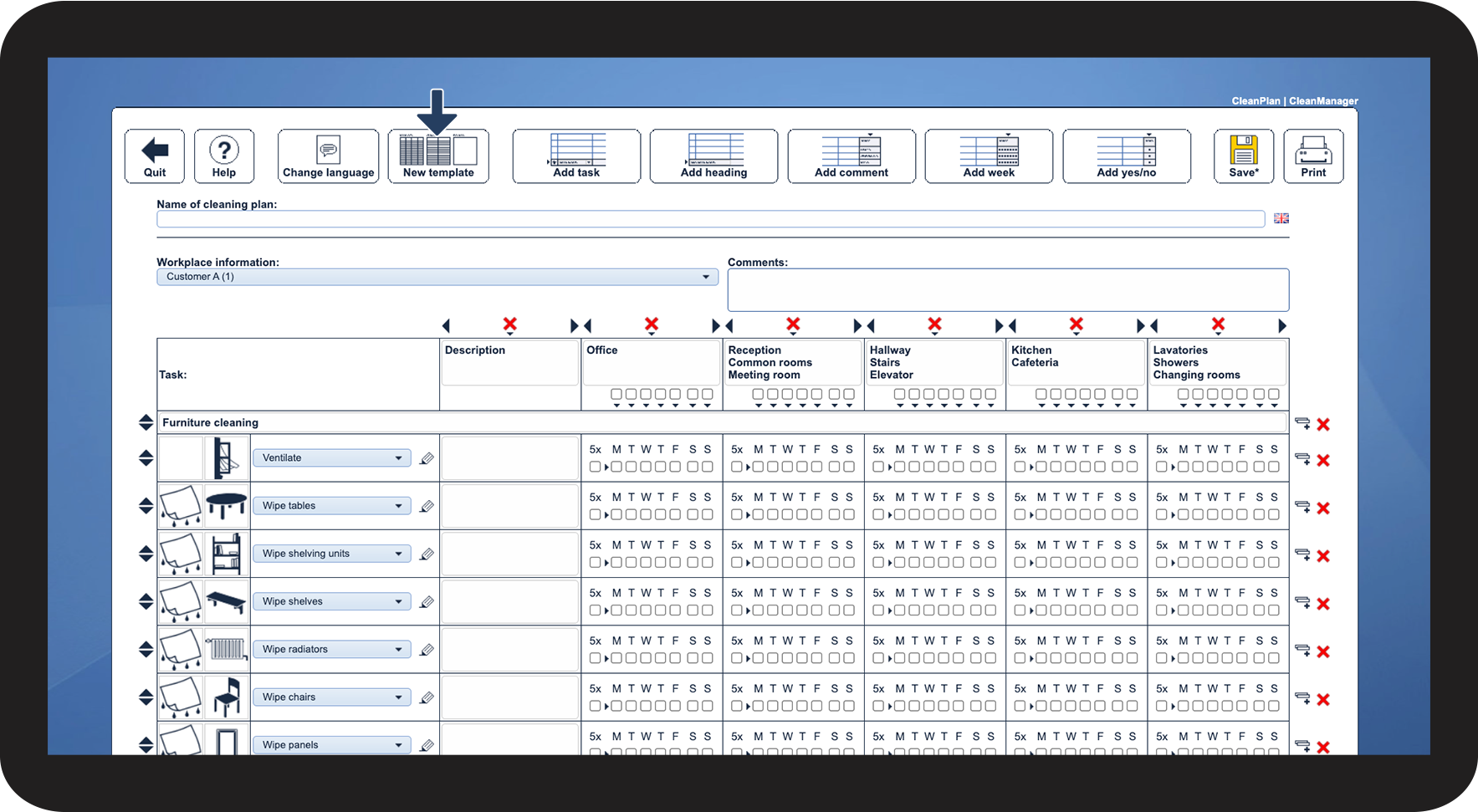
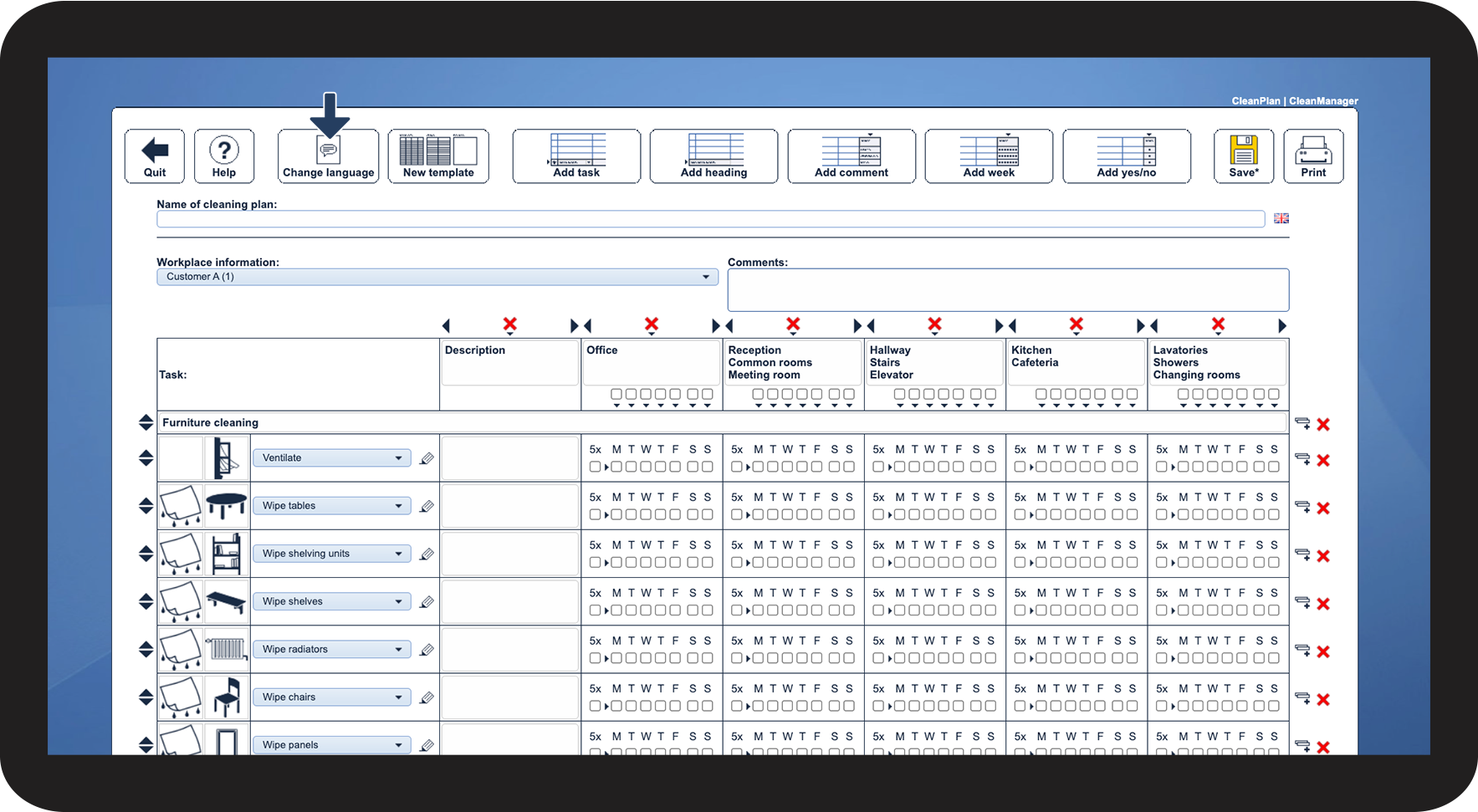
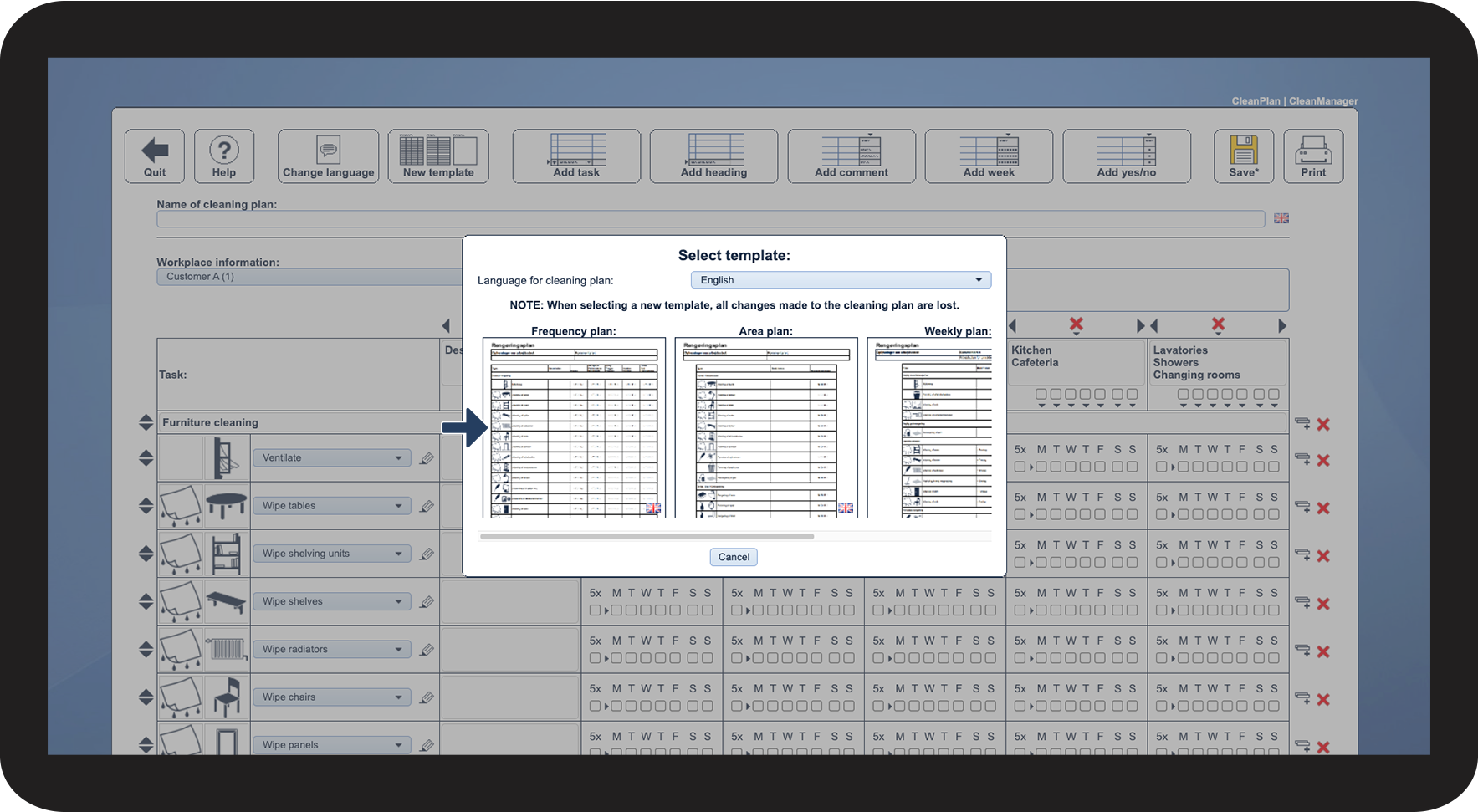
Click on New template
 
This can be used if an incorrect template was selected during the creation of the cleaning plan.

4.png

number_2_copy.png
Select the template
 

Choose one of the following templates:

NOTE

When selecting a new template, all changes made to the cleaning plan are lost.
5.png


How to change the language

number_1_copy.png
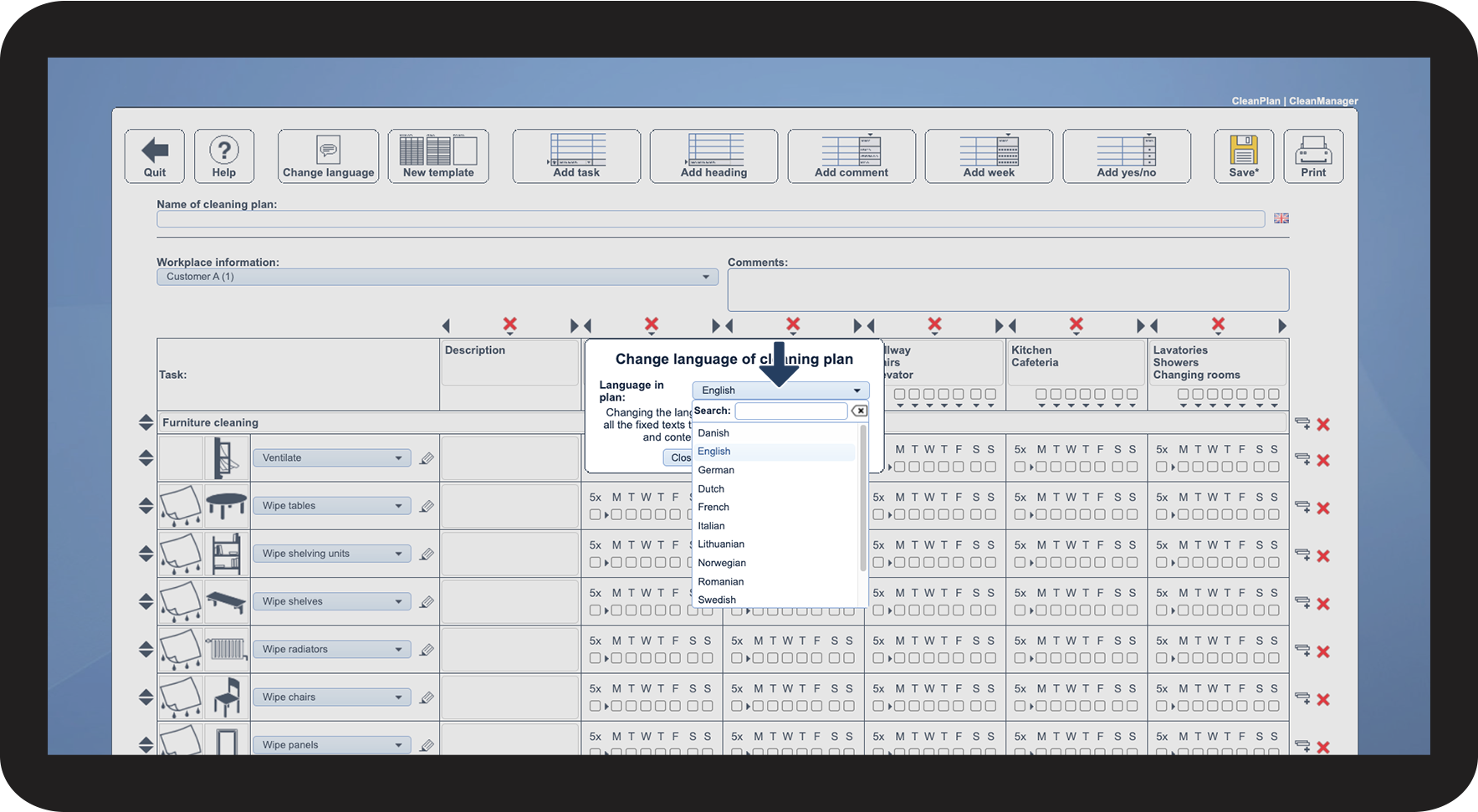
Click on Change language
 
This function can be used if the incorrect language was selected when creating the cleaning plan, or if you want to change the language after you have finished the cleaning plan.

6.png

number_2_copy.png
Click on the Dropdown next to Language in cleaning plan
 

Then select the desired language

INFO

All standard texts will be translated when the language is changed.
7.png


Continue to the article Naming and sharing cleaning plans

Here you can continue setting up your cleaning plan