
How do I create a new user in CleanCalculator?
In this article, you will learn how to create new users in the system.
NOTE:
A new user will not have access to the administration of your CleanCalculator account.
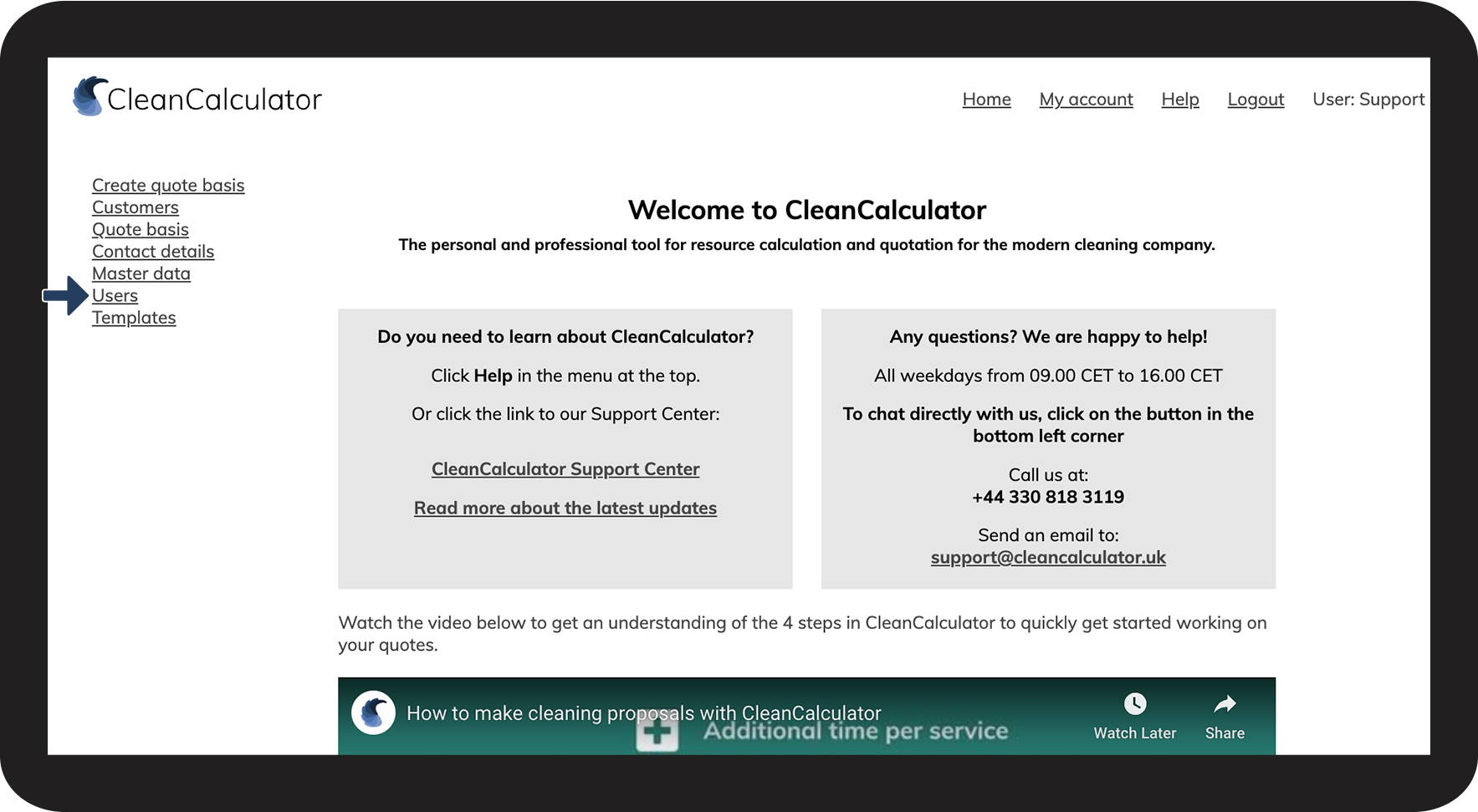
New users will therefore not have access to the following menu items: Contact details, Master data, and Users.
The new user cannot change the overall master data, but they can instead change the master data for a single quote basis. To learn more about this, see the following user guide: Edit quote basis
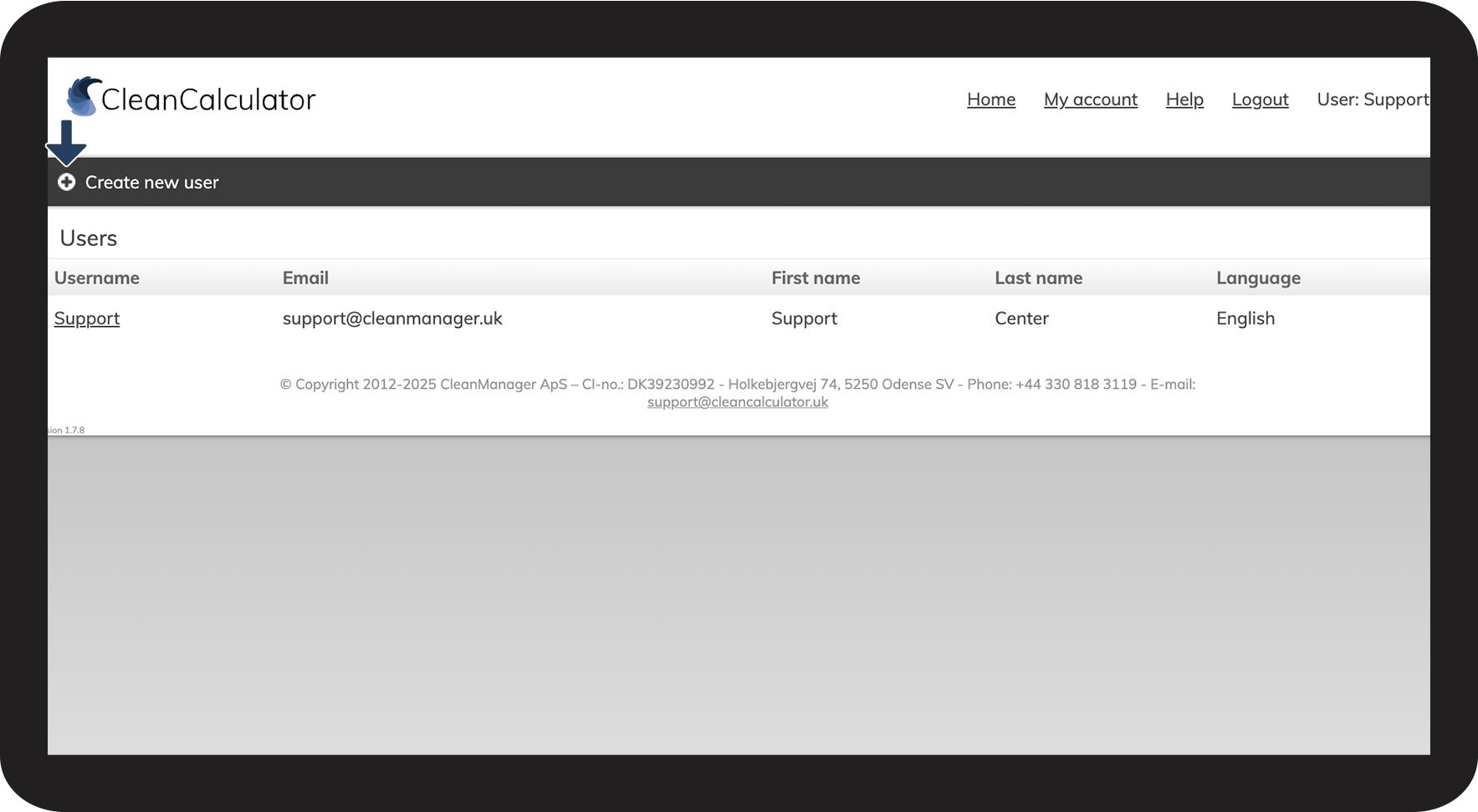
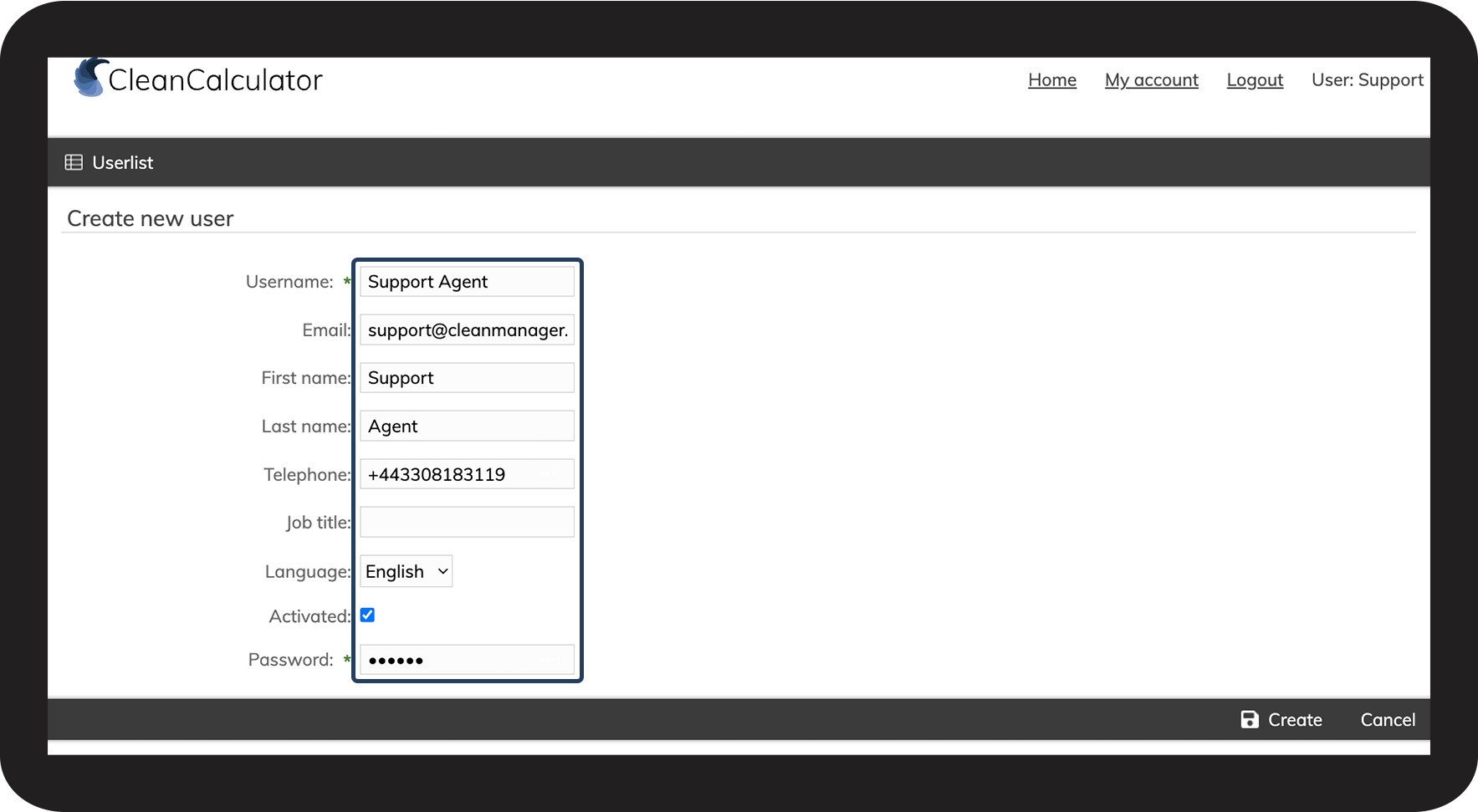
How to create a new user in CleanCalculator



NOTE:
The log-in information is not automatically sent to the new user. Therefore, you must provide them with this information (username and password).