Skip to content
English
  • There are no suggestions because the search field is empty.

Create customer

How do I create a customer in CleanCalculator?

Here you can learn how to create new customers in CleanCalculator.


How to create a customer in CleanCalculator

number_1.png
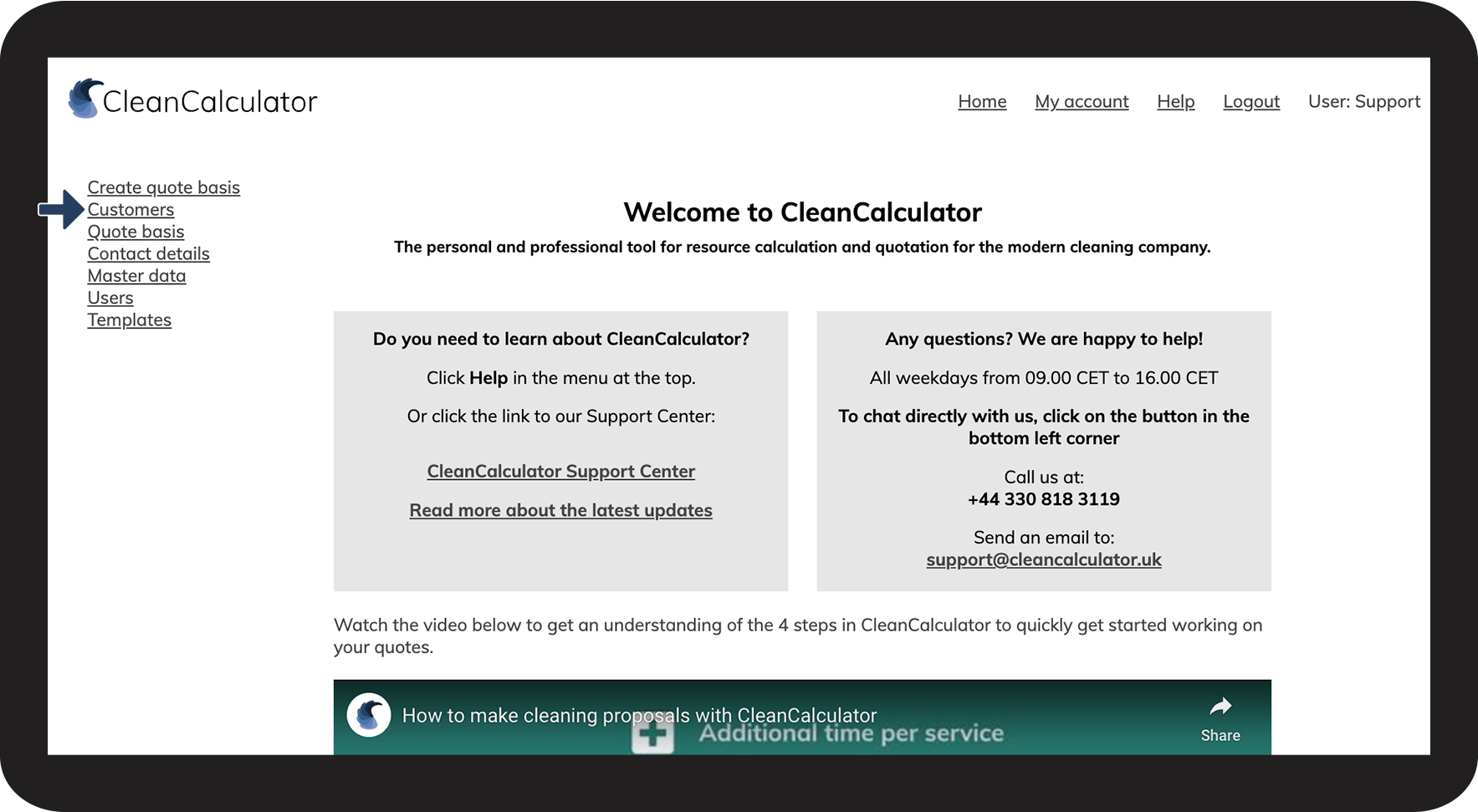
Go to Customers

1.png

number_2.png
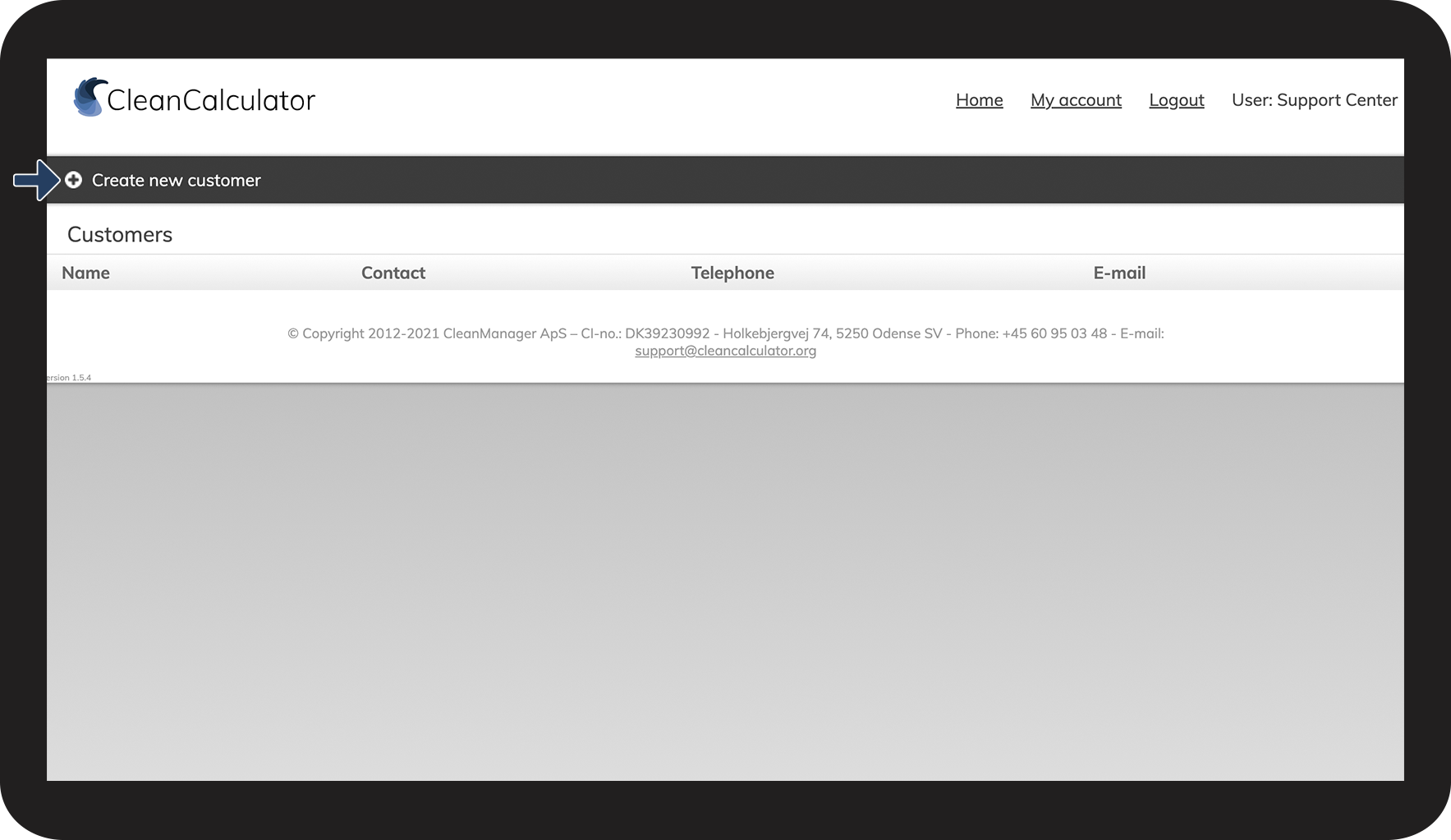
Click on Create new customer

2.png

number_3.png
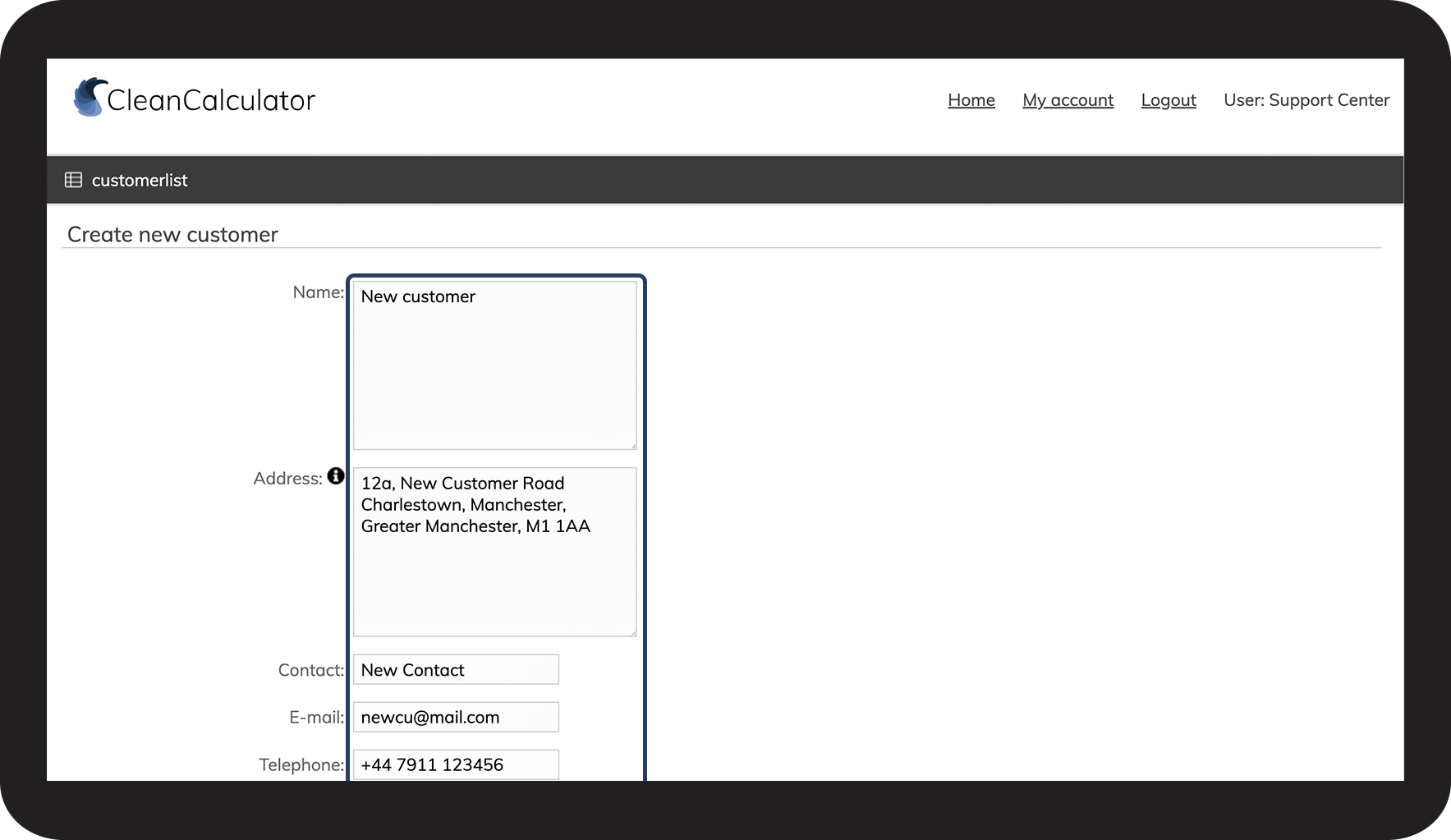
Fill in the Name, Address, and Contact information  
 

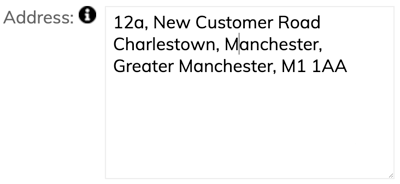
Please use line breaks when entering the address

3.png 


NOTE:

It is important that the customer address is added with a line break, as shown below.

By doing so, the address will be included correctly in generated documents.
Example_file.png

number_4.png

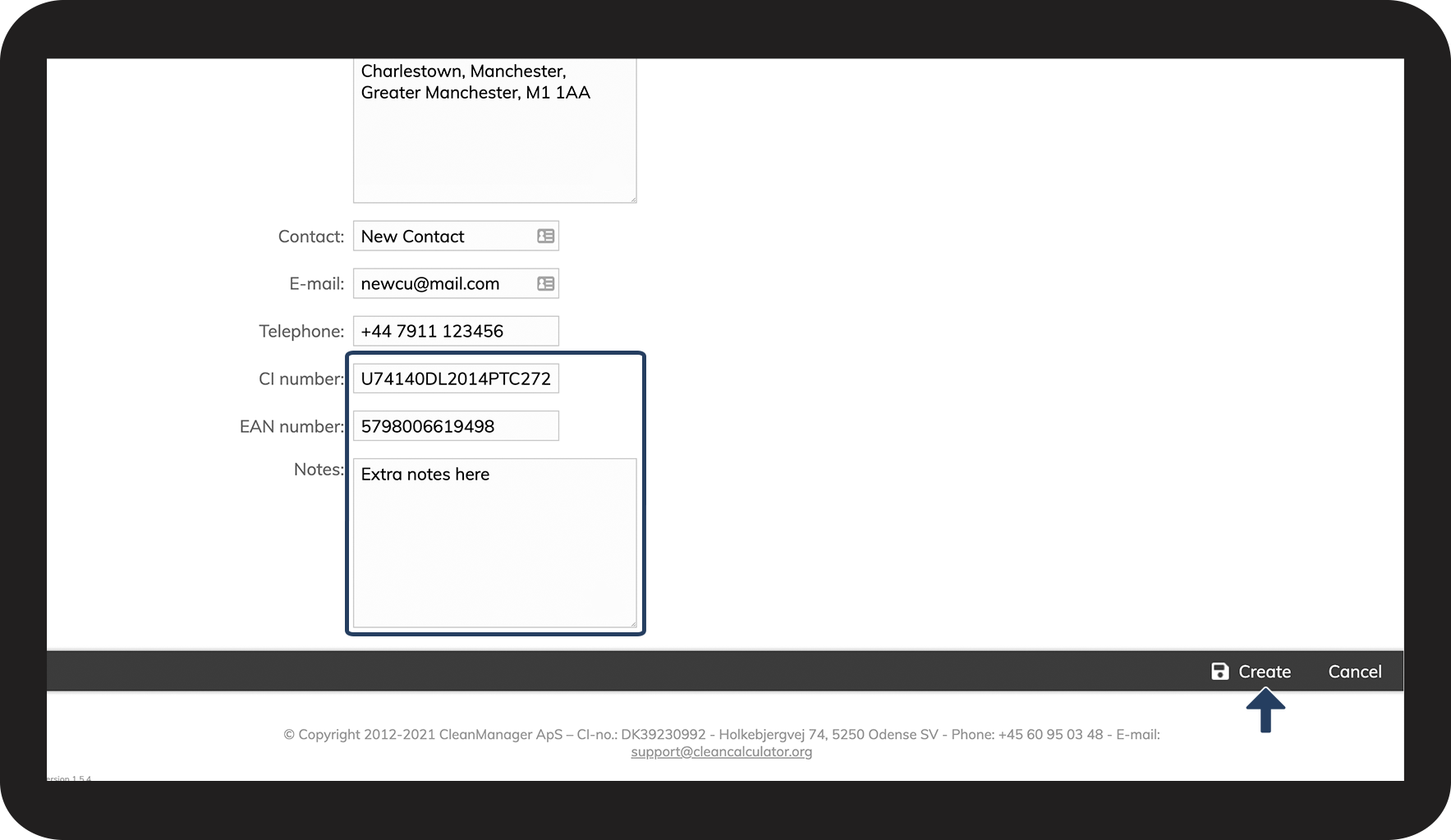
Scroll down the page, and fill in the relevant information


Add Notes about the customer and the offer, for your own usage.

 
Click on Create to save the customer

4.png