How do I change which user is set to be the Administrator?
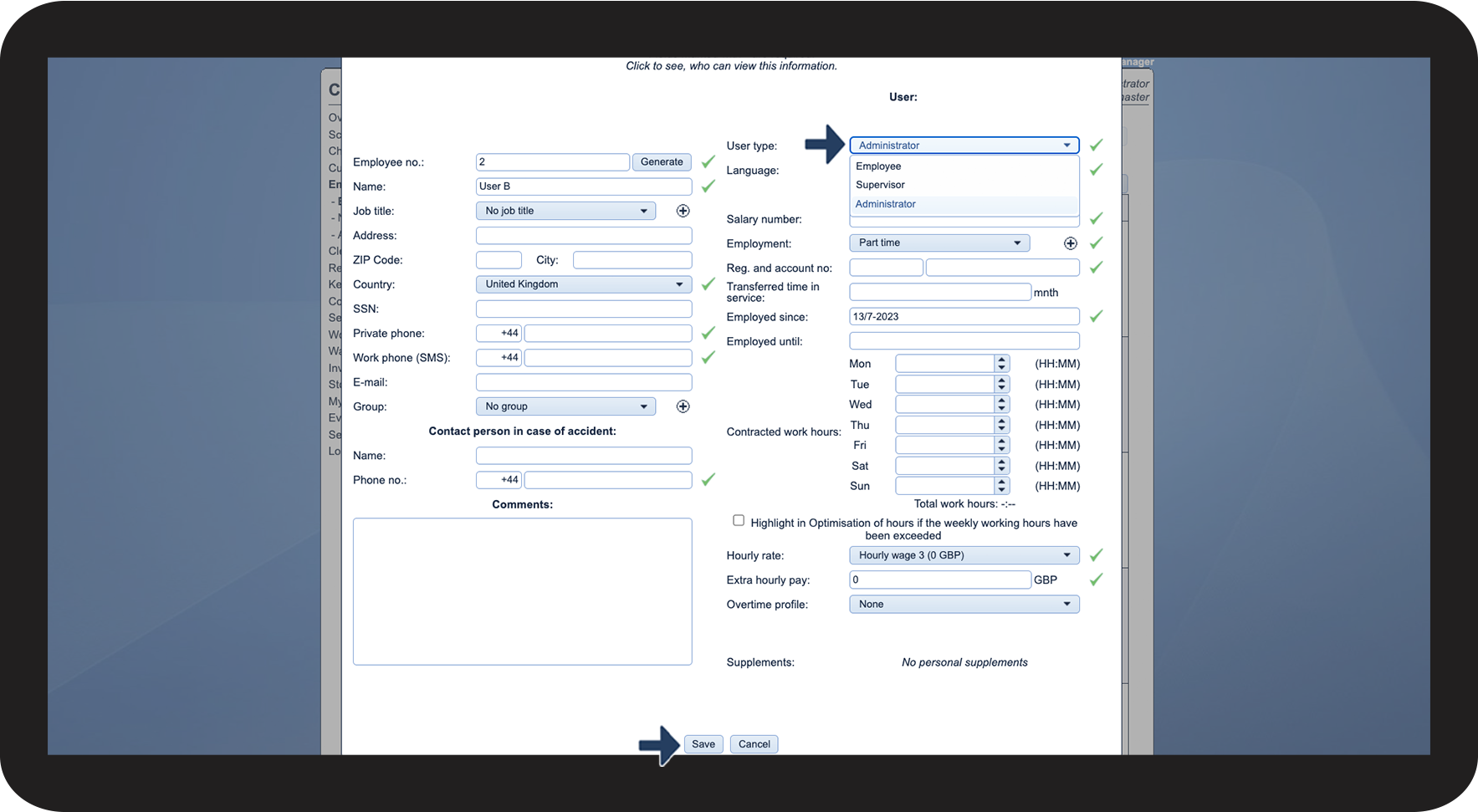
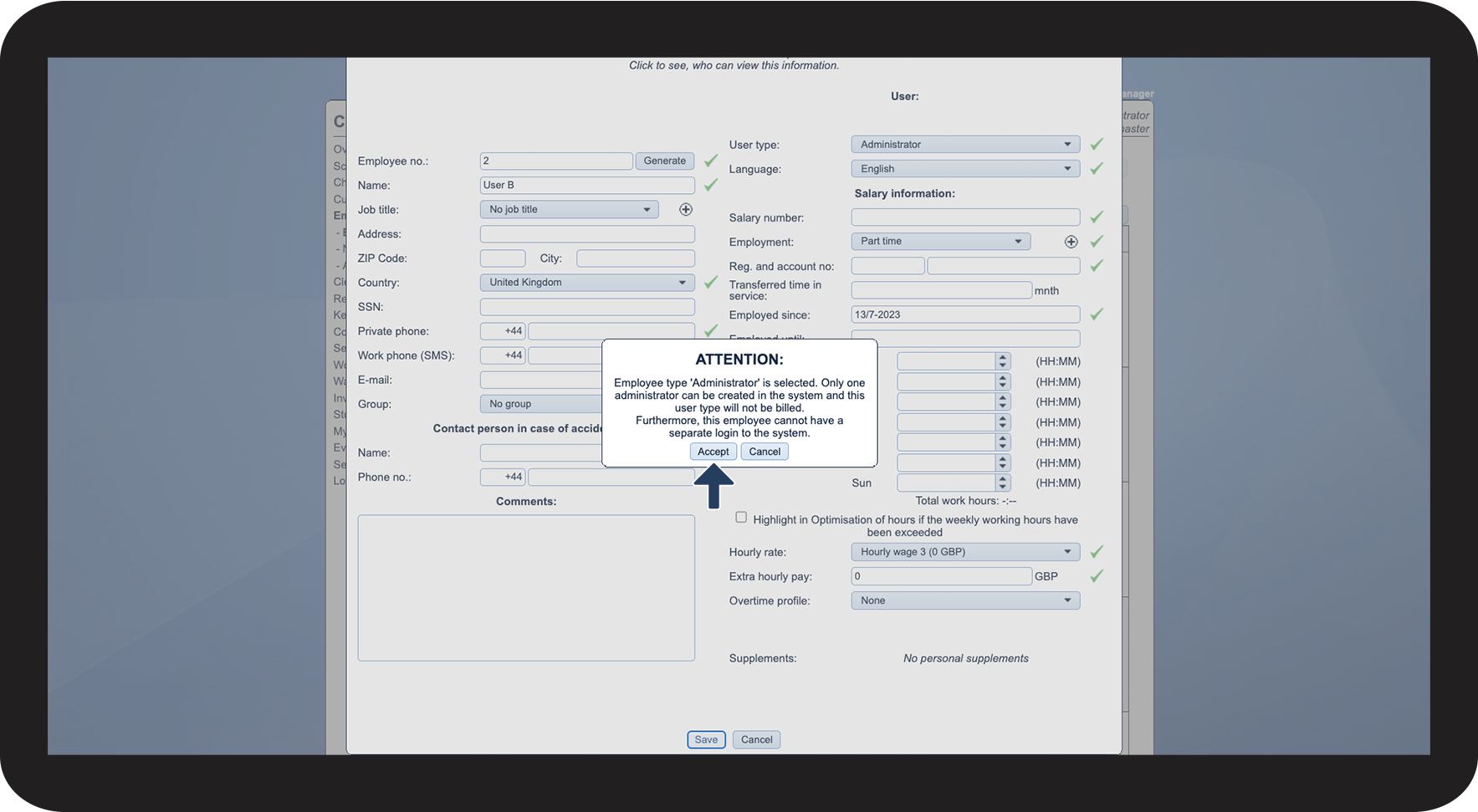
There can only be one employee with the user type Administrator in the system, but you can always change which employee you want this to be.
NOTE:
If you change the user type for an employee to administrator, this employee will then use the administrator login details to gain access to CleanManager.
Remember to change the password for the administrator account before giving the login details to the new administrator. For more information regarding this, go to: Changing the password of the administrator
In this article, you will learn how to:
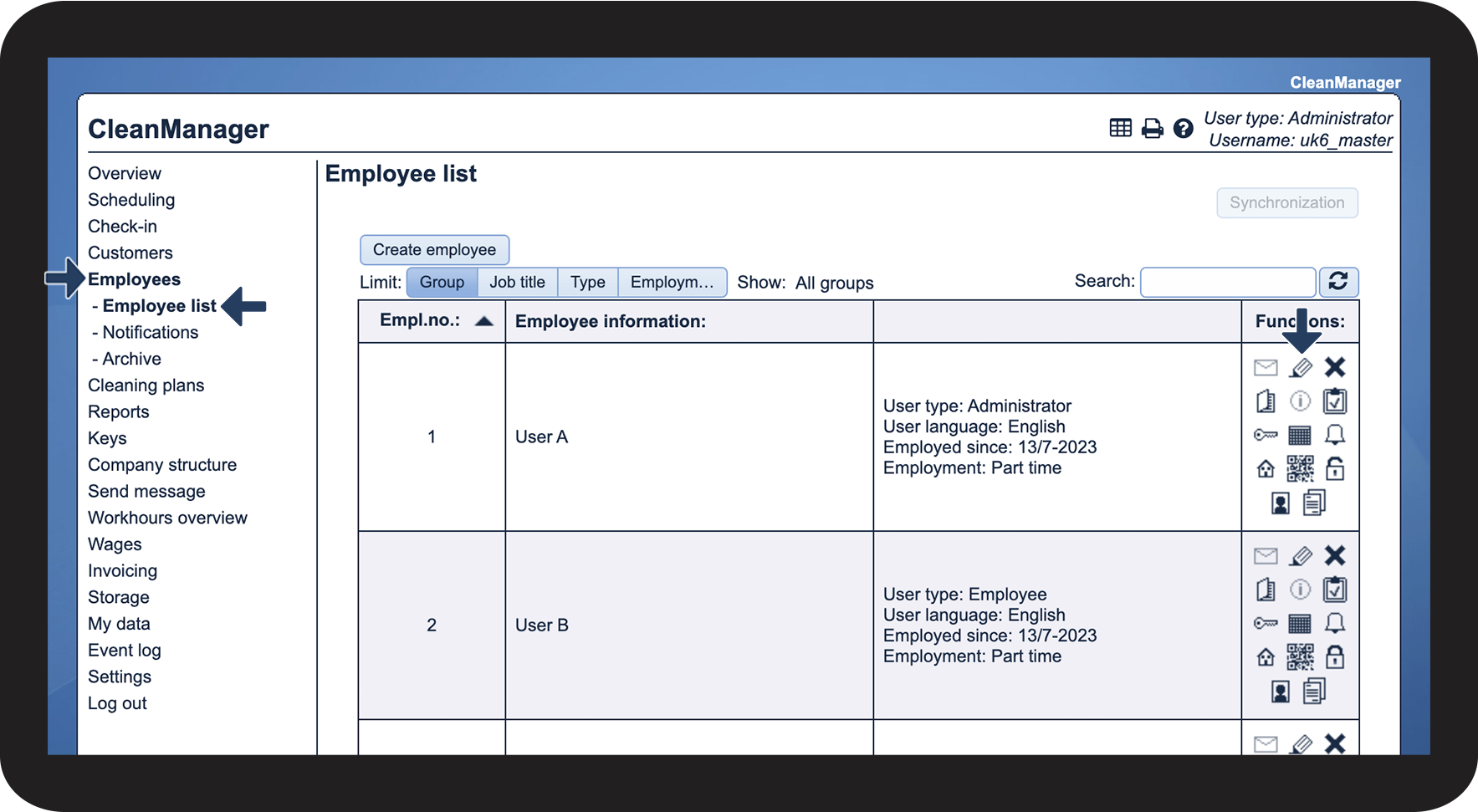
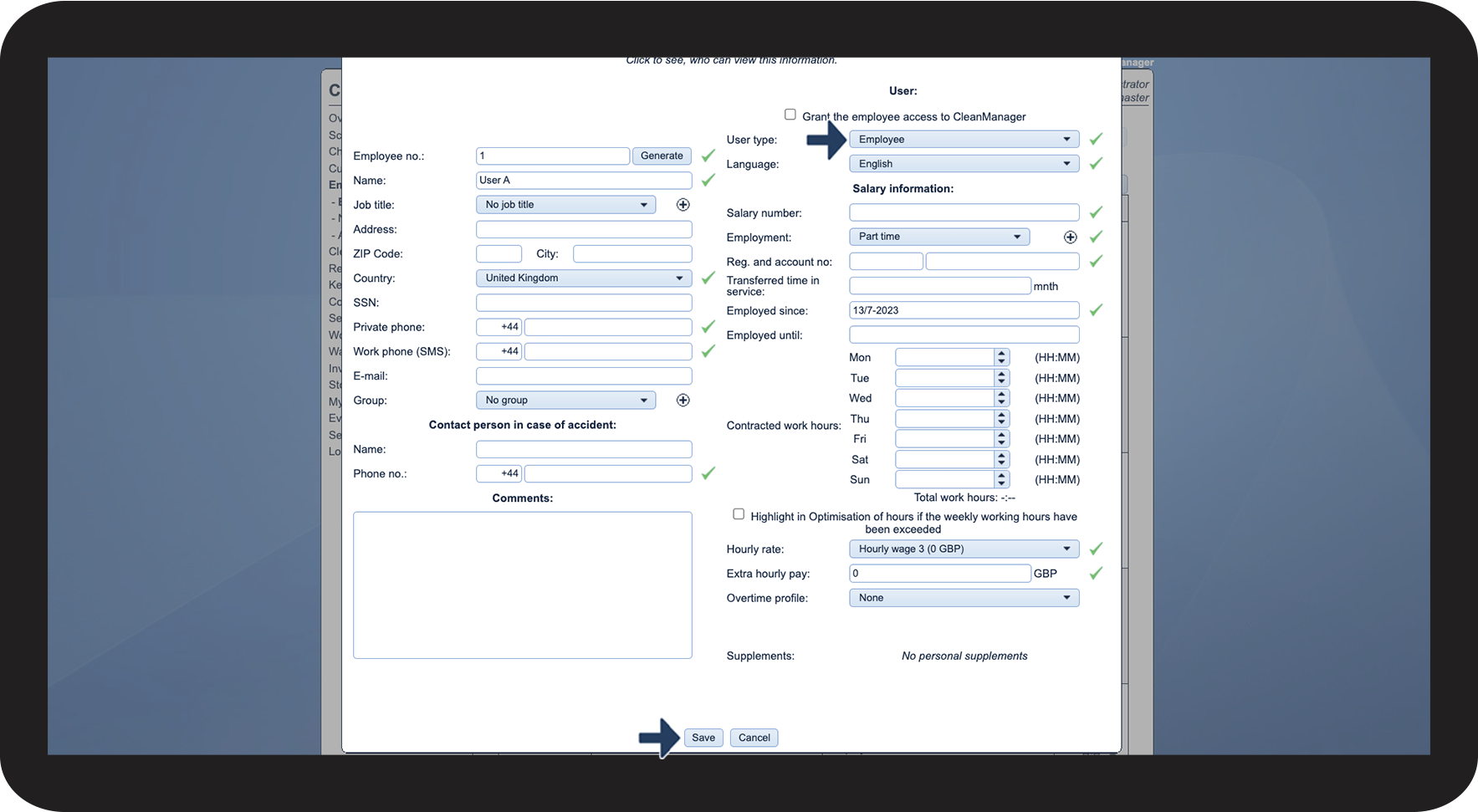
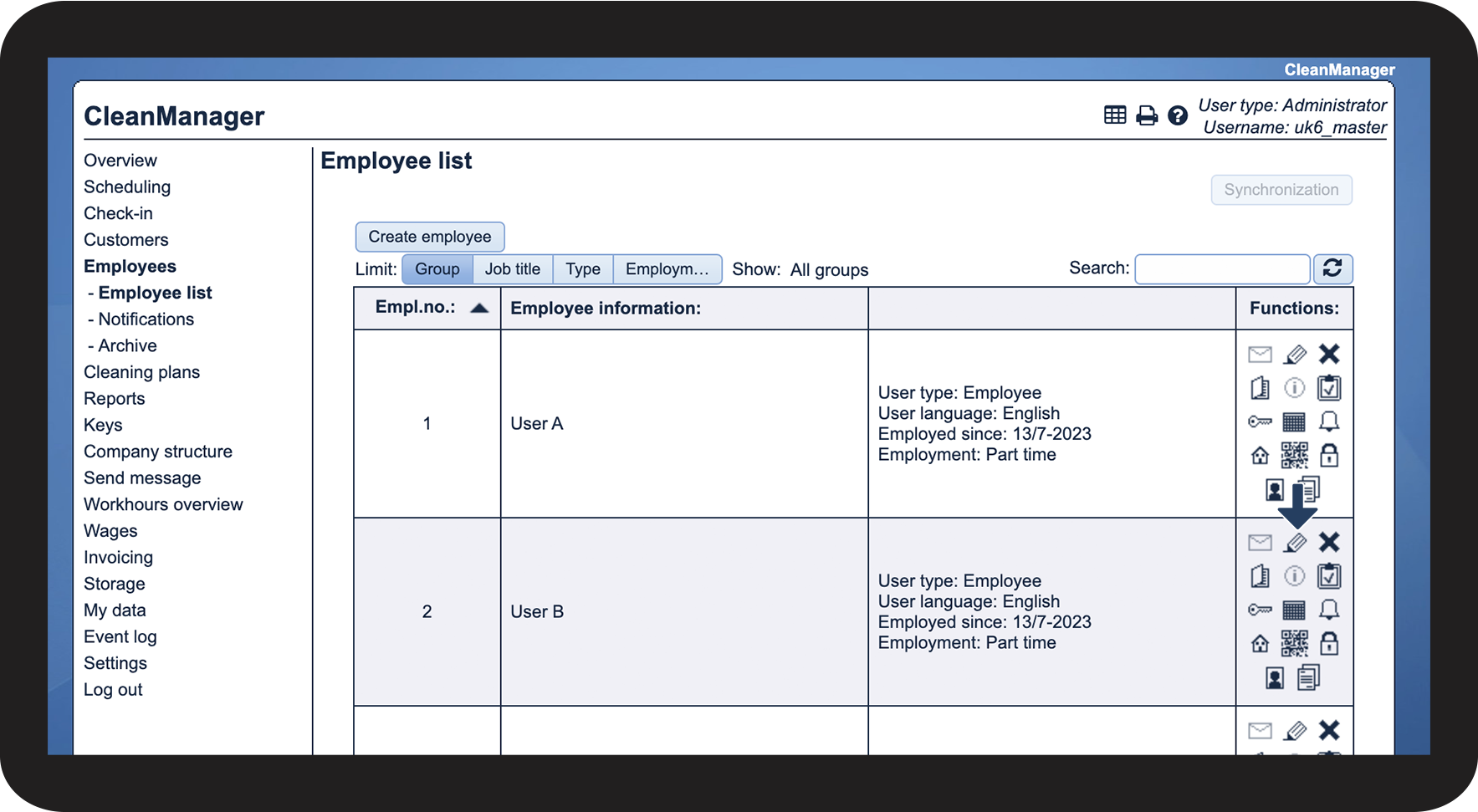
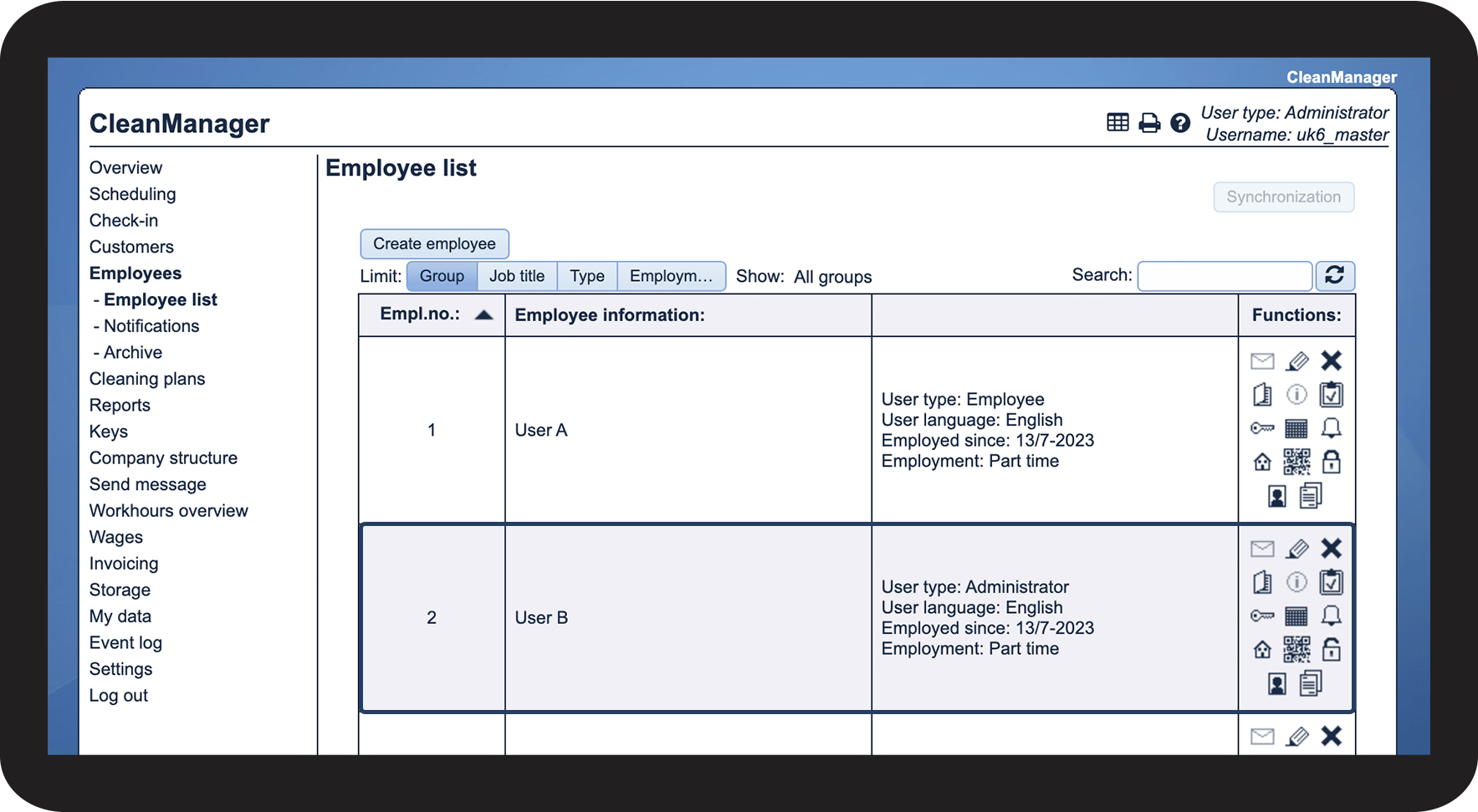
How to change which employee is set to be the Administrator

 to edit the current administrator. In this case, User A