How do I change the password of my supervisor account?
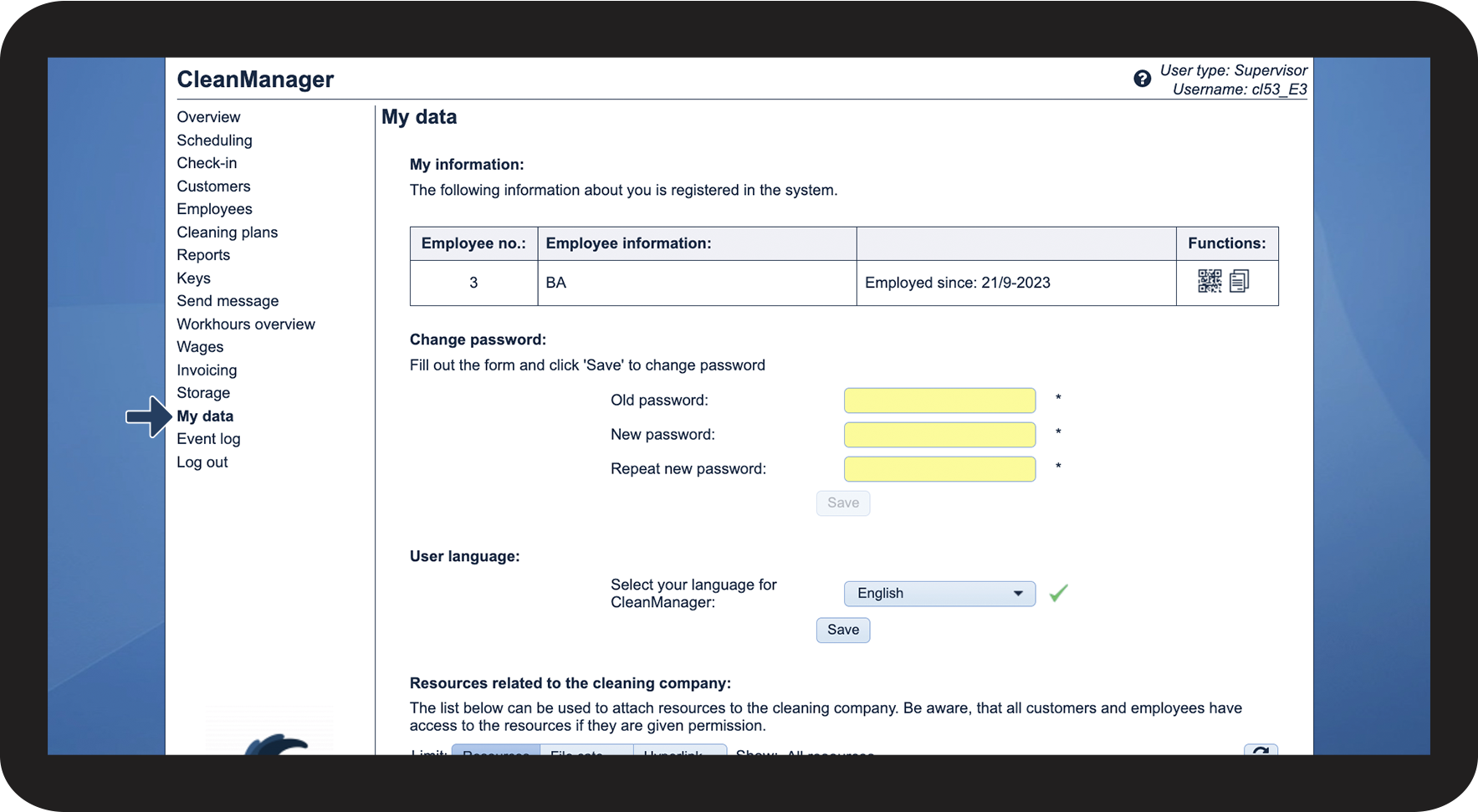
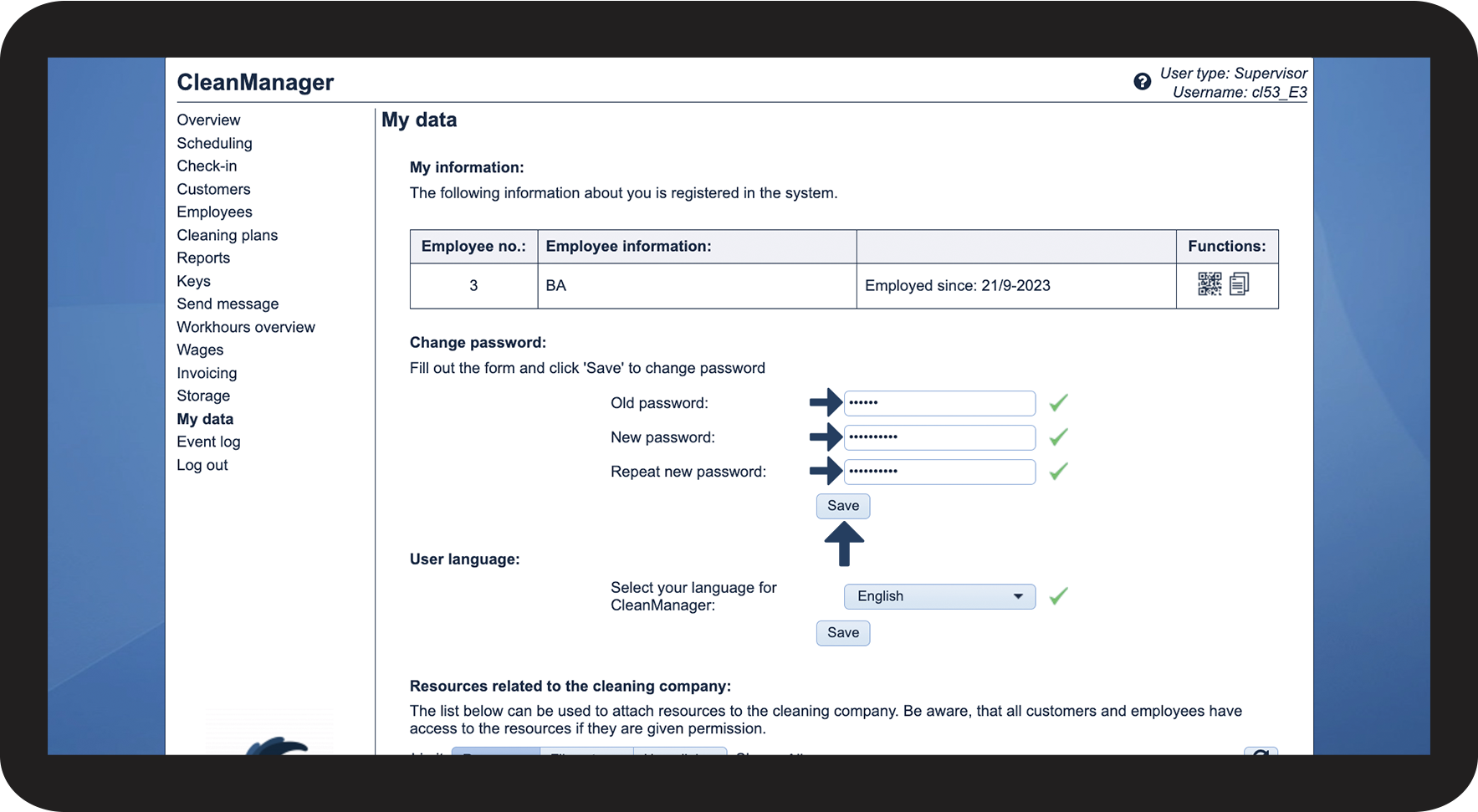
As a supervisor, you can change your password in the web system. This code is used for logging into the web system and the app.
In this article, you will learn how to change the password of your supervisor account:
This is how you change the password of your supervisor account