How do I change the language of my employee account?
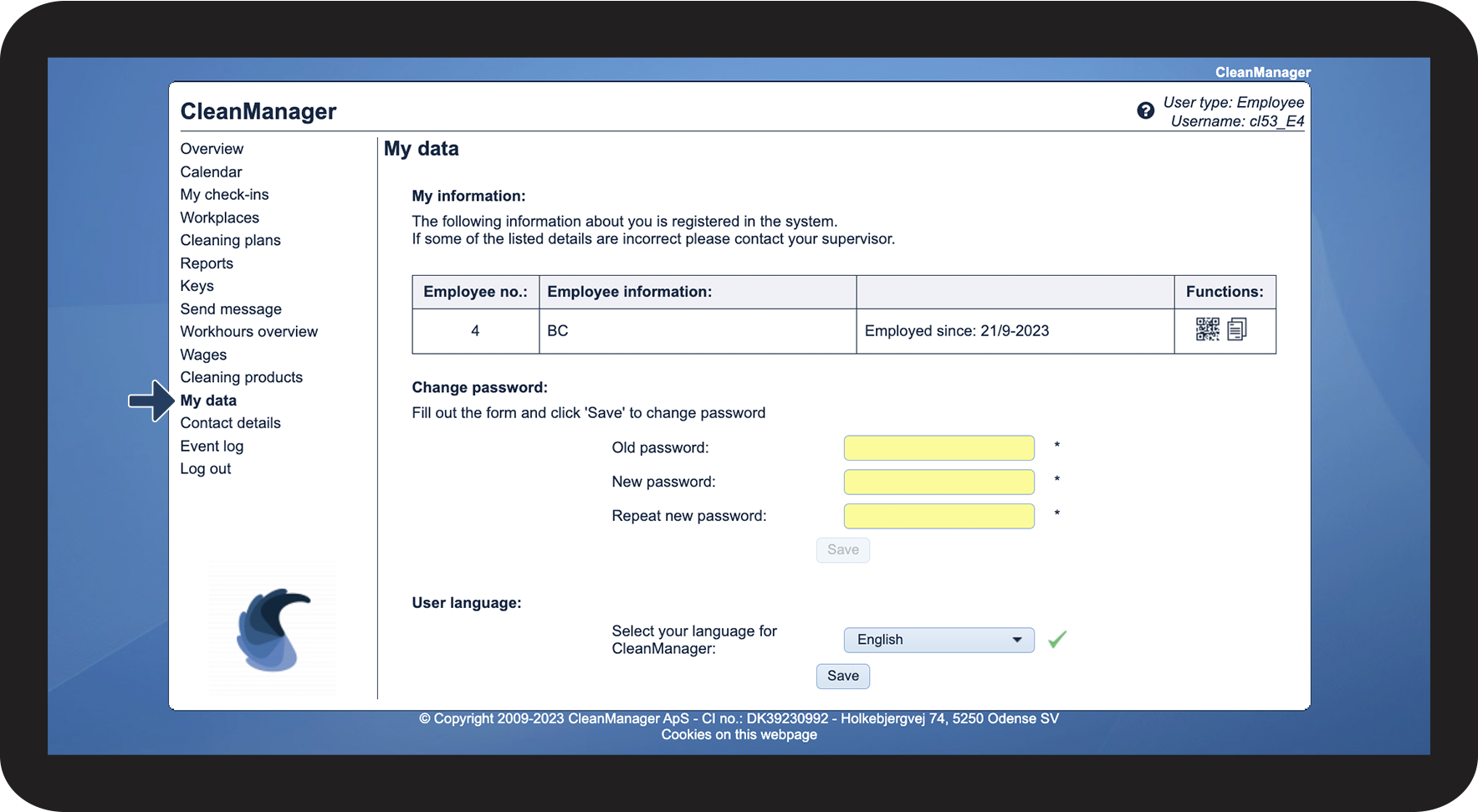
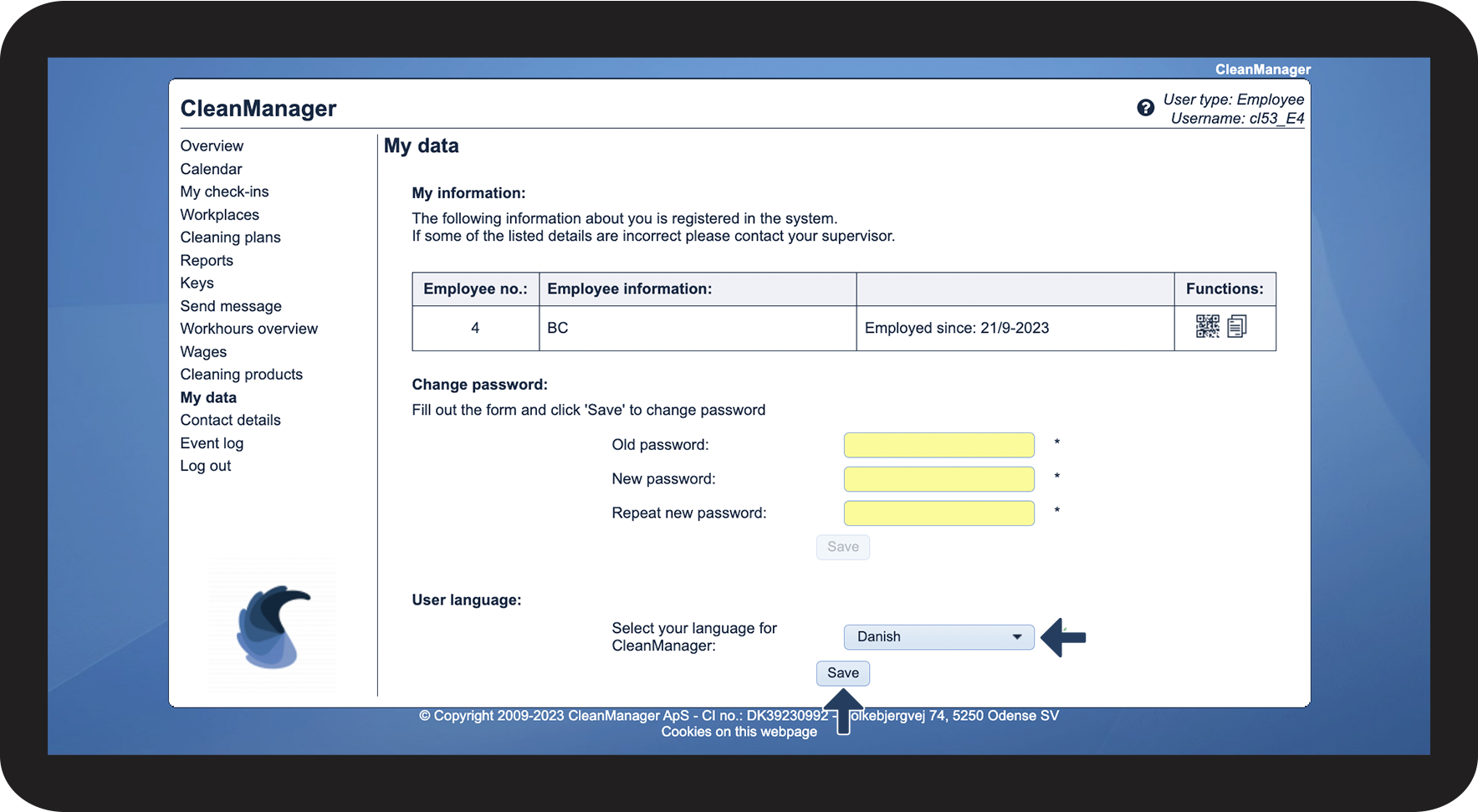
As an employee, you can change the language of your account in the web system.
You can set the language to English, German, or Danish.
NOTE:
If you want to change the language in the app, simply follow the guide in this article: Language settings
In this article, you will learn how to change the language of your employee account:
This is how you change the language of your employee account