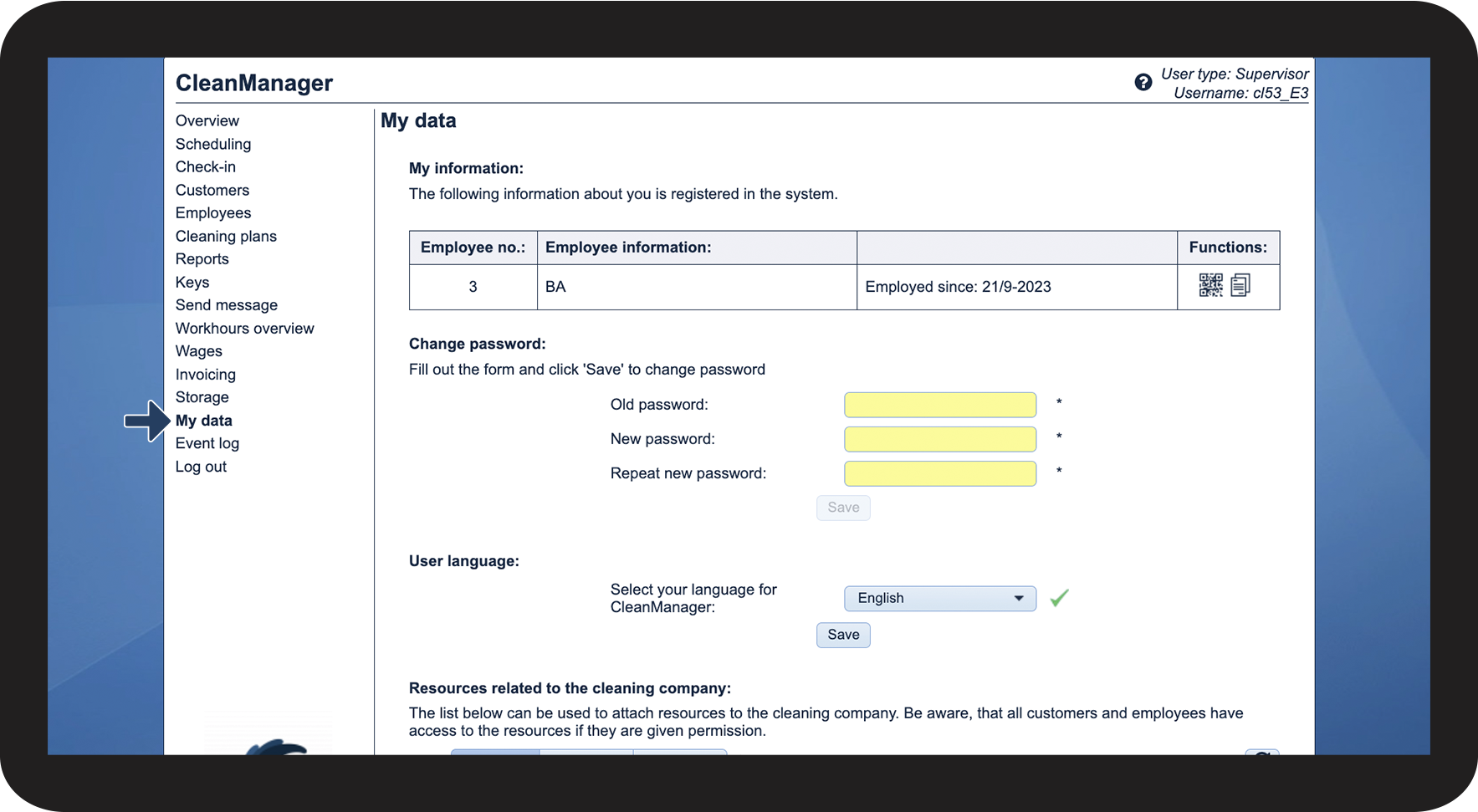
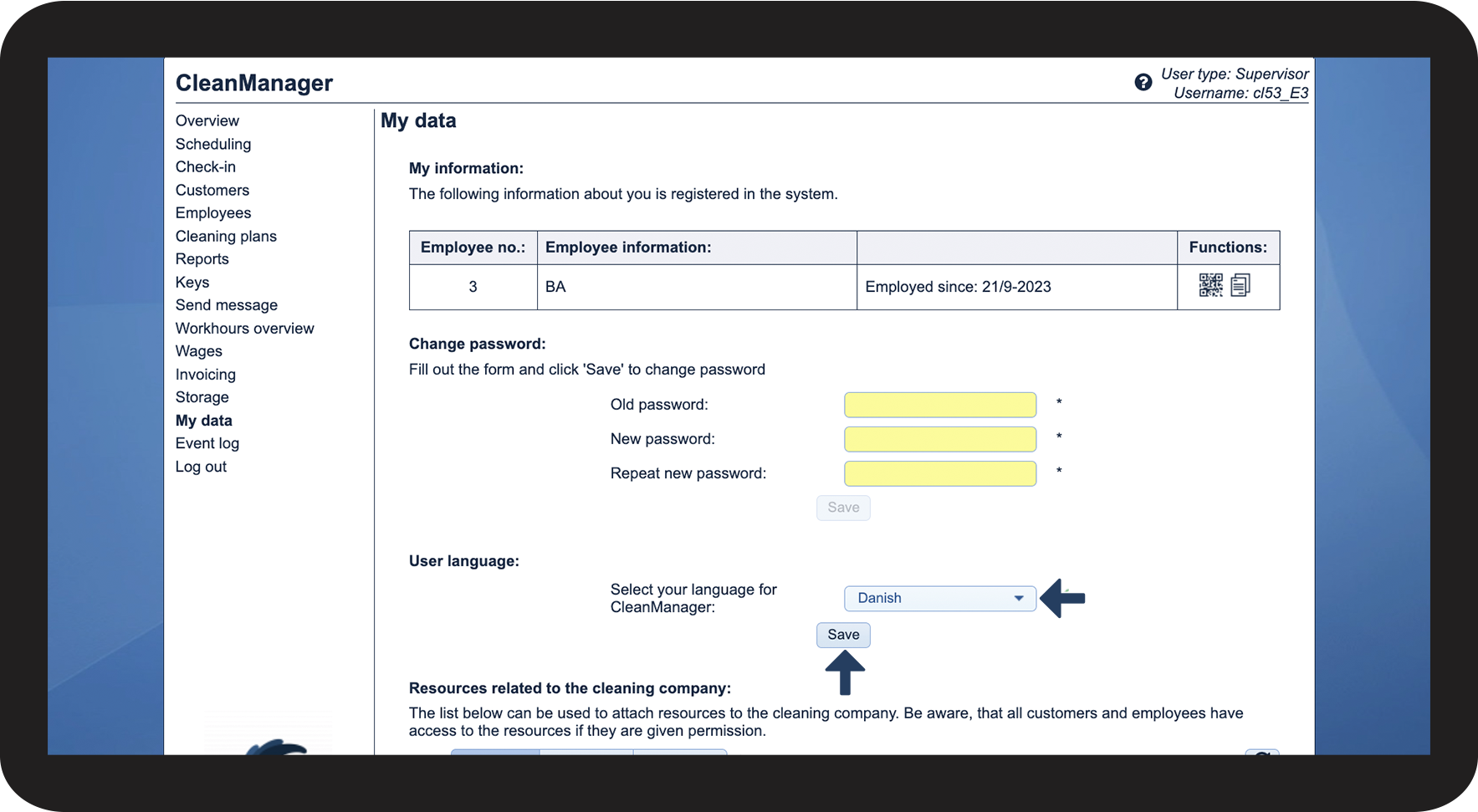
How do I change the language of my supervisor account?
As a supervisor, you can change the language of your account in the web system of your account.
You can set the language to English, German, or Danish.
Note:
If you want to change the language in the app, simply follow the guide in this article: Language settings
INFO:
Language settings are used to show all textual content in CleanManager in the language you want. All standardized text messages and e-mails will be sent in the selected language.
In this article, you will learn how to change the language of your supervisor account:
This is how you change the language of your supervisor account