Cancelling a task
How do I cancel a task?
This article will show you how to cancel a task in the new calendar.
When a task is canceled, it will remain in the calendar. However, the task will not be included in payroll or invoicing, and it will not appear in the employee's workday in the web system or the app.
How to cancel a task
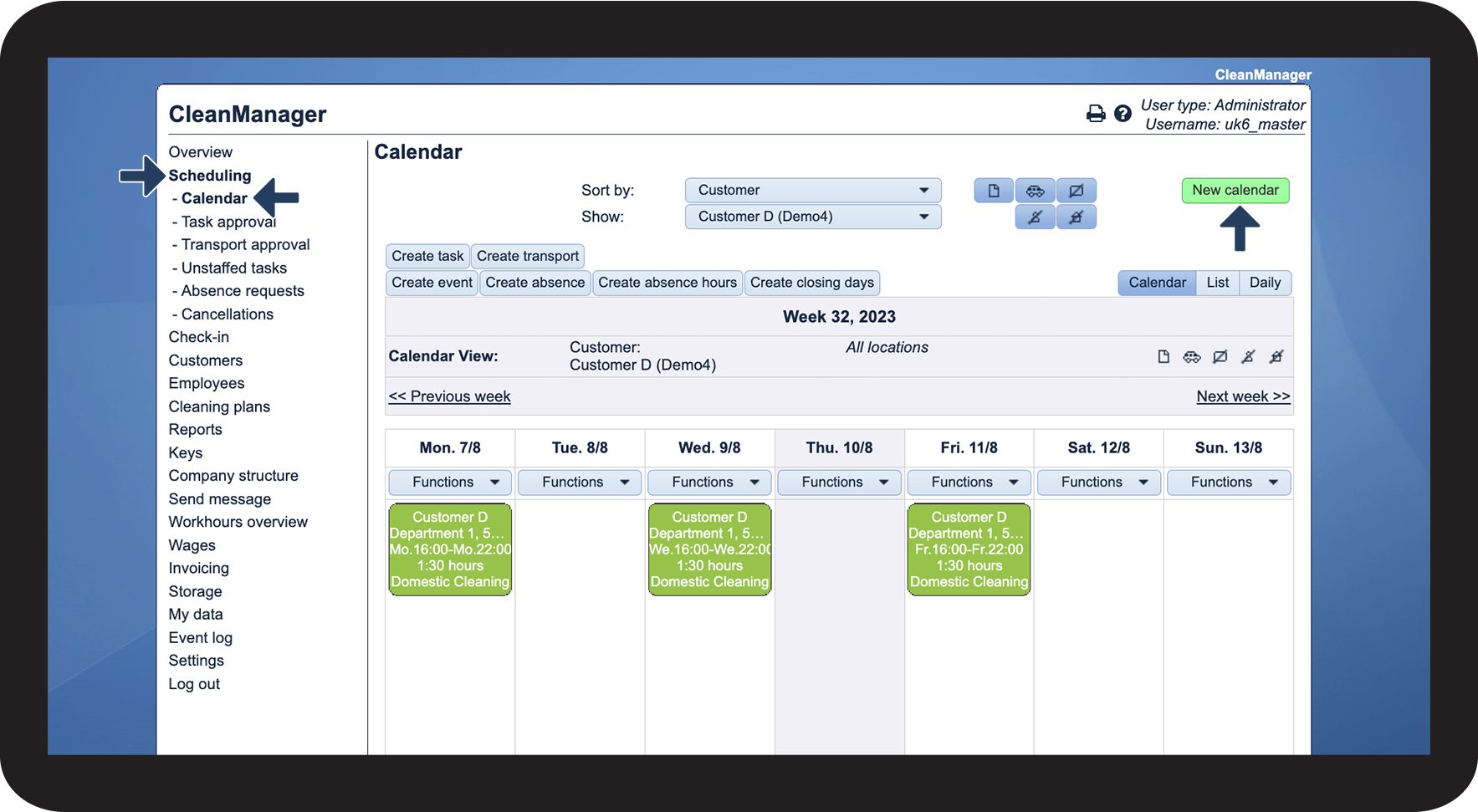
In the menu, go to Scheduling > Calendar
Click on New calendar

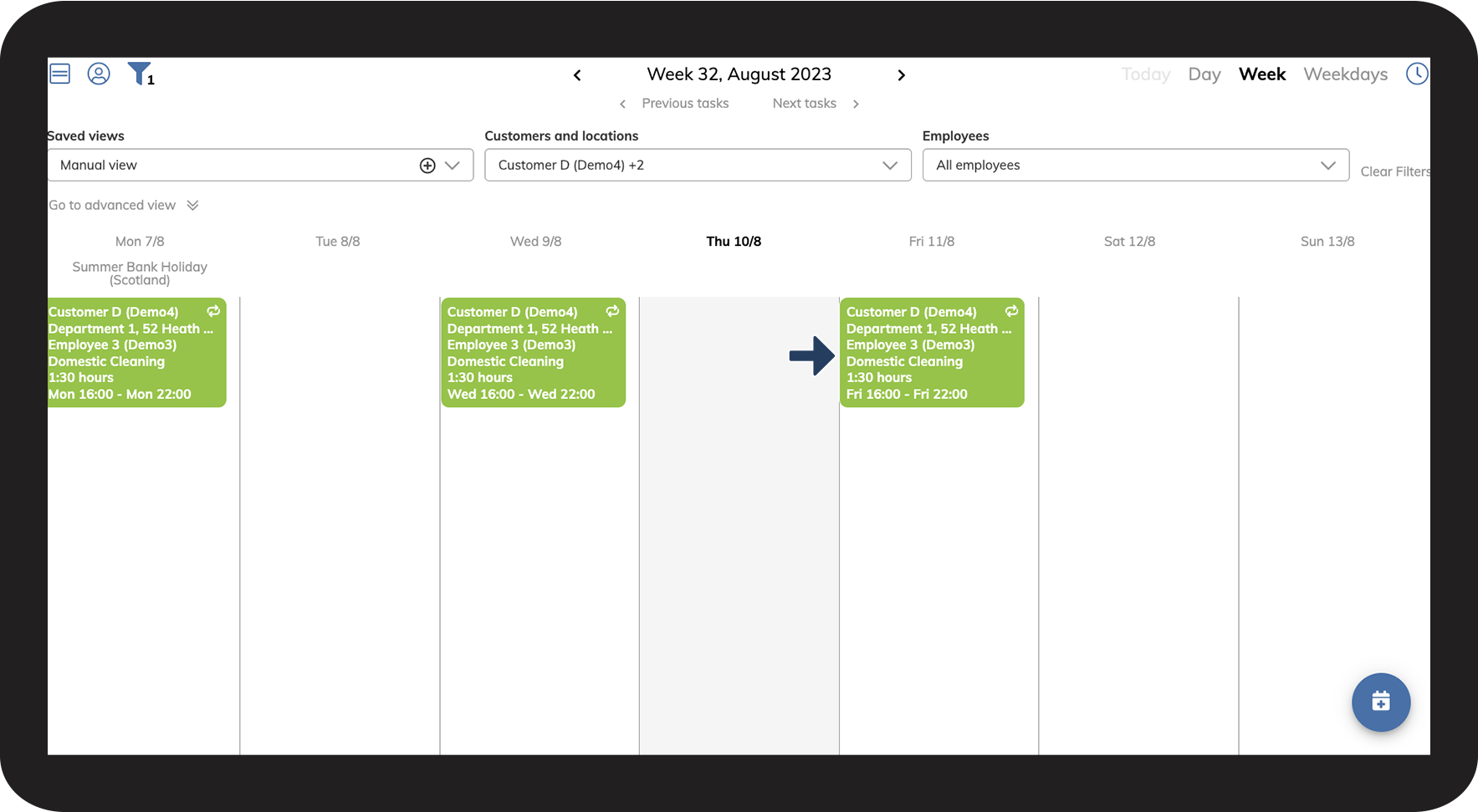
Click on the task that you want to cancel

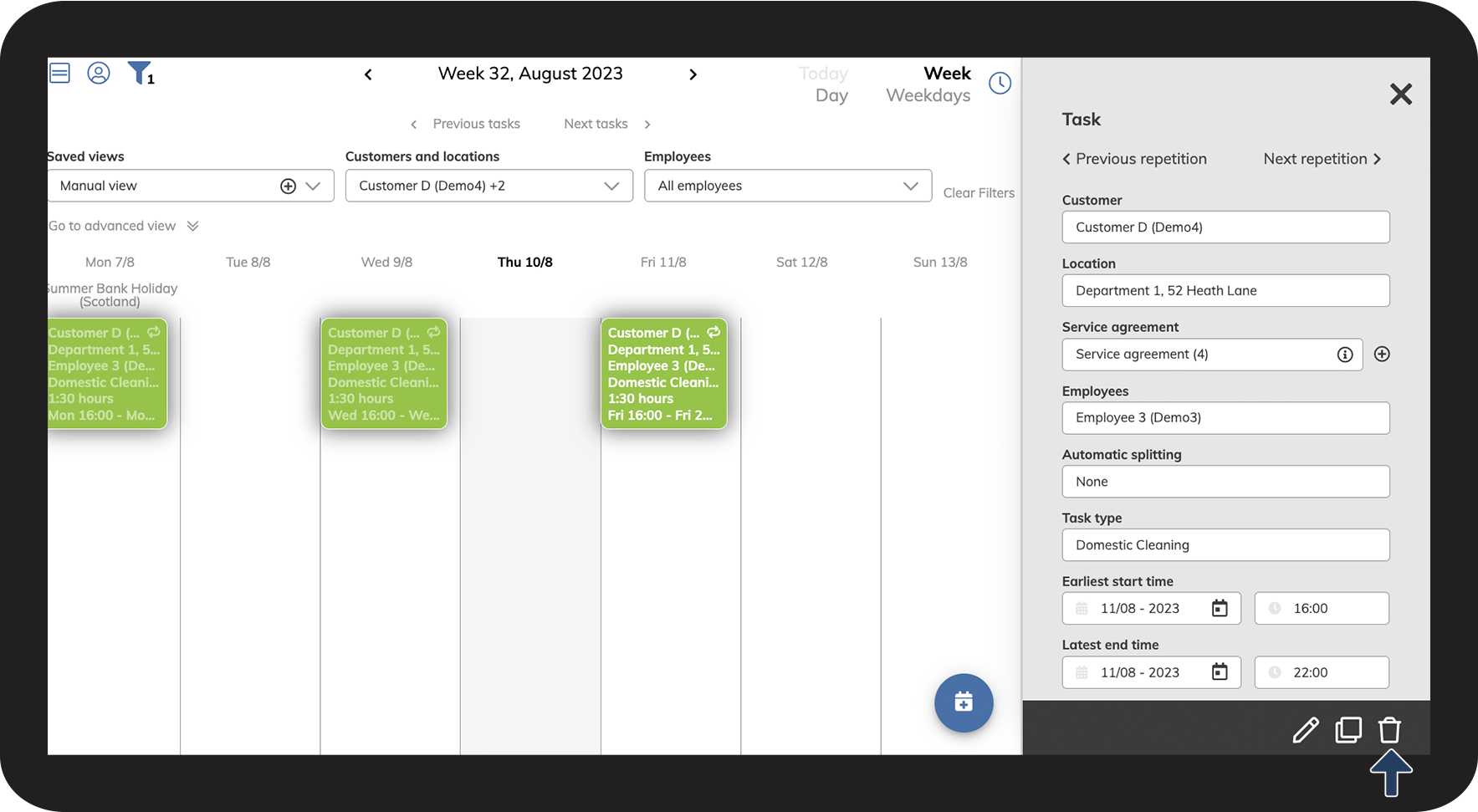
Click on

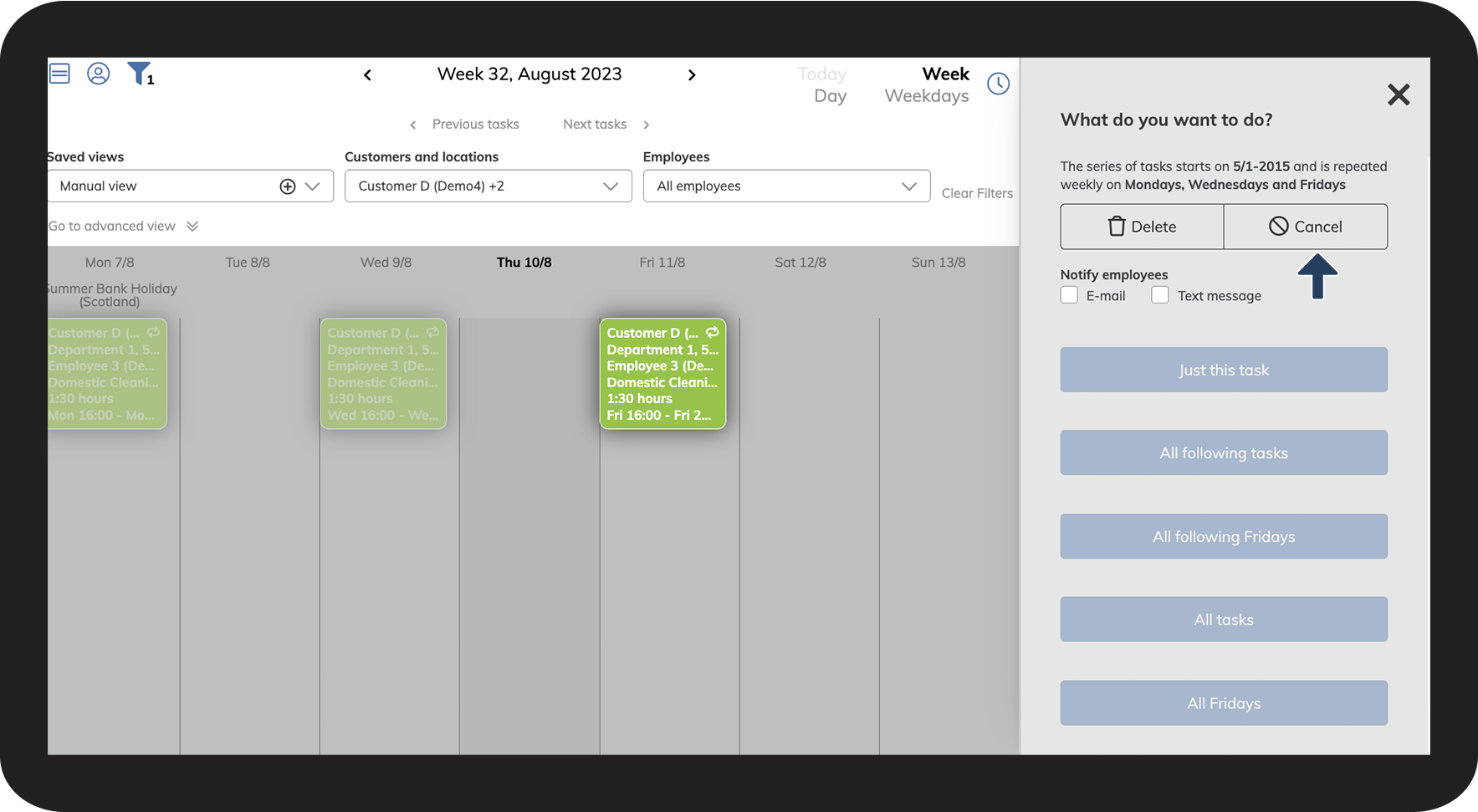
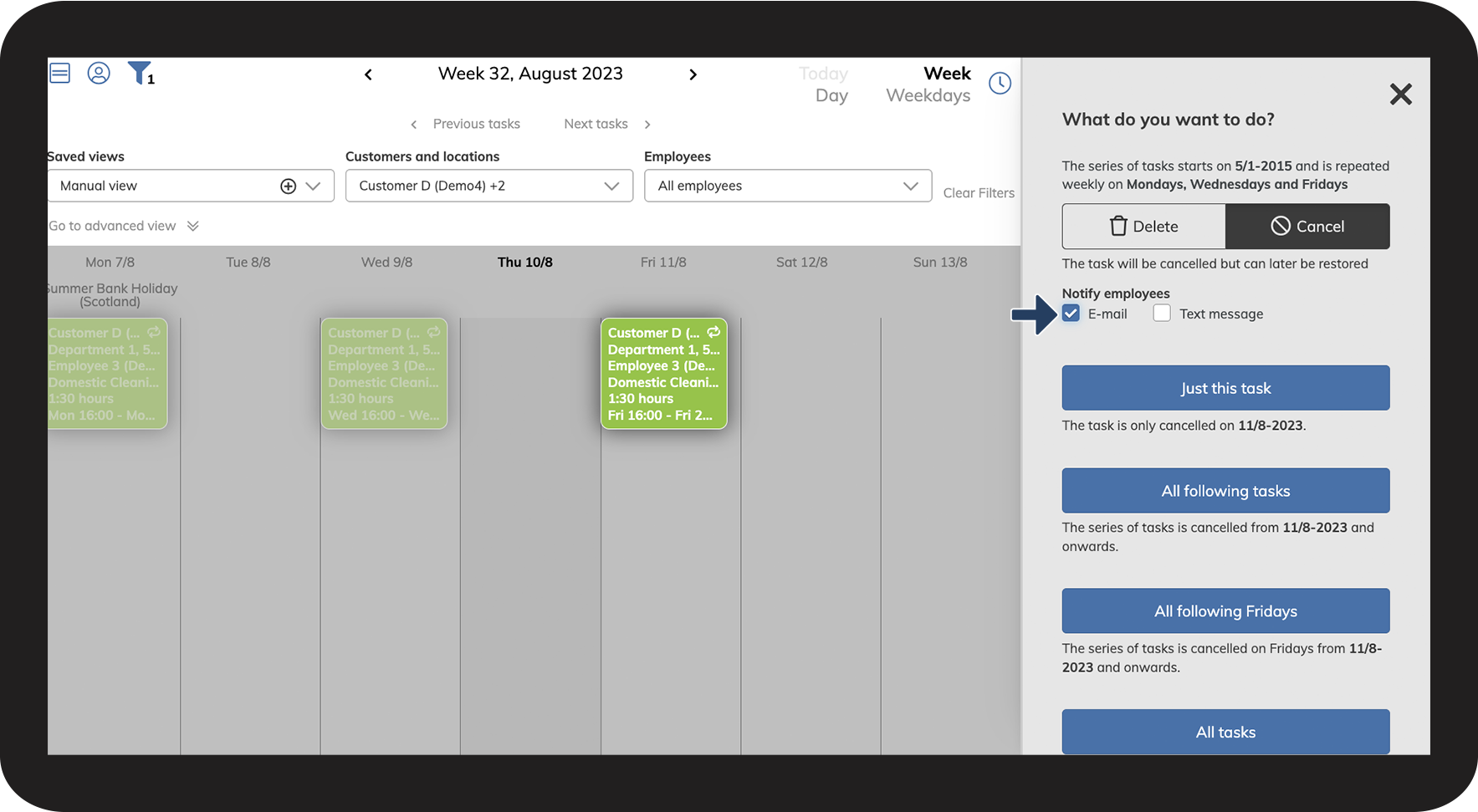
Click on Cancel

You can check off Notify employees if you want to notify the associated employees that the task has been canceled
In this example, we will notify by E-mail

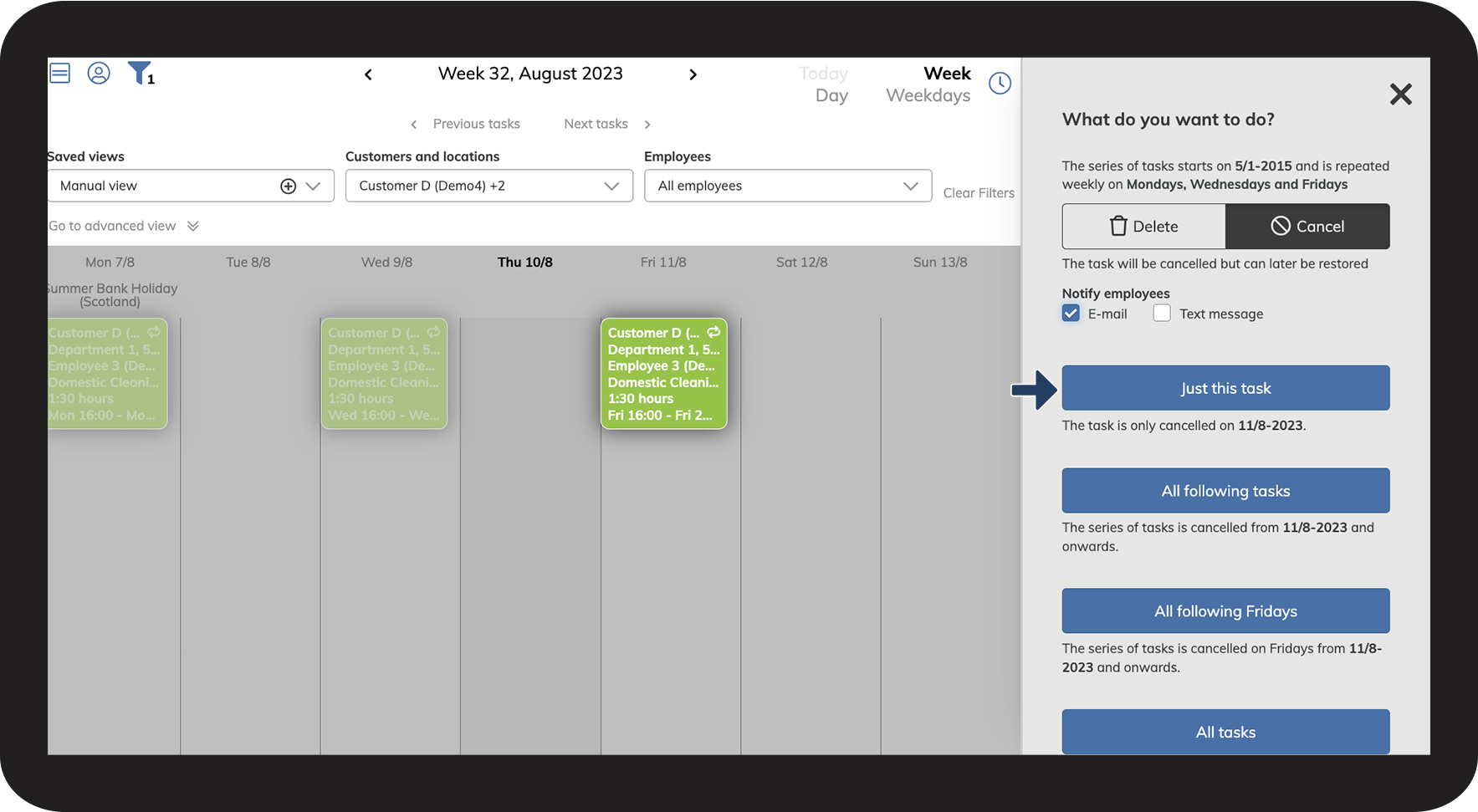
Select which tasks you want to cancel
In this example, we will choose Just this task

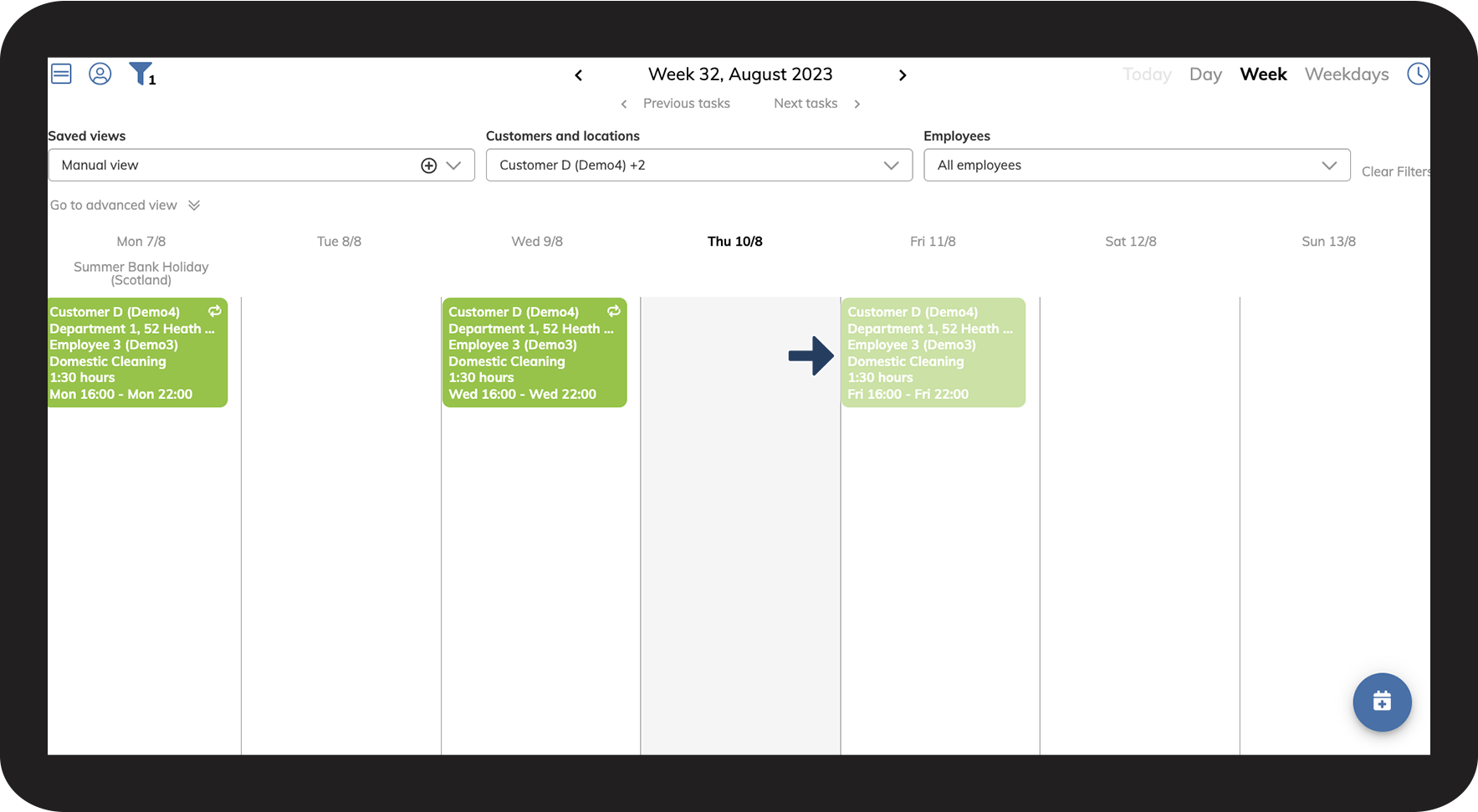
The task is now canceled and will appear faded out in the calendar