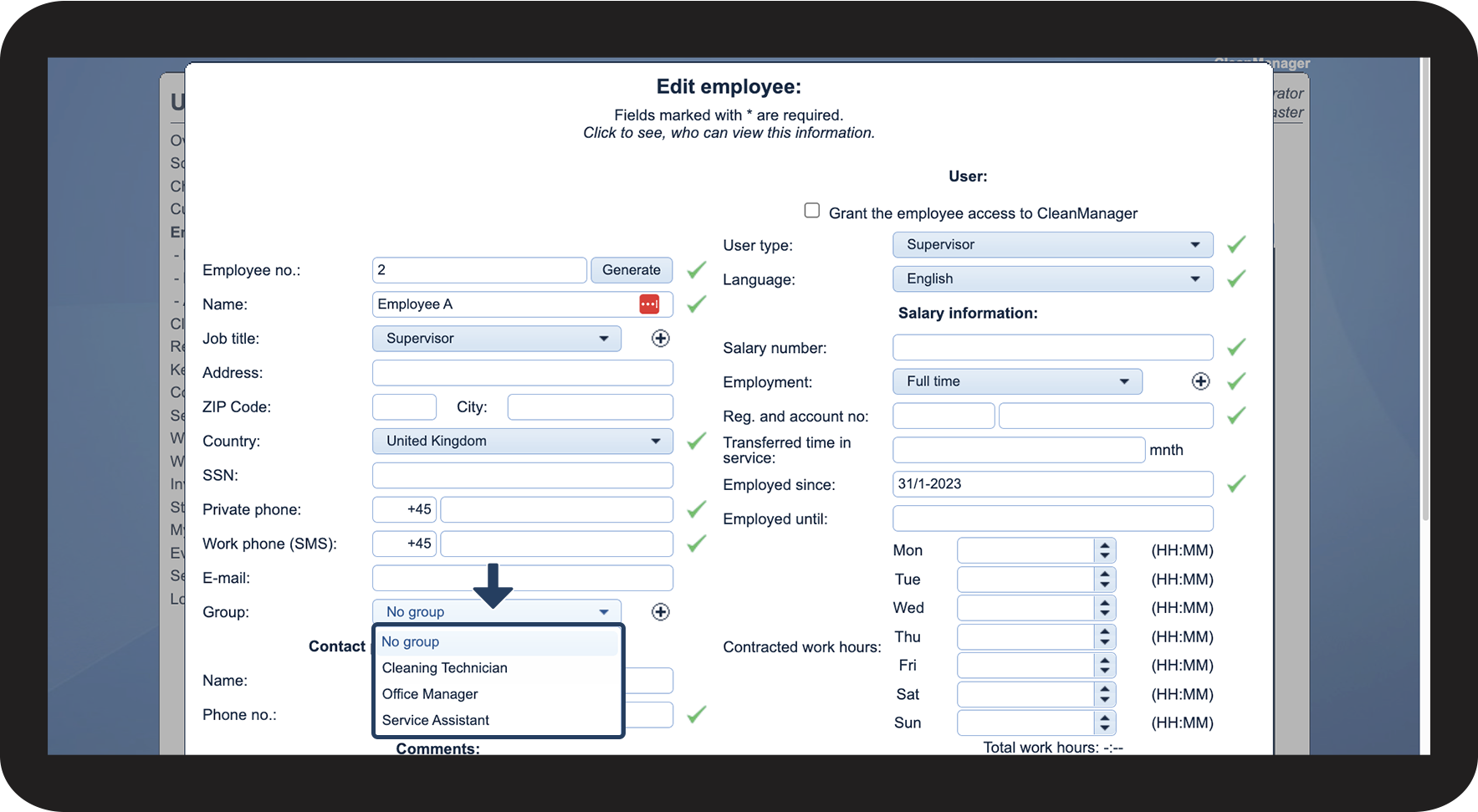
How do I assign an employee group?
Once an employee group has been created, it is possible to assign it to a supervisor and/or one or more employees.
It is only possible to assign an employee or supervisor to one group. If an employee or inspector is to be in several groups, they must not be assigned to any group.
This function can be used as a tool to divide employees into groups so that they become more manageable and thus easier to handle.
Read more in the article about how the Administrator / Supervisor assigns an employee group:
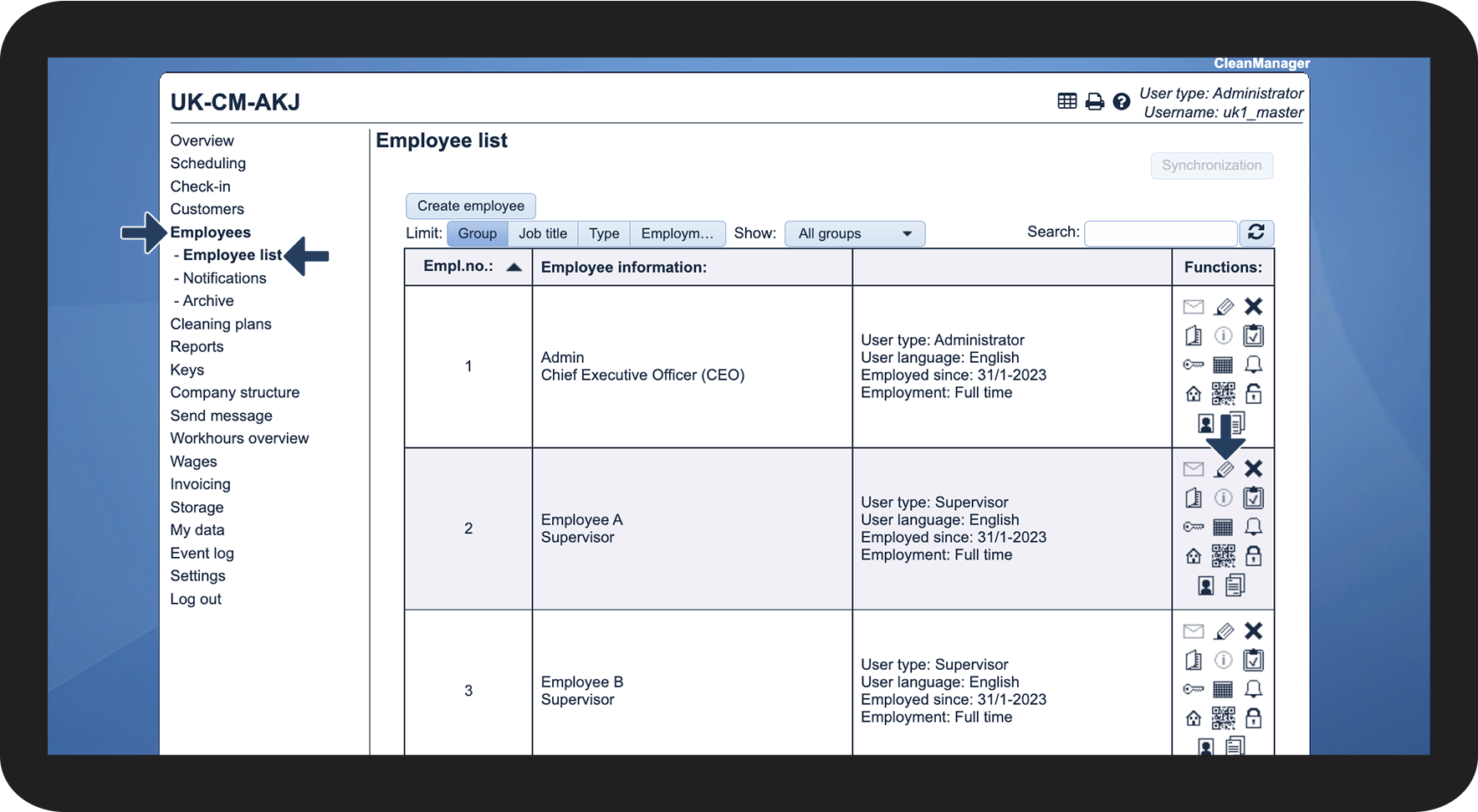
This is how to assign an employee group to an employee



NOTE
The choice of which group an employee belongs to can have an influence on the views in the employee list and in the planning.
If a supervisor is placed in a group, it will have an impact on which employees are shown in the employee list and in the planning. If a supervisor has to manage various groups, they must not be placed in a group.