How do I assign an employment type?
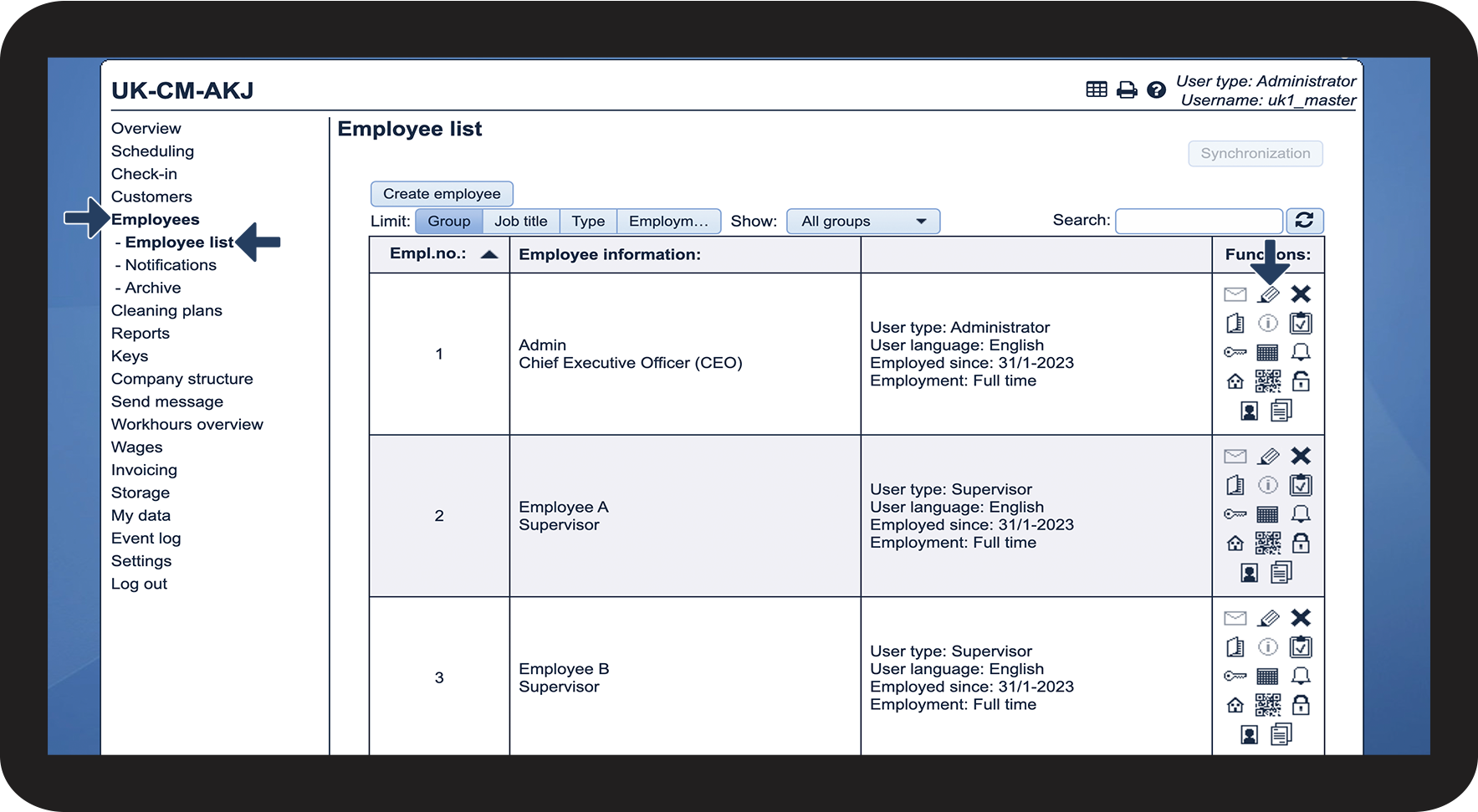
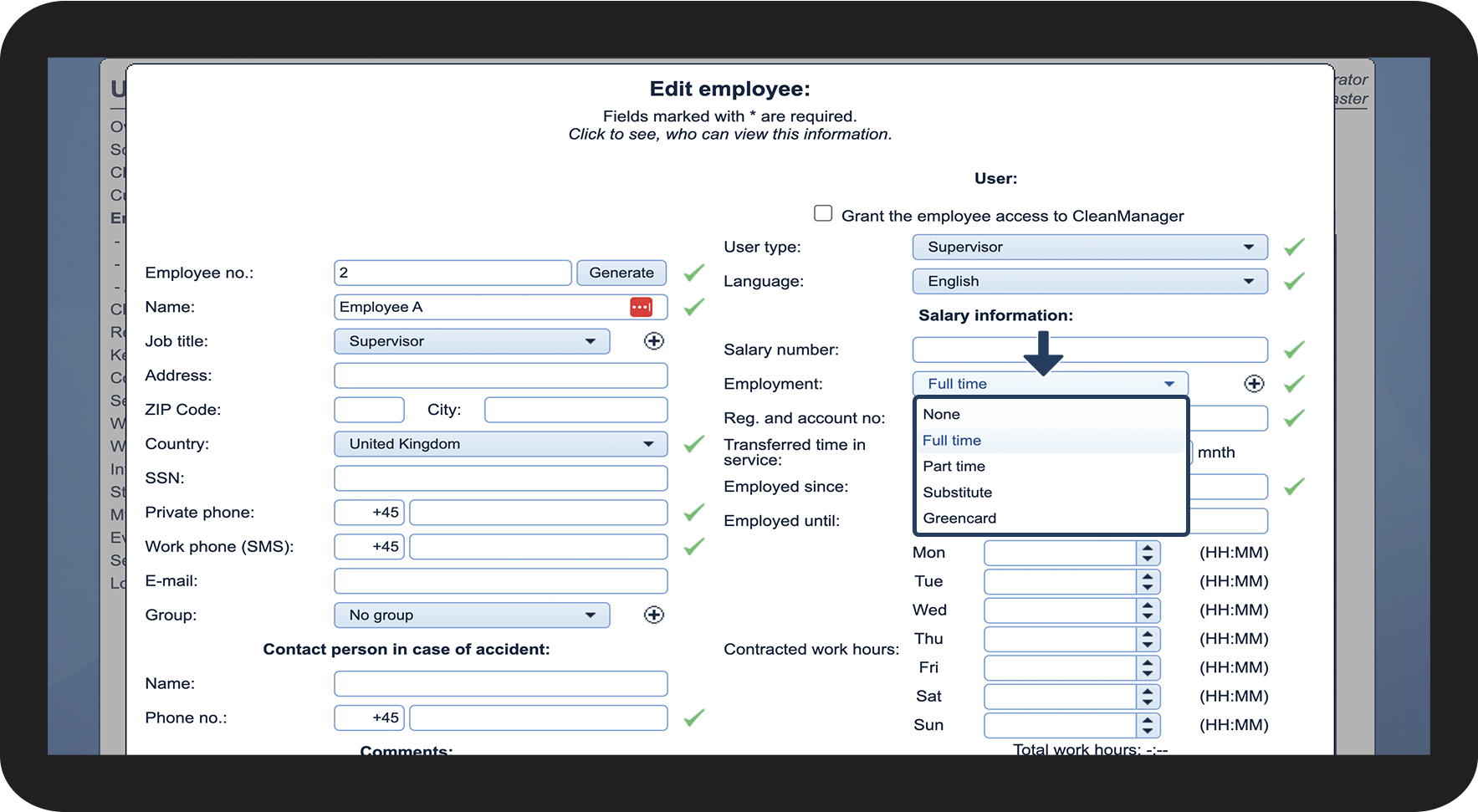
Once an employment type has been created, it can be assigned to a supervisor and/or one or more employees.
It is only possible for a supervisor or an employee to be assigned one employment type at a time. This function can be used as a tool to divide employees according to the type of employment they have. This can help to illustrate what types of employment there are in the company.
Read more in the article about how the Administrator/Supervisor assigns an employment type:
How to assign an employment type to an employee