Skip to content
English
  • There are no suggestions because the search field is empty.

Adjusting the values

How do I set up the values for my reports?

When setting up a report template, you can adjust how the values of the parameters should be rated.

As an example, the parameter values can describe how satisfied a customer is with a given task. 


In this article, you will learn more about:


Adjusting the values on a report template

number_1.png
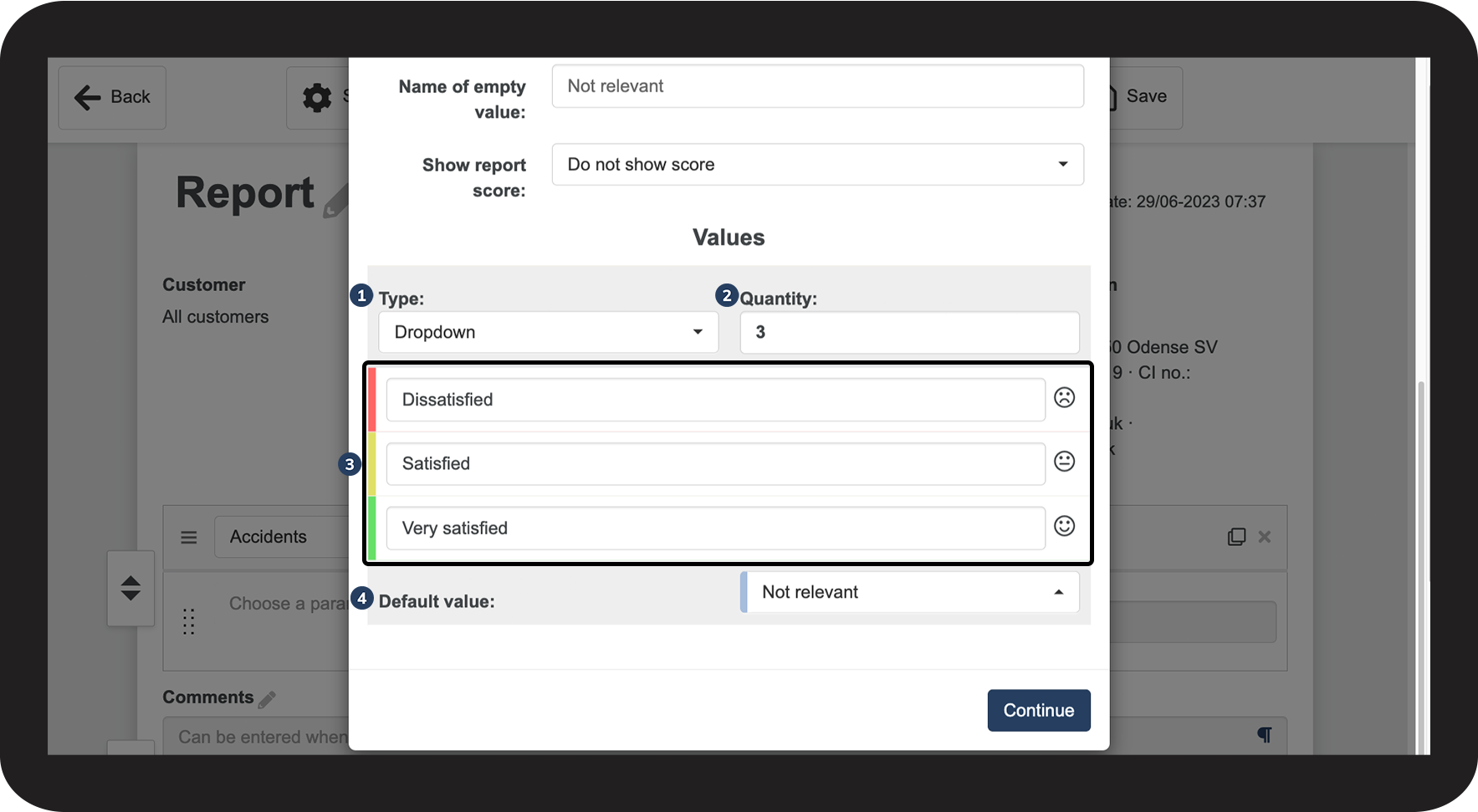
In the top menu, click on Settings and go to the section Values
 

In this section, you need to decide the following:

  1. The type of values
  2. The quantity, i.e. the number of values
  3. The name of the values
  4. What you want your default value to be

1.png

number_2.png
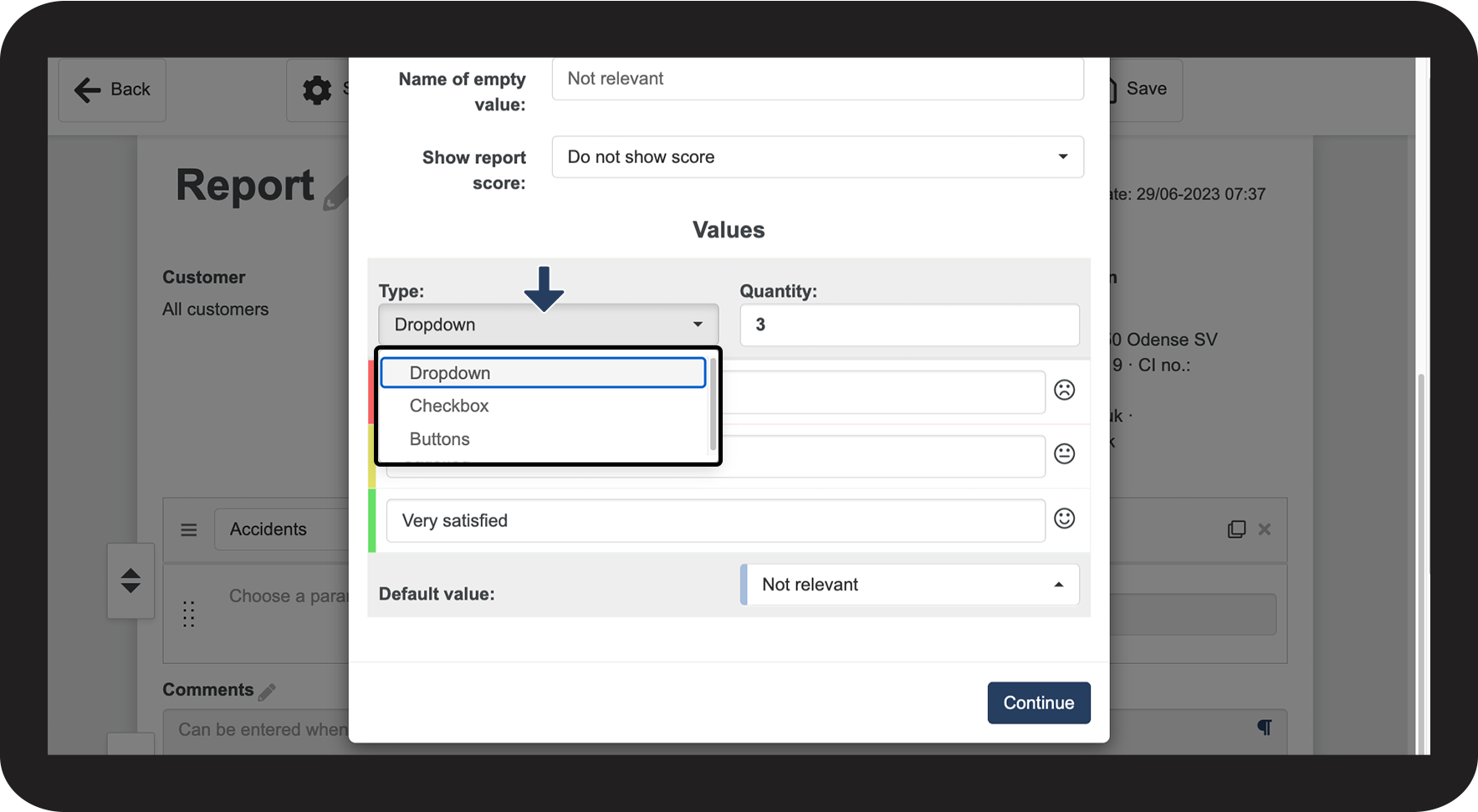
Click on the dropdown menu under Type and pick one of the following options:
 
  • Dropdown
  • Checkbox
  • Buttons

2.png

number_3.png
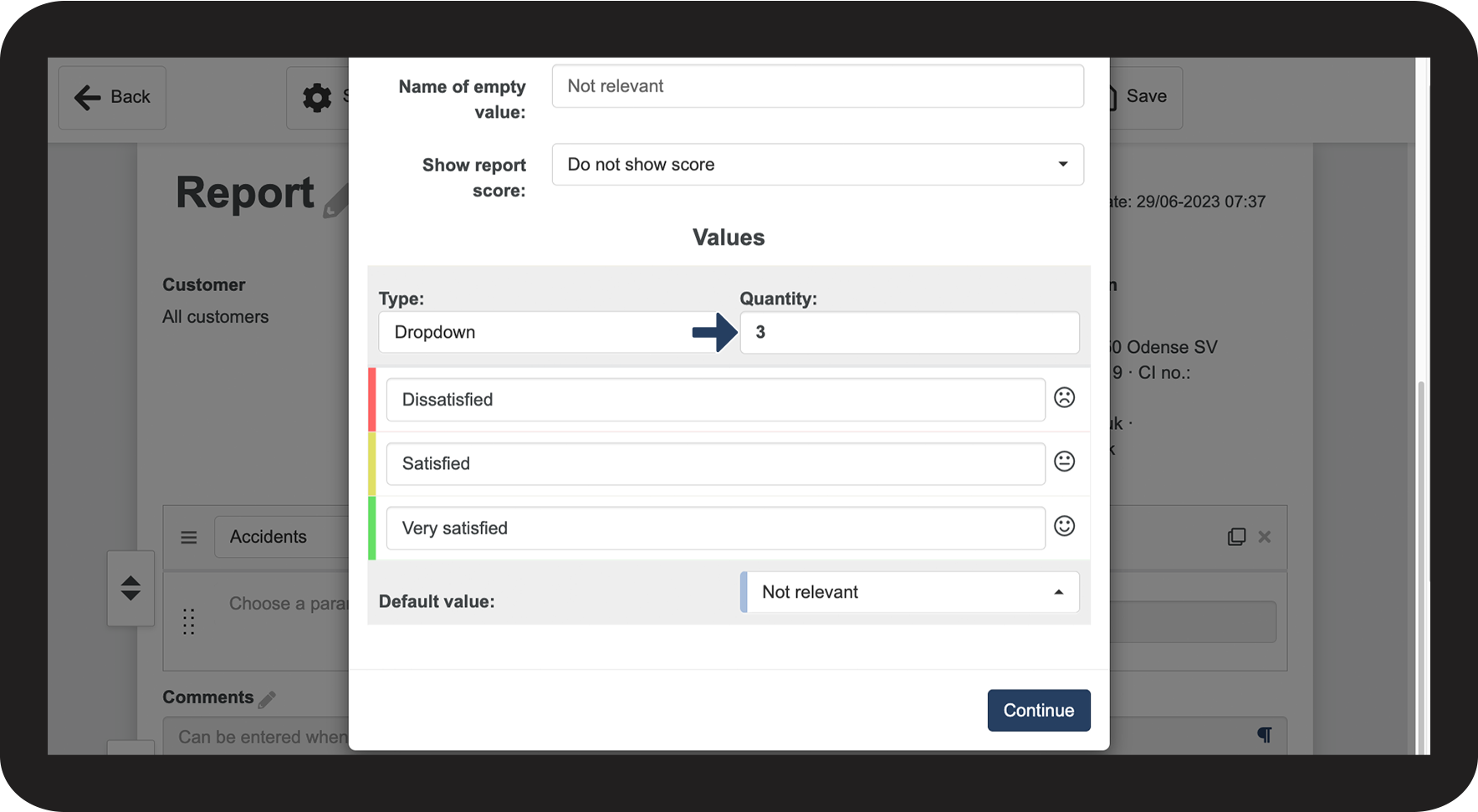
In Quantity, select the number of values you want
 

The number determines how many options you can choose between when filling out the report. (The amount varies depending on your selected Type)

3.png


Selecting a default value

number_1.png
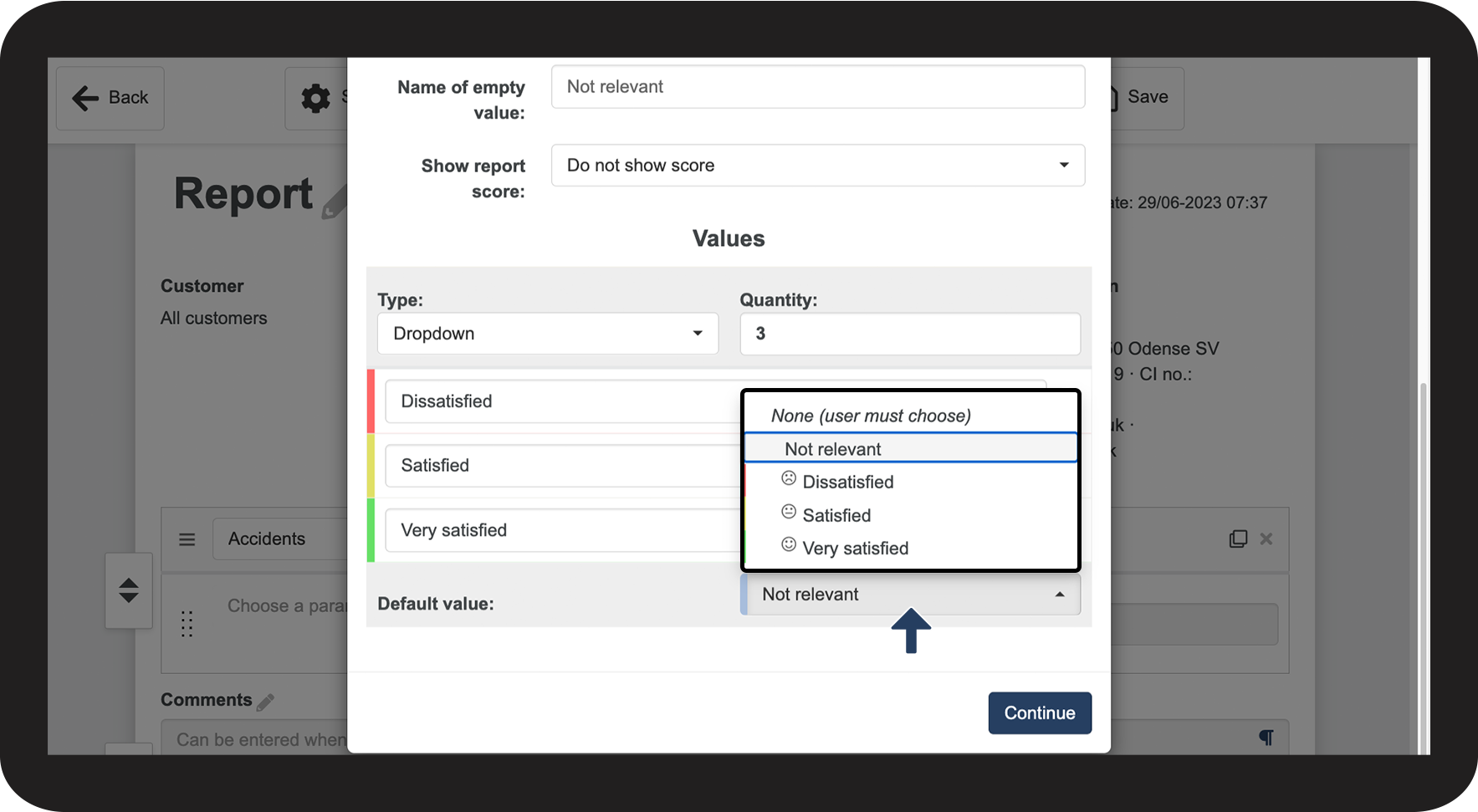
In the field next to Default Value, click on the dropdown menu and select the value you want.
 

A parameter will always be preset to the default value in the Rating column of a report. You can use this setting to make the filling-out process as quick as possible if you know you have a value that is often relevant for a report.

4 NY.png


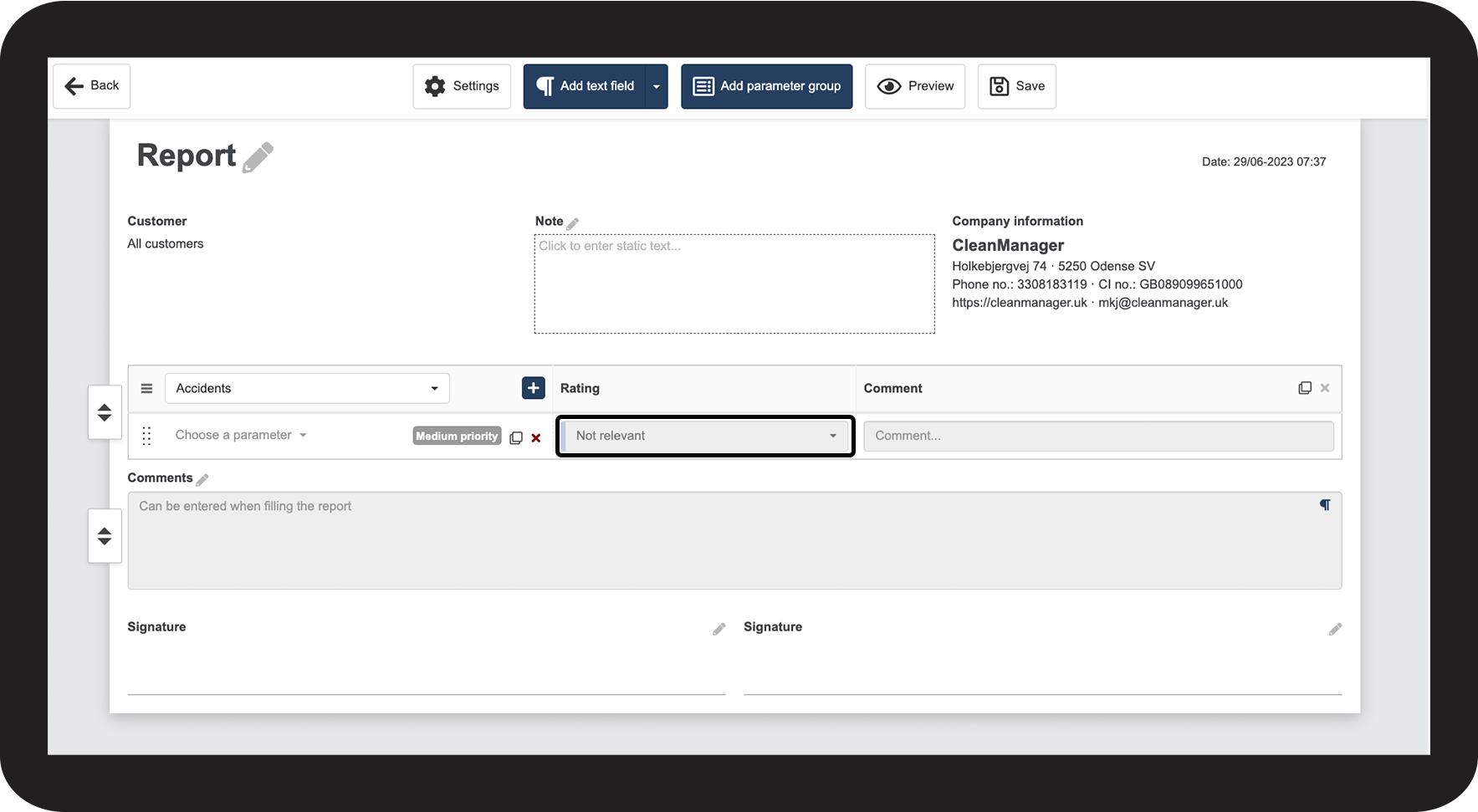
This is what the dropdown option looks like
number_1.png
Dropdown
 

This option allows you to select between 2–10 values. 

5.png


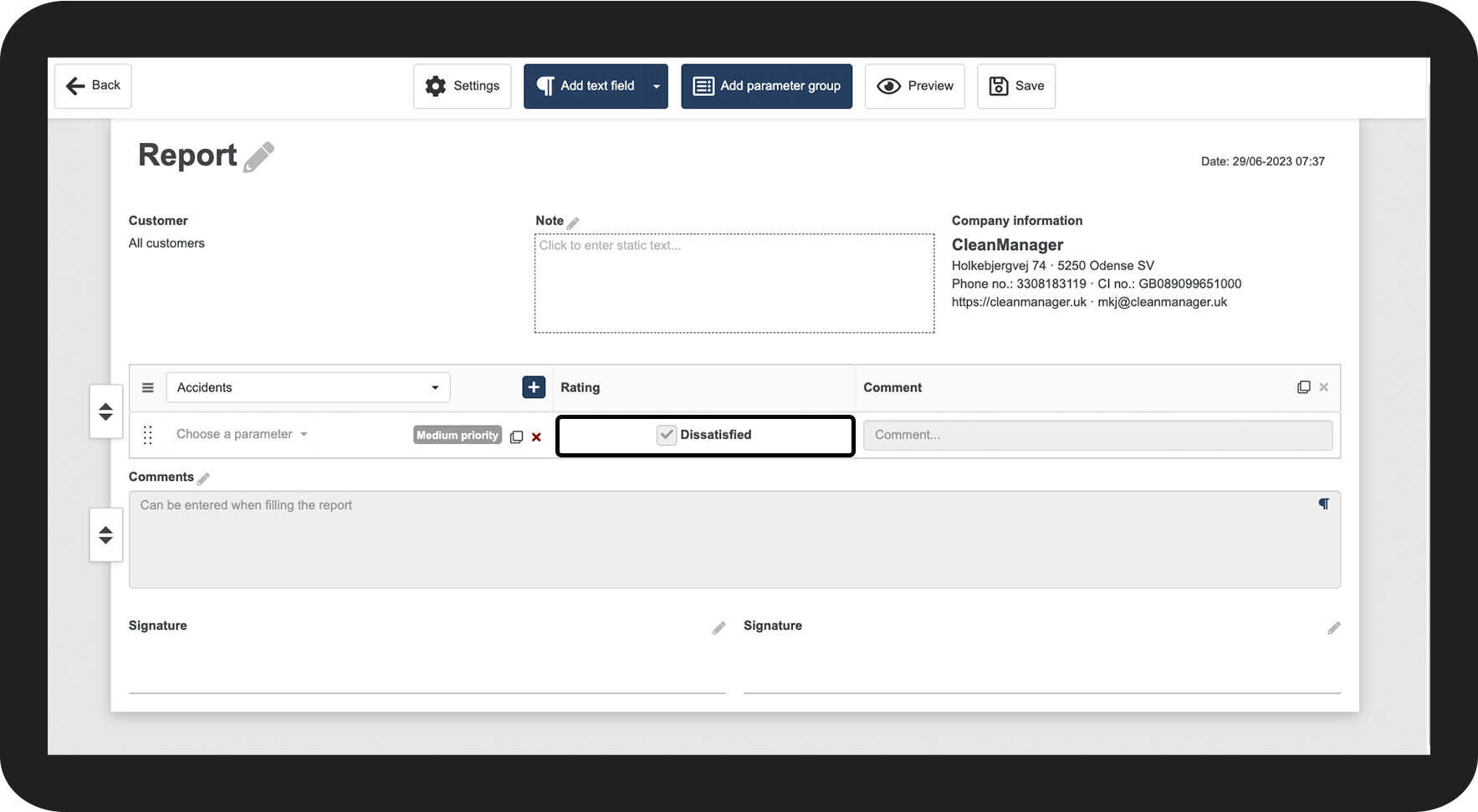
This is what the checkbox option looks like
number_1.png
Checkbox
 
This option only provides one value, meaning that you cannot alter the quantity. 

6.png


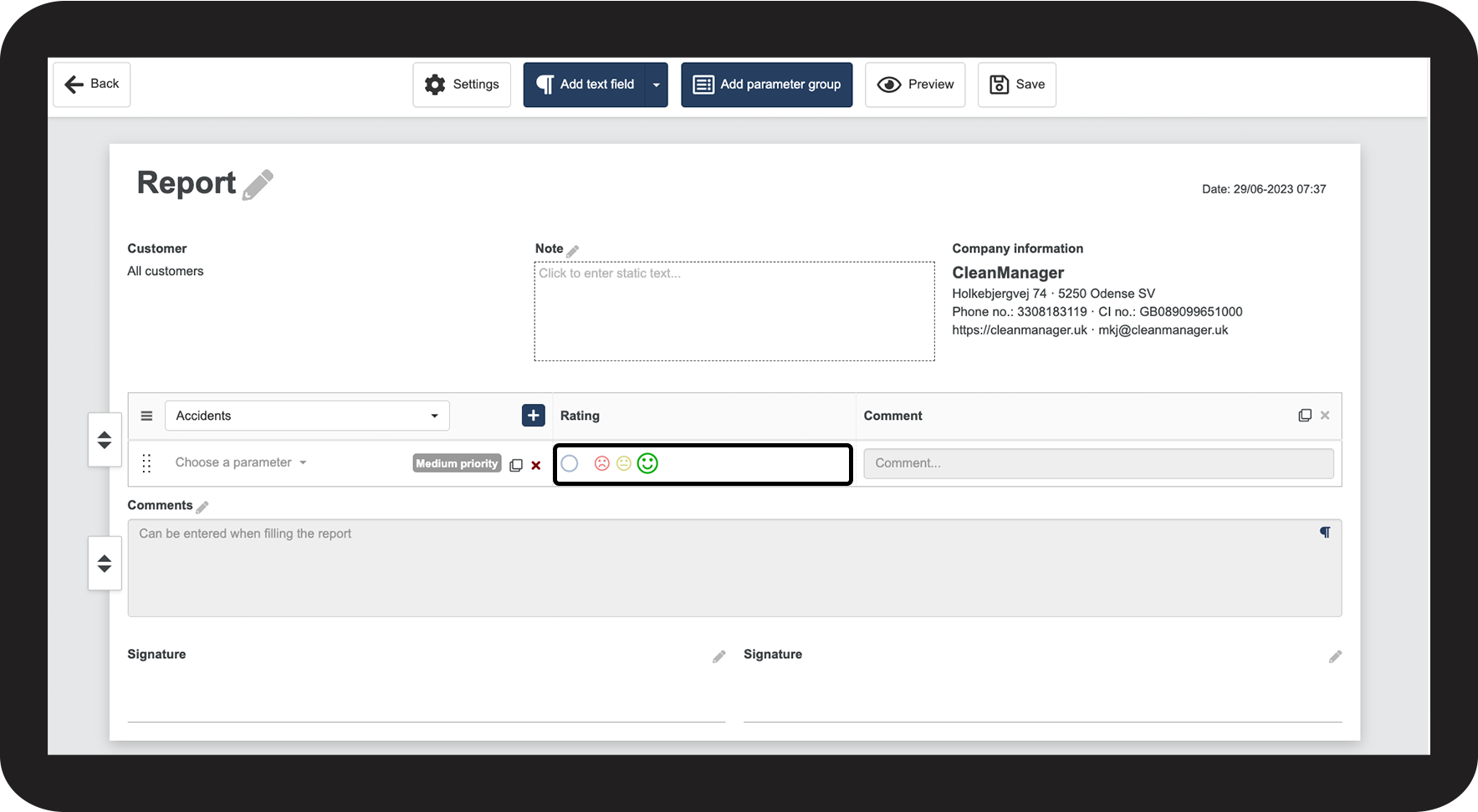
This is what the buttons option looks like
number_1.png
Buttons
 

This option allows you to select between 2–6 values that will appear as emojis when you fill out the report.

7.png


Continue to the category: Report template settings

In this category, you will learn more about setting up the content of your report templates