
How do I change the name of the empty value in a template?
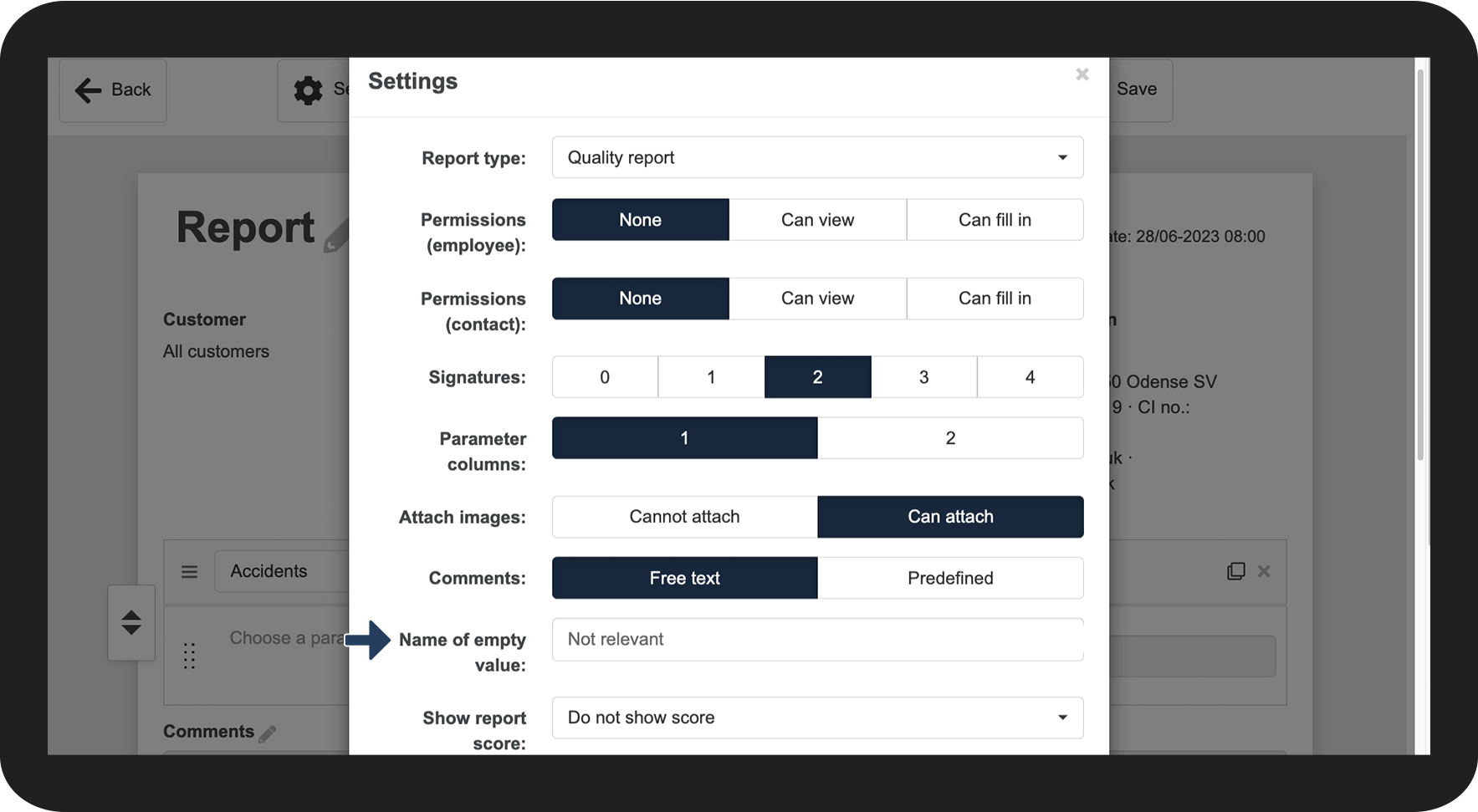
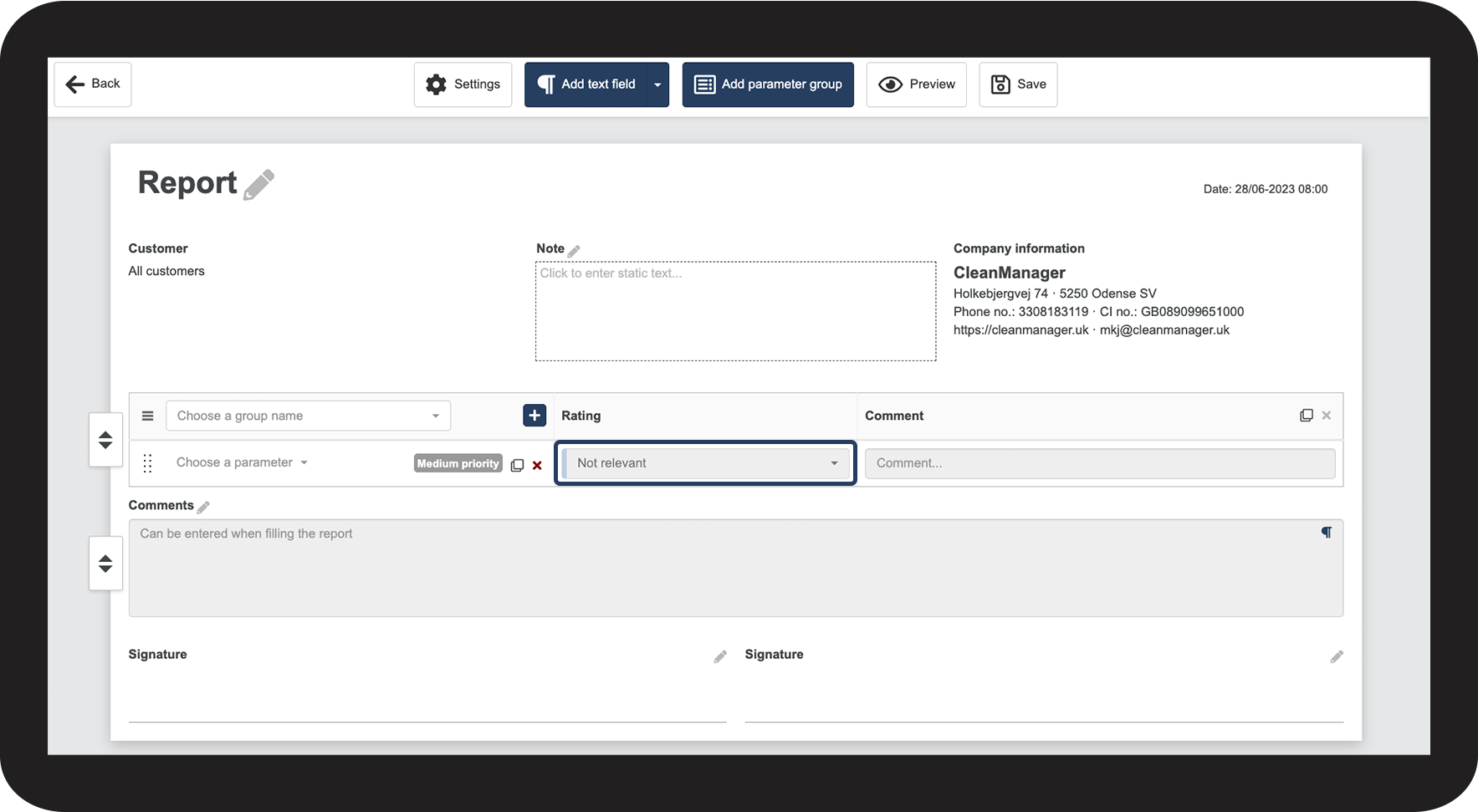
When creating a template, the name of empty value is preset to not relevant.
The empty value is an active value that excludes the parameter from statistical data if picked when filling out the report.
This means that parameters with this setting will not be included in the statistics nor in the final score of a report.
Example of another name: If you are using the empty value as the default value, you can also name it Needs to be filled out or Not rated. By doing this, you make it clear to the person filling out the report, that they need to select a different value.
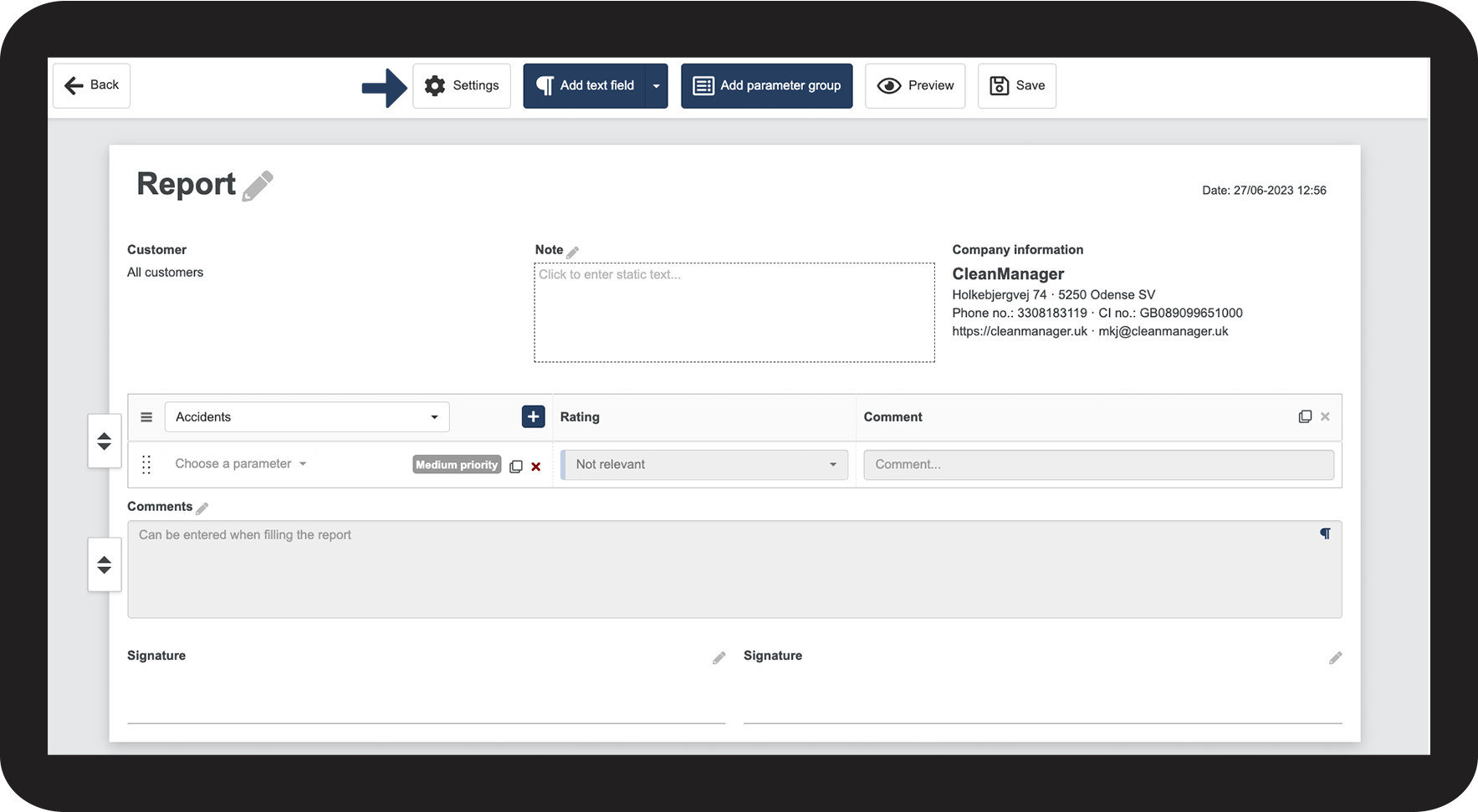
How to change the name of the empty value



Continue to the article: Adjusting how to score the report
The next article will continue to help you set up your reports