Skip to content
English
  • There are no suggestions because the search field is empty.

Adjusting signature fields

How do I choose how many people can sign a report template?

The number of signatures on a report template can vary between 0 and 4 signatures.

Adding signature fields is optional, but by adding them, you can verify the report with signatures from supervisors, employees, and customers.


How to set up how many people can sign a report template

number_1.png

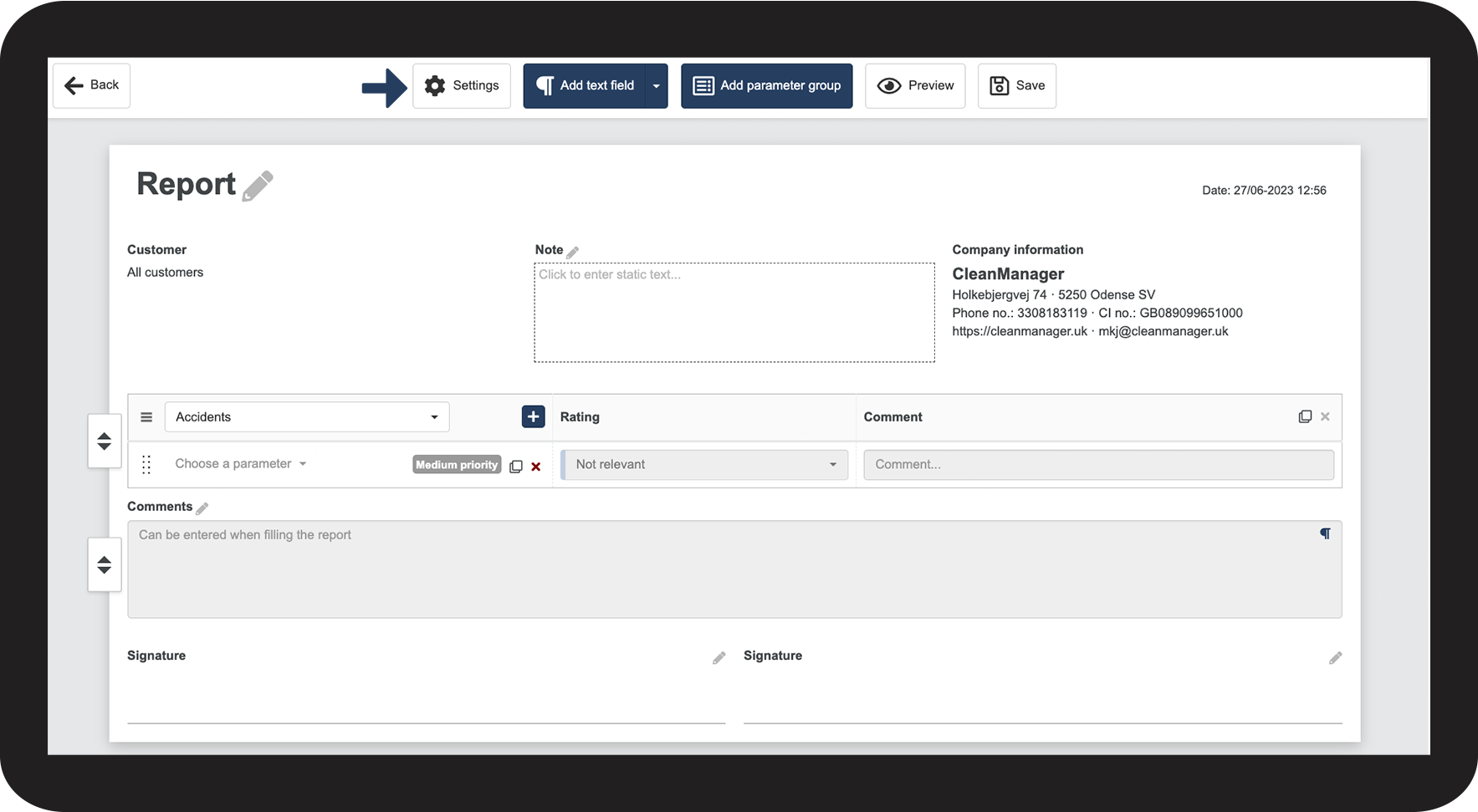
In the top menu, click on Settings

1.png

number_2.png

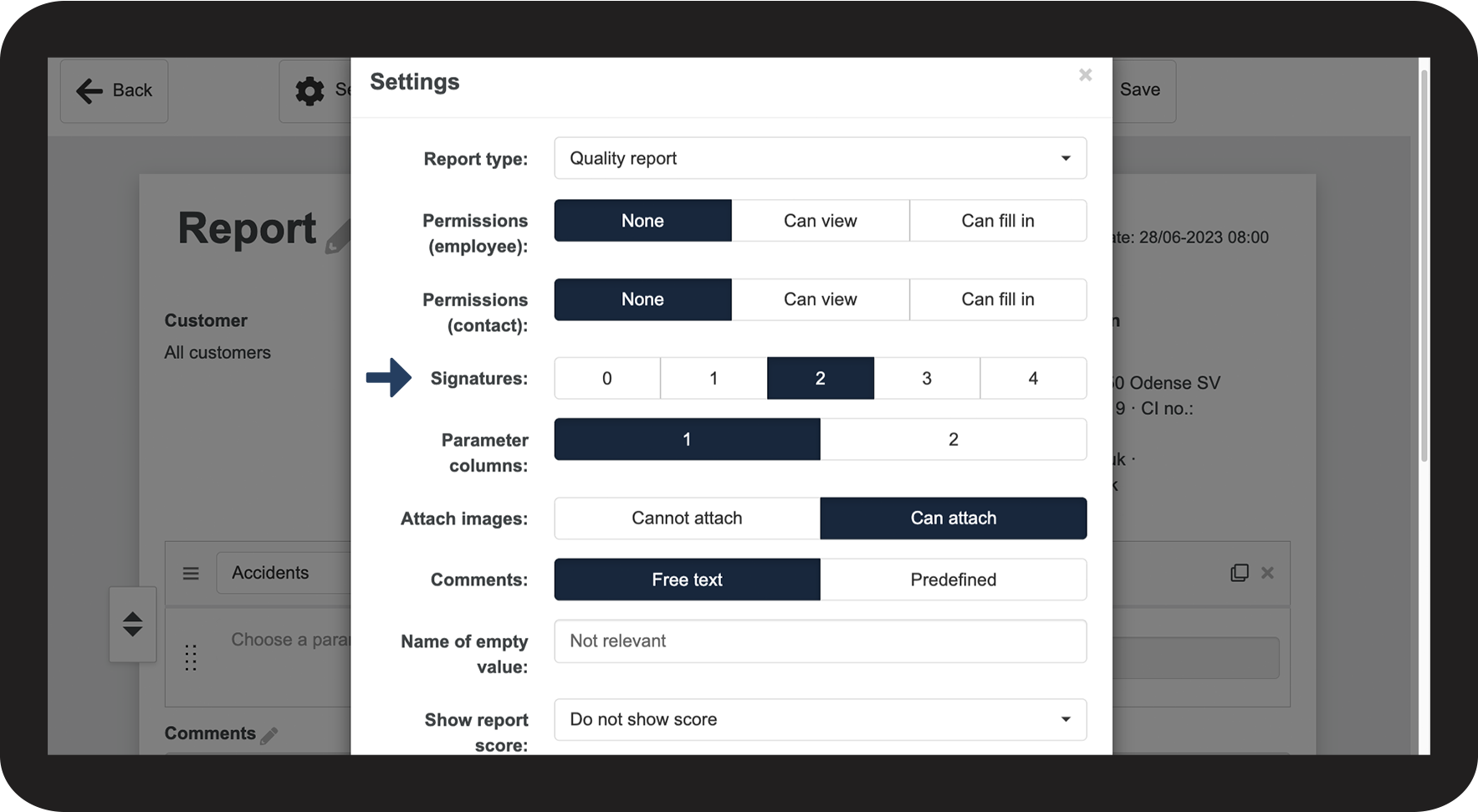
In the category Signatures, select the desired number of signatures for the report


You can choose between 0 and 4 signatures.

Afterward, you can name the signature fields, e.g., “supervisor signature” or “employee signature.” You can read more about this in the article: Adjusting a signature name on a report template.

2.png


Continue to the article: Adjusting parameter columns

The next article will continue to help you set up your report.