
How do I grant permission to employees and customer contacts to view and fill out reports?
When creating a report template, you need to consider who should be allowed to see the completed reports and who should be able to fill out a report.
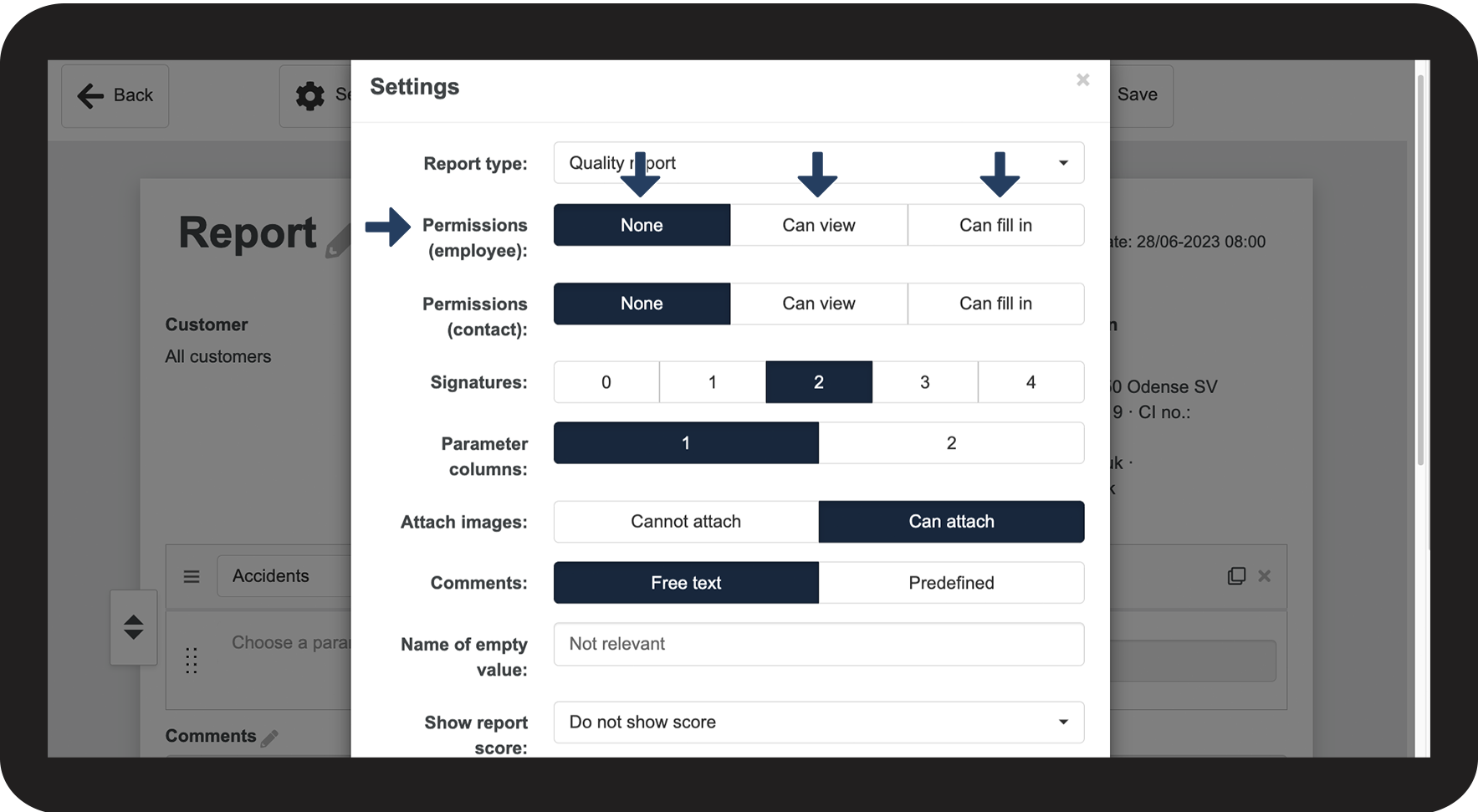
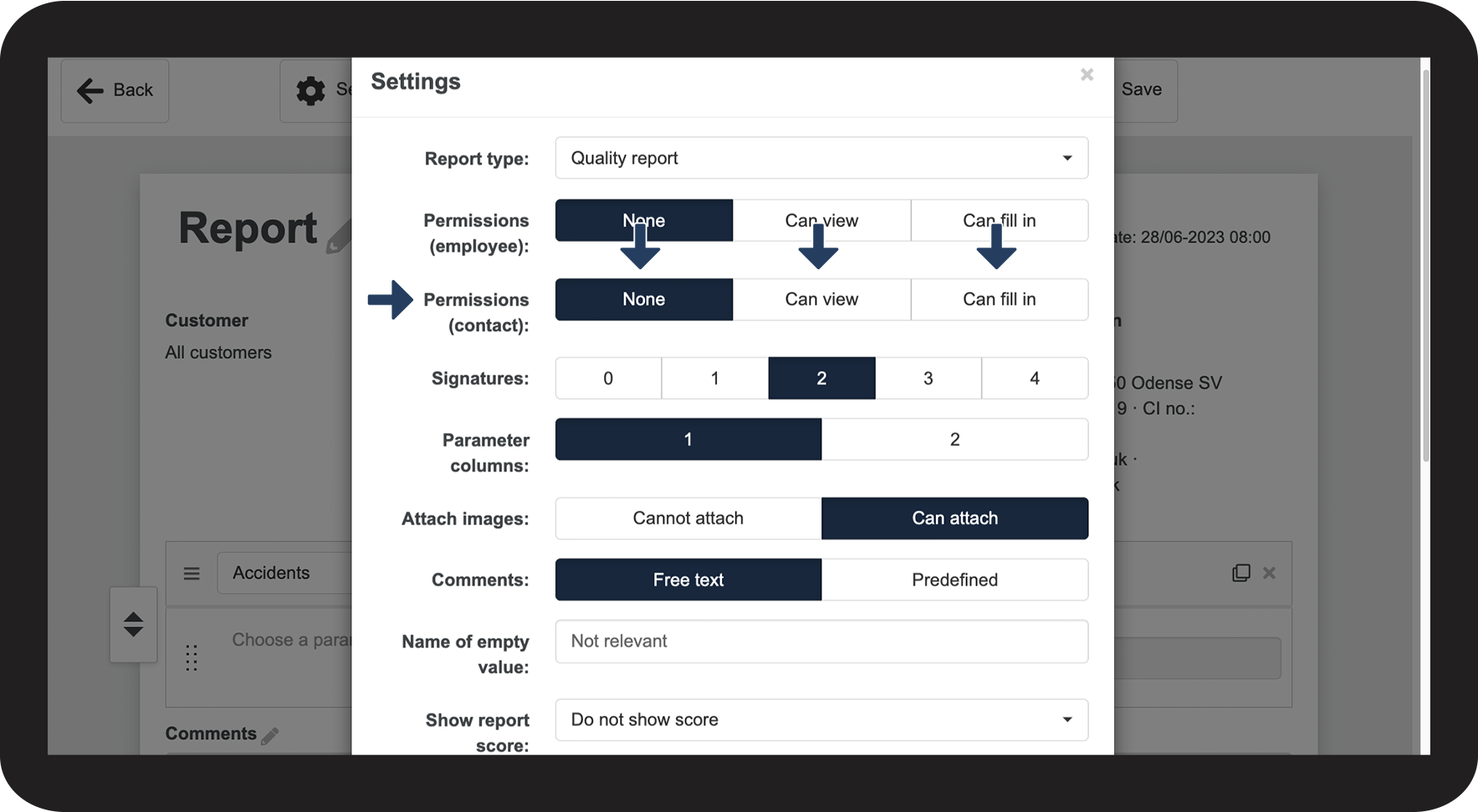
You can adjust permissions for employees and customer contacts.
The administrator can always see and fill out all reports. A supervisor can see and fill out reports for customers they have been assigned to through customer areas under Company structure. For more information regarding this, go to Company Structure.
NOTE:
Once you start using a template to fill out reports, you can no longer edit the template. Instead, you can create a new report template or copy an existing one and edit the copy.
In this article, you will learn more about:
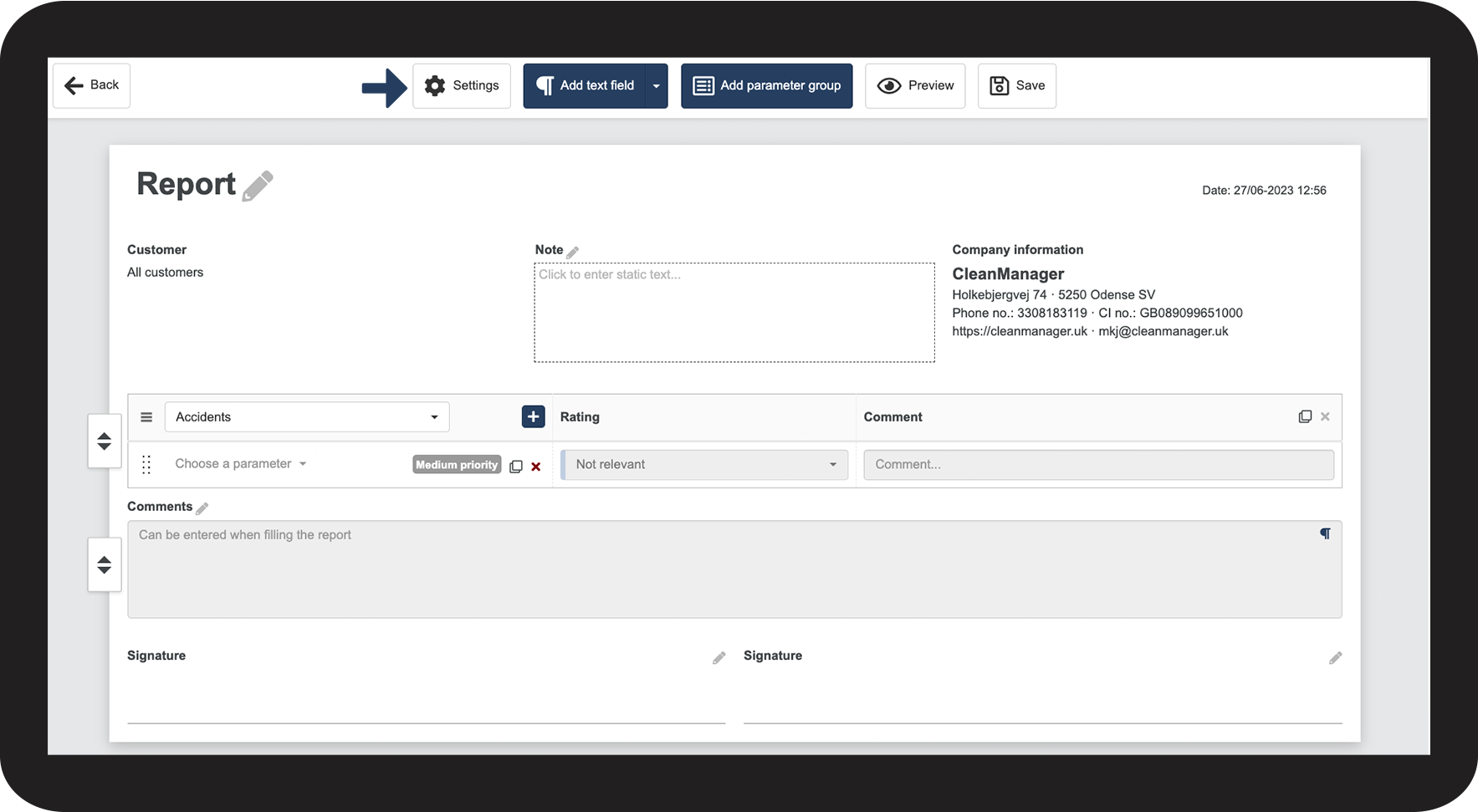
Adjusting permissions for your employees


NOTE:
Only employees who have been granted access to CleanManager can see and fill out reports.
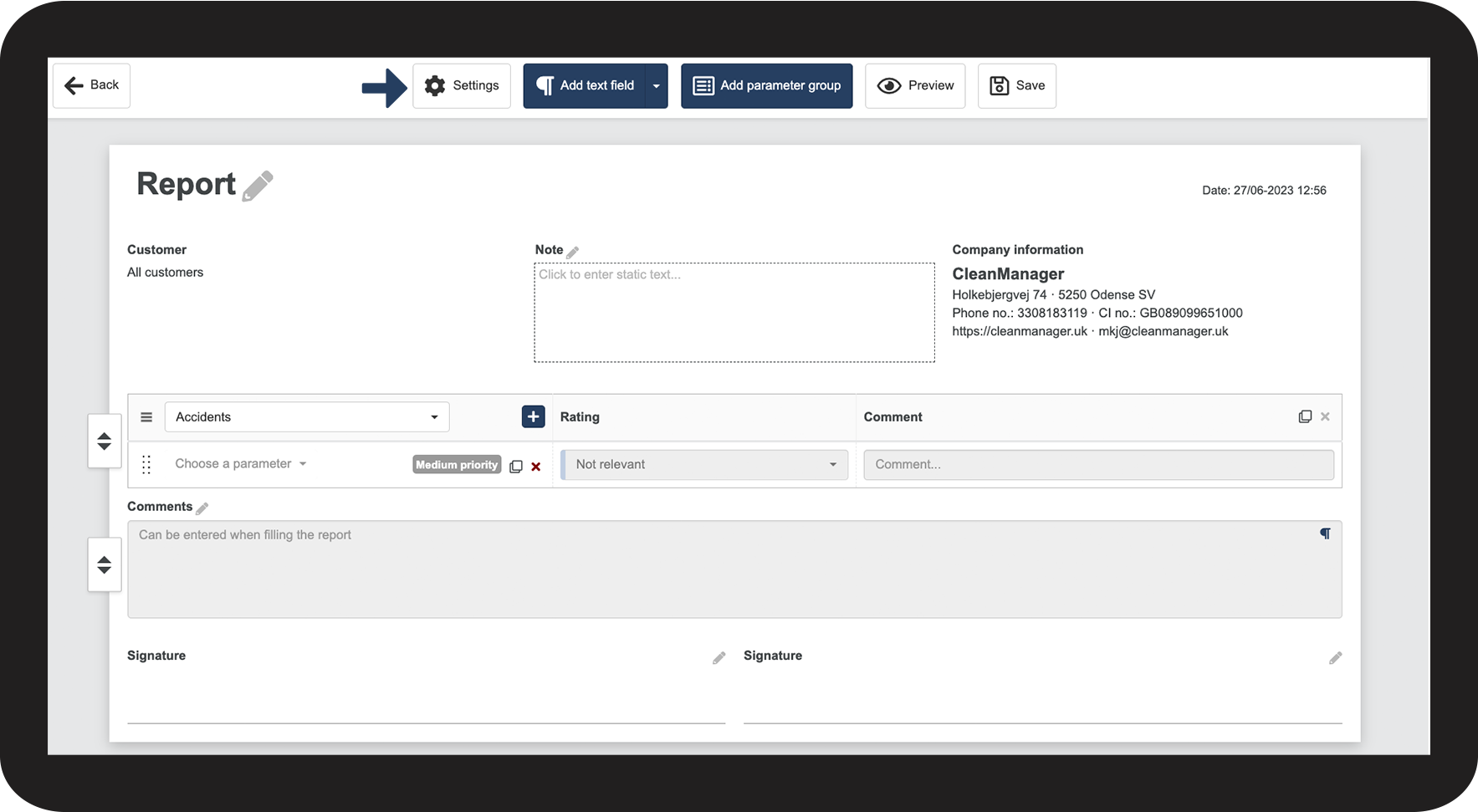
Adjusting permissions for your customer contact
NOTE:
The customer contact needs to be granted access to CleanManager in order to see and fill out reports.
Continue to the article: Adjusting signature fields
The next article will continue to help you set up your reports.