
How do I adjust the number of parameter columns?
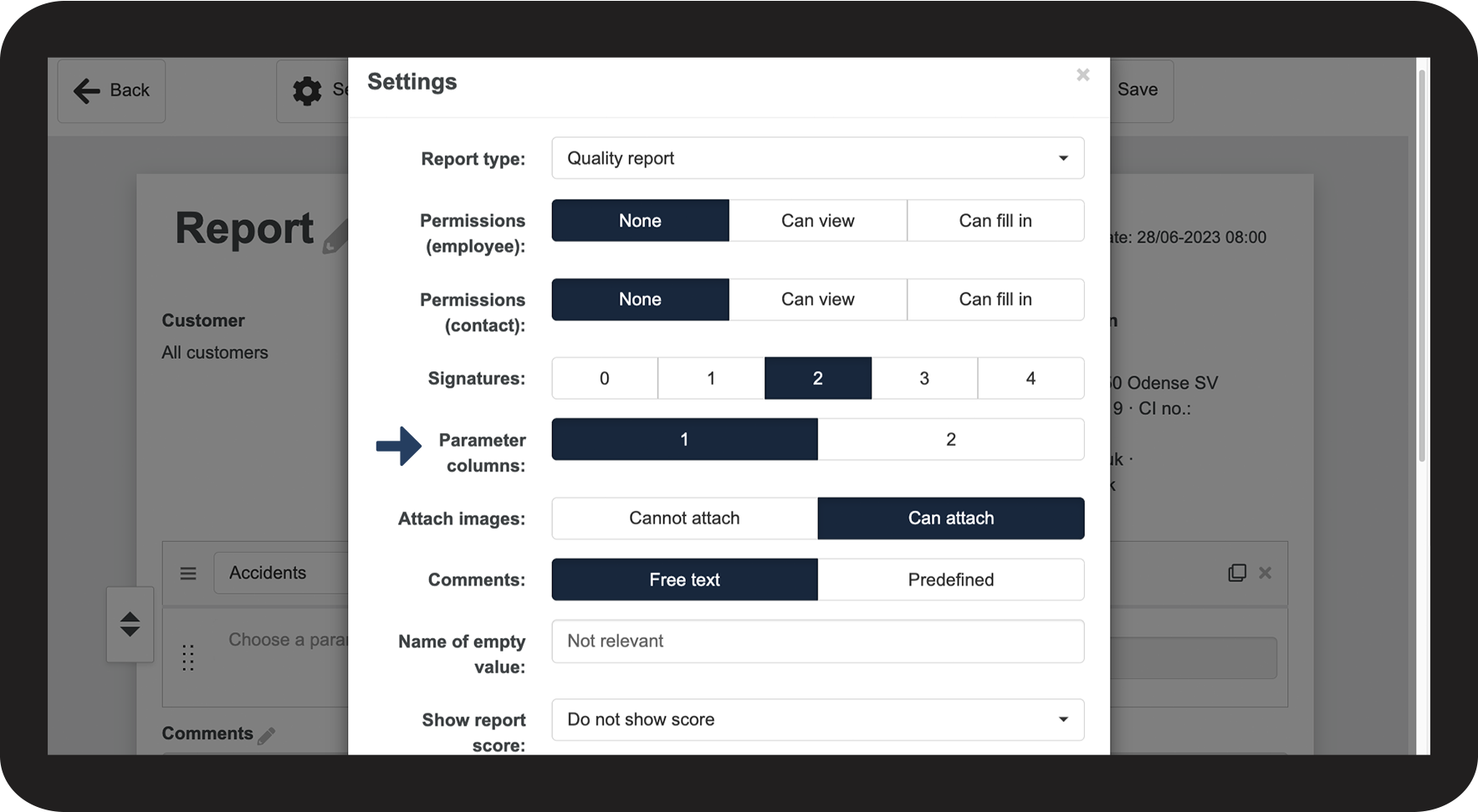
When you create a new template, you can choose whether you want 1 or 2 parameter columns.
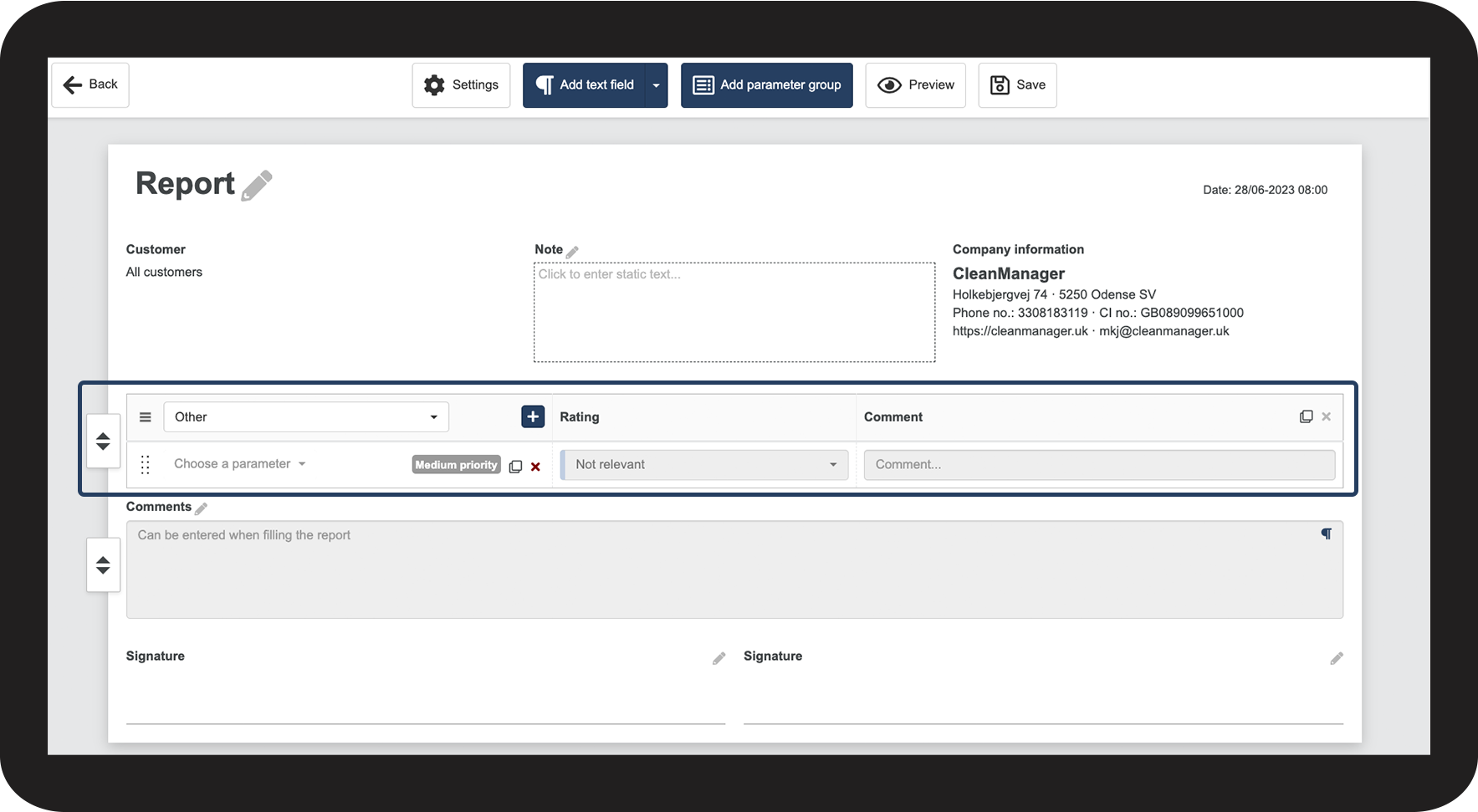
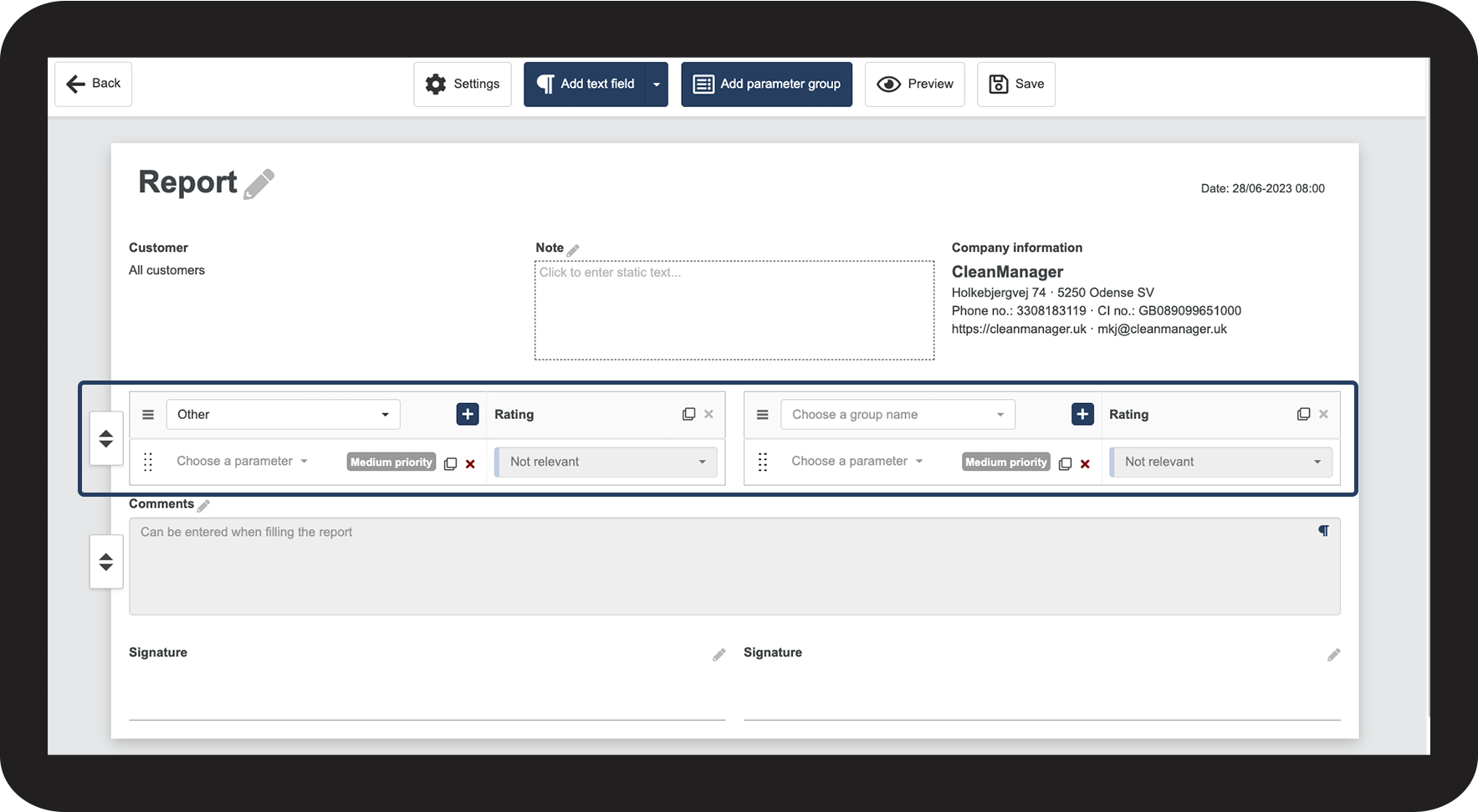
2 columns mean that you can have your parameter groups next to each other on your report, but it excludes the option of adding comments to the individual parameters.
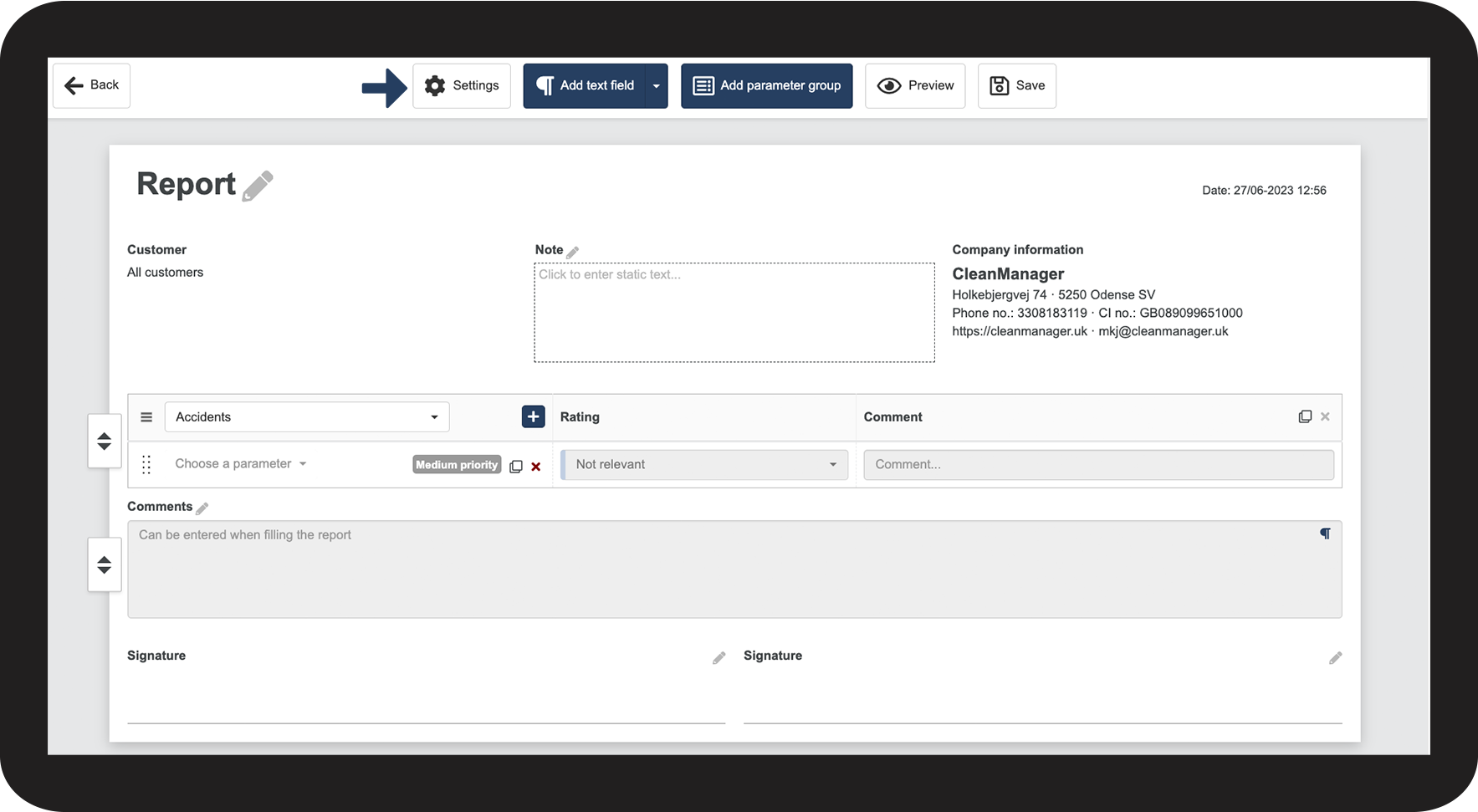
How to manage the parameter columns




Continue to the article: Image attachment settings
The next article will continue to help you set up your reports