Skip to content
English
  • There are no suggestions because the search field is empty.

Adjusting how to score the report

How do I view the score of my report?

When creating a template, you can select if you want the score to be visible on the completed report. 

The rating is based on each parameter's priority combined with their values.

If you want the score to be visible, it will appear at the top of the report.


In this article, you will learn more about:


How to add the score

number_1.png

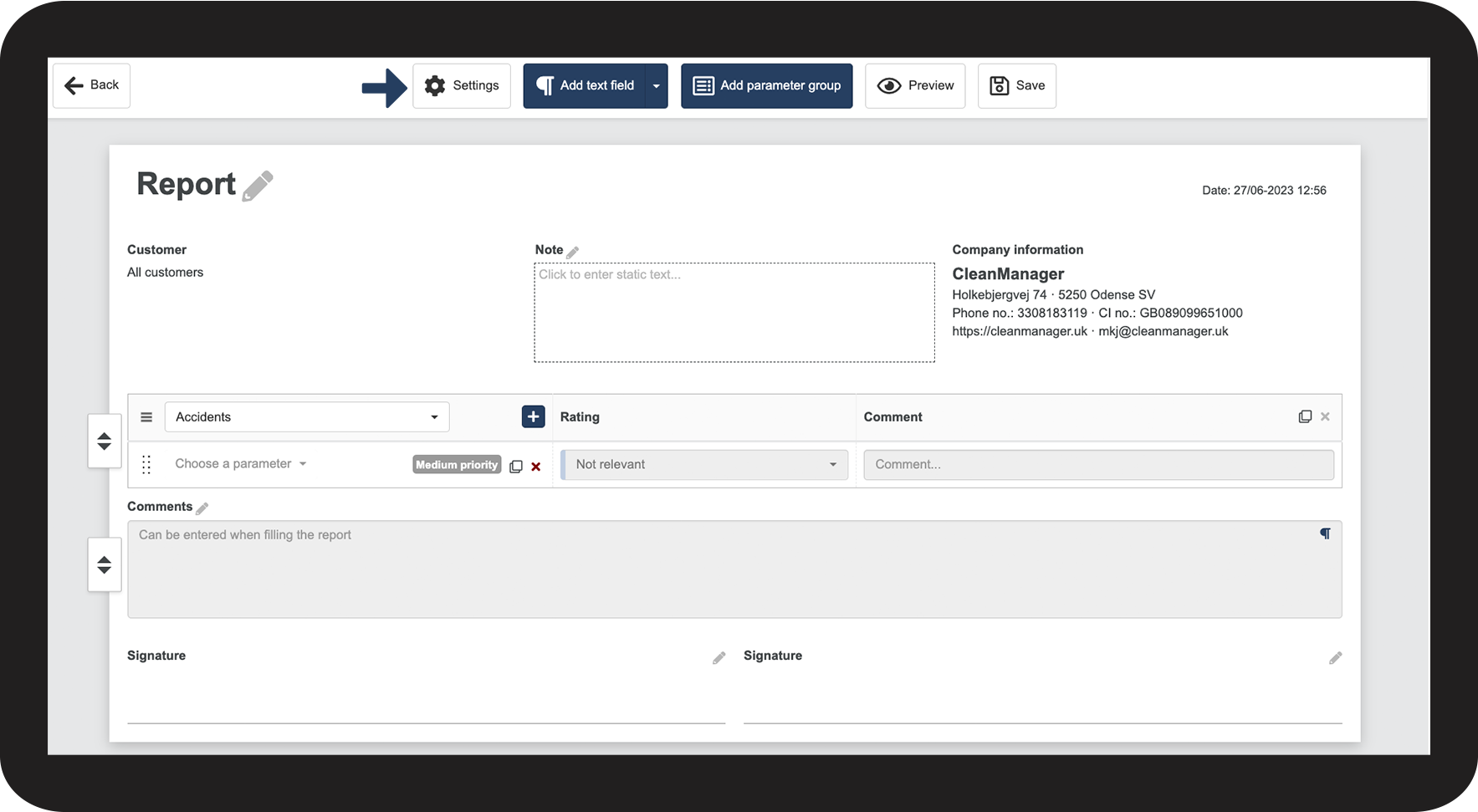
In the top menu, click on Settings

1.png

number_2.png

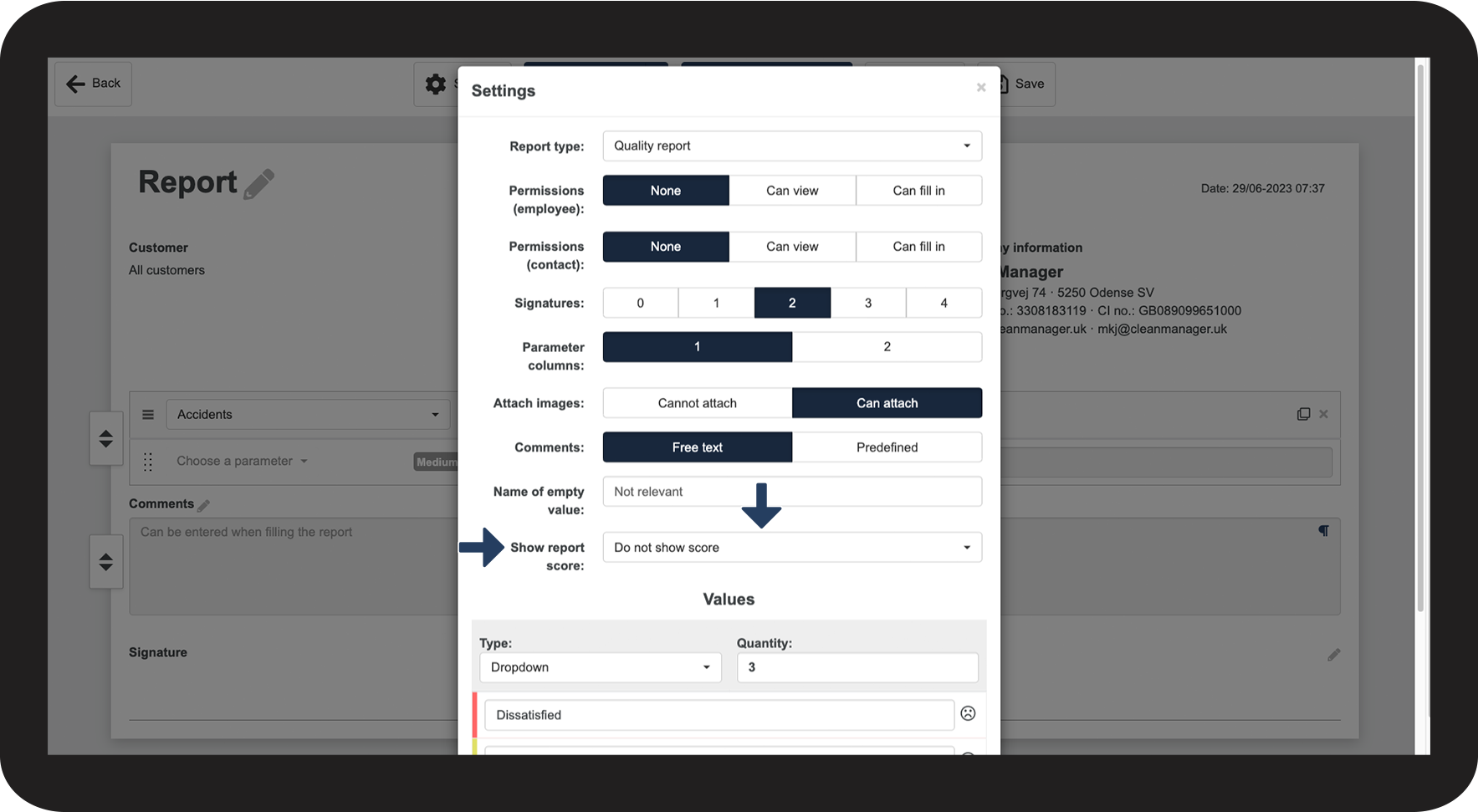
In the category Show report score, select the desired option in the dropdown menu.

2.png

number_3.png

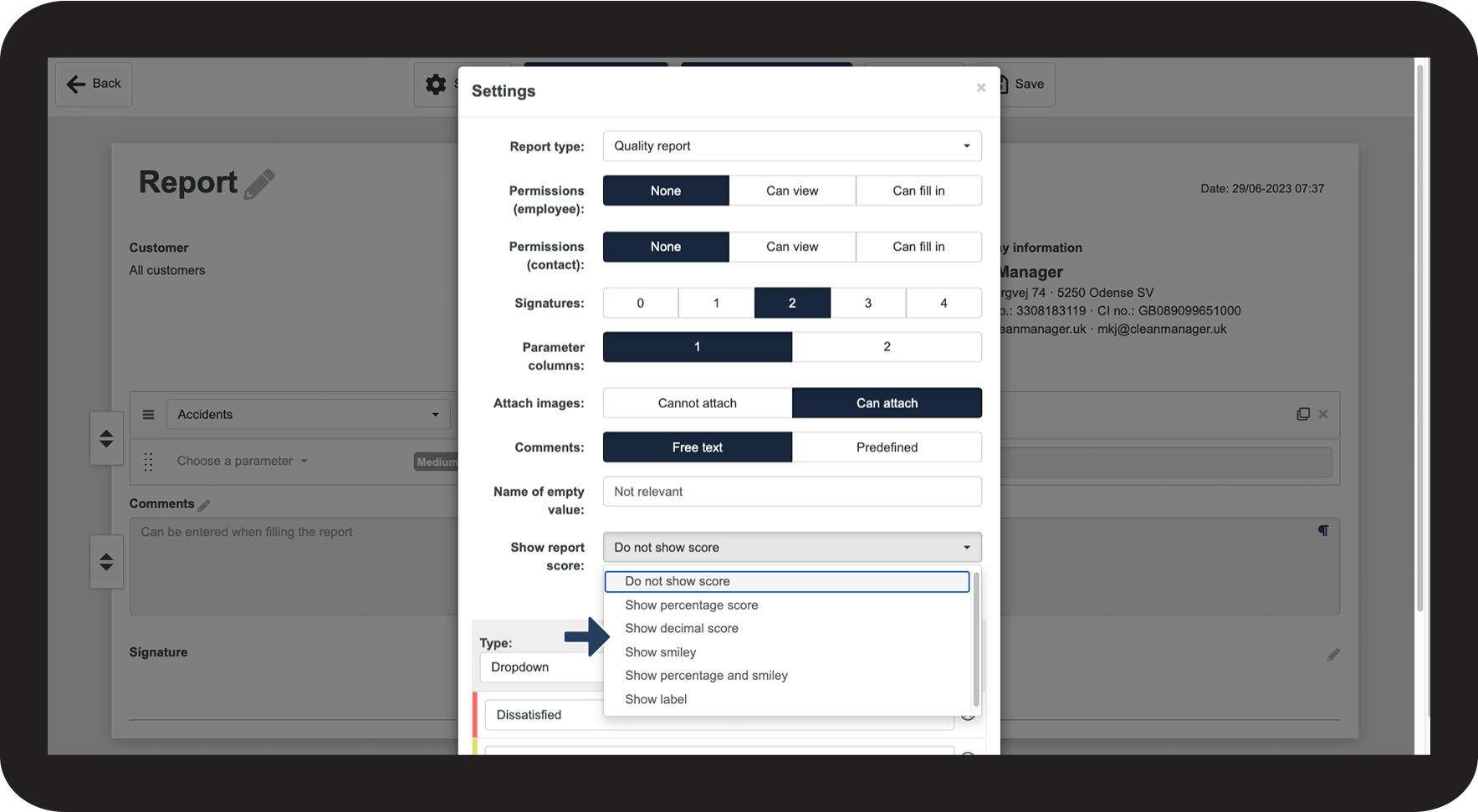
You can select one of the following options:


  • Do not show score
  • Show percentage score
  • Show decimal score
  • Show smiley
  • Show percentage and smiley
  • Show label
3.png


Variation of score appearance 

No-number.png

Do not show score


Choose this option if you do not want the score to be visible on the report, however, it will still be possible to see the score in the statistics.

No-number.png

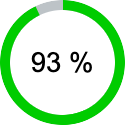
Show percentage score


Displays the final score of the report in percentage.

(This is the same score that you will see in the statistics)


procentscore.png  

No-number.png

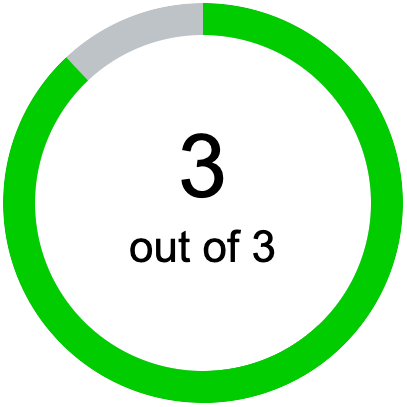
Show decimal score


Displays the final score of the report, defined by the number of values the report is set up with. (E.g., 1/3, 2/3 or 3/3, etc.)

 
decimal.png
No-number.png

Show smiley


Various emojis can be used to indicate the quality of a report. 

(The emojis are not tied to the number of values of a report. If a report is set to have only 3 values, this option will still distinguish between 5 different emojis).


smiley.png 

No-number.png

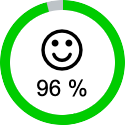
Show percentage and smiley

 
This offers a combination of show percentage score and show smiley.
 

procentscore_og_smiley.png 

No-number.png

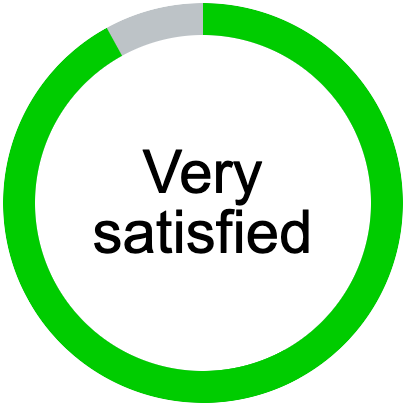
Show label

 
The report score is indicated by the value names
 

label.png


How your report score is calculated

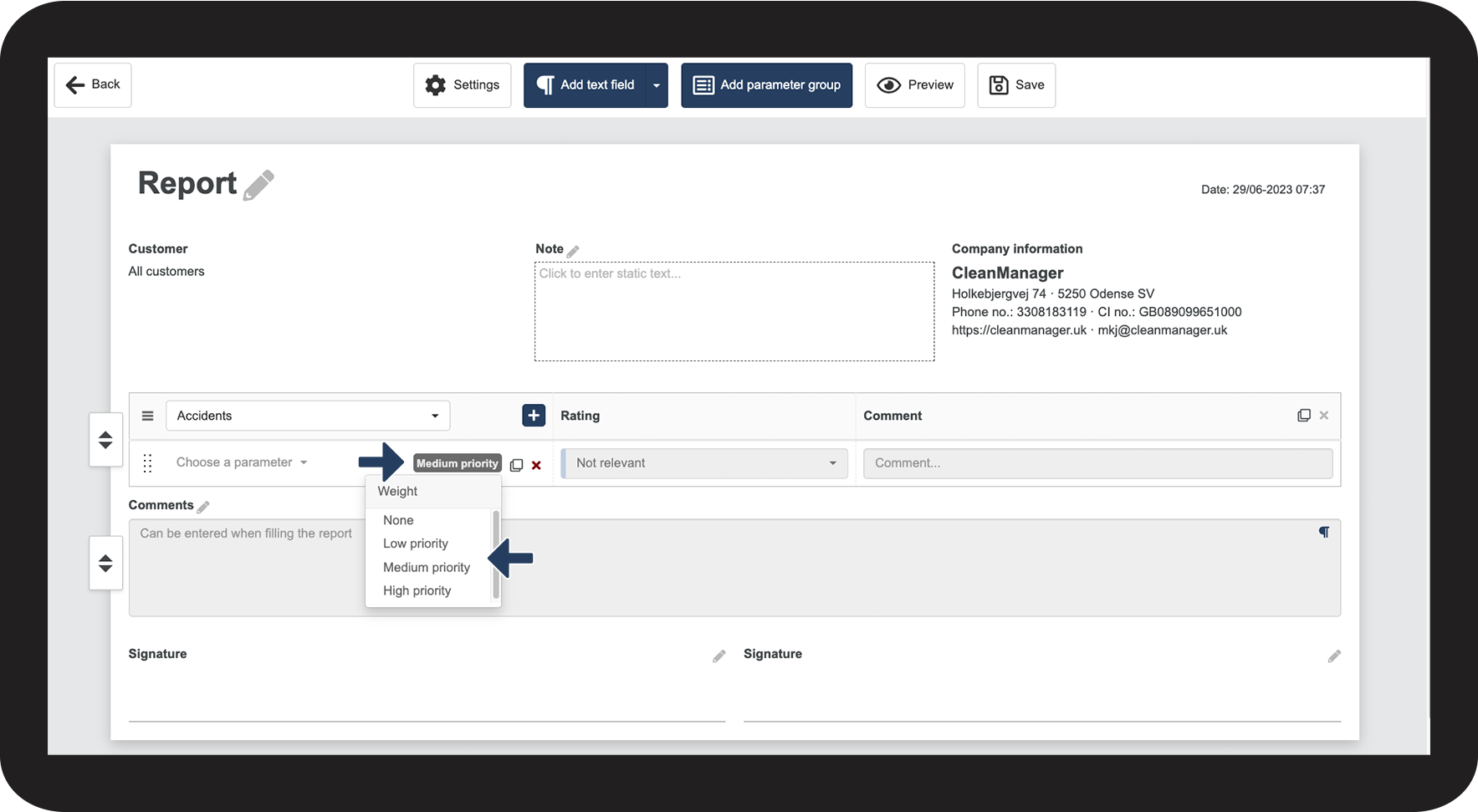
The final score is calculated based on each of the parameters. If you have parameters, which you want to weigh more or less in the final calculation, you have the option to change their priority.
 

number_1.png

Find the relevant parameter and click on Medium priority. Select the relevant priority.


The priority determines how much each parameter is weighted in the final score of the report.

To learn more about how the different priorities are weighted in the final score, read the article: How does CleanManager calculate the final score of a report?

4.png


Continue to the article: Adjusting the values

The next article will continue to help you set up your reports