Skip to content
English
  • There are no suggestions because the search field is empty.

Adding a key

How do I add one or more keys to my key ring?

Once a key ring has been added to a location, keys can be assigned to that key ring.

It is possible to add several keys to a key ring – if, for example, it is required that there be both a main key and a second key.

Administrators and Supervisors can create keys to the key rings they manage.


In this article, learn how to add and set up one or more keys for a location:


How to set up a key

number_1_copy.png
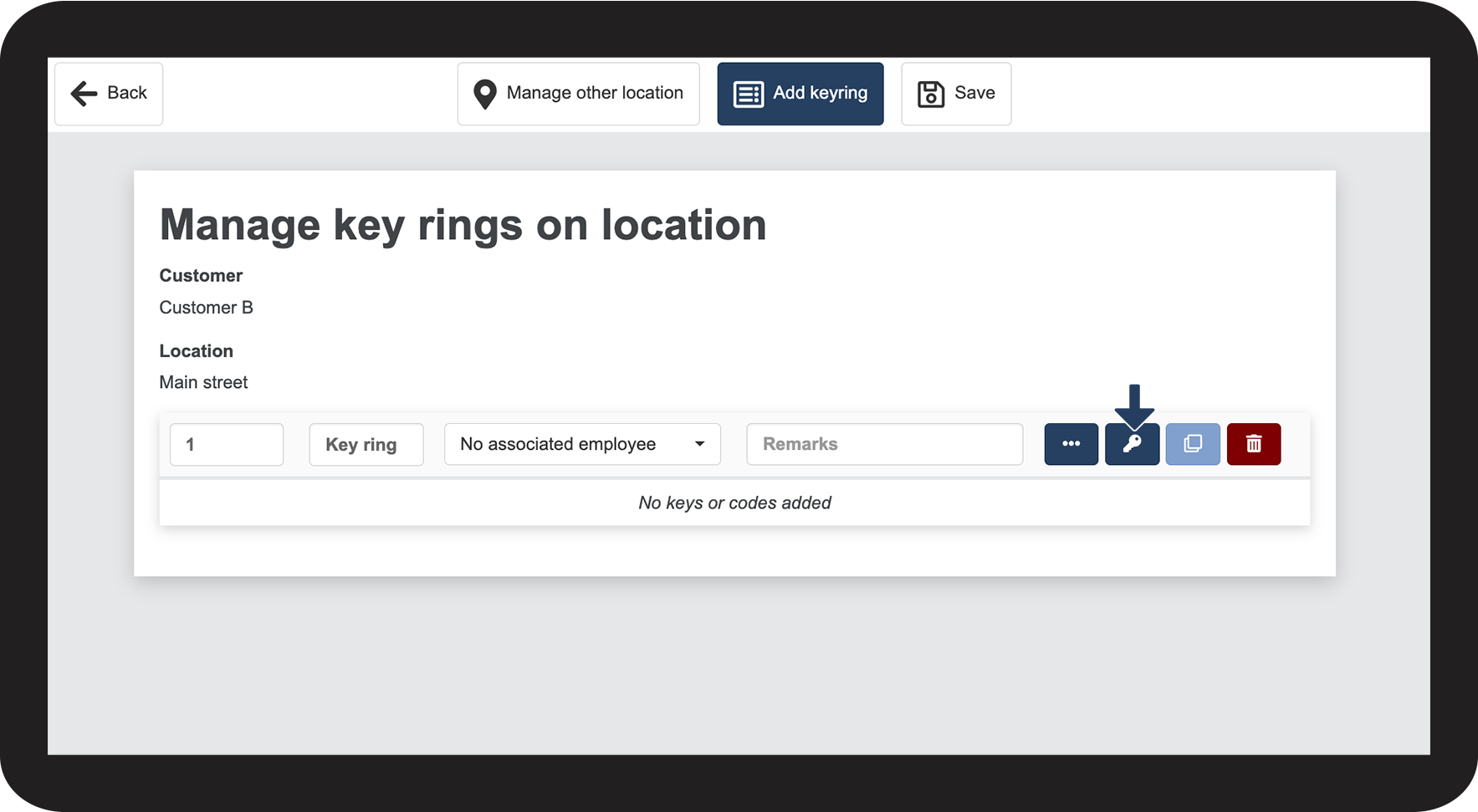
Click on Add key Screenshot_2022-10-28_at_08.23.50.png to set up a key

1.png

number_2_copy.png
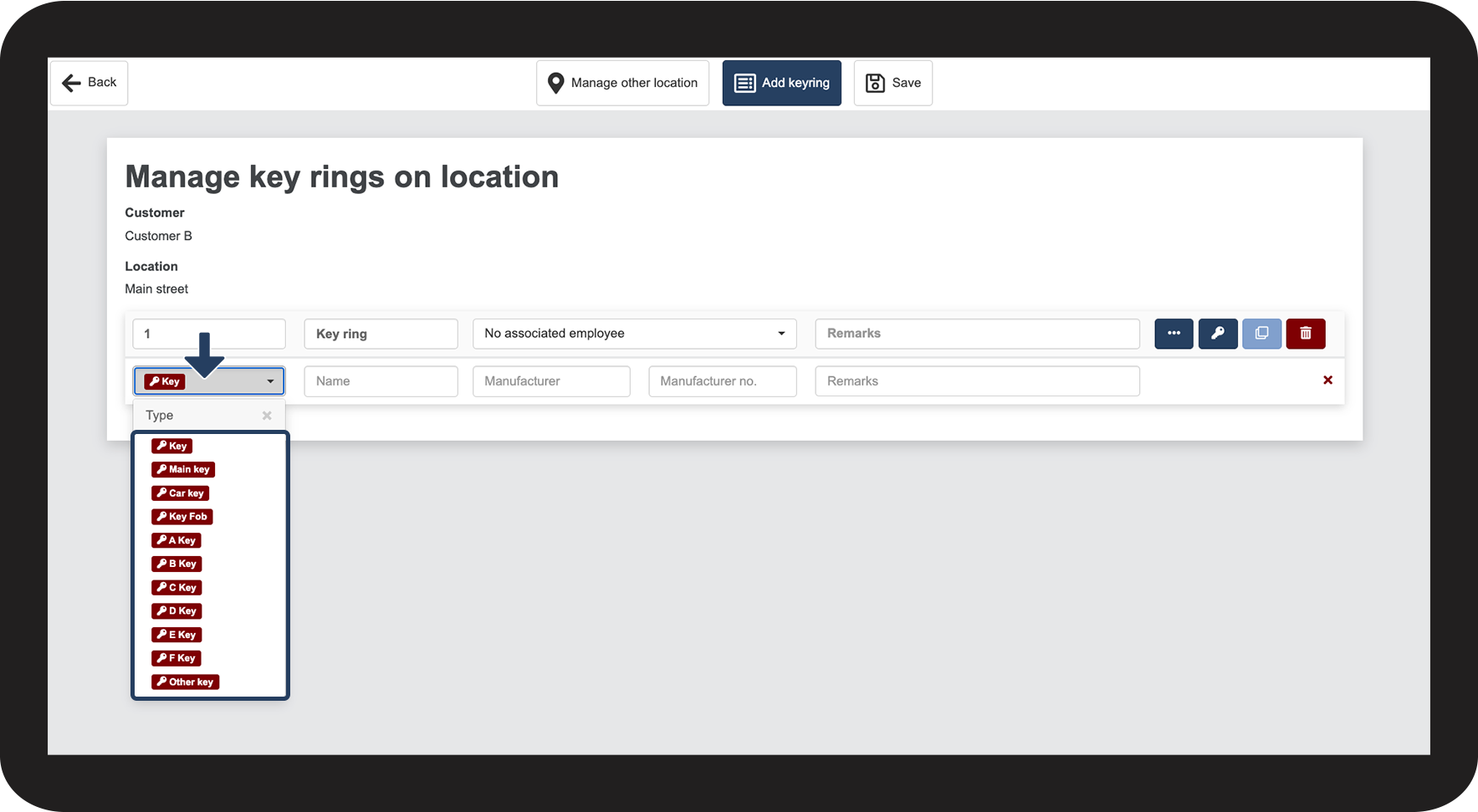
Click on the dropdown menu, and select the Key type
 

You have the option to choose which type of key is being used. If there are multiple keys associated with a key ring, this can be used to distinguish them.

You can choose the following types of keys:

  • Key
  • Main key
  • Car key
  • Key Fob
  • A key
  • B key
  • C key
  • D key
  • E key
  • F key
  • Other key

2.png

number_3_copy.png
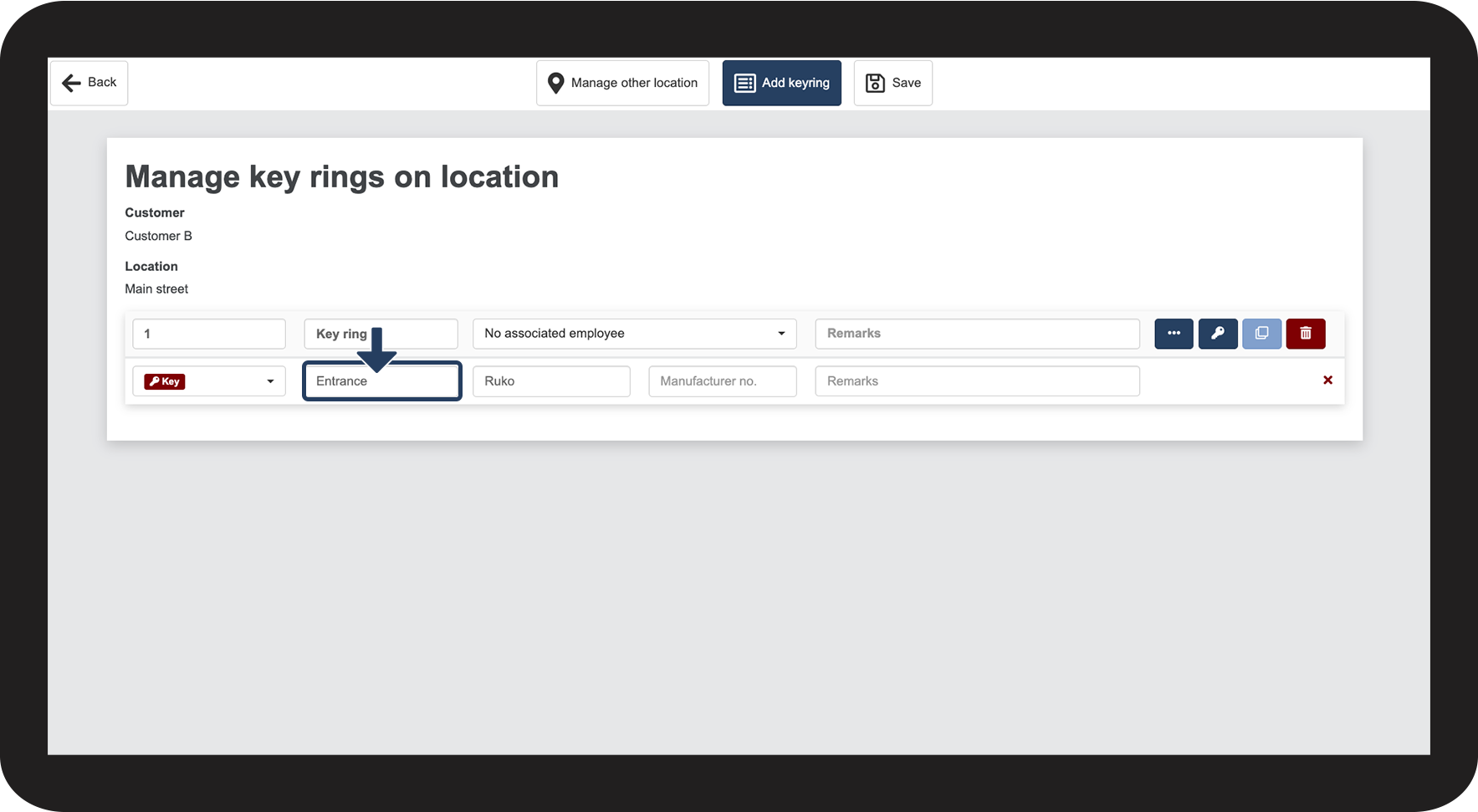
Add a Name to the key

3.png

number_4_copy.png
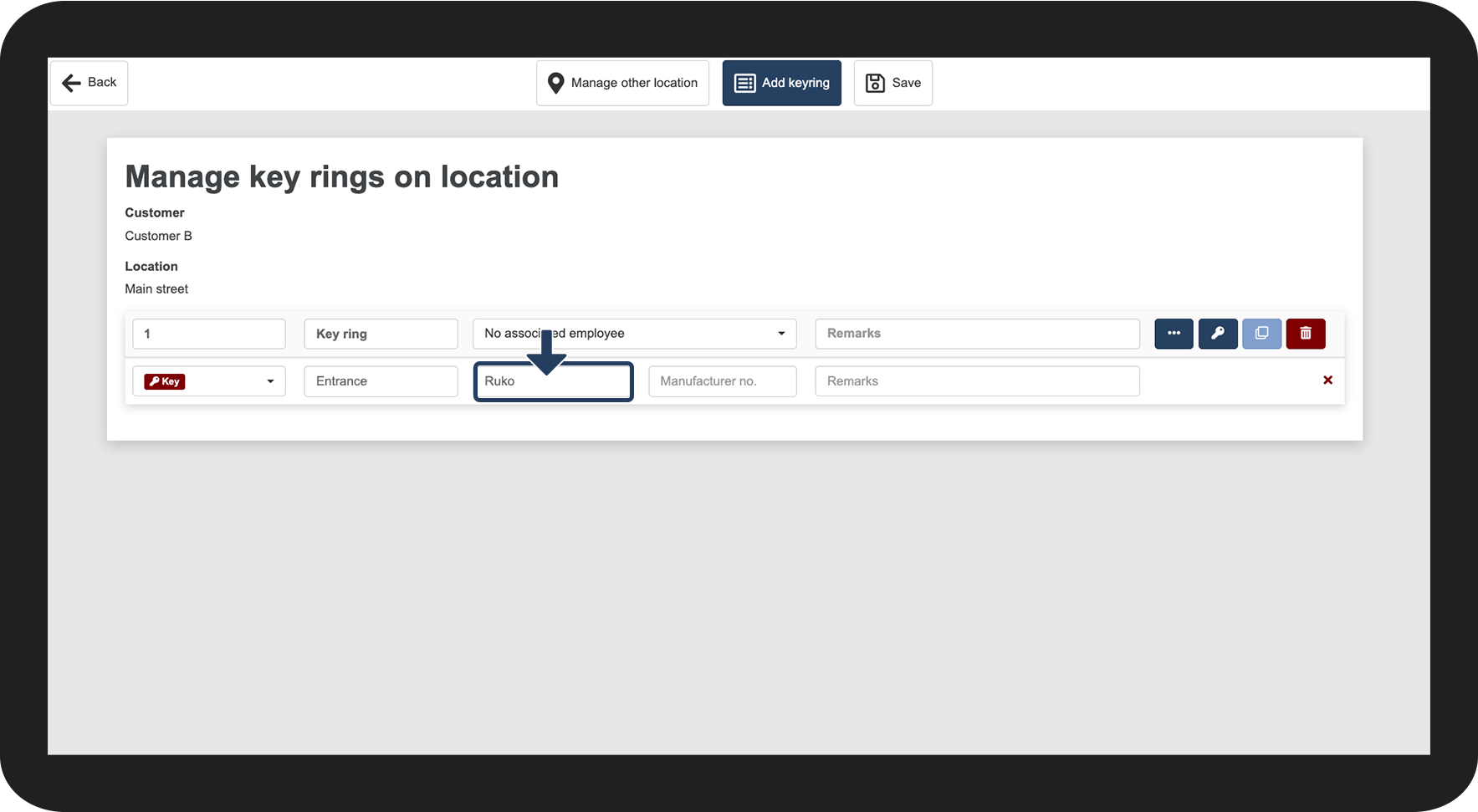
Add the name of the Manufacturer of the key
 
This can help distinguish the different keys from each other if there are different manufacturers.

4.png

number_5_copy.png
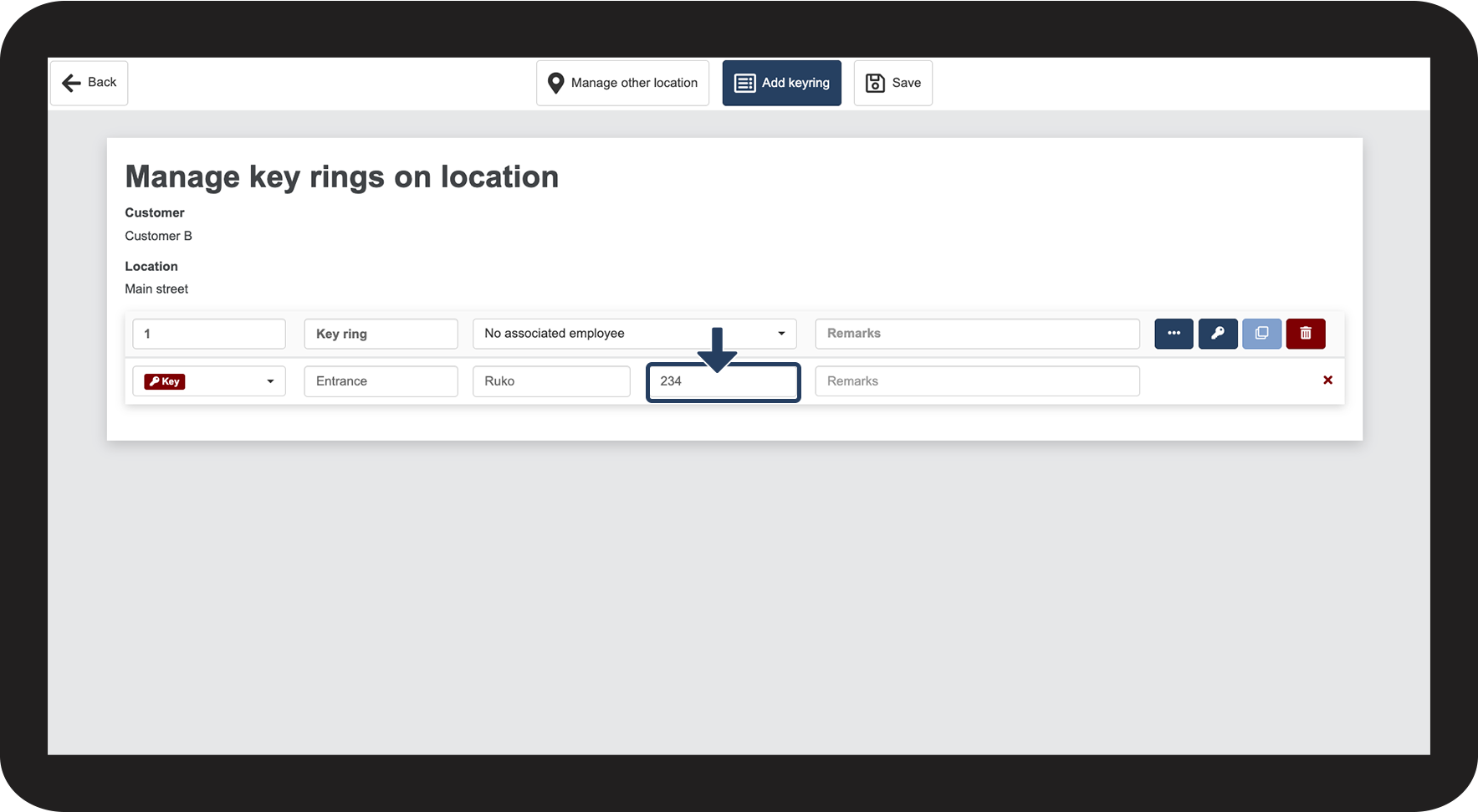
Add the Manufacturer no. to the key
 
If there are multiple keys from the same manufacturer, then a Manufacturer no. helps to distinguish keys from each other.

5.png

number_6_copy.png
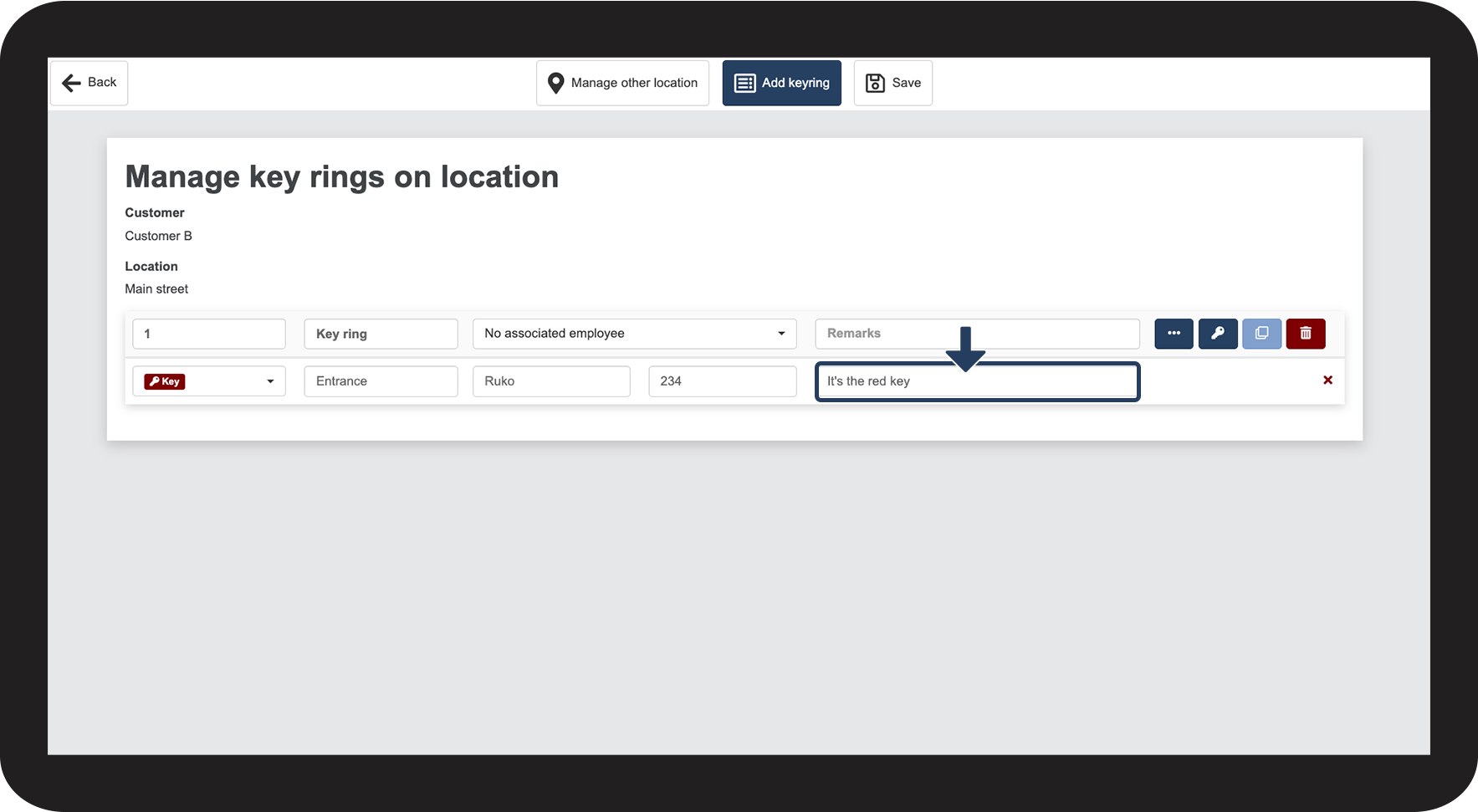
Add Remarks
 
It is possible to add a note to the key if necessary.
6.png


How to add more than one key

number_1_copy.png
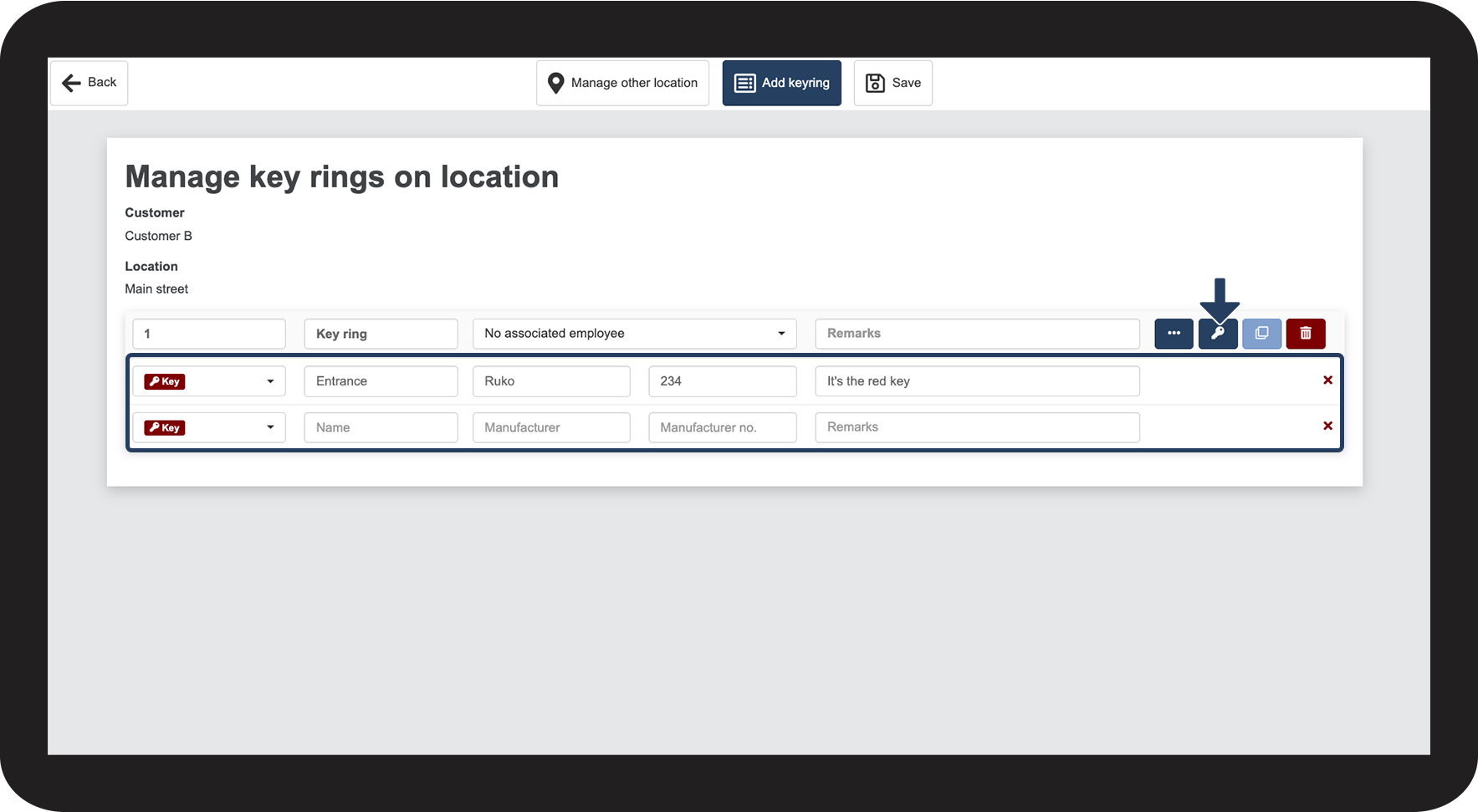
Click on Add key Screenshot_2022-10-28_at_08.23.50.png to set up another key
 
It is possible to add various keys which are associated with the same key ring. This may be necessary if numerous keys are to be used at a location/customer.

7.png


How to delete a key

number_1_copy.png
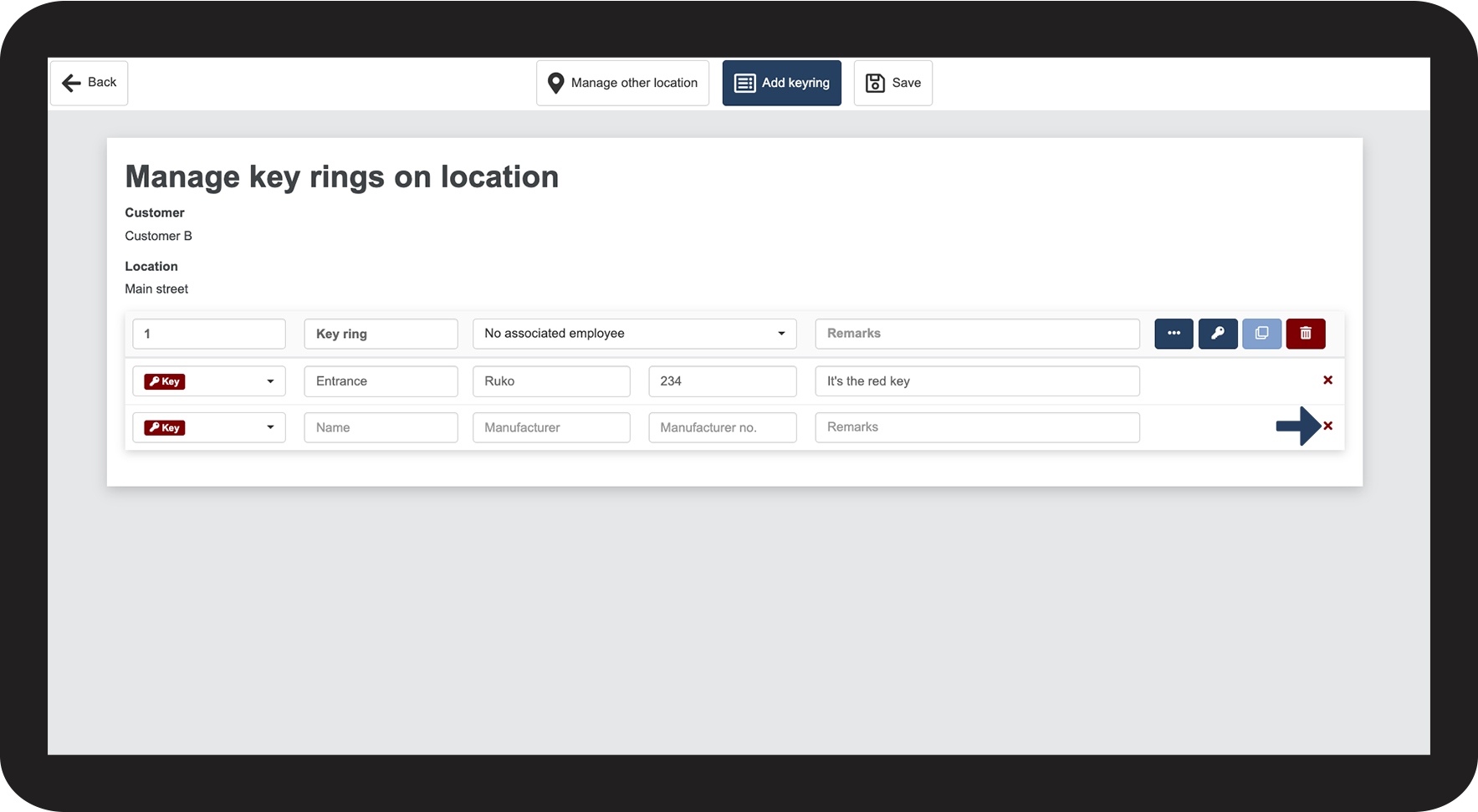
Click on Delete key Screenshot_2022-10-31_at_08.07.06.png to delete a key

8.png


Continue to the article Find and manage created key rings

Here you can see how you can find and handle your created key rings.