How do I activate or deactivate a cleaning type for several service agreements?
It is possible to automate the activation/deactivation of a cleaning type for multiple service agreements at once.
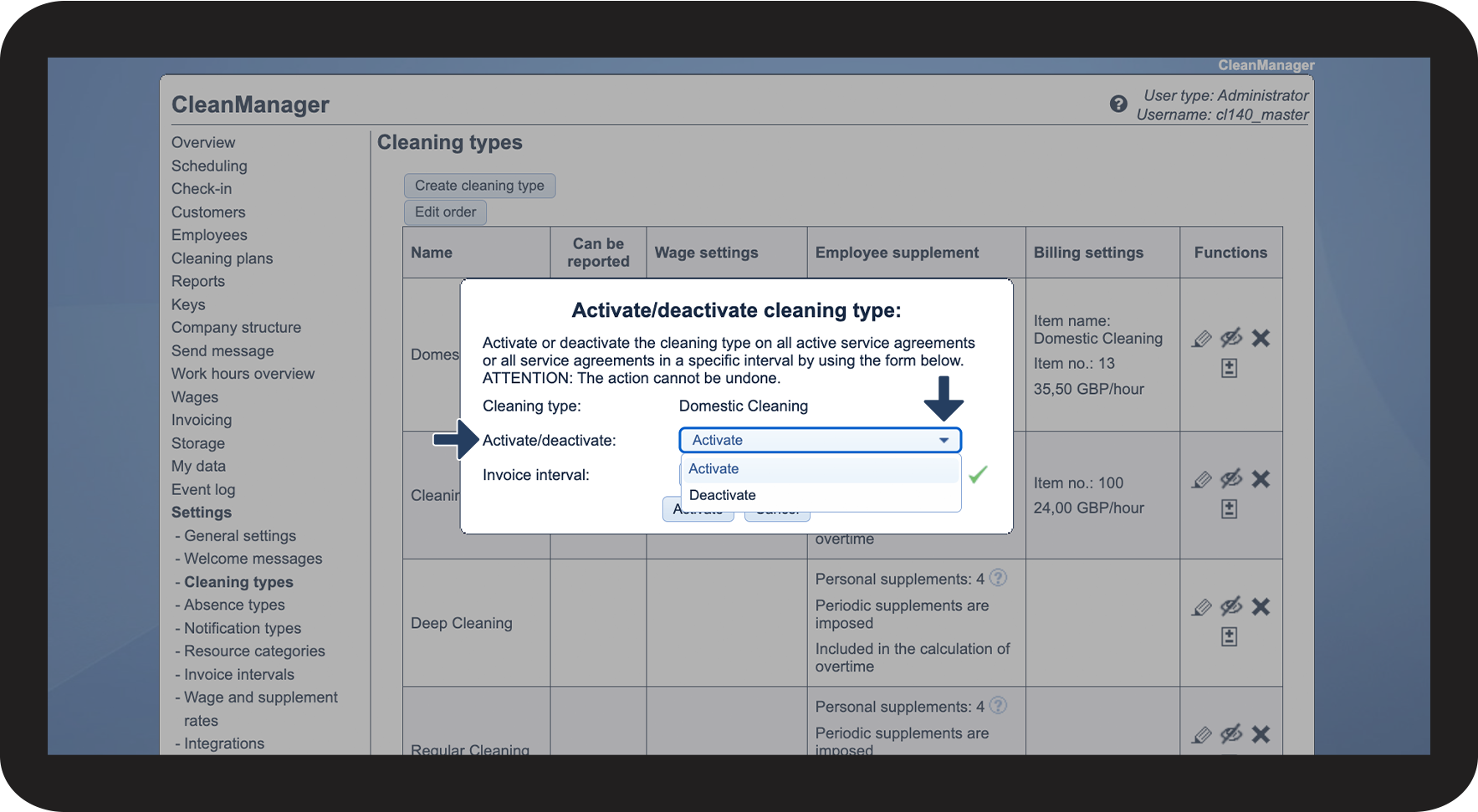
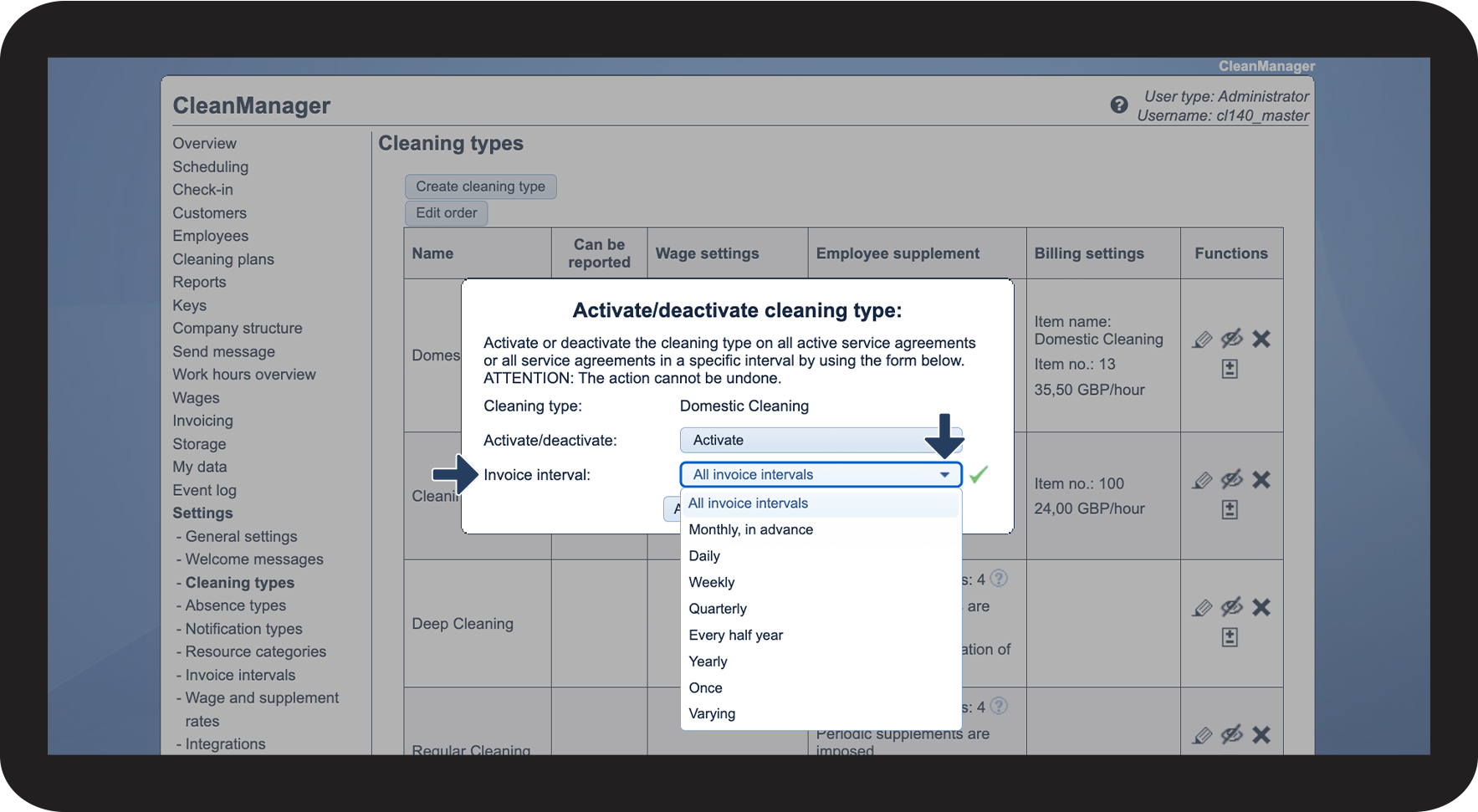
Choose if the cleaning type should be activated or deactivated, and select all invoice intervals to apply the activation/deactivation of the cleaning type to all service agreements.
You can also select a specific interval, in which the cleaning type should be activated/deactivated. By doing this, only the service agreements, which are to be found in the selected interval, will have the cleaning type activated/deactivated.
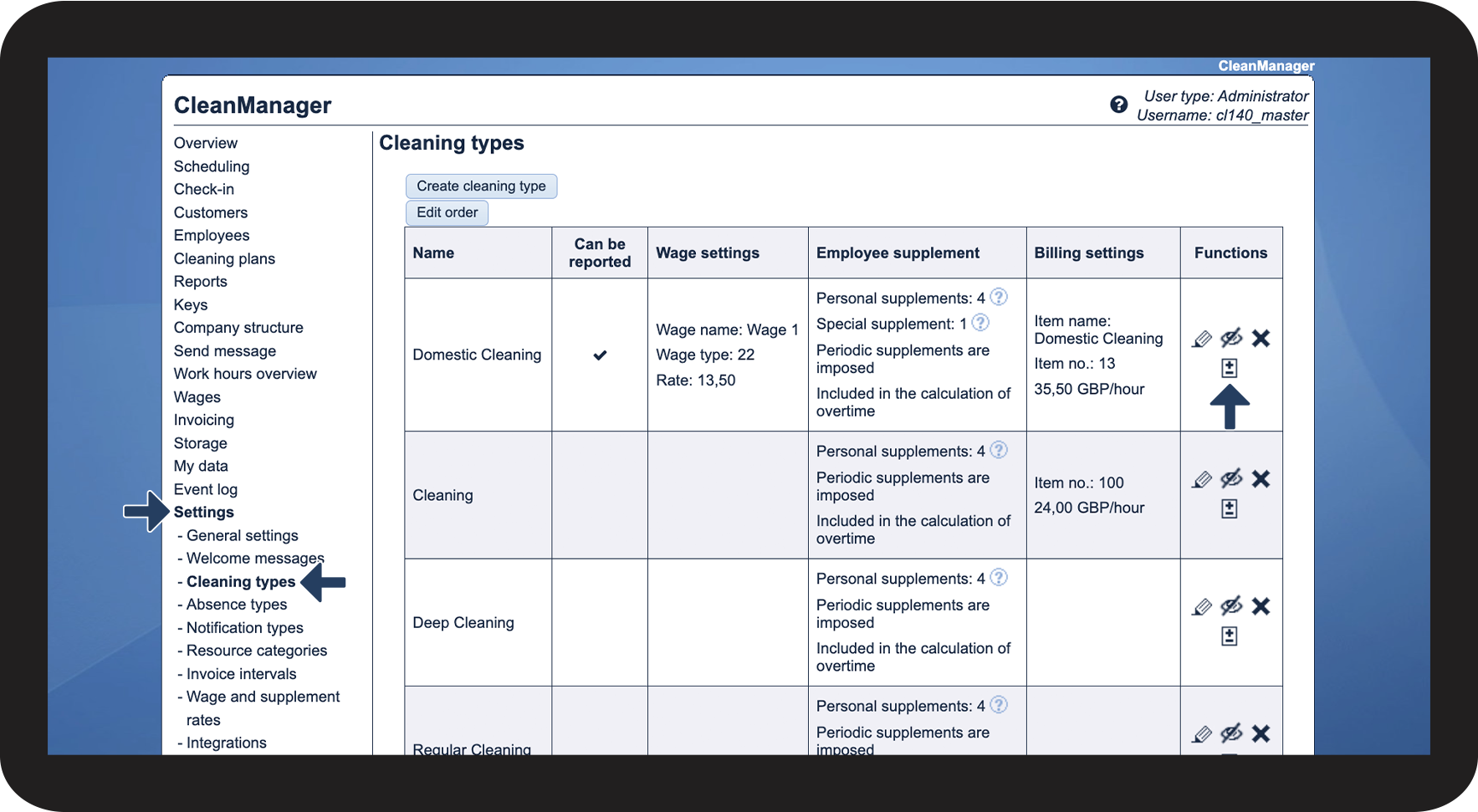
In this article, you will learn how to activate and deactivate your cleaning types across multiple service agreements:
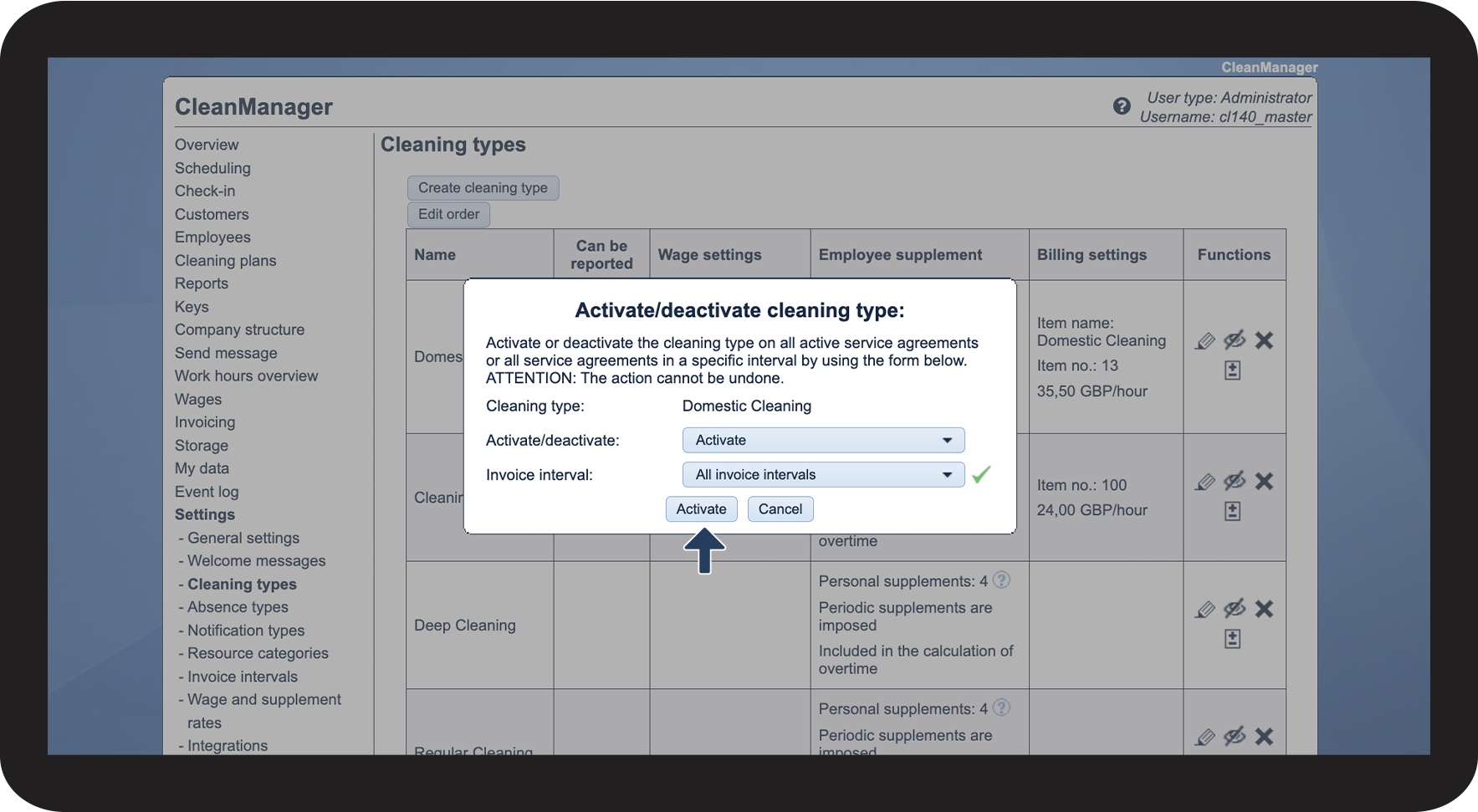
Activating/deactivating a cleaning type on multiple service agreements

 in the Functions column of the cleaning type